My Day Trading Computer Setup: Setup Tour
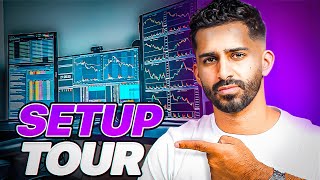
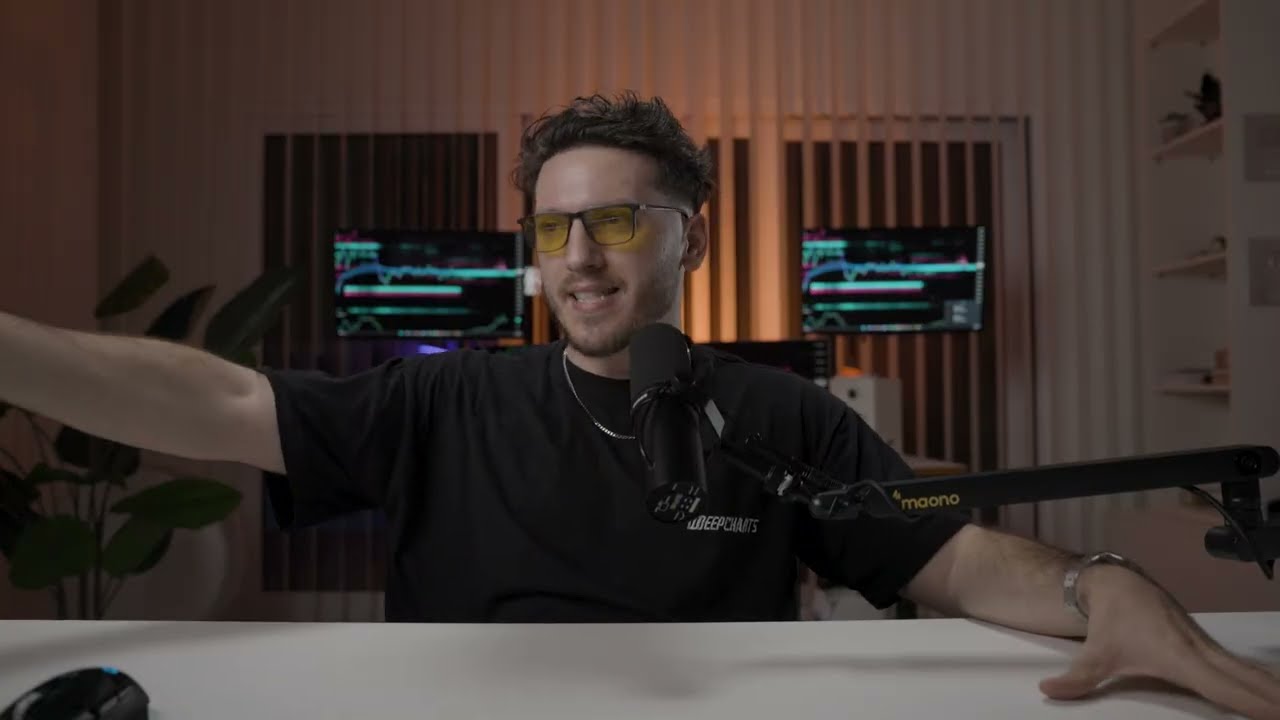
Kardec Trader shows his four-screen day-trading setup: three 32-inch vertical monitors for charts, trade ideas, and market internals, plus a 27-inch horizontal screen for alerts. He stresses that beginners need an edge before buying gear, and recommends a strong GPU, ethernet connection, and a good chair over expensive equipment.
Questions this video answers
Four monitors: three LG 32-inch screens (vertical) and one 27-inch Dell screen (horizontal).
VWAP and the 9-day exponential moving average (9 EMA) on the 5-minute chart.
1-minute, 5-minute, and 15-minute timeframes for the traded stock.
VIX, A/D (advance/decline), Tick, TRIN, NQ, and SPY.
600 Mbps.
Chapters
A lot of people recently have been asking me to share my trading setup, what screens I use, what computer I use, and what I have up on my screens. And I guess it's finally time to kind of showcase that and share that with you guys.
So a lot of traders by now are looking to probably get into a trading setup or look at what screens they should buy, what computers they should buy, and what they should have on their charts. And this is the exact video that I'm going to break all of that down. Now, before I dive into that, the first thing I want you guys to know is that you should not be focused on these type of things as traders up until you get to that level. Now, what I mean by that is if you're someone that's just starting out, or if you're someone that doesn't have an edge, doesn't know what their edge is, doesn't know what their trading style is, what they need to improve on, what they need to take a step back on. I don't think your focus should be on, oh, I need more screens or I need a faster computer. Right? I think at that point, you divert your attention and focus away from things that actually matter. So if you're someone that's still struggling, I promise you, having five or 10 or 20 screens or having a faster computer is not going to make that process better. What you should do first is actually first focus on your trading. Focus on one to two screens max, and simplify the process before you add more things into your trading arsenal. Because what typically happens is a lot of traders go, oh, man, I'm trading bad. I need a better screen. I need more screens. I need a better computer, I need a better broker. I need a better this. No, you first need to have a plan. You first need to know how you're trading. You first need to have an edge. Once these things are kind of outlined, I think that's when you should say, let me add more screens, and so on. So the first thing I'm gonna break down is the desk that I used. Now, the desk that I use, the reason I picked this desk is because, number one, it's big enough for a full trading setup, basically meaning that it fits all my screens. Right? That's number one. It fits all the screens I need, and it's more than enough space for me. Second, it kind of makes a nice workstation. As you guys can see behind me, we have multiple other desks where we're bringing in traders to trade here. Whatever desk you're looking for, Just look for something. In my opinion, you don't need to go all crazy. Look for something that can fit all your screens and it's obviously a strong desk. I did have a standing desk before in Miami, so that was pretty good. But it's just tough to have a standing desk up in here. But if you guys want to go with a standing desk, go with that. But go with something that's simple, right? You don't need to overcomplicate it, right? Because in simple terms, a desk is not going to improve your trading at all. Now let's jump into the screens. So the screens I use that you guys see up here, I have four screens up here. Now three of them are LG 32 inch screens and one of them is a 27 inch Dell screen. Now if you guys notice something about my screens, three of them are vertical and one of them is horizontal. Now the reason I did that is because based on my personal preference, I like this setup a lot better than what I had before. What I had before was I just had four 27 inch screens, you know, just facing me. And what I felt, I felt this setup was better for me or something that I based on my personal preference. Like more. Now, once again, this does not mean that this is better than another setup. It just comes down to personal preference. Now the reason I have four screens before I dive into it is because of the way I trade and because of the way I look into stocks and because of also my trading experience. Now if I was to take a step back five years ago, I would not have this many screens because it would just create a lot of noise. Now a lot of people are probably wondering, how do you watch all four screens at the same time? You don't, right? The idea is for each screen to have a purpose. That's where my execution happens. So on this screen I have the 1 minute, the 5 minute, the 15 minute time frame for the stock that I'm trading. The only indicators that I really have are the VWAP and, and the nine day exponential moving average on a five minute chart. Not the one minute, not the 15 minute alongside. With that I also have time in sales and level two open on my execution screen. And then I also have NASDAQ and I have Spy open just to see the overall market. So basically if I look at my execution screen and I'm trading one name, I can kind of see everything that I need to see at a quick glance. And that's where all my focus goes into. So let's say throughout the day I find a good trade, I find a good setup, a stock is aligning with the way I want it to move. That screen, that stock will go into my main execution screen and everything else I kind of tend to avoid. Now my other three screens are there when I don't have a trade present. So my second screen, this is where I have my LG 32 inch screen. That's vertical. On this screen I'm looking at six names. So typically on a daily basis I have two to maybe four trade ideas. Some days I have a little bit more, some days I may have six. Now, starting out, I would try to limit yourself to how many trade ideas you have for the day. In my trade ideas, I obviously look for catalysts and all these things that I'll break down in another video. But whatever stocks are in my trade idea list for the day, I focus heavily on that in just that one screen. If on that screen one of the stocks looks good, has a good setup, looks like it's ready to move, I will take that from that screen and move it onto my execution screen, ready to execute a high quality trade. Then my third screen, this is where I look at the market internals such as vix, add, Tick, Trin, nq, Spy. Right. I'm looking at the overall market just to understand how strong or weak the market is. Why? Because I'm primarily trading a lot of big names. And since I'm trading big names, big names tend to move alongside with the market. So me as a trader, I want to know how is the market moving and what's the strength of the overall market. That's what I have on my third screen. Now my fourth screen. This is where I may have other stocks that I have alerts on. This is where I may have the chat open for sml. This is where I may have other small things open just to kind of keep a glance at the market and. But my main three things I'm looking at is my execution screen, my six trade ideas for the day, and the market internals. Then my last screen. Like I said, sometimes I have the chat open. Sometimes I would have some market news open just to kind of see what's going on from a news aspect. And that's really about it. So that's how I have my four screens. All right, the next thing I want to talk about is my computer. So I am currently using a PC. I'll break down the computer in a bit. But what I want to break down is when I first started trading, I was using a Mac and and over the years I realized that PCs are a cheaper and more effective when trading. Just my personal opinion, I think you can customize them a lot and you know, add a lot of things to them opposed to a Mac. And I think there's a lot of programs out there that support PCs and not really Macs. So if you are looking to buy a computer I highly suggest go with the PC. Now the PC I'm using, I got a pre built PC from online. The PC I had in my Miami place that was a custom built a computer from someone, someone built it for me. But this one I got it pre built just because I needed something quick and fast when I came down to California. And the main thing I would look at when you are looking to buy a PC is to make sure that you have strong graphics card and you have strong memory in that computer to uphold the multiple programs or charts and screens that you're gonna have. Now I'm gonna post the specs of the PC up here. Once again like I said it's a pre built PC. I didn't customly build this. The customly built PC I had before was a lot stronger. Not everyone really needs unless you are connecting multiple screens I don't think you need to have a very, very strong PC. Next thing I want to talk about is the Internet connection. So a lot of people when they're trading, they're trading on WI fi. But if you're really scalping and you want high execution I would really suggest you get an ethernet cable like you get plugged in Internet when you are trading. Now the Internet I'm using I have 600 Mbps of Internet Internet speed currently and I think that is more than enough. Now like I said, these are things that I think you should implement once you become a self sufficient trader. I don't think you should start out spending a lot of money on a setup spending a lot of money on Internet just to make your trading better. I don't think it's going to make a drastic impact up until you get to that comfortable level. So now on my computer is what programs am I running? So I use this computer primarily just for trading. So I'm running thinkorswim by TD Ameritrade and I have Benzinga Pro open and then I would typically have my chat open which is from Discord. These are the programs I'm currently running. I am switching my broker platform soon like I mentioned in one of my previous videos. So I will update you guys on that. What broker I select and why now the last thing I want to cover is I want to cover this chair that I'm sitting on. Now personally I don't know if you guys are familiar with this or not, but sitting is basically the new smoking. I would highly suggest that you guys go and invest in a very high quality and comfortable chair that's good for your back and really, really, really supports you in a good way. Because chairs are very important and I think that's one area a lot of people cheap out on and I don't think you should cheap out on your health. Before I wrap this video up, just wanted to say that you guys don't need a setup like this or you don't need to go out invest a lot of money in a crazy setup up until you get to that self sufficient level as a trader. This is just me kind of sharing it because lot of people have been requesting this video or requesting me breaking down my setup. If you guys have more videos that I should make content on, please comment down below. I will be making more videos on whatever you guys suggest. Thank you so much for watching guys. And with that being said, I will see you on the next video.