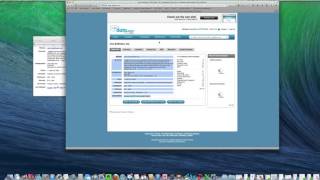
Kevin McCann shows how to build a sales prospect list by reverse-engineering an ideal customer's profile. He uses Jigsaw.com to extract a company's industry, size, revenue, and location, then applies those filters to find similar prospects. The result is a targeted list of firms and their C-level contacts ready for outreach.
Chapters
Hey there, it's me, Kevin McCann. And in this video, I am going to show you how to reverse engineer a list from one of your ideal customers so that you can effectively target new prospects that have similar characteristics to the prospects that you've. You've identified. So. Or that you're currently working with. So in this example, we're going to go to jigsaw.com so go www.jigsaw.com. create an account. If you don't have one, it's free. I'm going to log in, all right, And I will log into the site here. And for this example, we are going to build a list of target companies in Northern California against a customer called Jive Software. So here's what we're going to do. You've got home contacts, companies, my account, etc. So we're going to go and we're going to create a list of companies. So we want to go here and say find companies. So first thing we're going to do is we're going to look up the company that we will use as the prototype. So right here we'll type Jive Self Software. And you can actually put the website name. Let's see if this works here. Just putting the name of the company. There it is. So it pops up the name of the company, an overview, the website, where they are, and here's the things I want you to focus on. Industries, employees, revenue and geography, which we'll call out in the particular list we're looking for. So what I'm going to do is I'm going to open up little text, text file here and I'm going to copy and paste those characteristics from there into my text file here. All right? So that's the characteristics of Jive. So now what we're going to do is we're going to create a list of companies. So we want to find companies that have a similar characteristic as those ones. So we're going to go country is United States. We'll go state California for this example. And we will do. You can actually do metro area too, if you'd like. So instead of doing a state, you can select metro area, like say it's San Francisco, I think is one that we could do. Why don't we do it that way? We'll go with San Francisco and then industry. Okay. So if we look over here again, the industries that they're in are software and Internet, e commerce and Internet businesses. So here's we're going to do the drop down here. When you click on software and Internet, it's going to give you some sub industries. So we're going to click on both software and if you hit the command key if you're on a Mac, and I think it's the control key if you're on a PC, you can select both of them. Software and E commerce and Internet businesses, much like we've got over here, employees, 250 to 1,000 do the same. And actually let's include 100 to 250 as well. So we'll expand it a little bit, but we'll go very similar to what jive is revenue. 10 to 50 million right here. Let's go with the same number, 10 to 50 million. And then I like to leave this open. Whether it's public, private, government, from an ownership standpoint, we'll just go with it. We won't filter down by website type or Fortune rank. Let's just go with it from here. So hit Search and it gives you 178 companies. So 178 companies have these search terms right here. You click on search terms. San Fran Software and Internet, the sub industries. We talked about 100 to 1,000 employees. If you say, you know what 178 is too many targets. Let me go and revise those search terms and we'll just take out the 100 to 250. We'll just stick with 250 to 1,000 employees. Hit search and that'll drop our count from 178 to 36. Perfect. So here's 36 companies that we could target that have similar characteristics to Jive Software. If in this case Jive happens to be one of our good customers. So we'll just pick one of these, say Demand Force. Here you go, Demand Force. Here's where they're located. And then the beauty here is that you can go in and start finding the contacts at this company. So C level, you Click here, there's 10 C levels and it tells you what titles they have. Chief technology officer, owner, president, etc. So here's the contact people and then if you want their email and contact information, that's where you have to pay for it. But this is enough information for you to get started on. Say, all right, I'm going to call Eddie Hale, who's the cto. It's not going to show you his or her, in this case, his email address. You can pay five points to get it. But I know enough about this company where I can call in and say, hi, I'd like to talk to Eddie Hale. So there you go. There's your way to create or reverse engineer a list based on your ideal customer or perfect fit prospect.