Lead-Launcher Tools
Kevin McCann walks through the eight tools in Lead Launcher: Campaigns, Email Templates, Online Forms, Webpage Tracking, My Files, Tag Rules, and Purchase Rules. A tracking snippet logs every page a prospect visits to trigger targeted emails, while tag and purchase rules automate actions based on contact behavior.
Chapters
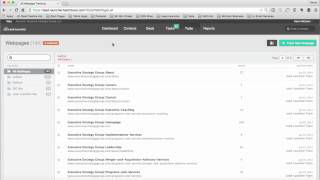
Hi there. I'm Kevin McCann with the Executive Strategy Group. And in this video, I'm going to show you how to use the Tools tab in your lead launcher, marketing and sales system. So I'm logged into the dashboard right here, and when I roll over the Tools tab, you see six different tools, campaigns, email templates, online forms, web page tracking tool. So we can see who comes to the website and what page specifically they go to. My fil, which is like a folder up in the cloud where you have your PDFs and your downloadable documents and then tag rules and purchase rules, which we'll talk about in a moment. So the first tool, the campaigns tool, this is where all of your active and completed campaigns will live. So for instance, if you have a campaign like we have here in this particular example, where we sent a group of emails to prospects or to clients, they will live inside of this campaign bucket. So on day one email, this email here will go out the door to the people that have this campaign on their contact identification. And then on day seven, anyone in this particular campaign will get this email. On day 14, they'll get this email, so on and so forth. So when we build out these campaigns, we can add actions to take place at a certain point in time throughout the campaign. Obviously, emails can go out the door, but we could also send notifications or create tasks for people, people on our team as part of the overall campaign to make sure that things are being followed up on and communication is going out to the prospects or the clients. So that's what happens inside of the campaigns to give a quick visual of what a campaign looks like. This would be an example of a campaign that we've loaded into one of our clients databases, where it's a social media conversion campaign. So we have content that's going to go out on social media that will drive people back to a landing page and that on the landing page there'll be an online form. When they fill out that form, they get taken to a thank you page and then the emails start automatically going to them from that point forward, one with the document that they downloaded and then a couple more to follow up and make sure that they've gotten use out of the information that we've provided them. So that's a visual on a campaign. And we have several different types of campaigns that we visually display for our customers and then allow them to select which ones they want us to create in the system where it looks like. This second tool would be email templates. So those campaigns have emails inside of them and this is how we create those email templates. So this is where they live under that tab. But if I wanted to create a new email, there's three different ways we can do it. We could do it with a drag and drop builder. We could do a basic email template which is just text based only, no graphics or images. Or we could do a pre designed, full blown HTML responsive design email that's a little bit more design heavy, shall we say? So it looks really good, just takes a lot of time to create them. But this is how we create each one of those and in future videos we'll show a granular level of how to go about and do that. Next tool after email templates is online forms. So every form that's on our website is created within the lead launcher platform form so that when a contact submits their information, first name, last name, company, whatever we've requested, their contact info will go directly into the database. And then we can have certain actions taken when they fill out a certain form. Like notifications can go out the door. We could shoot an email off to them immediately. So a lot of functionality and capability on the forms side of things. Next is webpage tracking. So there's a little tiny snippet of code you can see right here that we'll put on the website so that when somebody that we've sent an email out to comes back to your website, we'll see every single page that they go to on your site and you'll be able to take action according to where their interest lies. So for instance, if they go to a page on your website that talks about red shoes and then later they go to a page on your site that talks about blue shoes. Well, we can send emails automatically about different types of red shoes or different types of blue shoes when they hit those particular pages. So all of that is able to be taken action or is actionable based on where they go on your site. Very, very powerful. Next is my files. So think of this as like a Dropbox or as a folder in the cloud where all of your content, your PDFs or your downloads would live up there. So that when emails go out the door, we can automatically have some of these things attached to those emails and sent right off to your prospects or your customers. Tag rules and purchase rules. So if you recall in the contacts video, each of these contacts I'll use myself here, Kevin McCann has certain tags applied to them. So like for instance, you can see that Kevin McCann has visited the lead launcher homepage 249 times. So this is a tag, and it's been ticked 249 times. Well, what tag rules are is the ability for us to say when somebody. Let's see here. How about this one here? Say pricing rule. So say, for instance, if someone visited visited a certain page or has a tag applied to them two times, three times, ten times. Like in this case, it's if someone's visited our pricing page three times, then send a notification to the sales rep telling them, hey, this person has been on our pricing page three times. It's time you reach out to them. So based on the number of times a tag has been applied to a contact, we can take certain actions. Sending them an email, we could notify a sales rep. We could create a deal in the pipeline. So there's a lot of things we can do and take action on just by the number of times a tag was applied to a prospect. Exact same thing applies here for purchase rules. So for instance, if someone, we don't have any set up in this particular database, but say, for instance, somebody purchased red shoes instead of blue shoes, well, we can start creating actions based on things some of your customers have purchased. So that's the tools tab, campaigns, email templates, online forms, webpage tracking, my files, tag rules, and purchase rules. Watch other videos where we're going to talk about reports and give you some insight into the metrics of your marketing. Thanks for watching. Have a great day.