Civiltech Engineering - Benefit Center
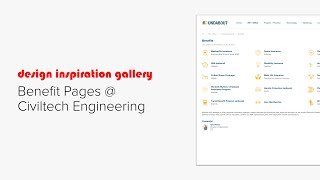
A brief YouTube walkthrough by Koei (Knowledge Architecture) showing Civil Tech’s benefits pages and how they are organized. The video demonstrates the landing page with a full-width smart navigation block, explains that each benefit page includes the provider name and a yellow stock icon, describes the two-column layout (employee block on the right, documents shown as thumbnails), and notes the enrollment section is consistently placed at the bottom with a thumbnail on the left and text on the right. The narrator clicks through pages via the Content Outliner and invites viewers to pause the recording for closer inspection.
Chapters
More from Christopher

Human in the Loop? Testing Our Assumptions About Where People Add Value in Learning | Todd Henderson

Redesigning Work for the AI Era: How Greenprint Turns Implicit Knowledge into Shared Intelligence

Designing Learning Like a Product: Branding, Culture, and the Unseen Work of Building an LMS

Scaling Design Excellence: How Diamond Schmitt Amplifies Knowledge Through Learning and AI

From Tame to Wicked Problems: Rethinking Learning and Development in a VUCA World | Ellen Bensky

Learning at the Speed of Change: Adapting L&D to Your New AEC Workforce | Kristina Williams

Designing Modern Learning Organizations: Rethinking AEC Learning Development in the Age of AI

The Link Between Learning, Motivation, and Career Fulfillment for AEC Professionals


Why Communication Skills Are Foundational to Teaching, Leading, and Adapting in AEC F

A Framework for Collaboration and Quality: SMMA’s ISO 9001 Journey | Ryan Farias & Jessica Smith