Jess Purcell | How Video Became a KM Superpower at Shepley Bulfinch
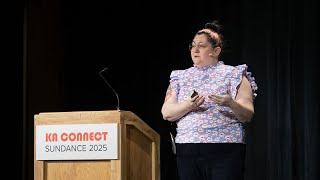
This content was created by Christopher Parsons. This content was uploaded by Christopher Parsons. This is a YouTube video titled "Jess Purcell | How Video Became a KM Superpower at Shepley Bulfinch" created on September 24, 2025. Jess Purcell discusses the evolution and impact of video as a tool for knowledge management at Shepley Bulfinch, covering the firm's history, the development of their video platform Finch, and the integration of AI for content management and learning development.
Chapters
Thanks for coming, everybody. I'm going to tell you a little bit about our video story. Where we are now, how we got here, and where we're going in the future. Like Chris said, design technology manager at Shepley. I'm out of Phoenix. I have a background in architecture. I consider myself a maker designer, data nerd. Finch is our synthesis. We launched it about 11 years ago and it's pretty thriving platform. A little bit about Shepley Bulfinch. We have about 200 people. We're a national firm with architecture and interior design. We work in education, healthcare, science and technology and multifamily residential. We have five physical studios and then we have a virtual studio. We consider ourselves hybrid, so we let people work from the best location to do the work they're currently doing, whether that's home in the studio or at a client's site. And we have been in business for 150 years, which is actually where our story starts. And you might be like, Jess, why are we Talking about video 150 years ago? But it's really important to our culture. And at Shepley, we consider ourselves stewards of our firm's history. So 150 years is a long time. And no one who works for us was there in the beginning. No one who works for us has even seen the majority of the history of the firm. So it's really important for us to be collecting stories, carrying that on for the next generation. And as we do that, we collect artifacts. So we actually have physical archives of 150 years of project, drawings, paintings, sketches, all kinds of stuff. Jumping forward very far. Fifteen years ago, we acquired our Phoenix office. We were looking for a way to continue to be a really connected firm. Face to face interaction is really important to us. So we went all in on video phones, video conference, and we bought our first video cameras where we could record in person lectures and share them with the other studios. 10, 11 ish years ago, we launched Finch, got rid of all office email. And so Finch became the record of conversations that we have, which is great because that's searchable for people whether or not they started yesterday or 15 years ago. Right. And then you all know what happened in 2020. We were pretty well prepared for video conferencing. Like I said, we're pretty experienced with it, but there was just a lot more of it. And it was very easy when everything's online, to record everything. And then last year we got access to Finch AI. So since this is AI, search within Finch, and that's really unlocked a lot of our ability to mine value out of all of this content we've been collecting over time. All right, who in the room kind of feels like knowledge management, Feels like hoarding sometimes. Yeah, great. Okay, so here's my favorite excuse. It's not hoarding, it's organized. So this is another picture of the archives. These are all the project roles and it's very satisfying picture. So I want to talk a little bit about our video collection over time. I think that's a perfect place to start. So we have about 300 plus videos on synthesis, most of it passive recording. So what do I mean when I talk about passive recording? We've been recording all office meetings, which are now town halls. We do them every other week. We do principal interviews. The series used to be called Inside the Architect Studio. We do Bulfinch spotlights. So at town halls we'll have new hires. Sometimes principals do a quick seven minute about me, which is really great for connection. When we're a hybrid firm, we do project spotlights and pinups, which are like a Bulfinch spotlight, but about projects. We have all our bird feeder courses. So anytime we run a live course, it's recorded, it's thrown online. And then more casual is our panels and debates, which are live sessions that we record, but they're not like slide deck situation. Where are those videos? They're all over the place. You've been collecting them forever. They're going to be basically where you left them. So we've got some in our old AV storage system. We've got things in OneDrive and SharePoint because we're a teams company. And so when you record, that's where it gets stored. We have stuff in Vimeo because a long time ago synthesis didn't let you natively embed video, so you had to source it somewhere else. And all of these videos are embedded in posts and pages. So how do you go about finding them? We have access to the synthesis data connector. And so I actually pulled the post and pages tables, grabbed the content column and searched for SharePoint, search for Vimeo, search for Stream app, and made a whole list of all the places that might be a video. So then from there I had one person move everything and it took about 120 hours to do it. We did a second pass, that was maybe another 20 hours. And the reason we had one person do it, and I think it was the right move, is that with the Excel file meant we eliminated mostly the chance for duplicate content because a lot of times Someone would put it in a post and then it also lives in a page, sometimes someone else is managing and then there's two pages for a series. It was a lot of cleanup as we went, and so that was really helpful. And then we ran an exercise to figure out how much transcript editing we would need to do. So we tried to find a bad transcript because I mean, you've all probably played with AI and like you misspell something and it knows what you mean. Anyway, for one, we had a hard time finding finding a bad transcript. But then we did find a couple and the search was fine. So what we found was AI search is so good that a bad transcript is good enough. And we did very little cleanup, just used the find and replace tool on common Shepley terms. And now the next step, because we're anticipating launch of the LMS platform, is looking at how do we actually assign chapters to all of our content. So we're looking at using AI to do it. We're pulling out right now the caption file, which I believe now the transcript file has timestamps, but it didn't used to. So we were pulling the caption file, we throw it into Copilot, ask it explicitly, like break up the webinar into smaller bite sized pieces and review the attached grand strip to identify where to break the video into different sections and include timestamps and module names. And then after that, instead of just taking it for its word, we've got a level one designer. So an emergent professional actually running this exercise through Copilot. And then she's going back and watching the video to verify those timestamps, adjusting them slightly. And the value we get out of that is she's also consuming that content and learning at the same time. So talking about AI and how it's changed the value of our videos, discoverability was a wild thing for us, especially having 10 years of content. So in the same town hall where I announced Finch AI search, we had a principal doing her bullfinch Spotlight and she mentioned the Black Flag, which most people didn't know about because they were either not in the Boston studio or they'd been hired in the last five years. And so I was like, oh, I know there was a post about that. So I'm going to ask Finch AI and I got an incredibly detailed response that I was not expecting of the full history of the Black Flag, which is a flag they would hang over people's desks when they turned 30 years old. And it's been a thing for Decades. And you'll notice on the side that it's not just those posts from the pandemic, but there's also an inside the Architect studio where someone told this story. And that's where it's getting that really rich history. And we're finding through the AI search a lot of stories that you would think, like, oh, no, that's not on the Internet, kind of are inside conversations. So if we think about that, we can start thinking about direct knowledge capture, like, how do we leverage stories? And so we've been playing around with private communities. That's topic bots. So we had done a series about seven or eight years ago with one of our health care planners. Some of you might have seen Jim present about it on stage here, where we interview Jennifer Oliver, our planner. She's wonderful. She's incredible. She has so much knowledge. And if you ask someone what they know, they don't know what they know. So it was an interview process, you know, asking her things like, how do you approach a client about this topic, putting pictures in front of her, what would you do differently? That kind of thing. So we had these videos lying around from this exercise we'd done a while ago. We threw it in a private community so then we could start asking questions like, how does Jennifer deal with client uncertainty? And then you get a very thorough response. But the nice thing about the search is that you also get the citation. And so you can jump into that video and hear from Jennifer herself, rather than just taking the AI approximation of Jennifer. And so we started doing that with a lot of things. We've been doing it with some marketing stuff, and then internally in it, we've been having a lot of turnover lately. And we also have people working different coasts for coverage on help desk. And so documentation has always been really important to us, but it's all written documentation right now. So I'm in the middle of getting people to move stuff to video, and the way I'm doing it is that, like, passive recording. So when we're in a team check in, someone shows how to do something. We record real quick for five minutes, and then I throw it on Finch. And then I, after hours who haven't added a project to clarity in like a year can ask, how do I have a project to clarity that's been in BIM360 with another company? And I get a good response. But I can also click through the video and I can see people moving their mouse. I can see what they're clicking on. And also important in it, you can see whether or not your screen looks like that and you actually have permissions to do it. So that kind of value added of seeing the whole picture, seeing the mouse clicks, is really one of the reasons we've been talking about video moving forward. So I want to dig into video first. Content. And so where do people go to learn new things? How many people go to your intranet? I've accepted a lot of people in this room. All right, good. Who talks to their colleagues? How about YouTube, TikTok, Instagram, YouTube, shorts, blogs? Who still reads books? Hey, that's pretty good. So we had a group starting that was going to build resources for building graphics and diagrams. So they ran a survey. What do you want to learn? What are you constantly looking for? And one of the things we ask is where do you go to learn new skills? Which is the question I just asked all of you. And you'll notice the top three answers are peer to peer and video. So why do people love video? This is an incredibly written guide on how to publish to the cloud for revit models. And it's very thoroughly written. It's got great screenshots. They're annotated. Who wants to read this versus a one minute video that's going to show you how to do it real quickly with mouse clicks. So there is kind of that thing of like it being a better way to consume content for people. And I think it's important to note that people have different learning capacities, different learning styles. Not everybody's in an environment where it's effective to watch a video or even like have audio on. So there is a lot to think about, which is why we're not getting rid of writing completely. We're actually doing a strategy that involves both. So who here is responsible for making content on their intranet? Excellent, Excellent, excellent. So digging into the types of content that I'm going to talk about, we have shorts and that's kind of like your one to three minute TikTok style, like one topic, real fast, clean, edit, novel content. We have clips those are clipped out of larger videos. It's a little bit longer, it's a full like chunk of a topic. But then you can use that opportunity to click through to your longer content and use it to surface things that people might find interesting. We've got video on demand courses. Those are around 20 to 30 minutes. Those live online and are direct to camera and people can reference them as needed. We have recorded bird feature sessions which were live sessions a lot longer and people can go back if they Missed it or reference it to someone who's maybe newer and missed it. We've got recorded conversations, those town halls, passive recordings we talked about earlier and then your external video which we're not going to get into now. But that's like things that you source from outline outside people. So I'm going to do some case studies and we're going to break it up by effort. So we're going to start with low effort and that's like your short form and your clip video. So Geek Tips was our first foray into shorts. Geeks is what we affectionately refer to our IT department. And so I feel like anytime I run an experiment, it's always easier to start at home. So Geek Tips was an eight part Finch post campaign. The videos were under three minutes, single topic like Miro sharing settings, how to bulk resize images, three ways you can use AI in your work. Today we use the clipchamps record and share feature. Editing would take between five minutes to an hour depending on the amount of editing you need to do. You could do a quick record and share like I did for Miro Settings. This one here jumps around to a lot of things and takes a longer edit. And that's skills that you do have to build. But as you build that skill it gets faster over time you'll notice that there's embedded captions and that was really important because again, like I said earlier, not everybody has the ability to listen with audio. Maybe they're in a client site or they're in the studio and they don't have their headphones in that kind of thing. It's really important for people to have the option to read and not have audio on. But now we're also finding that voiceover is critical because the transcript is how the AI search minds content from those videos. And then I don't know if you saw at the end there, Pablo decided on this video he was tired of doing voiceover. So he recorded from a previous one and trained an AI model to read his script and sound like him. And that's pretty fun clips. We ran a series about Microsoft Planner. It was a three part Finchpunk campaign. We found a 20 minute video from Microsoft about Planner. We clipped out just the content that would be valuable to our users, skipped all the premium features that I'm not going to let them have, and then ran it in a Finch campaign. Then shortly after that I was watching Andrea Mead's AI search and she had shown her colleague did a summarization of posts to written content and I'M sitting there watching this and I've got on my to do list make a technology page for planner. And it's been sitting there forever. So I literally like almost word for word, stole the prompt and I was like, summarize these three posts, including the video transcripts, which absolutely did. And then did a follow up of. Can you write this like a guide as if you were explaining directly to a user in second person what features are available in Planner? Start with an introductory paragraph on why it's valuable to them. And then I got a really great answer. So good. I directly copied and pasted into a page and was done in five minutes. So how much time do we spend? Chris said we like data and get ready for some numbers. So 25 minutes total. It was about 20 minutes to clip that video down, write some Finch posts, five minutes like I said, to make that AI page. If I had to do this, and the reason it's been sitting on my to do list forever probably would have been about an hour to do and it would have been really painful. But the nice thing about this, see we're looking at like half the time, but I'm getting video and written content out of it. So I'm getting double value half the time, which is really great medium effort making content from your content. So ropes course. Ropes course is an introductory series we do. It's cohort based. It's for emerging professionals. We wait till enough of them have started to run this. It's 10 courses. Each one is taught by a different subject matter expert and it's actually not recorded. So bear with me on the fact that I just told you there's no video. They're delivered in person. And it's about stuff like what is a project pursuit? This is what a contract looks like. So we did a full revamp of it. We had our subject matter experts list out like the outline of what they wanted to do. And then we had someone who's like a few years into their career build out the slide deck. And I found out after the fact she used Finch AI to build the entire deck. And that pulls from most of the time our video content. So instead of reading standards pages, topic pages, watching videos, googling, synthesizing all that into a summary, she's now getting summaries that are directly built on the way we talk about how we do architecture. She spent about 180 hours on that, but that's like full. Building the deck, finding images, it's et cetera. Probably would have taken her 360 like we're talking literally months here. And that's because again, she would have had to put it to so many sources, figure it out, synthesize it, give it to people, synthesize it further. Because how do you get a really big topic down to a little bit? I think though, you could extrapolate from that, right? You could start using the AI to build scripts for new content based on your more passive, casual content. So we tied it back to video high effort content. This is where I'm going to start talking about video for strategy. So who here's written a technical guide, how to export a BIM model, fill out a timesheet, update your LinkedIn, right? Okay, so most of you are familiar with the process, but I'm going to dig in anyway. Traditionally written content, we spend time, we write a guide, we outline it, we fill it in, we're making screenshots, we're making diagrams, it's all groovy. We put it in front of people to see if like is it missing it makes sense, that kind of thing. And then you make your final edits and then there's a rollout. This whole process, minus some of the peer review, requires time from your subject matter expert. In a video first process, which I'm going to go over what that actually means. It takes a lot less time. So video first process, which is basically we make a video and then we develop written content around that video. So there's still a prepping phase of writing, but it's an outline, it might be a script. Doesn't have to be polished because no one's seeing that, right? Then there's recording. Even if you take a couple takes, it's still not that much time to do editing. Could range depending on how you did your recording. Could be fast, could be slow, but that doesn't have to be done by the subject matter expert. It could be done by someone who's younger, more excited, has time. And then again, we're building that opportunity for them to view and learn the content because they're watching it over and over and over again while they do edits, peer review. So much faster because instead of reading a whole page, trying to think about it, follow along, go back to the page, it's now just watch the video, send some notes, then we do the AI summaries and guides after. That's much faster and it's synthesizing the work you've already done. And then we have rollout. So much shorter, but even shorter on the ask for your subject matter experts excel. 101 was our first video on Demand series and this was actually before Synthesis AI. It's a four part series on demand, straight to camera. Each one is about 20 minutes and it's really around basics in Excel and highly useful equations and formulas for architects and PMs. So it's very targeted to a specific audience. They did a Finch post campaign every other week and then it still lives in our Birdfeeder library, which is our learning and development group catalog for self service. And just as a reference for the Synthesis AI, they spent eight hours on this. They spent most of their time prepping. And that was really because they also gave you lab files. So there was like an Excel file you could download and follow along. And that takes time. They did an hour and a half recording. They did straight shot, one take, no edits because they wanted it to feel really casual. And then real quick editing to like put title slides, etc. On it. They chose to do this on themselves. But obviously like we said earlier, it didn't have to be them. It's just the capacity appetite of your subject matter expert. Right. Both of these people technical writers within the firm. Some of you might have recognized Jim Chambers on the last slide. He's our VP of product practice. Probably a quarter of Finch is either written or edited by him. He estimates 40 hours to do this because you know, that's a lot of really technical writing. It's a lot of screenshots. Peer review would be really long if someone has to follow along and then you're missing screenshots. Anybody who's done this, you're always grabbing more screenshots. Field Reports is our most recent Video on Demand series. Um, it is both an intro to how to do a field report and then also how we are using our new template process. We're anticipating the lms. We're actually in the private beta. So Instead of doing one 20 minute video, we actually have it as nine one to two minute lessons. It's easier to consume, easier to jump in and out of, easier to actually just send to someone who only needs like one part of that. Right. And then that's a just in time bird feeder course that you can send to someone who is going to the site for the first time or someone who's new to our new process team spent about 18 hours on this one. And this is closer to what we're seeing on this process where it's a one hour prep meeting. They outline out as a team, the editor and the subject matter expert, what they want to go over they did two one hour recording sessions to get everything and then 15 hours of editing, reviewing. This one's high editing because it's such a casual going over recording, but also because it's like it's an iPad. It's on the site, it's on the computer. And that takes time. But that was done by one of my geeks. And so he considers himself now a field report expert because he's watched this so many times. And I love Chris's term of a nexpert. He is now our field Report Nexpert. One year into his career, AI summaries took 15 minutes. And what I love about these AI summaries is that again, we're synthesizing content that we've already made. We've already said how we do field reports, we've defined how we define it, and then those summaries are just serving that to people. Again, we're also finding with the AI search, it could take the video and give you an answer, but it likes a very clear, concise why or definition. It likes a bulleted list, it likes a step by step. So that's kind of a way we're able to verify AI answers, put that on a page. Then the next time someone search, it's more likely to be exactly how we've stated in writing. And so we're getting better AI answers through that kind of like verified feedback loop. Talking to the team on this one who are also used to this kind of thing. 100 hours to write this as a guide and really a lot of that would be peer review because if you think about, if you had to review this, you're reading a thing, you're on your computer, you're reading now you got to get the iPad. It's a long process. Right. So the last one I want to go over is our Autodesk construction cloud project startup. This one has not gone live yet, but they're pretty much done wrapping up this series. It's a two course series. The first one is how to set up a project in acc, Filter permissions, that kind of thing. And then the second one is really around, like how do you set up your model for success on the project? So two courses. This one's six lessons each and these are longer, they're like five minutes. It's kind of beefier sections. Also a just in time bird feeder course. You can hand it to someone who's starting a project for the first time, someone who's new to acc, but it's also like a really Great reference for someone who hasn't started model in two years. It's a great reference for Finch AI to pull that resource when people ask a question. So 36 hours on this one, very similar process to the field report. They did a two hour prep meeting, they did one single afternoon, three hour recording session. They just went through everything. And then 30 hours of editing and reviewing again doesn't require the subject matter expert. And then one hour of AI summaries and guides. And that was really because it was fine tuning the prompt because we're putting actual like technical step by steps in that page for anybody who doesn't want to watch the video. Right. So the actual ask of the subject matter expert if you're looking at this is like five to six hours, right. Versus what they would have done is like 200 hours. And again that's a highly technical, lots of beta review, lots of screenshots, et cetera. So what I want to leave you with is the idea that we're not just saving time, we're looking at fifth of the time, maybe a twentieth of the time on our subject matter experts. But we're getting that value out of two different types of content. We're getting video and written. We're getting the opportunity to bring people who are younger than their career into the process. So they're learning and it's not as much of an ask on our subject matter experts. And we're just really getting more value in less time, making more time for us to build more content and more value for the firm. So we're never done. Here's what's next. We're thinking a lot about what's the future role of video in knowledge management and learning development. We're part of the LMS beta, like I said, and there's a lot of conversations about like what does good video look and feel like? As we've been doing Video on Demand for the last few years for some of our launches, it's really started to feel like that's a better way to consume content. If you watch like a live recording, those are great live sessions. There's stories that give context. People are asking questions like those people like it's great live session, you're engaging everybody. But when you're someone watching it after feels a little wasteful of your time. And everybody in the current beta group is having a conversation of like, are we treating those people like second class citizens? Would it be better to do just video on demand? So we were thinking we were just going to lift everything over a Second time, because remember, we had to move everything into synthesis already. And now we're just thinking about like, how do we identify what's good, do we rebuild stuff, that kind of thing. So it's very much a slow down process. Right now we're also looking a lot at AI. We talked about doing AI for chapters. Really easy. Next step is going to be AI for building quizzes. After you could get the AI to not just build a quiz that's like, oh, test your knowledge. It's like, give me three key points out of this lesson that is good to reinforce format as a quiz. Can we find a tool that'll automatically split and edit the videos for us? That's saving us a lot of time, right? Can we review our entire content catalog and identify what's good to move over to the lms? Right now it's only got transcripts, right? But will there be tools in the future that can look for audio quality? Number of pauses, number of interruptions, number of people talking or people talking over each other. That's not something we can see right now. And then another thing is, can we review our content catalog and identify Personas and learning paths and assignments? So a couple of weeks ago I actually dug into Copilot Studio, grabbed a bunch of transcripts, asked it to identify, give me a description, identify learning objectives. And then I also plugged in a bunch of job titles we have and asked it, who do you think in our firm this would be critical knowledge for them to learn. And it starts pulling a list of people. I think as we start developing more functional roles, that's going to be great. We also have what we call baseball cards, which is where people self identify their skill level. Can we pull that in and then see, oh, instead of just someone's going to be a model manager, assign them all this stuff. It's like, like more individually directed. So they're a model manager that already says they're a revit expert. We can skip some of it. So that's kind of what we're thinking about right now. Thanks for coming and listening to my story.
More from Christopher

Human in the Loop? Testing Our Assumptions About Where People Add Value in Learning | Todd Henderson

Redesigning Work for the AI Era: How Greenprint Turns Implicit Knowledge into Shared Intelligence

Designing Learning Like a Product: Branding, Culture, and the Unseen Work of Building an LMS

Scaling Design Excellence: How Diamond Schmitt Amplifies Knowledge Through Learning and AI

From Tame to Wicked Problems: Rethinking Learning and Development in a VUCA World | Ellen Bensky

Learning at the Speed of Change: Adapting L&D to Your New AEC Workforce | Kristina Williams

Designing Modern Learning Organizations: Rethinking AEC Learning Development in the Age of AI

The Link Between Learning, Motivation, and Career Fulfillment for AEC Professionals


Why Communication Skills Are Foundational to Teaching, Leading, and Adapting in AEC F

A Framework for Collaboration and Quality: SMMA’s ISO 9001 Journey | Ryan Farias & Jessica Smith