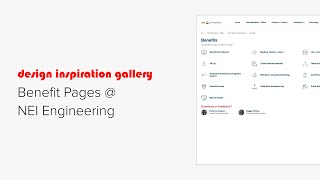
Short demo-style walkthrough of NEI’s intranet benefit center. Koei (Knowledge Architecture) and a second speaker describe a Benefits landing page that uses a Smart navigation block to surface all nested benefit pages (auto-updates when pages like a discretionary bonuses draft are published). Subpages use a two-column layout: left column holds primary content (text, images, tables, video block with a benefits presentation) and the right column contains auxiliary blocks (employee/contact block, Table of Contents, navigation block, single document block linking a 40-page NEI Benefits Guide PDF). The walkthrough emphasizes search/indexing, visual branding (yellow horizontal separators), and that medical, dental, and vision plans are primary/complex topics.
Chapters
Hi, this is Koei from Knowledge Architecture.
Let's take a look at the benefit.
Pages on NEI's intranet knowledge base.
This example uses a full width Smart.
Navigation Block landing page for all information regarding firm benefits. All the pages nested underneath this landing page automatically appear here in the Smart navigation block in the grid layout. When an administrator publishes a new benefit like this discretionary bonuses page which is currently in draft mode, this Smart navigation block will automatically update.
The block displays the title of the.
Page and icons which were selected from the built in stock icon library. Below the Smart navigation block is an employee block so you know whom to contact with questions about benefits. The subpages all use the two column page format. The first page gives employees information about benefit enrollment. New hires can get an overview of benefits and the enrollment process by watching the benefits presentation recording. In this video block there is a bulleted list of all benefits, information about eligibility, and guidelines for making changes. Horizontal lines, which have been set to display in yellow in the site's branding settings, provide visual separations between blocks of content. In the right hand column we have lots of additional an employee block, a table of contents block, a basic navigation block, and a single document block with the comprehensive NEI Benefits Guide, a 40 page PDF generated by their benefits consultant which is great for printing out to review or share with a partner at home. Chances are, the most important and complicated benefits are medical, dental and vision. This page pulls all the information from the comprehensive PDF into text, images and.
Tables.
To make it easily accessible as well as indexed by search. Because there are so many sections, the Table of Contents block in the right column comes in very handy for understanding the content on the page and getting directly to the information you need. Below that, you'll find a nav block for additional resources using a combination of images and stock icons and document blocks in grid layout with show thumbnail enabled for the medical and dental plan information. Additional pages follow the same general format using a combination of text, images and tables in the left hand column with an employee block, nav block, and documents in the right column. Pages with content that extends far below the fold in the left column include a table of contents block on the right for ease of navigation.
Nei's benefits pages use multiple block types.
Site branding and all of the real estate available in the two column layout to create a comprehensive resource for employees to explore details about the firm's benefit offerings. Thank you to NEI for allowing us to share their benefit pages. Please reach out if you have any questions and happy building.