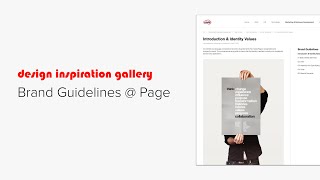
A short video walkthrough (speakers from Knowledge Architecture) demonstrating how Page's 46-page print brand guidelines PDF was translated into an interactive online Brand Guidelines guide. The tour highlights the structure (Introduction & Identity values, chapters and nested topic pages), key content areas (typography, logos, primary and extended color palettes), asset delivery (font downloads, logo downloads via Open Asset, Creative Suite swatch files), and layout conventions (image blocks, smart document blocks, numbered images with captions). The intent is to make print-crafted guidance accessible and actionable for employees.
Chapters
Hi, this is Koe from Knowledge Architecture. Let's take a look at how Page.
Translated their Comprehensive Brand Guidelines document into a comprehensive Brand Guidelines guide. We start here with the Introduction and Identity values page. We have some introductory text and a.
Nice on brand photo.
Scroll down to this basic document block to delve into the 46 page PDF detailing all the do's and don'ts of logo placement and fonts, templates and more beautifully formatted in indesign, exported as a PDF and uploaded as a single document. All of the content found in the PDF has also been translated into guide pages. Like the PDF, the content is divided into chapters with a little intro text and the topic pages nested underneath. You can easily jump directly to the topic of your choice using the automatically generated guide outline in the right column or read related content sequentially using the navigation footers.
I'm just going to touch on a couple of topics.
First, typography Here you can see single image blocks to show the appearance of each font and weight along with the name in different program.
And at the.
Bottom of the page a smart document block in list format where you can download the actual font files. The smart document block is filtering from the Brand asset library on the file extension otf which is the font file type. So smart for logos we have a basic image block to show three variations of the page logo.
While you could technically download these images.
Directly below you can see that all of Paige's official logos should be downloaded from Open Asset, which can be accessed through this text link onto the color section to the primary palette page. What we have here are three a black rectangle, gray rectangle and red rectangle in a basic image block and here are the block settings. We have a medium column size large images text Text position is bottom and centered with title and description enabled.
The title is the name of the color and these lines are all part of the image descriptions.
Clean and simple.
For the extended palette, follow this link where you can see.
The whole rainbow of page palettes and.
Even download Creative Suite Color Swatch library files from this document BL.
Lastly, I.
Just wanted to touch on this page as an elegant example of using numbered images and captions. The examples on the right were exported together as a single image that includes the numbers and the text aligned to the left of the image includes the corresponding captions in a numbered list. This format is used on several other pages as.
I'll click quickly through a few more pages before I wrap up the tour.
This brand guidelines guide shows how page.
Was able to take content carefully crafted for print and translate it into an easily accessible and interactive guide empowering employees with the tools to understand and consistently implement the dynamic visual elements that make Page Hand recognizable and trustworthy. Brand.
Thank you to Paige for allowing us to share their brand guidelines. Please reach out if you have any.