Transcript of a Knowledge Architecture video demo (narrated by Koei) showing how Page's intranet presents Office Resources landing pages. Walks through the Austin office page (images, linked address to Google Maps, employee block for office manager Whitney, resource nav blocks, and a Smart post block filtered by hashtags), then shows Denver and DC examples, explaining layout choices (grid configurations, image crop/aspect ratios, title alignment), link behaviors (external links, digital business card), and local recommendations for staying, parking, eating, and activities.
Chapters
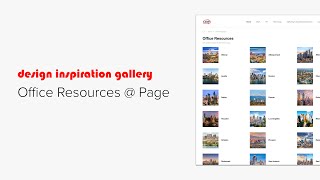
Hi, this is Koei from Knowledge Architecture. Let's take a look at how page presents office resources on their intranet Louis the Office Resources landing page includes a smart navigation block that automatically displays all 20 city pages that are nested underneath it in the content outliner with a little cityscape photograph for each. The grid configuration settings here are small columns medium images cropped to a square aspect ratio with the title aligned to the right. Clicking into the Austin office, the oldest and largest in the firm, we see a single image block representing the office with some descriptive text underneath in the right column. The office address text is linked to Google Maps for directions. And here is the office manager Whitney in a basic employee block. This business card icon links to her digital business card. The Austin Office Links Nav block in compact grid layout includes links to office specific resources such as seating charts, catering requests, and Building H Vac. The block uses stock icons from the built in Stock icon library in the site's red accent color. Below the horizontal line in the left column we find the office's most recent posts in a smart post block filtered on the hashtags ATXD Design and Austin. The block is in grid layout with small thumbnails limited to 8 posts with include preview text, author and date enabled. Here is a recommended place to stay while visiting with a discount code you shouldn't use unless you are a page employee that's in a basic image block with title and description enabled that links to an external website. The where to park section uses a single image of the parking map aligned to the left with text on the right and a text link to the address underneath. At the bottom of the page is our mini guide to where to eat and what to do while visiting in a basic image block with image title and description enabled. The title shows the name of the venue and the descriptions were added as multiple lines in the description field. Links have been added to the images in the Manage Images section of the block options. The images in this block are cropped to a square aspect ratio, while those in the what to do block are cropped to the 3.2 aspect ratio. Using the automatic aspect ratio crop gives the block a clean and consistent look. Let's look at two more examples. Here's Denver following the same structure as the Austin page with a mountainous view from the office, descriptive text, Smart post block, where to stay, where to park and local food and activity recommendations in the left column and the linked address, Office Manager and resource links on the right. And here we can see DC has two different office locations so you have the DC Landing page with all the DC area posts and then links to the Downtown and Georgetown locations with more office specific stuff like seating charts and parking. Page's Office Resource pages give both useful information for visiting each office and a sense of the location's culture in an attractive and easy to navigate format. Thank you to Page for allowing us to share their office Resource pages. Please reach out if you have any questions and happy building.