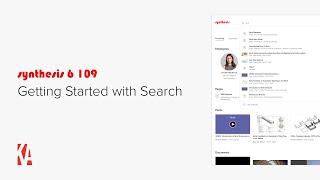
A short instructional video (speaker: Christopher Parsons, Knowledge Architecture) introducing the Synthesis Search product and how to use its current search engine features. The video demos search suggestions/autocomplete, the Search Results page (tabs, filters, sorting), and how users can navigate results. It also explains three deliberate algorithmic biases (title/name boosting, recency boosting, and click-history/type boosting) and outlines upcoming Synthesis Search Optimization releases: SSO Part 1 (best bets, synonyms, ordering, test mode) and SSO Part 2 (analytics, result boosting tied to views/essential content).
Chapters
Hi, this is Chris from Knowledge Architecture. I'm going to introduce you to the basics you need to get started working with Synthesis Search. We have broken Synthesis Search down into three releases to enable us to get search functionality to you faster. The first release, which is currently available, is the Synthesis Search Engine and includes search suggestions and the search results page. The next two releases will be Synthesis Search Optimization or SSO Part one and SSO Part two. I'll come back to SSO Parts one and two at the end of the video. Let's take a look at the Synthesis search engine. I'm on the homepage of Synthesis. I'm looking for information about our Revit standards. So I'll click on the search icon on the right side of my screen and as I start typing the word revit, you'll notice that our autocomplete feature suggests search results to you as you type. Ah, there it is, right on top. And I can click on it here and go directly to my page. Cool. Okay, let's do another search. When I click on the search icon, you'll see that the search result I just clicked on Revit Standards appears, which is handy for content you have recently searched for or frequently searched for. If I want to remove a recently clicked search result from the list, I can just click the X. But I'm fine with keeping Revit Standards handy, so I'll just search for Revit again. Okay, I'm not sure that any of the most relevant results are what I'm looking for, so I can either hit Return or click on See All Results at the bottom of the Search Suggestions dropdown. Okay, now I'm on the Everything tab of the Search Results page. As I scroll down the page, you can see the top results for each search result type. If I want to narrow my search down to a particular result type, for example Pages, I can either click on View All Results. Or use the tabs. At the top of the search Results page, I'll click on Posts. In addition to showing me the total number of matching posts for Revit9, you can also see that I have filters across the top for community tags, hashtags, author, publish, date, and more. The filters available will vary between tabs. In addition, posts are sorted reverse chronologically by publish date by default, but I can change the sort order by a variety of fields. Okay, back to my search. I actually recognized the post I was looking for called Room to Learn, so I'll go ahead and click on it. Perfect. Now that we've seen the Synthesis search engine in action, I want to touch on the major biases that we've built into the Synthesis Search algorithm. First, Synthesis Search is biased towards resource titles and names, which means that we boost the relevance score for results which match the title or name field, such as page title or employee name for a given resource. Second, Synthesis Search boosts the relevance score higher the more recently the content was updated in synthesis. This also applies to newly added content. And finally, Synthesis Search Suggestions boost the relevant score for result types which have historically tended to be the most clicked, including employees, pages, guides, posts, documents and links. If you'd like to geek out further on the Synthesis search engine algorithm, you're in luck. We will be including detailed search documentation into our upcoming Synthesis 6 help center. So that's the Synthesis Search engine. Next up on our roadmap is Synthesis Search Optimization Part one, which will allow you to create best bets which are promoted search results for certain search terms, create synonyms which allow your users to find content using synonymous words or acronyms, configure the order of search results on the search results page and test search results without impacting your analytics. Speaking of analytics, SSO Part 2 will provide the tools you need to analyze search performance to optimize your user search experience as well as add in result boosting for your most viewed content and resources and resources marked as essential content in Synthesis Content optimization. SSO Part 1 is currently in development and will be coming to your synthesis 6 intranet in the near future. SSO part 2 is going to be a bit further off as it will be built after the Synthesis Content Optimization and Synthesis Post analytics features. As always, you can check the Synthesis 6 product roadmap page on our website for updates. So that's it for our getting started with search video. Please feel free to reach out with any questions or comments and happy searching.