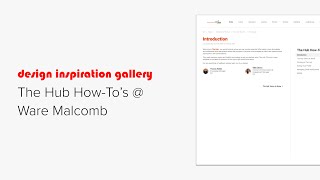
This short narrated walkthrough explains where to find and how to use Ware Malcomb’s intranet "the Hub." It orients end users to the Welcome to the Hub landing content (including an Intranet Champions contact block), explains the Hub Terms to Know page (TOC and collapsible fundamentals), points to Communities, Directories, Libraries, and Guides, and provides step-by-step how-tos for following communities/hashtags, posting, editing professional bios (form + PDF guidelines), managing email notifications, and adding a mobile shortcut. It notes a separate Content Management 101 guide for community managers.
Chapters
Hi, this is Koe from Knowledge Architecture. Let's take a look at where Malcolm's Intranet guide the Hub how to's the Hub how to's guide can be found in the welcome to the Hub section of the Home Community. The introduction page includes a bit of introductory text and a basic employee block in compact grid layout calling out the Intranet Championship who are happy to answer any questions you may have after reading the guide. The Hub Terms to Know page begins with a table of contents block which populates automatically based on the applied headline styles. This page shows the fundamental elements of the intranet separated into collapsible sections which are expanded by default. Communities describes where Malcolm's six intranet communities with a basic navigation block and in list format with the description enabled. Each links to the community it describes Directories includes links to the employee and project directories using a basic navigation block in compact grid layout with images, titles and descriptions enabled. Here's a brief description of libraries. The Guides section includes a description and link to an example of one of the many guides found on the Internet. And finally, the following section offers instructions for following communities and hashtags with annotated screenshots in single image blocks. Posting on the Hub tells us where and how to post on the Hub using a combination of a numbered screenshot and corresponding instructions in a numbered list. Editing your profile has instructions for updating your personal bio and I'm a resource for which are strictly internal and can be updated directly by the end user on the Hub. To create or update your professional bio, you can click the text link for the Professional Bio form. There are also super helpful guidelines to follow in the Professional Bio PDF which can be easily accessed from this single document block. Here are the options for managing your email notifications. This is a numbered image in an image block with the corresponding numbered list aligned to the left. And handy instructions for adding a Hub shortcut to your mobile device. Click on one of the options in this basic navigation block for further instructions. Going back to the welcome to the Hub page, you can see that there is a whole separate guide for Content Management 101 which is intended for community managers and content editors, which I will not cover here. The Hub how to's provides everything the end user needs to know to make the most out of their Hub experience in an easy to navigate guide. Thank you to wear Malcolm for allowing us to share the Hub how to's guide. Please reach out if you have any questions and happy building.