Intro to NotebookLM: The Ultimate AI Tool for Course Creators
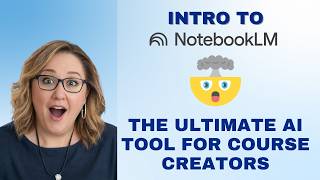
Lydia Martin walks through NotebookLM, a Google AI tool that generates course materials from your own sources like transcripts and PDFs. She demonstrates creating slide decks, study guides, quizzes, and AI podcast dialogues from her CIA course, then shows how to export and edit them in Canva.
Chapters
I did just want to introduce you to this tool. If you have never used NotebookLM, I want to make you aware of it. I'm not going to do a major tutorial here. I just want you to know I was telling my Orlando entrepreneur group this week, I've never been so excited, and I get excited a lot, but I've never been so excited about an AI tool. And the reason why is because Notebook LM is doing what I have dreamt Chat would do for me. Chat's great. I love chat for many reasons, but there are times where I'm like, I don't want chat to give me any information. I want it to only use my information like I want it to help implement my thoughts, my frameworks, what I teach, what I'm thinking. I get so tired of it bringing in things that are not mine. That's not what I would say. Blah, blah, blah. So Notebook LM is an AI tool that works only with the sources you give it meaning. It is not pulling from the web, it's not pulling from anyone else, it's not pulling from other AI models, blah, blah, blah. If you have sources. What I mean by sources are transcripts, PDF docs, okay? Things like this, which I have thousands of. I worked with this for 30 minutes and I am so over the moon excited about this tool. I cannot wait to dig into it more in CIA. I'm sure I'll do a whole big thing with it to help everybody create assets for CIA. But I least wanted to introduce it to everybody Ignite so you all can start playing with it. Let's learn it together, figure out different things. But let me just tell you, I think Cindy west actually is the first person who mentioned this tool to me. And I remember when I first checked it out, I was like, I don't get it. So I came back to it. Cindy, I'm finally on board with you. I get why you were so excited. You're getting ready to be mind blown. So what I did is I dropped in the transcripts from all the lessons of the first three steps of my CD CIA program. So CIA is six steps. Each step has four to six lessons. So at the time when I was playing with this, I only had three steps done. I was like, let's see what it creates from the first three steps of my course. So this isn't even my whole course, but this is that and the workshop, my six figure work offer workshop, which introduces what I believe is the value of a cohort style course. Right. I literally dropped it in that's all I did. Then I came over here to this studio and I was like, let's see what it creates. And I just started clicking on it, asking it to create things for me based on these sources. Now the cool thing is is it's not just clicking on them. When you click into this, you get options. I wasn't even paying attention to the options. But like you can choose detailed deck, presenter, slides, short default. I can tell it the style of slides I want. I didn't even do that. I literally was like all I did was hit generate. That's all I did. I came in here and I clicked this button. Would you all like to see the slides it made for me? And I didn't tell the colors or anything because the colors are not me. But I'm just here to tell you it took everything I gave it and it made these slides. Hello. Like with full on visuals. My wording. If this is not pulling from Joe Schmo off of chat GPT, this is my stuff. Only that things have come out of my mouth. Hello. Do you know how long this would have taken me to build in Canva? I made no changes to this. I mean, look at this. What the heck is this? Who is freaking out right now? Okay, what's the name of it again? This is called Notebook lm. It's a Google product. I put a link in the chat so you can play with it. This was with no telling it anything. I could imagine what it's going to be like when I actually tell it what I want. But I'm like, oh my gosh, talk about this. In my training of how you being the differentiator, you don't have to be at the top of the mountain, the guru. You just need to be a little bit ahead. Because that proximity means I'm the guy that can lead you to the next step. Because I've just been there. Like this is literally taking the words from my mouth and making into slide deck. I'm not done. I'm going to blow your mind. I have only used the free version. I have not paid for a thing. Okay, maybe I will run out. I don't know how it works. I'm just saying. But look at this. I can make a mind map. So this starts to map out what is in CIA, what is the foundation and the identity of it. What are the core assets that I offer, what are teaching methods that I give as options. The community experiences that people. It made me a mind map. What the heck? What in the world? Okay, so that was amazing. Again, didn't give it any instructions. I hit a button. Okay. That's all I did. Not done Instagram quotes. Okay. It gave me content for social media. Let me see what else here. Study guides talk about assessments. Devorah. You plug in your lesson and it will create a quiz for you. You plug these questions into your Kajabi assessment. Hello. Right? Like insanity. What else did I put on here? Okay, this is the one that really blew me away. This was the very first thing I clicked on. Okay, y' all ready? Because this is an infographic of my entire cohort experience in my first three lessons. Are you ready for this? I about died. I wanted to fall out of my chair when I saw this. It literally took all of my concepts from my training and turned them into this amazing visual. My six figure offer blueprint. What a cohort experience does. The identity shift of being course creator to an experienced leader.
Right.
Look at the comments in the chat. Holy crap is right. Like free. I haven't paid for a thing. Talks about the things that you do. My weeks one to three step that week four is an implementation week. Then you do week five to seven. Eight. Week eight is an implementation. Like a graduation party. Like holy cow. I was just absolutely freaking out. So y' all are going to have fun. Look at this. Briefing docs, study guides, blog posts. Like it gives all these suggestions. The data table was insane. Like you can tell it to create graphs and I don't know. I can't wait to dig into it more. But mind blown, right? These are the sort of things I absolutely love showing you guys. Inside Ignite. I love testing things out like Substack and Notebook lm. I will totally report back and let you know what I'm creating. I would love to create a tutorial. This at one point. But what was the document button? It's infographic. So right here, infographic. So let's see what options. Look at this landscape portrait square. I did not choose anything. I just hit this button and that was the image it made.
Hey, Lydia, do you know if you can pull those slides? The slide deck that you made? Can you. What do you do? Can you pull that into Canva to?
Well, I mean. I mean you can pull anything into Canva, right? So I'm assuming it gives me a PDF, right? So why can't you just pull it into Canva and edit it?
Yeah, that's what I'm. Because you could put your own brand on what it's created.
That's true. Rather than try to get The AI to do it. Just take that download, you know. Now, PDFs into Canva aren't always perfect, but it might be enough. Let's just see how well it does. If I drop it in there. Here it is. Now, does it give me elements? No. So it brought it in as images. It's not bringing it in as editable elements. So it doesn't look like I have that ability. So you might have to work with it. But I mean, think about this. What happens if I come in here and just do background remover? I just did background remover. You'd have to have Canva Pro to do that. And now I should be able to come in here, right, and choose a background in my own color. Yep. Look at that. This is another thing I've done before. Sometimes what I'll do is if I have this as an element or an image, so, so copy and I'll do this. And then because maybe I want just the image. Will it let me edit it? Yeah, just kind of go like, maybe I just want that image to be on the slide. Will it let me maneuver it? It's not responsive.
You might have to detach from the background. Like right click it and see if it put it in as like a.
Let's see if it did do it like that.
Yeah, now you can do it.
Now I can do it. So now if I want to just use the bridge. Look at that. Because let's say I wanted a slide or I want to put this on an Instagram image, I literally have now just this. How amazing is that? So you can absolutely take some of the elements even that it creates and use them in your marketing, in your lessons. And so y' all are as mind blown as I am. Right? Like, it wasn't just me. I just love that it works with your stuff. So this is why I say to you guys, when you're developing your own content, I hope everybody's transcribing every video you're doing, every training you're doing. Those transcripts are gold. You're going to be able to now put them into a tool like Notebook LM and create the most amazing resources for so many different things. Oh, there was one more thing I did. So Marion's ask, did I do the audio? Okay, this will blow your mind. And I am definitely going to cover this in in CIA as well. So the brief. Do you know what this is? This one is how to sell my course as a presenter. Do you see this? It made slides and it literally is speaking as if I am telling people why they should buy CIA. It's literally telling me how to promote my own program. But there's another one I did. It might be this one. Yes, it's 18 minutes long. It is two people that do not exist. Two fake people discussing my program and my ideas as if it's the best thing since sliced bread. And I'm listening to this podcast and they're like, I don't understand, like, why courses aren't selling this day. And they answer as if I'm the. The person talking, like, well, here's what we've learned and this is. And it's saying what it's learned based on what I inputted. I'm listening to this podcast and I'm going, how do I sign up for this? So good. It was selling me my own program. But what I loved about it is so many of us don't know how to sell ourselves, how to sell what we sell, and to hear someone else talk about our program and what's so amazing about it, it is going to inspire you like nobody's business. You're going to be like, wow, I really am. All that I'm telling you guys are going to be blown away. So just go in there, you upload your sources, just generate a bunch of stuff to see what it creates. You'll start to learn what each thing is. Have fun with it. Report back in the group, let everybody know why they have to watch this Q and A and how it's going with Notebook lm. Maybe we'll have a Notebook LM co working session and ignite next month. Wouldn't that be fun? Everybody can share some of their ideas, so have a ball with it. Thanks for joining Tonight in this two hour Q& A. It's so great to see everybody. And if you have other questions, just put them on the question sheet and we'll talk next time. Bye, everybody. Have a good night.
More from Lydia


71: The Three Kinds of Course Creators Your Students Will Follow Next Year (Which One Will You Be?)

How to Move Your Business from ChatGPT to Claude (My Exact Setup + Where to Start)