Learn how to set up tiered subscriptions in ClickFunnels 2.0 so customers can upgrade between levels or switch from monthly to annual billing. The tutorial covers creating variants, setting override pricing for each tier, and configuring upgrade rules on your order form and upsell page.
Chapters
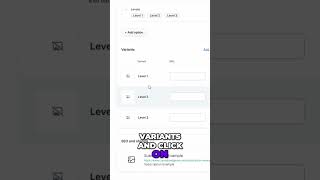
Today I'm going to show you how to create a subscription product that can be upgraded from level 1 to level 2 or from monthly to annual. So first, go over to the product section and go over to the top right to click Create Product. Select Digital, put in your product name, and click Create Product. Then you're going to click Set Later. Scroll down till you see Variants. Check the box here, add a new option, and call it something like Levels. Then add your level 1, level 2, and level 3. Click Done, then scroll down and click on Update Product. After the page refreshes, scroll back down to Variants and click on level 1. Go over to pricing and add an override price. Click subscription and put in how much your continuity is. Now add another override price, click subscription, and create a new price point. Now click on add upgrade/downgrade, then fill out the upgrade with your first product level 1 variant, and then your second price. Now when you're adding this to a funnel, make sure to only have the first price point on the first order form of your funnel. Then on your upsell page, make sure to only have your upgrade selected.