In this video the presenter walks through the Check.in web service on an iPhone using Safari. He creates a Check.in account, links his Brightkite, Gowalla, and Foursquare accounts, and demonstrates how the service automatically obtains his GPS coordinates, pulls nearby locations from Brightkite (the default data source), and matches the selected venue across the three platforms. The interface allows the user to skip any service, compose a single status message, and post a universal check‑in that is simultaneously published to Brightkite, Gowalla, and Foursquare. After a brief three‑day trial the presenter expresses strong approval, likening Check.in to a Ping.fm‑style solution for location‑based services and encouraging viewers to try it.
Chapters
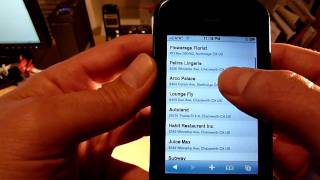
Alright, so I'm on my iPhone right now in Safari, and I am going to load up check.in, which is a new service that I'm going to show you guys here today. So go ahead and open up the browser. So it's going to hit the check.in website, and the first thing it does is it's going to— it's got my longitude and latitude, and it's going to locate me. So what I'm gonna tell you is, so check.in, check.in is a new service that was created by the guys over at Brightkite. And what it aims to do is provide a universal check-in for Brightkite, Gowalla, and Foursquare. Those are the 3 location-based services that it's gonna support at the beginning. So first thing I had to do was create an account and then just link my services. So I just click on the settings, and then I'll just show you here under accounts. It's loading my account. So all you do is you link it up to your Brightkite, your Gowalla, and your Foursquare, and then you're good to go. Okay, alright, so we're gonna go back to the main screen. Okay, so once again, it's got my longitude, latitude, it's locating me And once it's located me, the first thing it does is it pulls up all the different locations near me through Brightkite. So it starts with Brightkite as the default, which I'm actually happy about because for the most part their dataset seems to be the best and most complete, most accurate. So what you can do here now is scroll and then choose Choose a location, okay? And I'm just going to basically flip through. I'll show you, it's got a ton of locations here. But what'll happen is if you want to skip Brightkite from a check-in standpoint, you can click on that and it'll skip Brightkite as a service. So now I'm just going to zoom back up to the top. And what I'll do is I'll go ahead and I'll pick, let's see, let me pick something that I know I tested that's on on all 3 services. So right here, The Habit, so that's a burger joint right near me. So I'm gonna go ahead and click that. So now it tells you here that it's got the magical matching taking place. So what it does is, now that it's— now that I've selected that location from Brightkite, it now went over to the next service and it tried to do a match. So sure enough, There's the match. It's called the Ham Habit Burger Grill. Same location. And this location now is on Foursquare. So if I didn't find the location here, I could skip Foursquare. But since it found it, I'm gonna go ahead and select it. So now magical place matching taking place, and it was really quick. And now I went to Gowalla to see if it could find a matching location in Gowalla. Sure enough, it found it again. So there's the Habit. So I'll click on that. Okay, and I could have skipped Gowalla too if I would have scrolled down. So now you see basically that it just gathered all the places across all 3 services: Brightkite, Foursquare, and Gowalla. And then now I can basically just go in there, type a status message, and that'll be a universal message across all 3 services. Okay, so I'm not going to type anything right now. So we'll say done. And then the last step is you check in. So don't, don't hate me for cheating. I'm not actually at this burger joint. I'm doing this from my house, but we're gonna go ahead and check in so you guys can see, assuming it lets me. So there it goes, it says checking in, and bingo! So now I'm checked in at the Habit Hamburger Grill in across Brightkite, Gowalla, and Foursquare. That simple, that quick, that easy. So I've been using this for 3 days now, and I gotta tell you, I'm very impressed. This has made the check-in process very simple. It's letting me check into 3 services very quickly, very easily. So I'm a big fan. I'm looking forward to this. You know, this is great. This is basically something I've been wanting, and I think a lot of people have been wanting is to pretty much have a kind of like a Ping.fm but for location-based services. And now we have a very simple one. So I'm excited and, you know, hope you guys enjoyed this quick demo and you guys should definitely try it out. It's really worth it.