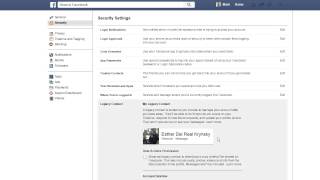
Set up Facebook's Legacy Contact feature from Settings > Security Settings to decide what happens to your account after death. You can delete it automatically or designate someone to manage it, download your posts and photos, and respond to friend requests. You can change or remove the contact anytime.
Chapters
Alright, I'm going to show you how to set up your Legacy Contact, Facebook's new feature, right now. So, you go over here from Facebook and click on Settings. You now will have to go over here and click on the Security Settings for your account. And you'll see this new option that they've added, the Legacy Contact. So from here, you're going to go ahead and click on Edit. I have two options from here. First option is you can choose to have Facebook just delete your account after you die and nobody will be able to have access to it. Or here's where you can designate your legacy contact. So it has to be a Facebook account, so you'll type in the account of that person and you'll click on it, and then you'll add them as your legacy contact. Um, they offer this ability to send them a message with some canned information, but you can edit that if you want, or you can just say don't send it to them now and just contact them separately outside here to let them know. Once you've set the legacy contact here, you have the option of later removing them or changing them, sending that message if you want. And then also you have to check this if you want to give them the added functionality to be able to back up and download copies of all of your shared Facebook content, the posts, photos, videos, and so forth. So if you click on that, it will give them the ability to download all that information as well. And that's it. It's pretty simple to set this up, so I recommend going ahead and choosing the options you want and making sure you have this set up.