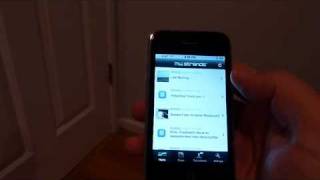
In this video Mark Krinsky from Livestream Blog walks through the newly released Strands live‑streaming application for the iPhone, the first of its kind on the platform. He demonstrates launching the app, logging in, and configuring settings such as auto‑refresh and the ability to add multiple Strands accounts. The "Tell a Friend" feature is shown for inviting others. Krinsky then explores the main stream view, noting that unlike the web version, the iPhone app lacks the ability to filter the stream by a specific user and does not display the source service (e.g., Delicious, Google Reader, Twitter, Flickr) for each item. He interacts with individual stream items, highlighting the comment, thumbs‑up/down, and pushpin (bookmark) actions, and points out that some items (e.g., a Last.fm track) include a link‑out icon that opens the external service within the app. Finally, he demonstrates posting a new text update directly from the iPhone, mentions the thumb‑based sentiment selector, and concludes with a brief assessment: the app is a solid first release (1.0) and a noteworthy milestone for live‑streaming on iOS, but it needs additional features and refinements. He encourages viewers to follow his livestream coverage at livestreamblog.com.
Chapters
Hi, it's Mark Krinsky from Livestream Blog, and today I want to show you guys the new Strands live streaming app that just came out for the iPhone. Now this is the very first live streaming app to come out for the iPhone, and strands.com, if you're not familiar with them, is a live streaming service very similar to FriendFeed or Livestream FM. So first thing I'm going to do is go ahead and launch the app. Comes up with a really cool logo, and I've already got it set up, um, so right now you're seeing the stream of all the people I'm following on the service. I want to go through, uh, setup really quick, so go ahead and I click on the settings and you'll see I have two things here. First thing I'm going to do is go ahead and show you where you set up your Strands account. So you already have to have a an account on the service. And here you'll see that I, I just entered my username and password, and then I have a setting to determine whether I want it to auto-refresh my stream, or I can do it manually if I want from the main screen. And it looks like there's also the ability to add more than one account if I wanted to. So I'll go to this Tell a Friend area, which basically just allows you to share strands with other users and invite them to the service, so to hopefully, uh, make your stream a lot better with a bunch of friends in it. Um, I'll go, uh, back to the main screen now. So here, once again, you see, uh, all the different stream items from people, uh, that I'm following, and I can scroll through them and basically see how that works, so Um, one of the things that, uh, I thought was kind of a bummer is that, um, on the normal STRANDS web app, I can click on a username and it would basically filter the stream by them. That's not on here. And also, they're not giving you details about the actual service that the stream item's coming from. Some of these items are coming from either Delicious or Google Reader, Twitter, Flickr. Those details are, are absent in the iPhone app, but they are available on the web app. So anyways, I'm gonna go ahead and click through on an item. Let's click on this guy. And this is basically, it's probably like a Twitter message, and it's just a quick reply. So I can, on here I have a couple different options. I can comment on it And if I click on the comment icon, you'll see basically just brings up a screen where I can type in my comment and send it. But we're gonna cancel out of that. I can give it a thumbs up or thumbs down, so you can basically like or dislike stream items from here. Or I can click on that little pushpin, which saves this as a bookmark. And all the things that, that I've pushed on a pushpin, I can get to— from the web app as bookmarks. So let's go back to the main screen one more time. This time I'm gonna go ahead and click on this item, which looks like it's probably something from Last.fm, a song that maybe was recently played or favorited. And you'll see it's got all the same icons down here except there's one additional one, which is a allows you to actually link out to an item. So some stream items have that and some don't. I'm gonna go ahead and click that. And it's taking us— oh, looks like I got a little bug on there. But I've clicked on these before, and in the case of a Last.fm track, it would link out to the Last.fm webpage. But it does it from within the Strands app, and I can go ahead and return back to Strands from that webpage. So anyways, we go back to the main screen, and the last item to show you is the share. So I wanna post something to Strands directly from my iPhone. I can do that here. So pretty much just a text message that I can post from here. And I can also, I guess, predefine whether I— something I like, maybe I'm happy about or unhappy about with the two different thumbs. Not too sure, haven't tried that. But that's basically it. So it's a quick look at Strand's first release, 1.0 release of their app for the iPhone. You know, it's the first live streaming app out there, so I gotta hand it to them, and hopefully they'll update it and come out with more features. If you wanna follow more stuff about live streaming, go ahead and visit me at livestreamblog.com. Thanks a lot.