12 powerful uses of ChatGPT to be more productive in your accounting firm
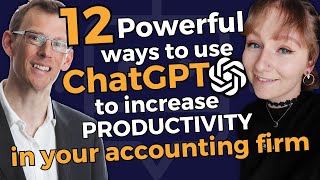
Live YouTube session (Aug 3, 2023) where Mark Wickersham and Emily review recent ChatGPT platform changes (message limits, removed browse feature, custom instructions availability by region), competitors (Llama 2, Claude 2, Threads), and then present 12 rapid, practical ChatGPT use cases for accounting/bookkeeping firms. The use cases are grouped into four categories—brainstorming/ideation, research & summarisation, content creation, and financial analysis/advisory—with concrete demos (prompts, Chrome plugins, Excel and Code Interpreter examples) and a short live Q&A.
Chapters
Hi, Emily, how are you doing?
Hi. I'm good, thank you.
Awesome. Okay, let's do a quick fire in about eight minutes, the news items that's happened. There's about five or six things. We'll talk about.
What'S changed with ChatGPT recently that's been interesting.
Okay, so one of the first things, which is amazing to me, is that they've increased the amount of messages that you can do. It used to be 25 every four hours, I think, and now it's 50 every three hours. So you've got a lot more messages to use. And that's on the GPT4 side of things, by the way. So that's only four if you're using the paid version because you have unlimited Messages. On the 3.5, it's unlimited, but they've increased that amount. So that's really, really helpful.
Yeah, that's great. So, as Emily says, if you've got the free version of ChatGPT, it's not a problem. But for the paid for ChatGPT 4, there's always been a limit of how many messages you can send every three hours. They've doubled it. Another quick news item is it's not news so much, but you may know that about.
A month ago, about four weeks ago, they removed the browse functionality. So if you're a ChatGPT user for a while, you could browse the Internet as part of your chats. It linked with Bing and they removed it about a month ago. And at first people didn't know why. I think we figured out the reason why and the reason why they've removed it. It'll come back. It'll come back. It's temporary. They had to remove the browsing feature because of legal action. Because what happened is the way it worked is if you have a website with a paywall, for example, a New York Times, if you want to read an article by the New York Times, you would have to have a subscription to it. And yet with ChatGPT, and I found this by accident, it was a nice surprise. I could go and research an article on a website like the New York Times, and it would go behind the paywall and summarize the whole article, even though you couldn't find it on Google without subscribing. So they had a lot of legal action and they had to close that one down. Okay, another big change with ChatGPT. Emily, what's the next one? That's really recent.
Yeah, so another big one is. And actually, unfortunately, we can't show it you because it's not available in the UK or the EU unless you're using a VPN or a sneaky way workaround. But if you're in the US or Canada or anywhere like that, you can now add customized instructions to ChatGPT so that if there are things that you wanted to always remember about you, whether that's, you know, things to do with your business, the niche that you work in, just things like your preference for languages, you know, I want you to write in US English rather than UK English, whatever it might be, specific preferences and information about you and your business. You can now input that into ChatGPT and it will remember that for every conversation that you have, if there's a particular format that you like it to respond in, you know, a particular style you like it to write in. If you're using it for content creation, it might be you always want it to write in a conversational style or a professional style, whatever it might be. You can give it these sorts of instructions and it will remember that for every conversation going forward. So if you are in the UK and the EU that is not available because of privacy laws, they think it's, you know, you're feeding it more data and more information and they've, they've blocked that therefore, because they're not, they're not comfortable with that in the UK and the eu. But outside of there you should be able to use that new feature and you'll find it in your settings on the left hand side of ChatGPT. When you go in and look in there, it should say instructions. I think.
Yeah, it's brand new. We will do, we'll do a session on at some point soon but because we're in, well, I'm in Portugal and Emily's in the uk. I'm going to have to do it via a VPN and get around it that way or go across to the US to do a video. Okay, next thing. And Scott Dell did say was 25 every three now 50. Oh, and just to answer this question from Luramond, we don't know when browse with Bing will be back online. Nobody knows. But my understanding is it's temporary, it will come back. However, there are workarounds and in fact I might even show you later on the workaround because it fits in with something I want to demonstrate. Okay, next news item, another big one that came out about two weeks ago now was Meta, that's Facebook Meta, released llama2chat. And so just like Chat GPT, it's another large language model. And the interesting thing about Meta and their version, their llama 2 is that it's open source and that means that software companies can get access to the coding. So that opens up all sorts of possibilities. There has been a lot of research around how good is Meta's Llama 2, and it does perform quite well on benchmarks compared to ChatGPT 3.5, except in the area of coding and reasoning, it's not so good and it's definitely not as good as the paid for version of ChatGPT4, but nevertheless something we need to be aware of because Facebook Meta is a big player in this space. So we are monitoring that. Okay, next news item. I think you've got something which also relates to Facebook and Meta.
Yeah, it was just on the kind of similar idea of Meta there that whether it relates to you or not, they did release this new app called Threads, which is basically a rival to Twitter, which has now been rebranded as X, funnily enough. So lots of things changing there. And the interesting thing was that ChatGPT got 100 million users so quickly and it was the record breaker. It beat TikTok and Threads has now beaten that. It's now got 100 million users in a week, but funnily enough, it's now only down to about 12 million active users. So everybody jumped on the bang run and got it and then they've stopped using it because it died down. But I thought that was just an interesting thing to mention. Along with Metas doing all these improvements, there's just things growing everywhere.
So.
Okay, yeah, it'd be interesting to see how that goes. Okay, last news item. We have two minutes left before we have to move on. And actually, interestingly, Scott Dell, who's pretty switched on, I guess, has said any experience with Anthropics Claude? So that was actually the next news item. The next big thing that happened very recently is anthropic have released Claude 2. Now, Claud 2 is another large language model to compete with Chat GPT. It's free, currently free in the US and the UK. So a couple of things about Claude is that it's got a larger context window of 75,000 versus 3,000 words, so we can feed it more words. It's got a much later knowledge cutoff. Its knowledge is up to early 2023, whereas ChatGPT is 2021. I don't see that as being a big downside though, because we have other tools to access the Internet inside ChatGPT. More on that later. But you can also have multiple file uploads. Although again, you can do that in chatgpt with code interpreter. So I came across this just earlier today when I was doing my research. Someone has done an interesting comparison of the different LLMs large language models. So we have ChatGPT 3.5, we have ChatGPT 4, we have Chat GPT's code interpreter and plugins, we have Claude 2, there's Google's Bard, there's Microsoft with Bing and there's PI. And of course, if we look at open source, we've now got meta and their llama 2. I'm not going to go through this table right now other than to say we are researching the marketplace. Yes, some of the other rivals to ChatGPT have some strengths. For example, Claude 2 is free. Well, I think the amount you pay for ChatGPT plus is a tiny amount compared to what it can do. We do see that, for example, hallucination is a big issue and apparently Claude 2 and Bard are much worse at hallucinating than for example ChatGPT. They all have strengths and weaknesses. And what we will do on your behalf because this is changing every single week, we are monitoring it every week. If we come to the conclusion that there is another platform that's better for you, will let you know. But I think my view is because of particularly if you go for the plus version, ChatGPT is still the leader in so many things. So we're sticking with that at the moment because it can do so much stuff. Okay, let's. We are pretty much bang on time. So what we're going to do now.
Scott, Dell says.
Do you have a source for the comparison table? Did you develop it internally? No, I have a source. It came from somebody else. I only found it just before we went live. I'm more than happy to share what that source is. I just can't remember right now.
I will happily share that if someone can make a note. What I'll do, Scott, is I will post it in our new Facebook group which is called AI and ChatGPT for accountants and bookkeepers. I don't know if you're in it, Scott. I'll make sure Sarah puts the link to our Facebook group and I will post it in in there. If somebody can just remind me to do that tomorrow. If Sarah, you could remind me to do that. Okay, we are going to do. We're now going to look at 12 use cases. Now if you've been to any of our sessions before and we start very often, we try and make it as Practical as possible. We can spend easily 10, 15 minutes just on one particular use case. So this is going to be lightning fast. We're going to look at four broad areas and in each of those broad areas, broad areas where ChatGPT is very, very good. For each of those four areas, we're going to look at three specific use cases and we're going to take turns, Emily and I. So if you're ready, Emily, I'm going to get you to go through the first of the main areas of use cases. So are you ready? Let's go.
Yeah. Okay. So one of the first areas is around brainstorming and kind of problem solving and things like that. So it's a really great way using ChatGPT to trigger thoughts for you and help you brainstorm ideas and get a bit of a, a better approach to things, rather than just sitting down for hours and trying to think of things yourself and you might miss it. So it's good for giving you these brainstorm ideas, but then also triggering your own thoughts so that you can take what you get from ChatGPT and expand on it yourself. So kind of along that idea of brainstorming, then there are a couple of different ways that you can use that in the accounting industry. So one of the first things is to ask it.
Can you tell me 12 ways to grow my accounting firm? Okay, so I'm not going to go too long into the prompts because we don't have that much time, but if I just show you the kind of thing that it might come up with, so hopefully you can see that. Let me just close that. So it's a bit bigger. So I've just asked it a really simple prompt and you can get so much more complicated with your prompt. But the really simple one I gave it is just give me 12 ways to grow my accounting firm in the UK. And it's given me all of these really great ideas. I've got referral program online, growing your online presence, networking, making partnerships, using content marketing, having having a niche and marketing in the niche, you know, digital advertising, ads and all of this sort of stuff. So it's given me 12 really great ideas. And what you can then do is you can use that to break as a brainstorm. So it's giving you that list of 12 and you can, I've asked for 12, but you could ask for 50 and you know, the quality of each one might diminish as you go through, because 50 having 50 ideas might be a bit much, but you can ask for loads and Loads of ideas for this. And then you can take each one. So that number one there is the referral program. You can then ask it to go and expand on that and say, okay, that's a great idea, I might grow my business in that way. And then you go back to ChatGPT and say, okay, now give me a step by step guide on how to set up my referral program or brainstorm me some ideas around how to set up a referral program. And you can expand on that and have a conversation with the, with ChatGPT in that way. So that's the, the, the first idea that you might look into is how to grow your own accounting firm. And of course you can give this information to your clients as well and say, you know, how would you grow your firm? And that's kind of one of the things that we might look into is.
Let me just find the other conversation that I had is to do industry research on if you have a particular niche or a few different industries maybe that you like to work in, if you, if you work in. So the example I've used here is if you work in the kind of health and fitness area, things like gyms, fitness centers, yoga clubs, diet, dietary, people, consultants, all of these kinds of things. So I've given it this prompt and I've, I, what I'm trying to find is 50 ways to help those businesses in that niche that I want to work in. So the prompt I said I've given is I'm an accountant based in the UK and I want to move into the niche of tax planning for the health and well being industry, including gyms and fitness centers and such. And I've given some examples. Please give me a list of 50 Ways I Can help this niche, this niche of businesses to save tax and other expenses. All the businesses are based in the uk, so if you're asking for tax stuff then just be aware that it's only trained up until 2021, September 21st. So any kind of tax things after that fact may not be included in here. But I've asked for tax and other kind of expenses as well. So you know, how can they just save money generally in the business? So what you might do is ask something like this and then it's given you a list of 50 different things that you could do. So we've got, you know, you can use your own judgment to kind of verify how applicable these are to those people that you work with. But we've got things like, you know, what to do with their salaries do we do it dividends or bonuses? You know, we've got gift aid in there, we've got personal allowances, there's things later on about company cars, all sorts of things that are maybe a little bit outside the box that you might not have just thought of off the bat yourself. You might have a couple that you go to as standard, but there's just a range of ideas. So you think, okay, well, which one of those would actually work within my niche that I'm working with? So it's a great way of just brainstorming those ideas for the industry that you're working with and getting some ideas that you can then use to help improve their business and deliver value to them as well. Okay, so then another thing that I wanted to kind of just show you is that you can use ChatGPT to help you improve your prompt. So the, one of the crucial things about getting the Most out of ChatGPT is how good your prompt is. And we can go, you know, there's so many things that you can do to improve the prompts, but sometimes what's really useful to do is to actually just ask it advice on how to give you a better prompt. So the first thing I asked it here is give me advice on how to create a better prompt. Really vague, really, really standard. And it gave me this list about being specific, setting the context, the format and all of this sort of stuff. And then what I did is I went back in with the question I wanted to ask, but I asked it, you know, bearing in mind those things you just told me about making the prompts better, how can, how can we improve this prompt? So I've said, please create a list of potential services I can offer as a bookkeeper based in the UK who is using value pricing and delivering three tiered packages of services. So you're a bookkeeper, you want to create your packages, you need some help in delivering, in working out what those items are. We're brainstorming there. But what I've done is add on to the end of that and say, ask me more questions with the above response in mind. So I'd already asked it, you know, what are the best prompt practices to help me improve this prompt before you respond, so, so before it's, it's come back with any information about the thing that I've asked it for about creating service items, it's given me a list of questions. You know, what level of experience are you in bookkeeping, what type of software do you use? All of these sorts of things and you can then go back and answer all of those questions and get a much more detailed and nuanced answer from ChatGPT in your brainstorm. So I've asked her to brainstorm some service items, but I've now given it more context, more of a detailed prompt to go off as well. So that's just a couple of things that you can do in the sort of area of brainstorming. That's the first sort of category. And we'll pass back over to Mark now and he'll go over into the next category for you.
Awesome. Thank you so much. Let me just cancel the timer. We're on a strict time limit here because we've got to get through 12 of these. There's three, so. So it's brilliant for ideation or brainstorming, coming up with ideas. Another area it's really good for is research and summarization, summarizing stuff, Research and summarising stuff. And there's lots of ways that we can do that. I'm going to give you three in that particular category, so. And I'm just going to hit the start button on my timer so I don't overrun and steal Emily's time. Okay. So in the area of research and summarizing stuff, the first area which I find really useful is I used to love reading business books to learn. I loved reading business books, but I think over the years I'm a visual person and so I find reading books a bit of a pain and sometimes I just want to get to the summary. So it's great for doing book reviews. So let me give you an example.
One of my favorite books, and particularly if you want to learn more about selling, is a book called Influence Science and practice by Dr. Robert Cialdini. It's an amazing book. I love it. It's one of my favorites. It's so powerful. But let's imagine that I've recommended that to you and you can't be bothered to read the full book. Then what we can do is we can go into ChatGPT and I'm just in 3.5 for now and I've said please write a 1000 word summary of the book. In Influence Science and Practice by Robert Cialdini in markdown format, include at least one example of each of the six laws of influence, because I know it covers the six laws of influence and write it in the style of Mark Wickersham using shorter sentences and short paragraphs. And I've asked it for that, just to give it the writing style, because I could then take this and I could turn it into a blog post, for example. So here we go. Look how fast it's doing it. Inference Science and Practice Summary by Robert Cialdini. His book is a summary of it. It talks about reciprocation, it talks about commitment and consistency. And I've read this book so many times and I've taught it so many times, I know this is correct. Social proof is number three. Liking authority, scarcity. That's a great book review. And if I wanted to, I could then get it to expand on those and give me even more information.
So.
So that's the first area in terms of summarization that I really like. The fact that you can summarize information really quickly. Book reviews is a great example. Another way that we can use it is I'm a visual person. I don't like reading books unless they're novels. I used to. I think I overdosed on business books many years ago. I prefer to watch videos. Being a visual person, I regularly watch videos on, on YouTube and there are some great videos on YouTube, but just sometimes, if they're long videos, I'm not sure whether I want to watch them or not. I could do with a summary. And so I've picked a. If I just go back across to here, I'm on YouTube right now and this is a video by my good friend Hector Garcia, who is. He is the world's number one expert in teaching QuickBooks online. So if you're a QBO pro advisor, make sure you do check out Hector's channel. It's extraordinary. He does lots of videos around QBO and this is his recent one update for Q3, 2023. So if I can't be bothered to watch that, I just want a summary, then I can get a summary of that. Now there's lots of ways that we could do this. We could use a ChatGPT plugin if you're a plus user. But let me just assume you're not a pludged plus user for now. Another great tool for summarizing videos is a Chrome plugin. And I think it's got. I've forgotten the name of it. I've just got the icon here. I think it's called Glasp. You might want to just correct me or put it in the chat box, put it in the comments. Emily, if you, if you know the name of it, I think it's Glasp. G L A S P. It's a Chrome plugin and it's got this little icon that then appears in YouTube. And one of the things you can do is you can then click the little button that says the ChatGPT icon. If I click on that button, what that's going to do is take me into ChatGPT and it's going to analyze the transcript of that and summarize it in five bullet points. So that's the transcript. Now it's not the whole video because there's a limit on how many words we can have. So it's just the starting point of the video because this one by Hector's actually I picked a bad one. I think it's over an hour long. If it was a shorter video, it would summarize the whole video. But if I scroll down, we can see it's now coming up with our summary of five bullet points in Hector's video. He's going to talk about QuickBooks online update for Q3. Topics covered include Intuit, AI strategy, QBO global top 100 pro advisors, new features, QuickBooks checkings offers, $5 million of FDIC insurance. I have no idea what that is, being in the UK and so on. And so I could just summarize that YouTube video and then decide from that whether or not I want to watch it or I might want to quiz it further. I could then ask further questions about the video. Just bear in mind doing it that particular way. In 3.5, there is a limit to how many words you can use. If you have got the plus version and you're using some of the plugins, there are even more effective ways that you can summarize videos. But that's quick and fast. Using that particular Chrome extension. I love that. Okay, let's do a third one. So we've looked at in terms of research and summarizing, it's great for book reviews. We can summarize videos if you prefer videos. Just bear in mind it's a little bit limited. If it's the free version, better with shorter videos. Another thing we can do with ChatGPT as part of researching and summarizing is we can simplify stuff. We can simplify complex information. So let me use as an example tax. Okay. Tax can get quite complicated. So.
What I just by way of example, I've gone to the UK government's tax website, hmrc and let's imagine I want to research expenses and benefits that you can claim for homeworking so relevant to us because Emily works from home, my two daughters work for us from home. And so what expenses can they claim? Well, unfortunately, when you read government websites, they can be a little bit boring to read, long and technical. And so we can get it to summarise it, but not just summarize it, we could get it to do it so it's easier to understand.
And there's a number of ways that we can do this. With ChatGPT, you could copy and paste into ChatGPT 3.5 the text. That's one way of doing it. But I'm going to show you another way that we could do it. But for this you would need to have the plus account. So just bear with me a second. I'm just grabbing the link to that website, which I've done and I've just grabbed the link. I'm just going to go into ChatGPT and start a new chat. Let me go across to it. Okay, so I'm in ChatGPT. I've grabbed the link to that, that tax website and I'm going to use chat GPT4 this time and I'm going to use plugins and I want a particular plugin called, which I think I've already got Web Pilot. So Web Pilot allows you to access the Internet. So if I do Control V, I've got. Please summarize this website so it can be understood by a 12 year old. And there's the link, which means it's going to be in simple English. So if I hit this button here now this might take, this might take me beyond my time limit because when you use plugins and you're accessing the Internet, it's using WebPilot. Sometimes it takes a little bit longer, it's a bit slower, sometimes it crashes and you have to then get it to have another go. I did do it earlier. It says used Web Pilot. Here we go. It wasn't that bad. So this website talks about the rules for people who work from home and their employers in the uk. Here's a simpler explanation because I want it for a 12 year old. What are homework expenses? What's tax free? What if it's not tax free? How to calculate the value. So this is just a great summary of what could be a complex tax website and probably a great way for you because you've said summarise it so it can be understood by a 12 year old. This might give you the style of language so that you could use it in a newsletter article to clients, for example, or just to explain to a client to email using plain English, simple language rather than technical stuff. So that's another great way of using it for simplifying Complex information and tax is a great, a great one for that. Okay, I've got 10 seconds to spare, so that's good. I'm going to pass back to Emily. She's going to do three more in another area that ChatGPT is really good at. So let's bring Emily backy. Ready? I'm going to. Yep, let's go.
Okay, thank you. So the next area that I want to go into is about content creation. So we've, in previous live streams we've talked all about how you can use it for social media content, blog posts, you know, emails, all sorts of things. There's so many things, ebooks and books and all sorts of various things you can use it for. So here's another three options that you can use it for that we haven't discussed previously that you might find useful. So the first one is you can use it to create a training course and that can be for use either internally to teach your staff and your team how to use maybe a particular piece of software or how to follow a certain system. Or it could be something that you expand and you use and you create training course that you sell to business owners. For example, you might want to create a course on how to use qbo. As we saw just earlier that Hector was teaching. You might be able to. What you want to do is, let me bring up ChatGPT here.
You can ask it to draft the outline for a training course to teach a new employee. So first of all, we're looking at an employee how to use qbo. So this might be in the example that they're a bookkeeper and you've interviewed them, you've gone through the interview process, they're really great, they've got loads of experience, but they just haven't used QBO in particular. And you want to hire them, but teach them how to use qbo. So you can create a course, you can create first of all the outline and then you can go into more detail on each of these sections. So it's broken it down into five different modules here to go into all of the different areas. Areas. And you can then go away and either film it yourself or just ask it to expand on that and then send that over to your client to your internal team, or you can send it over to your clients if you wanted to and have it as a value added extra to your top tier package. You know, we'll actually teach you how to use the software. We'll give you training on how to do these processes in your business. So that might be something that you either include in your top tier package or you sell as a one off training course. Alternatively, it could, could be if you're running something like a business club and you need ideas of things to teach people in your industry that you're, that you're going to train and get everybody together, you might ask something like that, you know, how can I create a training course for my, for my business club and ask it for ideas on that and to help you develop a program that you can kind of methodically teach them in each of your live sessions or if it's recorded video training, whatever it is you want to do. So that's a great way of creating content for that, creating a guide for you to follow so that you can then take that away, expand on it and build a course around it. So course and training creation, whether you use that internally or with your clients or whatever you want to do with that. Another idea then is to use it to create scripts for your video content. So.
Going, you can either follow off this idea and say, okay, I've now got the outline for my course. I want specific scripts on how to actually approach each of these videos that I'm going to film. Or alternatively, if you're doing content marketing and you're, You've got a YouTube channel and you want to create some videos to send off to, to put on your YouTube channel and attract new clients, then you might ask, first of all, use the brainstorming to go through and brainstorm ideas and then take each idea and ask it to flesh it out for you and give you a bit of a script to follow. And you can do it as a fill in the blank kind of script where you fill the rest of the information in yourself. Or you can just say, here's the subject, can you write me a script? And then you can use that as your basis. So let me just work out which conversation I had that one in to just quickly show you where that is and what it kind of creates for you. So I asked it here to first of all create the course for an internal team member and then to change it into a course that you could sell externally. So here's the prompt that I gave it for the script. I said, please write a potential script for the first module. Suggest how long the video should be as well. So I also asked for some advice on how long the video will be. And here's what it's done. It said your video length should be approximately 15 minutes. It's told me, you know, that I Should have an opening slide with this and then it should be me on the screen and I can say this sort of thing. Hello, and welcome to the first module of our QuickBooks online training course, et cetera. And then it's telling me where to put the cuts in. So cut here to a slide that says welcome to qbo and it goes through all of these different areas. Okay, so that's one use that you could do is to actually get it to help you make those scripts. And, you know, you can use this in combination if you, if you're doing it for your YouTube channel. First of all, brainstorm 100 content ideas, then take each one and flesh out the script for each one and then use that and then take each one to then go and make the captions and descriptions and titles and stuff. You can, you can really create absolutely everything just off the back of ChatGPT. So a brilliant way of doing that. And then one final content creation I want to show you is that you could actually use it to create great case studies and testimonials. So now I wouldn't say testimonials because they need to be authentic. They need to be from, you know, from in your own client's words. And it's, it's, maybe they've left a Google review or they've left you a great recommendation on, on your website or something like that. But if you have a really great example of a case study of somebody that you've help, you've saved them a lot of tax maybe, or you've helped move their business from, you know, on the brink of bankruptcy and they are now making profits of £50,000 a year, whatever it might be. If you've got a really great story and that person is happy for you to share that story, then what you can do is put some of the details into ChatGPT and say, I've got this story and tell it loosely what it is. You know, I took the client from here to here. Can you help me turn this into a great story that you can use as a blog post or put it in your email as a marketing tool? You can put it on your website somewhere as a great story, a great example of the work that you can do for people.
And then you can also use that idea that I mentioned earlier about asking it, getting it to ask you more relevant questions so that you can expand on the answer that it's given you. So I've said I'm an accountant based in the uk, this is just an example. I recently worked with A client who's a vet, a veterinary in the UK, to save them over £13,000 in tax. Please ask me relevant questions. You need to write a great case study of the story that I can use for marketing purposes on my websites and emails. And you can go even more nuanced with that in your prompt. You can ask it writing styles and tones and what format you want it to come back in, but just for the simplicity of this, just showing you this quickly, you can give it something like that. It's then asked me a series of questions of how you helped them, what, what the process was, what specific examples and all of this sort of stuff so that you can then answer those questions and it'll come back with. So I just, I actually got Chat GPT to answer those questions for me just for the purposes of this example and then fed it back to it. And then it's made me a great case study where it's told me the background, the challenge that they had, solution that you provided and the result that you got the client and the aftermath here as well. So if you don't like that format, of course you can play around with it, change it a little bit and ask it to do it in a different way. You can ask it to make it more fun and conversational. If you want to make it a bit more, you know, marketing friendly, easier to read all of those sorts of things. You can just work with ChatGPT in this conversation to adjust it and make it a bit better. But that would be a really, really powerful marketing tool for you to have is you can put that on your website, you can put that in an email, in your email series. You can put it somewhere in the back of your brochures, wherever it is, you might want to put that to say, look, this is how we've helped our clients in the past and this is the results that we've got for them and summarize it in a really great way. So that's three possible ways of using it for content creation. And I'll hand back over now to Mark for the final section.
Awesome. And content creation, I love using it for content creation. Really powerful. Okay, before we've got three more to come, but if you've had something, if you've, if one of these has been valuable to you, please just hit the like button, the thumbs up, whatever you've got on social media, if you've got questions, please ask. I suspect looking at the questions that have come in, we might have a challenge answering any more questions. But there are some great ones we'll deal with. And just to give you a heads up, we have got three more but I will ask you to let us know what of the 12 is your favorite. So we've done nine so far. Right, let's do three more and then we'll get to questions. So the next area that ChatGPT is really good at is financial analysis and in particularly business advisory work, helping you to deliver business advisory. So I'm going to share with you quickly three ways that we can do that. And so the first one we could do is it's great for doing stuff around business plans. For example, reviewing a business plan. So if I go to. Let me think where do I want to go? Go here. So imagine I've got a. This is a fictional business, by the way. It's made up. But this is a business plan. I think it's two pages long for three pages. Three pages for a UK restaurant that specializes in fish in Devon in the uk. It's not a real business, but it's been used. I've used it as a case study many times created by my good friend Jim Rayner. So if I just do control A to select that and control C to copy that, what I'm going to do now is go into ChatGPT. Just bear me a second because I have to do copy in a couple of things here. So it's.
Let me just check. It's done that. I just need to go.
And.
Grab my prompt. Got that? Okay, let's go back. So we've pre written these to save you. To save you watching me type away. It can be quite, quite slow. Back to here then. So I'm going to just do control V rather than type it. I have written this. I want you to act as my business consultant. I am going to upload a business plan and I'm going to ask you a series of questions about it so you can provide advice and strategic guidance. In all your responses. I want you to use a professional writing style. Do you understand? And I then just copied and pasted that business plan from Word. So if I hit the return key and I'm just using 3.5, this is the free version. Let me just close that because that's distracting. Okay, so here we go. I've hit return. If I scroll to the bottom. Here you go. Off it's going.
Thank you for sharing your business plan for Piranha Brothers, the high street fish restaurant in Warmington on Sea. I understand that you would like professional advice and strategic guidance based on this plan. I'm here to assist you with any questions you may have. Now I did say just say do you understand it could have just said yes and it's already gone away and started to do some stuff. It started to give me a summary and some issues around that business plan. So in conclusion, Piranha Brothers has a solid foundation, but there are areas to focus on for growth and increase profitability. And I would advise conducting a comprehensive SWOT analysis to identify strengths, weaknesses, opportunities and threats. Additionally closely monitor industry trends and customer preferences, et cetera. It's giving me some great advice straight away and now it's got that business plan inside it. I can ask it more questions about the business plan, but I'm going to move on something else now. That's the first of the three ideas around financial analysis advisory. Let's look at. We're numbers experts, we love Excel spreadsheets. And so I've got a prompt here. Just bear with me a second while I just cut and paste it. And control C if I go back into here so I've got a prompt, I've just written this or copied and pasted it. I want you to play the role of a financial accountant. I'm just continuing the same thing. I'm going to provide you with the profit and loss account and balance sheet for 2022 and the results for the previous year. Here is some background about the fish restaurant business. Actually, I don't need that because that's the business plan above. Please analyze the data. Please analyze the data and let me know a short summary of the state of the business, where there are areas of concern in the business and why they might be a problem. Five questions you would ask this client to better understand its financial current financial position. Five ideas for this business to help it improve its financial results. I mean I could have asked all sorts of things. I've picked four things so I want a mini report. But we now have to give it the balance sheet and the profit and loss account. So what we can do is if I go across to Excel, I have here a let's go to the balance sheet first. I have a balance sheet for the current year 2022 and the previous year. If I do control C to copy and under balance sheet I do control V.
And then if I go back to Excel and I've got the profit and loss here, Control C and then back to the profit and loss. Now if you hold the shift key down you can hit return. Otherwise it just.
Goes ahead with the answer. Control voice there's the profit loss account. So it looks like garbage that's gone into here. But don't worry, ChatGPT understands when you copy and paste an Excel spreadsheet. And so when I hit the button.
Let'S get to the bottom. There you go. It's now analyzing the Excel spreadsheet and it's giving me a summary of the state of the business. It's giving me some areas of concern and potential problems. For example, in that business, there are negative retained profits for the year. There's some concerns around the bank loans and the dieter's loans, there's high sales tax liabilities. And then it's come up with some questions to better understand the current financial position. So questions that I could perhaps ask my client. So what are the main reasons for the significant drop in retained profits for 2022? That might be a great question for me to ask the client. Can you explain the reasons for the decrease in dictus loans from the previous year? And how does this impact the financial stability of the business? What initiatives are being taken to manage the increased bank loan and ensure the business's cash flow remains healthy? That might be a great question to ask the client and so on and so forth. And it's also given me five ideas that I could then share with the client, like menu diversification, things like loyalty programs, business expansion and marketing. So great ideas from just posting in an Excel spreadsheet. Okay, I have two minutes left.
And that's just with that's with the free version of ChatGPT. It can understand Excel and it can do some great analysis. Now, it's not great at complex maths, but it does understand numbers, it understands data. Now, what I've just shown you there's is with the free version 3.5.
One of the things though that I am really impressed with is if you go for the plus version and upgrade, it's a tiny investment for the things it can do. A few weeks back they introduced Code Interpreter. Now code interpreter is ChatGPT OpenAI. OpenAI's own plugin.
And what code and code interpreter might sound like it's no good to us as accountants. It sounds like it's coding. But basically what Code Interpreter does is it creates an interface between the computer and us and it uses code in between to do various things. So when we use Code Interpreter we can start to do much more detailed analysis of Excel spreadsheets. We can. And it's much better at math because it creates Python code to start to work out the calculations. I have got a video on my YouTube channel where I've talked a little bit about it. And we're going to go deeper on Code Interpreter as one of the subjects we'll talk about in at the two day Virtual Summit next week. Right. So there you go. We've got time, nine minutes for questions. We managed to get through 12 ideas. I'd love to know which is your favorite. So let me just quickly summarize. We talked about the fact that ChatGPT is great for brainstorming, coming up with ideas. And Emily showed marketing ideas for your firm, researching a new niche or using it just to come up with suggestions and telling you what questions to ask it. We looked at research and summarising. I looked at book reviews, video summaries and simplifying complex information like tax. Emily looked at content creation, creating training courses. She looked at ideas and scripts for video content. She looked at client case studies. And I've looked at financial analysis and advisory, reviewing business plans, analyzing Excel spreadsheets and data. And then I've mentioned Code Interpreter. Which of those is your favorite? Let me know. That's my nine minutes up. Let me just stop that. Okay, what's your favorite? I'd love to know. Right. I'm going to deal with, I'm going to bring Emily on in a second. We'll deal with some questions. Let me just first just remind you that we do have, next week we do have our virtual summit two days, Thursday and Friday. And so August 10, August 11, make sure you grab your ticket. We're going to go deeper in all of this stuff. We've got six hours of training for you on getting even more out of ChatGPT and other AI stuff. So if you, if you found these 12 ideas valuable or some of them valuable, we're going to go so much deeper next week and we're going to show you ways that you can save hours of time, add huge value to your clients, help with coming up with ideas. That's next week. The links are in the comments or if you've got your phone, you can grab that QR code. Okay, I'm going to bring Emily on and I think if I press that button. Not that button, we'll go to that one. Hi there, Emily. Let's deal with the questions that we had and we've only got seven minutes so we'll have to go fairly fast. I'm just going back to where the first question came in.
Michelle said the summit. Will recordings be available? No, they won't be available. You'll need to be there Live. But there will be an opportunity to purchase the recordings which we'll talk about during the course of the two days.
I'm going to ask so Sarah Kelly says, Sarah says, what has been your experience regarding the news that ChatGPT's ability to solve math problems has been diminished since its launch? Have you noticed any changes?
Emily, do you want to. I've got thoughts on that, but I just wonder if you have.
Well, yeah, I think what they have said themselves is that ChatGPT is a large language model and its primary function is is words okay and dealing with that sort of side of things and predicting the next word. So it's not supposed to be great at maths problems.
It did be able to do stuff previously and the ChatGPT part itself has gone down. But there are various plugins that you can use to improve the math side of things. So Wolfram is a, is a key one so that you can access information about, you know, anything that's got numbers, kilometers, weights, you know, anything that's number based. Wolfram deals with that as a plugin. So it does have these workarounds. But what it's it has noticed is that questions that it previously could answer it now it now doesn't answer as often. So maybe it answered it like 97% of the time and it now answers it 50% of the time. So it's just be very, very careful with it around maths, whether that's a good thing or a bad thing in terms of it, you know, taking your jobs and things like that, then leave it up to you to decide. But it's mainly a language program and that's its primary function. So just consider it that way.
So it's not going to necessarily replace you, so don't worry. But if you do want to do complex maths, then use code interpreter. That's extremely good. Alan, quick question here. Alan says are you reviewing Bing Chat? I'm not reviewing Bing Chat because instead what I'm doing is I'm reviewing other people who review these other tools and I've not heard of anybody who says that using Bing Chat is anything better than ChatGPT. I don't know if you've heard different or not, Emily.
I think it's very basic as well. I think you only get about five messages something with Bing Chat. So it's something that you can use to improve this, your search when you're on a search engine and you're looking for something, but other than that, you know, in terms of creating big content or reviewing Big things, you know, you, you, you want chat GPT for that. And I think somebody earlier as well did ask when are they bringing the web browsing feature back? Unknown. Unknown. It's, it's whenever they have worked out that issue with the paywall situation, they'll bring it back. So can't answer that one for you. Yeah.
Luramon said please show me where the YouTube plugin is again. But Scott kindly did actually say it's glasp. So you just have to go. That's where you go to, to get that, that plug. It's actually a Chrome plugin, but it allows you to extract the transcriptions from a YouTube video. It's really good. Okay, next question. I've got, have you got a list of the most common plugins you use? And the answer is yes and no. It's a great question because we were just talking about that earlier on our team meeting today. I know, Emily, when they first unlocked the plugin store, which I think is extraordinary, what it can do. Emily, you did a live stream on that. When was that? That was back in mid June, I think. It's on the uk. Yeah. So Emily reviewed what were her favorite plugins back in June. We're now starting to build a resource right now where we're putting together all of our favorite plugins. We're reviewing which are the best ones and we are planning to do one of the sessions next week, I think. Emily, you're going to do that session, aren't you, on a review of your favorite plugins?
Yes.
Do you have a sneak peek of one of your favorites?
It's probably one you've already mentioned today. I use the video summary quite a lot. So there's a plugin within ChatGPT called Video Insights and I use that one to. I give, just give it the YouTube link and it summarizes a video for me. That's probably the one I use the most.
Yep. And another one I like is because they've now turned off the browse with Bing, you can still use things like web chat, which I showed you earlier for analyzing the HMRC's website. Somebody says, I don't know who their name is, but where can I get chatgpt?
Well, what I recommend if you have not got chatgpt yet. Emily, you did a great video walking people through how to set up the account, didn't you, a little while ago?
Yes, yes. So if you can find my video on our channel, I think it's just called getting set up with ChatGPT or you can head to. You can either just google chat GPT or go to, I think it's OpenAI.
And just sign up and register. You don't have to pay anything. I think you do now have to have a two factor. You know where it sends them a code to your phone which is new since I did the video. So just bear that in mind. But it's really simple. You just go in and put your name and email address and then sign up and get started.
Yeah. And we have a number of videos on our website, on our YouTube channel, but it's the one in the top right that says easy step by step guide to setting up Chat GPT. If you haven't got an account yet, that's the the video to watch first. Okay, what have we got next?
Lurimon said what other web plugin that can be used because the web pilot is not finding all the information. I don't know if you want to answer to that one, but I think we're going to go into plugins next week in the. In the two days. So I'm not sure the answer to that straight away off top of my.
Head.
There was Link Reader. I'm not sure if that one's still available.
I think it's come back. For those of you who don't know the plugin site, think of it like when Apple introduced the iPhone many, many years ago, over a decade ago. And then they opened up the App Store and now we're overwhelmed by apps. Some are great, some are poor. Well, this is like the App Store. There are so many plugins available. Some are great, some are pretty poor. And what we found was Link Reader was my actual personal, personal favorite. They then removed it. I still had access because I'd already got it. But they removed it because there was something they weren't happy with. But I've noticed in my account the little warning symbols disappeared. I think they've reinstated Link Reader. Anyway, we'll double check that and if they have Emily, I guess you'll cover that next week at the summit. We are out of time. There are loads of comments from people. Thanks for all the feedback. If we didn't get to your question, I'm sorry we keep these to 60 minutes. I hope though you've got something out of today's session. Give it a thumbs up if you've got some value from it. And remember we are around for two days next week where you'll have lots. If you come to the summit, you'll have lots of opportunities to ask Emily and I and our team questions. We'll be spending more time answering questions next Thursday, Friday.
I've had fun. Have you, Emily?
Yeah. Just another point as well that we do have. If your question didn't get answered, we have the Facebook group. So if you want to join that, we've got the AI and ChatGPT for accountants and bookkeepers. You can go and drop your question in there and we'll answer it at a later time for you.
Great. Thanks, Emily. Okay, as usual, for those of you that have been here regularly, we always play out with some music for three minutes. Gives me chance to read the various comments that have come in. So I'll play out with some music. Thanks for coming. Thanks for the great questions, thanks for the kind feedback and hopefully I'll see some of you next week at the summit. Okay, bye for now.
I wasted all my time I wasted all my nights I wasted it on someone who's indifferent he didn't love me right he told me I was blind but I never really wanted to listen.
You have been here since day one. See my ups and downs.
Never I left my side once you stuck around.
I knew it was you you have been here all along. You have always been the one. You who knew it was you. You have always been the one.
I never saw the signs it didn't treat me right but I just couldn't let him go you waited patiently you waited for me you showed me what it was too late love.
You have been here since day one.
Never left my side.
I knew it was you you have been here all along. You have always been the one who knew.
You have been here since day one.
I.
Never left my sight once.
More from Mark








Effective Pricing Training: Mastering Software Settings for Optimised Pricing

Can Pricing Be Done in Writing? How to Handle Value Conversations Without Calls

