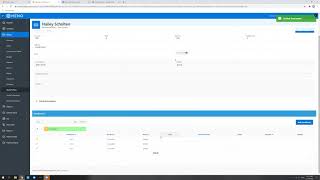
Mary Kostka walks through setting up payment plans in your clinic system. She shows creating a plan for $300 split into three monthly installments, notes that plans usually stay within three months, and explains how the system alerts staff when payments are due. Remind patients a visit before each payment comes due.
Going to do a quick tutorial on payment plans here. We don't often use this feature, but it can be very useful for tracking patient payments. We have at the initial eval that we do with patients, we give them their estimated cost of care. Mary usually goes over that with them. If patients aren't able to pay everything up for which we prefer that they pay up front, but if they're not, this is a great way to track payments. It will notify you in the schedule through check in and check out that they have a payment due. So that's very useful for that. So just a quick way to do that is you. For a patient that would like to make a payment plan, click Create. I'm again going to use myself as an example here. The plan descriptions. I'm just going to say it's the 2021 ECOC, which is estimated cost of care. Usually we try and keep payment plans within about three months. So I would say where this is occurring each month. So every. How many months? Every one month starting we'll just say January. The total amount I'm going to say is 300. I'm just going to keep it simple. We're going to do three installments. So that means. So the total balance is 300. We're paying three times. So that's the three installments starting in January. So we'll get. We should get a notification in January, February and March. Probably on the fourth method most likely, at least at this point with our new payments that we've set up, we're probably going to use a card on file or. Yeah, I would just put a card on file or credit card and then you would create. So I can do this. I'm guessing I can delete this later so it doesn't go in. But I guess we'll put. I'm just going to put credit card for this one because I don't have a card on file. So we'll do create. Okay, so right here it shows that the due date for this one. Not sure what saying the third. I feel like that is something that I noticed at the beginning is it always starts like a day before you set it. I don't know why that is, but maybe it's to alert you that it's coming up. I do like to remind the patients before a payment is due, they'll often just put it on the schedule for like the week previous. Just to say like, hey, just so you know, your next payment is due when you guys come in next Tuesday or whatever it might be. Just so that they have a heads up. So it's not. They walk in, you're like, hey, can you pay your payment? That just gives them some notice. So that's helpful. So on January 3rd, or I guess on January 4th, when we're actually in the office on that Monday, if I was scheduled, it would show up in the schedule as Haley has a payment due today. And you can do that through the check in checkout. Like I said earlier, we don't use this feature as much as we probably could or should. But I think it can be very useful. So I can't really show you what it looks like. I don't think it would work to do it because that date hasn't passed at this point. So anyways, that's how to create it. It can be very useful. I would recommend using it. I'm thinking about using it more in the new year since all the deductibles are restarting. And it's a great way to track all that mess because every plan different, every amount is different and we want to make sure we're collecting the correct amount. So. And that's all for payment plans.