What is Vibe Coding? How to Generate Leads In One Hour for Your Business (with Chris Clark)
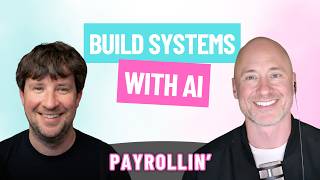
Matt Vaadi and Chris Clark show how to use Claude and AI tools like Lovable to automate lead generation and customer support. They demonstrate a ticket-triage system that sorts customer issues by urgency, and a virtual SDR that scrapes Google Maps and feeds leads into email sequences, all built without coding.
Chapters
pre-AI, agentic AI solution was, hey, I gotta get a software to run my business. Like, you've got— that's kind of the general— and it's like, all right, now I have to sit through all these demos. You know, sometimes if you pick the wrong one, you've got to switch. I feel like there is always, no matter the platform, either missing features or too many features, right? So the cool thing about building out custom software without getting into like security and all those things that you definitely need to check on if you're building something that's like very important, especially with like financial data You can build what you want, nothing more, nothing less.
You know, probably the best performing Facebook ad campaign I've ever created. I just created with Claude on Friday. We booked a new customer on Sunday for our batting cages. Like it was literally that quick where, hey, what can we do? Here's some of the problems our customers potentially face. Here's where our customers are. It walked me through everything, the copy, the idea for the video. Here's how you create the video in Canva. Here's how you set it up in Meta. And this thing, you know, here's a budget you should have. And then literally And within 3 days we had a paying customer. Welcome to Payrollin', the show where you will learn how to operate and grow your payroll business from the most dynamic minds in the business. If your company offers payroll services, this is the podcast for you. And now here's your host, Matt Vadie. Let's go. Chris and I have spent the last few weeks actually building stuff with AI and putting it to use inside of our businesses. So today we're going to show you some practical things and ways we're using different AI tools, not just this stuff that you're seeing on YouTube where people are building, uh, Claude bots to scrape stuff on a website that they'll never use in their lives. These are practical business applications of which we're going to show live, some which might fall apart, some which might break while we're trying to show them, all the things that happen when you're really using AI on your day-to-day. Thanks for joining me today, Chris.
How are you, brother? Good, man. Glad to be on here. Excited to talk a little AI, a little building. This should be fun.
Yeah, I'm pumped, man. So let's talk first about like at Guru, one of the biggest things we did is we finally put a stake in the ground and said, look, Claude is going to be our daily driver. So instead of having, you know, a ChatGPT account over here for this thing and, you know, a Claude account for that thing and using Gemini for this other thing, Claude for Teams was the big sealant for us that said, this is now a no-brainer decision in that we can share projects among the teams. I can control access levels to people, you know, hand out licenses, keep everybody sort of managed under one corporate account, turn on and off connectors, skills, all these different things. We're going to get into some of the features of Claude here in just a second, but we want to get past the ChatGPT type chat interface stuff because, you know, like we were joking before, there's like your grandmother's using ChatGPT. But also, dude, the thing I'm seeing everywhere that I'm laughing about is I don't know if every elementary school admin finally learned how to create a graphic with ChatGPT. But ChatGPT graphics are on every Facebook post, every marketing asset everywhere.
Yeah, they absolutely are. And, you know, I've been experimenting a little bit with graphic creation, right? Like creating graphics without having to go into Canva and start with the blank slate or start with a template that everybody's using where it's obvious you're using a template. I've been guilty of that in the past for sure. Playing around with bulk create in Canva, right, which is a pretty cool out-of-the-box tool they have. But Claude will actually help you do some of those bulk graphic creations as well. You've got— Matt, I don't know how much you've looked into like Nano Banana, right? There's a bunch of different— I saw some stuff just last night looking around on X where people are scaling up complete Meta ad campaigns from start to finish by kind of logging a bunch of different high-performing Meta ads, spitting out copy that fits their business, and spitting out the graphics. And so it's just kind of getting really crazy with what you can do now, uh, graphics being, you know, one of those cool things that you can do.
I'll tell you, so probably the best performing Facebook ad campaign I've ever created, I just created with Claude on Friday. We booked a new customer on Sunday for our batting cages. Like, it was literally that quick where, hey, what can we do? Here's some of the problems our customers potentially face. Here's where our customers are. It's, it walked me through everything. Now, of course, I had to involve Brooke, the in-house Meta ads wizard at some point. I can never quite get through a Meta ads campaign without pulling Brooke in. Claude, you know, Claude can get you so far, 99% of the way there, but you need Brooksy at some point. But yeah, man, I just totally everything, the copy, the idea for the video. Here's how you create the video in Canva. Here's how you set it up in Meta and this thing, you know, here's a budget you should have. And then literally within 3 days, we had a paying customer. Customer.
Yes, it's awesome stuff. And so I do think too, to your point, man, with the personal touch, there's a lot of things that coming out with AI, right? And you can put that into so many buckets that are run this system start to finish, right? And there are things that I do think you can, you can do start to finish, but there have been some people even founders that are saying, hey, this is what I do start to finish, that are getting dunked on because some of their completely automated systems that they've spun up are messing up, right? Now we're humans, we're gonna make mistakes too, but the point of all this is what I have found so far, and I'm not saying this is right, wrong, what I have found so far is that a mix of AI and that human touch, just like you need Brooksy to come in and finish off the Meta ads, make sure everything is good. I do think that human touch of being able to, whether it's just quality controlling it or just keeping an eye on it and not having, you know, Claude Butt run your entire life, do your trading for you, everything. You do have to be careful, I think, with some of that stuff.
Well, you're right. And I see a lot of these posts, a lot of these clickbait videos of like, you know, if I had to make 7 figures in the next month, I would do this thing. And it's like, well, dude, you must be a billionaire, why aren't you doing all these things? Like there's one guy in particular that shows up in my feed every day, drives me crazy because he's just out here selling snake oil about all the things you can do with AI, none of which are actual things that you could do without spending a considerable amount of time. And you and I talked about this earlier this week. So Saastr, event management business out of Silicon Valley, Jason Lemkin, they, they hold the annual Saastr conference, but they're one of the most well-documented use cases in terms of, I think they took a team of 12 to 15 people down to about 5. By leveraging AI, and they've documented it really well. He's talked about it on a ton of podcasts. That's actually one of the things he uses AI for is he's created a digital twin of himself. He's written hundreds of blog posts. He's a sort of prolific writer and blogger for decades now. And he, there's just all these words out there that he can put into a chatbot and say, hey, answer any question as if you're Jason Lemkin from SaaStr. And people do want his advice, so they go to this. But anyway, they, they documented their flow of how they've, they've gone about creating these AI agents and the roles that they're doing inside the organization. Sdr is one of them. And they're like, look, man, it requires, like, we have a person who spends probably 30% of their time manipulating, maneuvering, updating the AI bots. It's not a turnkey solution. There are no turnkey solutions on the market. They break, things fail. That's what we kind of joke about, you know, hey, things are going to break and fail on this. I've set myself up for a little bit of success. I was sharing my screen just a moment ago, but like, you know, between showing somebody sensitive information or my own sensitive information and something breaking, like, I've been very hesitant at how much screen sharing to do, as I know you have as well.
Yeah, no doubt. Well, and I think not to spoil it, but the example that I'll show later, I think is of something that I've been working on a couple different versions of, you know, is something where is it completely automated from start to finish? Like I could probably make it that way, but I think once I, you know, if I turned it on, turned it off for a week, went back, I would go, ooh, this thing made a lot of mistakes. Which would be my fault, right? Because I'm not, you know, I'm either not training it properly. As you continue to like, what I found is as you continue to build things and you continue to iterate, you're gonna learn, right? You'll remember, hey, when I was building that tool earlier, here was a problem that came up and now I know, you know, how to fix that thing before it even breaks. Like, you know, I need to do this upfront. And I just think having, you know, some human touch at the end, again, like QC, quality control, at the end and alongside it, like continuing to iterate, continuing to tweak it and just making sure that, you know, pieces that need to be manual or manual. You don't want people, if you're prospecting, for instance, with an AI tool, you want to make sure that the machine, either through a fault of your own, not setting it up properly, or the machine just kind of breaking down on you during the process. You don't want campaigns going to the wrong people, right? I mean, something as simple as that. So that said, there are some things that you can do and kind of do quite easily now to make your life a lot easier, to save a ton of time, to where instead of doing organic research, finding leads, blah, blah, blah, and then prospecting to them, like, you can automate the key pieces of that that actually take the most time. But I do think, as we've been saying, I do think it's important to keep the human touch right now, right here in February 2026. I think it's important to keep the human touch on things.
Well, and I don't think that part's going anywhere for quite a while, right? So the, you know, the training, you mentioned that keyword in there, training, and that's the one that Lemke brings up over and over again is like, hey, the time is spent training. Like it answers a question wrong, it dips into the wrong, you know, Google folder to pull information when it's trying to answer a question, whatever the case may be, like put it back on the rails. It's just like a human in some ways in that like, hey, it's going to require training, it's going to require oversight. It's never set it and forget it. That's a whole other episode altogether.. But man, I'm excited to see what you're doing. And that's why you're like the— you're going to finish this up because you're going to provide way more value than what I have here. But I'm going to share my screen. And this is what we want to do today is we're going to really show y'all what are we working on? What are real use cases? Because this is past the hype, man. The hype is all this stuff. I've spent so many hours watching videos only to be done and be like, dude, what is the actual use case inside of my business as a business owner here? So for us, a big problem we have, you know, and it's funny because at an IPPA conference 2 years ago, a guy said this in a way that I'll never forget, and I'm going to butcher the exact words, but he's like, one of the biggest challenges in any organization is velocity of how you can find information. And man, did that hit home because it's just like how quickly we can find the answer to a customer question, to an internal teammate question. How many hands does it have to touch to get there? We have an acronym we use internally, OHIO, only handle it once. And boy, is that a hard mantra to live out just buzz of all the disparate areas where you might find information in the year 2026. And so what Claude is helping us to do is pull information together from a whole bunch of different sources into one easy chat interface. And so I'm going to show a couple different use cases of that here. But the first one we have, I know we got a ton of people out there listening that use Zoho. So I wanted to show the Zoho one. So Zoho has their own MCP that we connected to. Inside of Claude. So if you go, if you are a Zoho user and you're using Claude as well, you can go to mcp.zoho.com. And of course I'm forgetting what the acronym MCP stands for. Do you know?
Model Context Protocol.
Bam. Model Context Protocol. Just like they talk about. And how hilarious, literally before I even click a thing, it just says, this isn't even, this isn't working right now. You can try again later. There you go. We've made it exactly 0 inches into it and it's failed me. But so once we hooked up that desk connection through, and it's very simple, you know, going into the backend, there's a Connectors section in Claude. Want to add a custom connection? Click Add Custom Connection. There is a code here on the Zoho MCP, the MCP URL. I copy it, I put it in Claude. Now they're connected. I hit approve a couple of times and boom, it's pulling data. And it's important. Another one of the reasons why we chose Claude versus other tools is the security. So this is built for the enterprise. Our data is not being shared outside of our organization for training purposes and things like that. We're able to adjust the settings to make sure that there's privacy and security inside of what we're doing. So very different than a ChatGPT account that's maybe a personal account or even a personal Claude account. Claude for Teams is the jam. All right. So this one I just said, hey, and I, you know, Karen won't mind if I shout her out, right? Karen@underdogdigital.co. She's about overdue to come back on again here sooner than later. But so, hey, research tickets related to this email address. Let me know her general sentiment as a customer. Anything I should know about her and how can I proactively do something something to wow her as a client. Pretty good prompt, right? Like, let's see what we can do to go out and get in front of her. And you know, I'm not going to get into— it starts to get into a little bit more sensitive information related to some payrolls and things down below, but tells me, hey, look, her happiness score is 100% positive historically. Most of her tickets are routine and transactional. She's had a few negative sentiment flags across her history. Like, she's got a benefits life event going on right now. And so that's something where it's pulling that, it gives me the data on that ticket, and then it gives me some proactive guidance. I could reach out to her and say, hey, and offers to draft the email template in our style. So I'll talk about skills here in just a moment. But Chris, what do you see for other use cases when you start to connect things into areas like Claude or even just Zoho? I know you have some other clients that use Zoho over at Underdog.
Well, and I'll, I'll kind of steal this one. I mentioned apparently I was on X too much last night, just looking at bookmarking a million different, you know, AI building posts and things like that. I found some conversations on ServiceTitan, which a lot of residential contractors and things like that use. And I promise I'll loop this back to Claude, but people were talking about ServiceTitan and how they're kind of built to withstand this AI push, whereas some SaaS companies may not be as poised. But one of the use cases that came up, and the reason I brought up ServiceTitan, you know, they, somebody pointed out that like just going in and being able to clean up and find past proposals or invoices that haven't been paid, right? Things like that. So if you think about using Zoho as a business owner, and let's say you have some type of service industry, whether it's B2B, B2C, you know, yeah, there are probably some ways— I'm far from a Zoho expert— to go in and be able to find those things. But I, I've seen some pretty robust layouts from Zoho because it does so many different things that you can get easily lost in there. And so when you think about connecting the MCP to Claude, you know, hey, go through, find everybody that I've done a site visit or a proposal for, or that I've sent a proposal that, you know, has not booked as a client, for instance. Let's just keep it very simple. Okay. Here's your list, right? From Claude, because they're going to be able to go in, have an AI agent check it for you. If you want to add on a layer, like you just said, Matt, hey, help me draft emails based on the details of each proposal. Let them know that their pricing's still good. Are you still interested? And then even using some different connections to maybe automate that outreach through Claude. So that's something that just immediately comes to mind when, when you're so focused on, say you use Zoho and you're so focused on prospecting and operations, things can just get lost in there. And to be able to go in there and just boom, easily get an overview of a key area in your business. That's something I'd be looking at using it for.
Well, and you can connect the other modules too. There are some limitations in terms of how many API calls it can handle. So it can handle 300. Of course, like everybody who's going through something for the first time, when I added Desk, I just clicked connect all baby. And there's 279 from Desk. And so, you know, I use 279 of my 300. I certainly don't need all 279 of those calls. Like I'm not going to be pulling in ticket ID numbers or things like that. So I've got to go go through and uncheck some boxes because the CRM can be connected too. And if you're a Zoho user like us, and Zia was supposed to do all this, like for years they've had this stupid Zia thing hanging out in Zoho CRM and across all their apps. I'm just going to be able to ask these questions. Well, that has never worked for me for anything. And so basically we're having to fulfill the promise that Zoho has made with our own custom connections here, which, you know, quite frankly, again, can be built a little bit more elegant to our own business needs. And so if you just take this one a step further, What we're doing here, again, because we're able to have the security protocols in place, because we're able to have control over the data, is we took 90,000 tickets out of Claude, self-contained on a secure machine here, only on one machine, only on a desktop version of Cowork. So no data was exposed. And we looked through those tickets to find our 25 most frequently asked questions. So this was 21% of our tickets came down to these 25 most most frequently asked questions. Now we've built out the responses to those 25 most frequently asked questions to perfection based on where we are today. Because when you go across 90,000 tickets, those answers change and evolve, especially as your business changes and evolves, your systems change and evolve. We were doing payroll a year and a half ago, 5 other services, and now we're just a PEO and an ASO. Things have changed, man. So answers have changed slightly. So that has been a phenomenal, phenomenal uplift for us. And then I see a point in the very near future. Again, we're working on security pieces of it and how it's handled, but it's, hey, there's going to be green, yellow, and red tickets. A green ticket is automatically easily answered by the AI agent. Nothing secure. It's a simple question. It's how do I reset my password? It sends them the automated response. Yellow drafts a response. A human has to oversight it. Red means only a human can answer this. We need a specialist involved here. And so that's what we're building right now on the customer success side, which I'm super, super pumped about.
Yeah, that's awesome. And that's where I was actually going to go next. And you kind of already answered it in your own internal roadmap there of like, not only just getting this data and being able to say, oh, that's interesting, like being able to apply it into, you know, documentation, right, on the website for your customers or building an AI agent to be able to segment and answer those different questions. Even being able to think about, you know, a lot of people, a lot smarter than me often point out that like when you, like Justin Welsh said, says this a lot, as you get data, you know, Justin Welsh started out as a guy who was posting on LinkedIn about healthcare SaaS, right? Well, what was the feedback he started getting in his DMs was not help me build a healthcare SaaS, like he got some of that. What he kept getting was, dude, how are you growing so much on LinkedIn? And then he was like, okay, well, I should probably start talking about how to grow on social media. And that's what he has actually built. Built his now multimillion-dollar business around. Like, yeah, he made a lot of money in healthcare SaaS. He made money in healthcare consulting, but he listened to, you know, the signal that he was getting and then went with it. So even like inside, my point is, is even inside of some of those support tickets, like a lot of it's probably, how do I do this? Or I have a billing problem, whatever it may be. But you may even get some of, do you guys have this feature? And if you hear enough of that then if it's something you don't offer, maybe you think about offering it. Maybe you don't, right? But you at least have that feedback and you're kind of, by using this model, you might have in your head like, man, it would be cool one day if I could go sort through all these tickets and get feedback and things like that. Are you actually going to do it? I'm not, not me, not with my schedule. But if I can connect Claude through an MCP to do, you know, all the ticket, you know, feedback and be able to consolidate it and game plan, then yeah, I might do it. Doing. So it's an awesome use case for this.
Dude, and you're already dropping value bombs. Like, I'm totally going to do that. Go back. All right, now run back through these 90,000 tickets. What upsell opportunities do we have based on these most common responses in here? I mean, this is fantastic, man. I'm printing money over here. But yeah, like I said, so what I use there, and I don't want to gloss over it, but this is probably the closest thing we have to, you know, I'm not going to use AGI, that might be a little dramatic, but Claude Cowork can work on a desktop or there's even a Chrome browser unit for it. But I'll give you two different fun stories I've done with this. So I did that project. I set that up again. I needed to have that local on a machine, make sure it was secure. I set up that file folder on my desktop and then said, hey, run loose on this file folder and go in there, scan all these. I mean, there were probably 30 different CSV files in there because the data backup, the way it came out, was just a hot mess. It wasn't just one export that just said tickets with subjects, you know, and responses. There was a ton. It probably took half an hour running through all those, came back with a really thorough 12-page report about our customer satisfaction levels about what those frequently asked questions were. You know, it goes above and beyond. It's the internal analyst that you wish you could afford. So, you know, obviously people are using this in a variety of ways, but nothing— none of that is useful if you don't act on the information that you get. Now, the second thing is like this was a little bit more actionable. You know, this is definitely a thing to have, but I asked it to go through a YouTube channel in the Chrome browser. I filtered by the most viewed videos on the YouTube channel. And then tell me what the similarities are in all the titles and the descriptions of the most viewed versus the ones that were less viewed. And so it's helping us to like, hey, how do you think about how you generate a title? What are topics that our people are interested in? What's the content that they care about? And so tons of different ways you can use this and then just immediately put it into action and not have to spend a ton of time and energy and just seeing around the corner of things that like I don't, I never would've picked up on the information that it picked up on in terms of those titles, subjects, headlines, all that fun stuff.
Stuff. Yeah, and I think, you know, you can apply that to, you know, if you publish content, right? Like, I have a content background, a little bit here and there on YouTube, a lot of written stuff, right? And so what is our measure of content? If you have, say, subscription content, then obviously, yes, subscription signups, that's a great thing. But if you're just running traffic to your site, it's going to be traffic and conversions, right? So when you start thinking about MCPs, like you talked about with Claude, you know, you start thinking about the Google Analytics MCP, right? So yeah, if you got Google Analytics, you can go in, you can see what are my highest performing pages, and you can go through that and you can spend, I don't know, however much time you want digging into that data and figuring out what to double down on. Or you can use an MCP that helps you streamline, give me insights, you know. Now you should probably drill down. If you say give me insights, you might get a pretty good output. If you you get more. That's the thing with AI, from what I have found, you do have to try to be good at prompting, you know, like you give it a crappy prompt, generic prompt, you're gonna get, you might get pretty good answers, but you're not gonna unlock the full power of it. I mean, I listened to a podcast with somebody who works for Anthropic who went on and on about the importance of prompting. So instead of going to Google Analytics, use the MCP, or if you just export the data, upload it to Claude and say, give me insights. Okay, it'll probably give you some cool stuff, but then you can get granular with some specific questions for it, right? You know, time, subject lines, you know, page types, content type, right? Like draft a plan for me. What do I need to double down on? Like the more specific you get, the better.
Well, I think even using that YouTube example, and I'd love to hear some of your prompt best practices. And of course we're going to get back into sharing some of these things here. Like for me, it's always who are you? And then like, what does success look like? And, you know, in the prompt to sort of sandwich there in the middle among other things, you know, going back to the YouTube thing, you know, the first question is what am I even looking for here? So if I was MrBeast and I'm trying to figure out how to grow my channel, like what am I looking at? Like what data means the most to me, you know? And so then, all right, great. Now that we know what data means the most, you know, what are the benchmarks? What are the guidelines here? Now go and look at that. And now we've got a more educated approach. And, you know, you are the most master YouTube copywriter in history writing subject lines, and you've worked for these massive channels. Success here looks like 10 different subject line options or title line options that I can use for my video. And then, you know, having a prompt sort of sandwich there in the middle is usually how I approach it. What about you? I mean, what do you have in terms of prompt success that you use to make sure you get the best results?
Yeah, I think, you know, being specific or even just, you know, I'll give you one example of something I've just toyed around with in the past. I don't even know if I can say that I've used it, but if you're trying to think about, hey, I'm working with somebody that maybe they don't have the most exciting offer or product, or maybe they do have a pretty cool one, but the way that they're presenting it on their website or in their email copy or their ads or whatever it may be is not very compelling, right? I mean, that's, it's all in the presentation, right? And so if you start thinking about who has a really good formula, you know, for an offer, well, Alex Hormozy, you know, he is great. So, you know, you can, and Claude, by the way, knows Alex Hormozy's Grand Slam Offer Formula. If you ask, they'll say, yes, I'm very familiar. Here it is. Would you like to plug it in? You know, I think getting Claude to interview you, right? Instead of just saying, I want to do this. I've noticed it's getting smarter and that sometimes it'll randomly interview me about things. But if you tell it upfront, I want you to ask me questions to make sure that you have a grasp on exactly what I want, have it interview you and then give you the output, right? So, you know, if I plug in Alex Hormozy's Million Dollar Offer, I describe my product. Do you have a guarantee? Yes or no? Interview me about it. I give it the output and then it might be able to give me something cool at the end, which it typically does.
And one One just pro tip here. If you're not using something like Whisperflow, if you see I'm sharing my screen down here at the bottom, I'm holding over this little widget right here. When I click on it or when I, you know, use the shortcut, which probably a more tech savvy person would do, it's going to transcribe what I'm saying. I can speak so much faster than I could type. So adding all that context like you're talking about is a much less laborious task if I'm speaking it in. In rather than typing it in. So I mean, I actually get a little irritated when I do have to type stuff in because between the phone and Whisperflow on the computer, like, you know, I'm dictating 90% of the text that I'm putting in now. And Whisperflow is great because it'll format it. It doesn't just spew it out with all your randomness. It formats it. It puts grammar, it puts bullets, it does all the things for you. It's lovely.
Yeah. I was just telling my wife literally last night, I said, I'm about to install Whisperflow because I don't right now, right? Like I do not, you know, if I ever like interview somebody and use it for written content, I never go back and transcribe it unless I know that I have to, you know, I'll go back and listen to a few words, just make sure everything's proper. But I've got to get on that. I'm admittedly behind on that one. Now I will say, and I'm about to show on a project here pretty shortly, Lovable, which is one of the tools I've been working with. With, they actually have a couple different modes and one of them is you can literally speak to it, you know, when you're prompting it and it'll, it'll put it in there for you. So you don't, you don't even have to use Whisper Flow, but I've got to get on that, man. Cause I was like, imagine how, imagine how many words I type a day and how much I could, how much time I could save by just talking. Right.
So much. Dude. And the weirdest thing is I only use it when I'm, I don't know why, but I only use it when I'm chatting with Claude. I don't use it for anything.
But all you do All you do is chat with Claude, so that is your day, you know.
It is getting a little weird. All right, well, with that said, I'm going to show one last quick thing. I could go on and on. I mean, you touched on, man, talk about taking the, you know, the transcriptions out of our Google Meets. It's been a game changer for a multitude of things. I'm recording myself into Google Meets just to get the transcriptions, just because I want to free flow, talk about something for 30 minutes, and then, hey Claude, take this and turn it into a coherent narrative and, you know, find a story arc, et cetera, et cetera. And, you know, going back back to like the good prompting earlier. Like, if you don't know how important stories are, if you don't know how important copywriting, best practices, formulas, hooks, all this stuff is, then your prompt is not going to give you those results. So you do have to kind of know how to prompt in that respect, and you can ask those things. But all right, let's talk about one more here because I want to see what you're doing in Lovable. So this is one we built that has been an absolute game changer for us. So we are a PEO, and that means we have about 15 different benefits plans our customers could reach out to us about. Say, hey, I have a question about my benefits. Well, are they talking about the Blue Cross Silver 2500 plan? Are they talking about the MetLife dental plan? Like, what are they even talking about? And so we can now, we have every summary plan description, every piece of documentation about every plan we offer uploaded in the knowledge base. And we're barely even using the capacity in this project. This is a shared project. So again, if there's something that I love about Claude for Teams, it's that when I click share on this, I can give everyone at Guru access. I can give specific people at Guru access. And then I can ask questions in here that are going to be limited to the data inside of here. And so I'm going to, I'm going to pull this up because I did prompt it earlier. So, you know, we might get a question from a customer. How do I find my dental card? Can I get orthodontia for my child on this plan? And if you were to watch what it did here, it's also pulling in our Customer Success Ninja skill we've created. So we have a very specific way in which we answer questions. It follows the Ritz-Carlton method of service. It is warm warm welcome, resolution, plus one, and a fond farewell and an invitation to return. So when you look at this response, you're going to see the warm welcome, great questions, here's what you need to know on both fronts, the resolution, here's your resolution, here's your continued resolution, and then here's your plus one. You might also be wondering whether you need a referral to get started. So it's thinking, what's the next possible question this person can ask? Because that's what we train our team to think. And then it gives them another tool as well to, before they go on their way. So now this is something our teammates, rather than bumbling around trying to find this information, trying to get it, we're talking about that took all of 30 seconds for me to copy paste that in here, get that response directly from the documentation. And within a couple hours, we had a question answered that the carrier could not answer when we reached out and asked a customer question. So that's how powerful it is. And that's how much of this detail is hiding inside of a manual or a PDF somewhere that now you can easily access.
Man, that is super cool. And so a couple questions. Are you thinking about— so is this right here what you just showed? Is that something that you eventually will put into a similar category as the ticket system? Or is that the ticket? Like, that's what you're going to build out the green, yellow, red type of response for?
Yeah. So it's all going to bridge together at some point. So what we started doing last year, and I'll admit I was critical of this at first because we have a knowledge base inside of Zoho Desk and it's your typical knowledge base like you'd see anywhere from Zendesk or whatever. And you, you can put an article in there for your customers to get their questions answered. And our team was linking to Google Docs in there and I was like, man, you're just, you're kind of adding a click to the customer experience there. I don't like this. And but they, they proved me wrong. Maybe KB just had such, such foresight that he knew that now that shared knowledge base of, because he was like, look, man, these things change all the time. We, it's a lot easier for us to edit them in this Google Drive at this Google Doc than to edit every article. I was like, all right, fair. I'm not going to step on your toes, do your thing. And now though, Claude can access that whole Google Drive and pull from all of our knowledge base articles. And it's a lot easier than having it try to access Zoho Desk Knowledge Base because they're just a little, again, Zoho is a little bit clunky technology. But so yeah, so we do envision this sort of being part of that. Hey, everything gets answered from, you know, these specific shared folders inside of a Google Drive.
Yeah, that's awesome, man. Yeah, I love it. I've always just been like, even before Claude started just dominating everybody with the— I feel like they've done recently. I know you and I are on the same page about this, like, and I'll give you credit. So when I first started using AI, which was generally for like ideating, right? When writing, that was kind of like, that was probably a lot of people's first use case, like ask a question or help me ideate. Using ChatGPT GPT. And I remember you telling me like, man, I think Claude's just a lot better for like copy. Okay. Yeah. And, and then I got hooked on Claude and, you know, I just started using it and now they're coming along just win after win after win after win. And you use Claude way more than I do. And I, I'm coming to the realization that I, I mean, I use it every day. I've got a personal plan. I'm on our, you know, I'm on the team's right? But I've got to use it even more. It's just like, I'll admit, like it gets a little bit like shiny object, you know? And you're like, I can do this, I can do this, you know? And so you have to hone in and figure out what do I really need right now? And how can this help me, you know, solve it?
Let me give you like, you know, when the use cases are so varied and driven and this will, you can start to pull up what you're going to show here. Cause I think it's a good segue into like, we talked about, I was doing a ton of research. You know, what's funny is I was doing a bunch of research on our our SDR program and you can get, if you're on our email list, I did just send out a link to the SDR program we built that is producing meetings with SDRs, booking meetings for us. It took us a long time to create. And during the research process, I actually ran across an old Justin Welsh podcast when he was in sales and he was like interviewing somebody about their SDR program. And I was kind of chuckling now that he's LinkedIn famous and it was back in the day. But, you know, that was the big thing Jason Lemkin said about their SDR program is that the AI bot is it's very, very hyper-focused. So they'll pull a list of 80 potential people to reach out to, not 8,000, but it's like, hey, they— we know they reached out to us about this thing, you know, in the last 2 years, and they have this interest. And so we're going to reach out to this group today and do 80 touches, and then tomorrow we're going to refill the bucket with a different group. And so, you know, I think that segues nice into what you're building right here.
Yeah, so if you're not familiar with Lovable, to try to make it just really It's a way to build an app, right, that uses AI technology to help you do it. And you do not have to be a coding expert. It's, it's quote unquote vibe coding, right? Like, that's the thing. And so, and there are some pitfalls and some things to watch out for, right? But you don't have to be an expert. Like, I've gotten better at it because I'm probably doing something in it every day. But you can learn as you go. Now, will you burn some tokens? Yeah, everybody's burning tokens, right? Right now, but let me show you, I've got a few different projects, but here's one that I kind of spun up that what this basically is, Matt, is it's kind of a virtual SDR, right? And so what is an issue? Like you're a, you're a multi-entrepreneur, right? Like what's something you're always trying to do? Find more leads, right? And so there's lead services, like everybody knows about Apollo or ZoomInfo, but what are you typically doing with that? You're going, you're sourcing lists, yet kind of automated, right? But kind of manual, like typing in all these different parameters, trying to narrow them down. Then you're typically like exporting it. You're sending it to some other tool or CRM that you're using. You're doing all these processes manually, right? Well, what I had in mind was I want a way to have an SDR that can, that can do both, right? Kind of a mix between automated and manual that can go in and find my targets and my ICP and also help me to uncover a little bit more information than I was just prospecting in Apollo. So think about one of the biggest lead generation engines out there is Google. And I don't mean just go searching for something on Google organic. You think about Google Maps, right? So if you're a business where it's important to find businesses that have physical locations, Google Maps, right? Because when you find somewhere that has a street address on Google Maps, you're gonna be able to find that business. And at a bare minimum, you can get their address, the name of their business, the type of their business, and whatever phone number they have on Google Maps. And that's valuable data to have. You can use, you know, a browser scraper to do it, but that's kind of manual. You know, you can go through and log them automatically, but then you have to go find the contacts. So, so for me, it was was how can we get a bunch of businesses automatically? Then when I find that business, can I go scrape their website automatically to find a contact, even if it's a catch-all email, right? Info@guru.co. If that's the best I get, cool. And then can I go and enrich that with some other service like Apollo to go find additional contacts from that company? So this, Matt, is probably like a, not even a version 1.0, probably like a version 0.5 of this. But basically what you can do here is search by your industry type, right? So if you're looking for, say, a law firm, and let's say you're looking in Atlanta, Georgia, and then you search for it, then it's going to search and it's going to start with a Google Maps scrape. And you start, you know, with Apify, and then eventually it's going to kick them into business leads right here. And then it's going to eventually give you contacts from that. And of course, along the lines that we were talking about, it's taking a long time to load them.
Dude, this is crazy though. How long did it take you to make this?
So this one was a little bit of a cheat. This one probably less than an hour, but there's a reason for that. The reason is the first version of this that I built that looks a lot different different. It's a— I'm not going to show it on here because it's a little bit more proprietary for a client. It took me a long time, right? So I started with a prompt that was basically like, I want to build a virtual SDR. And it's like, okay, cool. You know? And so, and so then you have to go through and really, really like fine-tune it, right? It was going through and saying, all right, Cool. How do I scrape Google Maps? Like I didn't know, like I'd heard of some of the tools. How do I scrape Google Maps automatically? It'll recommend something. Okay, let me go get a plan. Let me go get an API key. Let me plug it in. All right, cool. Well, what if I, can I scrape their website to like see if there's emails on their website? Okay, how do I do that? And it tells me, right? All right, can I send those people an email automatically? Right? So I'll show you since these are coming up now, finally. So here's like some businesses I've already scraped for.
Dang, it's got the rating too.
That's crazy. It's got the rating, which it did that on its own. Didn't ask it to, you know, and that's the other thing, like, if I wanted to say like, don't include the rating, or if I told it at the beginning, do include the rating, like it would do it. You know, it, you kind of, the output is sometimes unpredictable. Like this interface looks totally different than the first one that that I built.
But you— I'm thinking about this even just as I'm shopping. Let's say I needed a mechanic and I'm looking for somewhere to bring my car. I can see all these. This is much cleaner than using the Google interface and going through based on who has the— Oh, cool. 216, 4.7. Fantastic. Let's look at them first.
No, it absolutely is. And like, I'll give you an example. Like, let's say I was doing that, right? Let's say I built this out for myself. Like if I wanted to build my own mini Yelp for restaurants or something.
Yeah.
Yeah. And I wanted to know like the rating. Well, like right now, like it's just kind of all out of order. So I could tell this, this right here is, is basically where you're building. This is where you're talking back and forth with Lovable. And I can just say, add a filter to the leads page that allows me to sort by rating. All right. And then I'm going to tell it that, and it's going to think, and it's going to do all the things that it does in here in a minute. It's going to, you know, eventually add it for me to where where, you know, right now I can search by industry. I can search by cities that it scraped for and now it's refreshing and it's going to make me log in again. That's the other thing. Like I did not ask it, Matt, to give me a login portal and it just did it. So I was like, I actually don't want that. It's making it more difficult, but.
Well, you hit on something really important there. I don't want to gloss over, but this has been a huge unlock for us at Underdog Digital and you and I talking at length. Length about like, is this the future of Underdog Digital? Is us making concierge software for the customer, right? Like, this is, you know, what fields you need in here, how do you need this to operate? All right, cool. And that's what you've been doing for some of your clients, right?
Yeah, absolutely. Because the cool thing, man, you and I talk about this all the time, the pre-AI, authentic AI solution was, hey, I got to get a software to run my business. Like, that's kind of the general, and like, all right, now I have to sit through all these demos. You know, sometimes if you pick the wrong one, you've got to switch. And there's always— I feel like there is always, no matter the platform, either missing features or too many features, right? We've all gotten on meetings where people are telling us, droning on and on about features, and when they're demoing software, and we're like, I don't want to hear about that. Here's my problem, how can you fix it? So the cool thing about building out custom software without getting into like security and all those things that you definitely need to check on if you're building something that It's like very important, especially with like financial data. You can build what you want, nothing more, nothing less. You know, like if I wanted to turn this into a full-fledged CRM, I absolutely could. I have a buddy who built out a CRM in Lovable that is literally better than anything I've ever seen. And you know, one of the reasons for it, yeah, it looks cool. It's functional. It just does what they need, nothing more, nothing less. Right? So you have that flexibility now. So, you know, for us at Underdog, you know, we're doing our own marketing to sell our marketing services to clients, but we're also marketing on behalf of clients. And so this is something I've been thinking about a lot for our clients. Everybody's trying to find leads. Everybody's using Apollo, ZoomInfo, whatever. How can you go a layer deeper? Well, when you use Google Maps and when you scrape websites, you're already going to get a higher volume of contacts. They're going to go in here right now. Look at Mooney Hen's Auto Service. I didn't get this from Apollo, right? I used Google Maps and an automated scraper with a tool called Firecrawl. And it even has automatically— now, some of these are bad, right? These Midas emails, these are crap. Okay, that's fine. All these other ones are good. And it's even given me the designation automatically that it's a generic or a catch-all email. From here, I can go there. And if Apollo has somebody in their own system, I can use Apollo's API to enrich this contact. And if— I don't know who owns Mooneyhan's Auto Service. Let's say it's Jim Mooneyhan. If Apollo has Jim Mooneyhan's email, it's gonna then give it to me, right? By enriching. I took this one step further, and this is where like the CRMing of the platform comes to. You can also send these people to a sequence in a, in cold email, right? So we use SalesHandy to do our cold email at Underdog. So let's say I had a prospecting sequence already queued up for Auto Services selling them something. Then once I have my contacts, I can go in here, load up a sequence, and assign it to a sequence, and then it's automatically going put it into that email sequence. I don't have to copy and paste this email, take it into my platform, you know, blah blah blah. No uploading, you just do it that way, right? So it takes a while to get here. Like, let me— and I know I'm, I'm totally bogarting this thing, I'm sorry.
Dude, no, this is— I went for a while on something not nearly as valuable as this, man. This is amazing.
So let me show— so this is the prompt that I gave it. And again, I was able to create this prompt because I already knew the direction I was going. Like, I knew what I wanted. I knew the tools that Lovable was already going to recommend and use. I knew the tools I already had access to, right? I know I have a Firecrawl API for scraping. I know I have an Apollo API. I know I have a SalesHandy API and Apify for Google Maps scraping, right? If you're going, man, I don't, Chris, I don't know how to build this. Like, I don't, that's fine. Like tell Lovable what you want. No, you're going to burn through some credits and it'll help you. Another thing is you can go straight to Claude, like go here to Claude, click off your, uh, my last Claude entry was how to make queso with limited ingredients from last night. And then go to a new project and help you. You can save yourself some Lovable credits by by having it help you architect. Hey, this is what I want to do. What tools do you recommend? Do they play nice with Lovable? You can architect your prompts through that, or you can just do it straight in Lovable and have a nice conversation with their bot. But this is a more detailed prompt that I gave it because, again, I knew exactly the direction I wanted to go. We can also— I don't have this in this version yet, Matt, but we can also add in LinkedIn automations to this too, right? I have it in another one, a platform called HeyReach that we're starting to use at Underdog. Same deal where if I get contacts and I want to send them to a cold email, I can also send them to an automated LinkedIn platform through API calls. So it'll help you walk through all that. If you want to save credits and it's like, if Lovable is saying like, I need you to do this and you're unclear, like go to Claude and ask, right? If you've already got a subscription or even if you don't, like you can save yourself some credits by doing that. If you don't like the— like, honestly, I don't love this layout. I would rather all the contacts be in one place on a dashboard instead of me having to see the business here, the contact here, and which ones are actually enriched. Like, I would like to put these all in one dashboard. If I go here and I just tell it to do that, it'll sort it for me, right? It'll change the layout for you.
Amazing. So two things before we dip out of here. Like, first of all, I know there's a percentage of people listening right now, whether you're the CEO of your company, the founder, a salesperson, whatever, and you're saying like, I ain't got time for all that. I'm not going to waste my time playing around with AI that, you know, oh, Chris kind of alluded to it. Yeah. He said it only took an hour, but it really took a bunch of time. You know, two things changed my mind on this deeply of whether or not my time is valuable to be spent playing around with AI. I'm going to reference Jason Lemkin again. Here's a guy who did SaaS Saster. Here's a guy. Is that Madden or Collinsworth? Here's a guy. That's Madden. I think Saster does $30 to $40 million. He's the CEO. He spends an overwhelming majority of his time trying to learn how to use these tools, building things with these tools, training the tools. Like, it is a large percentage of his job because he sees the short and long-term value with understanding the technology. And even just, dude, we're not even talking about understanding the technology. We're using the front end this stuff. Don't even get me started on Claude Code, which is where we're going next. And then Dharmesh Shah, the founder of HubSpot, same thing. You listen to any interview with this guy and he is like, yeah, I just vibe coded this app over the weekend and, you know, I built this app and that app. And like, does any of it go anywhere? Well, not all of it, but in the process you're finding out things that can be advantageous for your business. So you're, you're doing a little bit of wandering to eventually land on the thing that's going to make a huge impact. I'm gonna leave it there. I'm gonna ask you if you, if leave a comment if this was valuable, because we more and more of these projects that we're already doing and more that we're doing every week. And, you know, Chris and I have talked about making this more of a regular segment, maybe doing it once or twice a month and just saying, hey, here's what we're building right now. And just sharing the real world stuff of how we're using these tools every day. So if it's valuable, please leave a comment, let us know. Chris, anything you want to share before we dip?
I think you nailed it, man. You know, play around with it, learn. Yes, there's a balance between, you know, spending all your time like building things and then people go, what are you building? And you say, actually, I don't even know, right? Like there is a balance, but you're going to— if you're using a platform like Lovable, if you're using Claude, like you're going to learn and keep iterating and learning from mistakes and learning what works best for your business. The only way to do it is to, you know, actually put it into practice and try to learn.
Agreed. That's it. As usual, if you made it this far, dude, I mean, you're at like minute 52. You know, it's the time for the gentleman's understanding, the gentleman's agreement. The ladies understanding. Um, you know, we've taken 53 minutes out of our day plus a couple hours of prep. All you got to do is hit the like and subscribe button. It's agreement, it's a handshake, like, let's do this. We did this for you, you do that for us. It's so simple. Just do it right now. Hold on, I'll pause. Yeah, it's about all the time it should take. So appreciate you stopping by. Have a blessed day.