Mike Richards and Carly show how to change your LinkedIn privacy settings so your profile picture is visible to everyone, not just your connections. A basic move that keeps you from looking like a ghost to recruiters and potential contacts.
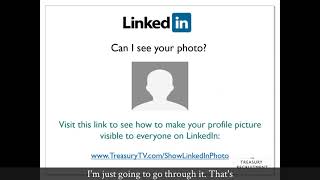
Hello, my name is Mike Richards and I run the treasury recruitment company. I want you guys to make your profile pictures visible on LinkedIn. You say, Hang on, Mike. No, mine is, I've got a photo up there. It might be loaded up there, but it often is only shown to your first tier connections. And I'm going to go about showing you how to make sure, with the aid of my colleague Carly, how to make your profile picture appear. Is it actually showing on your profile? There are so many people where I just see that gray blob head on there, just sitting there. But you need to make sure to check your privacy settings which were changed a few years ago by the lovely LinkedIn. You want to be seen, don't you? Sure you do. Right now you can actually see here, we've got it on our TV channel. So treasurytv.com go to the show LinkedIn photo. I'm just going to go through it. That's what you look like to a lot of people if it's not showing. This is the lovely Carly, my colleague, she's going to demo for you guys. She's to going, just going to keep clicking. Oh, hang on, here we go. So that's her setting. That's it. Settings and privacy. You follow it down. Great. And you think, hang on, my photo is showing how LinkedIn visibility. That's it. So click on there. Profile viewing, covering private mode. So you think, oh, hang on, that's why. So let's show you in, you know, public mode, so you're not going stalking someone and stuff. Okay, so let's show you in, you know, public mode, so you're not going stalking someone and stuff. Okay. But hang on, it's not there. You've got to go to edit your public profile. Two places. Thanks LinkedIn for putting it. Two places. There you go. You've got your public visibility. Great. But at the moment own your first degree connections and I want to stop it there. Hang on, go back, Carly. Only your first degree connections could see you before, so you had to be connected or if they were in your network, you know, if you're three degrees. But actually you want it down here. You want the public to be able to see you. That's right. You want all members on or off LinkedIn to be able to see you. Let's keep going from here. So she goes back to home. This is how her profile appears. There you go, you've got her photo up here showing to everybody on it. Not like some, you know, gray blob all the time. Anyway, I hope you enjoy the rest of the video. Thanks very much.