AI in Worship: Revolutionize Your Church Experience | Groundworks Conference 2024
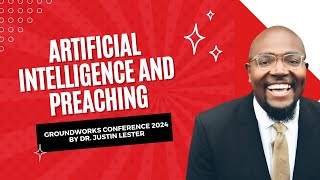
Justin R. Lester (pastor, Friendship Baptist Church, Vallejo, CA) presents at Groundworks Conference (Jan 29, 2024) on integrating AI into church life. He defines AI/ML/LLM, frames benefits for churches (empowerment, connection, efficiency), raises ethical and cultural concerns (data privacy, economic inequality, "black technique"), and demos tools and workflows for sermon research (Perplexity), image/video creation (Imagine Meta, Bing/Microsoft Designer, Ideogram, DALL·E), slide generation (Gamma), sermon clips (Opus, Clap), and LLM writing assistants (Bard, Gemini, Llama). He shares practical programs (senior tech nights, chatbots, immersive "Let's Play Church") and addresses IP/legal questions in the audience.
Chapters
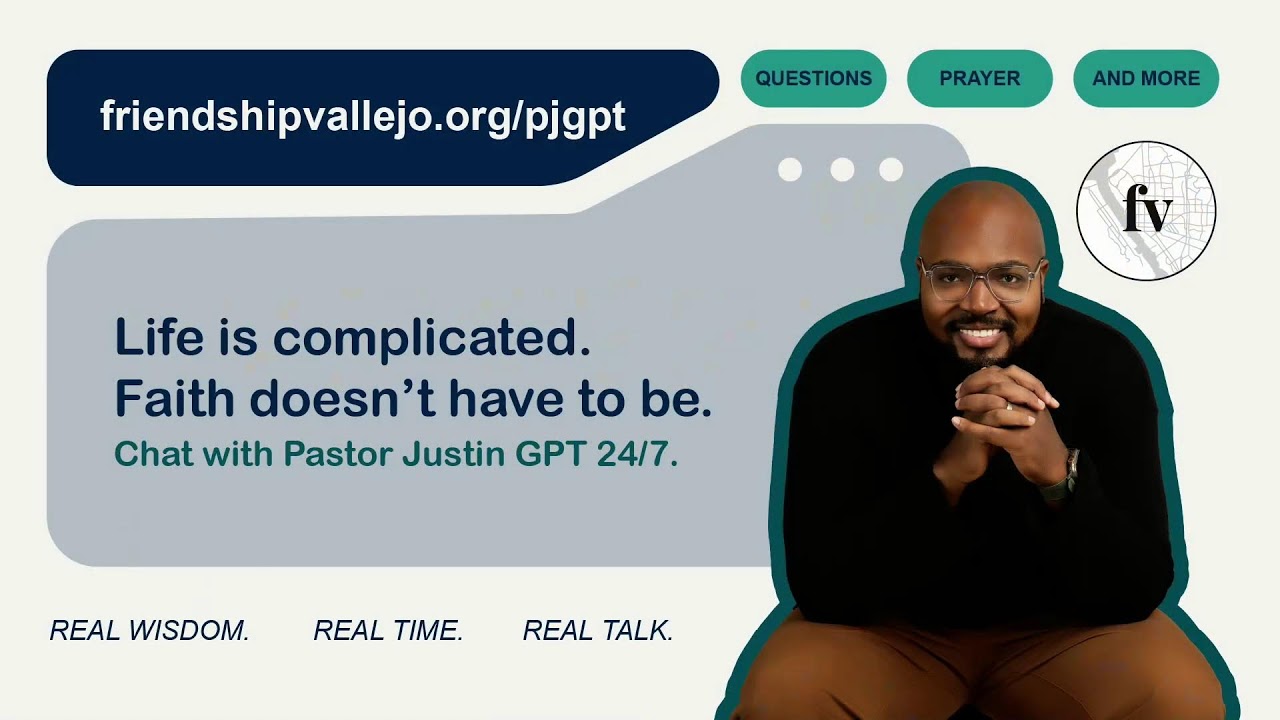
All right, well, hey, everyone, my name is Justin. I'm so happy to be a part of this journey with you and happy to be a part of this opportunity to share with you. I'm grateful for this chance and so thank you guys so very much for the invitation and to all of you, I saw some friends and colleagues so part of the live stream earlier. So it's good to see some of you guys as well. And it's an honor to share with you about this. I'm gonna share my screen. I don't know if I need to, but I'm going to want to ensure that I have a chance to get this. So if you guys want to let me jump right into this. What am I on? So today we're going to talk about artificial intelligence. Let me actually just share this and just go forward with it. Do. Start. So we're going to talk about artificial intelligence. And as we engage in artificial intelligence, I put on the QR code there. I have a free ebook on AI. My goal is to just ensure that everything that anyone would ever need to know about AI, I have about 60 different websites and apps that are inside of there that are completely free. And I'll take a chance to go through what they mean, what they stand for and how to use them. But if you're looking for anything, just take a picture of the QR code or go to my website, jrlester.com aiebook and you'll have a chance to engage with everything really AI related and hopefully it'll assist you in the work that you were trying to do and the work that God is calling you to do with artificial intelligence. But let's talk right about artificial intelligence. So to jump right into it, AI. To me, technology is so much bigger than AI. It's bigger than social media. And I really want to argue in some of the work that I've done that technology for us as black and brown people really is us. I love looking at black. Technique is technology that we are so creative that just who we are and how we show up in spaces is so important and vital. And that technology is so much bigger than just this movement, but this movement of new age media utilizing artificial intelligence, here's definition for it. AI. Artificial intelligence involves tasks like learning, problem solving, decision making and mimicking human intelligence. It's powered by machine learning. The short word for that is ML. You'll also see LLM, which is large language models. Large language models are like ChatGPT, Bard, Gemini, but we'll get to that in a Second, where they make predictions or take actions without explicit programming. ML is a subset of AI that uses algorithms to analyze data, allowing machines to enhance task performance over time. And so that to me is in general what artificial intelligence is and how AI can assist us and how AI is being used in the world. I think it's a great opportunity for us as churches to engage with. And so let's jump right into it. So I think how AI can help in church innovation is really threefold. Number one, it's empowerment. So I believe AI empowers us to create innovative solutions and enhance our worship experiences and enhance our church experiences for members and visitors. Some of the ways that my church, I realized I didn't introduce myself, so hi, my name is Justin Lester. I pastor Friendship Baptist Church in Vallejo, California. I've been there for two years now. And so we use AI in all of our areas. One of our core values for our team this year is innovation is not an option, it's a requirement. And so one of the ways we empower is we create music using AI. I'll show you an app in a little bit. We create our guest cards, our follow up. Everything is automated at our church. We have videos that go out that automatically change my mouth to engage with our visitors. And I can show you that if you want. And it's all free things to enhance the worship experience because it's going to allow us to cater everything we do to each person based upon what they engage. For example, I just finished building a chatbot for people to talk directly to me without me talking to them as it goes through my YouTube page. Not only that, but then connection. It enables us to connect with the community in a more meaningful and personalized way. Then lastly, efficiency. You're able to take off unnecessary repetitive tasks and put it into a computer and make the computer do it for you. And especially when you're, when you're able to cater it to you and your, your genius and your creativity changes a lot. So here's my big thing on AI. I get this big piece. AI is not going to replace jobs, but people who use AI replace people who do not use it. I don't believe AI is going to replace the church. I think it's going to enhance the church. I've seen the cases where people have used AI to do sermons and then preach and then deepfakes and all that is not going to replace jobs. The people who use it are going to replace the people who don't use it. Those individuals, those leaders who utilize it to shave hours off their week, to shave stress off their life, are going to replace those individuals who don't use AI. So here's some ethical things I get the question about, like what about ethics when it comes to AI? So yes, we gotta understand that it can be used for surveillance and control, it can be used to create autonomous systems, it could be used to lead job displacement, economic inequality. My issue with it is when often we get to the ethics behind AI. If we are afraid of it and don't bring it into our communities and bring it to our churches and educate people on it, that's where a lot of this like displacement and inequality and kind of people being our fear of things. And just for us as black and brown communities, when technology is accelerating, we normally become the laggards and we become the last ones to get it. By that time, we're not able to get in on the money, get in on the acceleration, get on the movement while these organizations are making money off our dances, off our culture and our technology. And I think it's ridiculous that our communities suffer, but we're the ones producing the content while white faces and white bodies make the money off of us. So black technique to me is technology. And this is where when we look at the migration of black and brown people, the civil rights movement, the hip hop and rap, we are innovative people. We are powerful people as black people. And I want to take a look at how our technique becomes a form of technology that you as a leader are building culture, you as a leader, bring culture, you as a leader are the one who changes the game among people. And that we as black and brown people are the most innovative group of people who thinks of starting schools inside of churches, who thinks of utilizing broken branches and singing and the holy spirit to lead us from the south to the north to be free, who thinks of marching on Washington. Our technique is so innovative to a point where our dance dances, our music, our dress, our, our language, our slang, our shorthand words become the things that drive these multi billion dollar corporations that are 30 minutes away from my church in like Alphabet and meta like they're driven off of black culture. And I'd rather have our culture make the money off our culture than everybody else making money off of us. So what do we do? Well, here's some stuff that we've done at our church. And just to show what immersive church looks like, so this on the screen, there is an animation of me that was made using artificial intelligence. All we did was take something. All we did was take an image of me, put it inside of a picture of our church that we then animated using Team Di D id and then animated me saying, welcome to friendship. This video goes out to every one of our guests. This video is the opening part of our videos on our website, which is pretty cool. Here I wanted to reimagine what John the Revelator might have looked like in today's or the future's patmos and what it would have been like for him to be isolated in a world that is not so isolating, but yet we're isolated. And I wanted to reimagine it. And this was made in an app called Ideogram and I'll show you that in a little bit. And then lastly, this was us then making immersive church. So I believe the future of the local church is twofold. One, I believe the future of the church is not in it. I believe it's. I'm sorry, future of the local church is local. So that means like instead of these mega church models, actually go home church. And then that's more local, smaller spaces, people have community. And then secondly, immersive church, where church becomes a space where you are immersed into a community. And so for our church in the series called let's Play Church, you see the Nintendo Switch in the background. And what we did was we made it so that people were actually immersed in Donkey Kong and what it meant to be a part of a journey to win things. We had a car out there. We had the. You guys see the monkeys in the barrel? It was just little fun ways to immerse church to make them a part of what we're doing. And we can talk about that some other time. So here's where I wanted to bring scripture into it. So, pastor, when we originally talked, we wanted to talk about this in preaching and so the application of it. So I wanted to make sure I give some credence to the apostle Paul. When I look at Paul, there's this book called Decoding the Metaverse. And the writer gave such a beautiful exposition on how he believed that Paul was literally like a first century Facebook, right? How this brother wrote, in essence, a bunch of statuses and sent them out to communities. And prayerfully, people liked it, right? And he planted tree and how he shared the gospel in a way that no one else shared the gospel at that time. Now we're getting. And how his innovative ways of sharing the gospel, his innovative ways of getting the gospel to people that others didn't take it to, instead of giving Them what others opinions were wanted to give them the truth. The book of Ephesians merging with artificial intelligence link teaches us three things. I think first of all, Ephesians teaches us the importance of embracing technology as a means of spreading the gospel. Right. That how we do this because. Sorry, just as the early church used the Roman road system to spread the gospel, that we have an opportunity to get to larger communities and reach a wider audience for the message of Jesus using not just social media, but using AI to take time off our plate so that we can go be the hands and feet of Jesus in hospitals and nursing homes, in the community and homeless encampments and using these digital tools to ensure that the algorithms don't just get tricked onto sex or to dances, but these algorithms get tricked so we can spread the gospel the same way. Paul was just innovative in doing so. Number two, I believe Ephesians teaches us to use technology to build community. The early church was characterized by strong sense of community. And if Covid taught us anything is that when we were isolated, we wanted to be with people, we wanted to be insulated and not isolated. And I believe the technology, AI, especially emerging tech, that's not just AI, but that's now AI becoming AR and Mr. So augmented reality, mixed reality, virtual reality becomes a way for us to connect with people and build community through so many different digital platforms. And then lastly, being mindful of ethical implications, right. As we engage in these, we're mindful that this is impacting society like data privacy and how it can exacerbate existing social inequalities. But I think Paul would really challenge us to use this stuff to glorify God and to serve other people. And I believe AI can allow us to accelerate our work and shave some time, be a lot faster, force you as the leader and as the preacher to be creative, to use your creative juices and the things that seem to be a gap, which is why we hire the graphic designer and we hire the tech person. Now you are able to use artificial intelligence to ask questions, to make yourself more automated, to make yourself more available, and to unearth the creativity that's inside of you. So to me, I think he would tell him, I think if there was a message that Paul would say, he would say, listen, use them, but don't let them use you. Serve through AI, but don't let AI dominate you. Appreciate the potential of AI, but always remember who and what is truly worthy of worship. And to give you something, this picture of Paul, I put a black Paul, I said, I wanted to get a black Paul was made in Imagine Meta Image generator. And I wanted to see what Paul would look like right in the book of Ephesians. And so I said I want to make him a black man. And so this was Facebook's meta's version of what Paul may look like as a black man writing the book of Book of Ephesians. So with that being said, here's some recommendations I would give you. And if you download my ebook, you can get all this stuff in there, but let me get to some practical things and we can play around with it. So there's some recommendations I would give you. The main things we're going to see is Generative AI. So Generative AI, short for Generative Artificial Intelligence, is a class of AI technique and models to focus on generating new content, new data or new information. Now here's how it works. It uses predictive modeling. So when you tell it something, it begins to. It weights every single word, right? So if I ask it like, you know, what color should I, what color T shirt should I wear today to go to church? And what it'll do is it'll begin to weight how I weight its response and weight its words to give me the best response it thinks I need, right? So I think you should wear a blue shirt and then begin to weight each number to then tell me. It's really complicated on the back end. On the front end, it's just going to give you a bunch of words back, but that's generating new content. So it's something that's never been seen before, something that's never been written before that is generating for you directly to what you've asked it to give you. Now, here's what I'll tell you. I'm going to show you some stuff I'm sure everyone has heard about Chat GPT or Open AI. Chat GPT is getting dumber because everybody's using it, right? I highly recommend not using chat GPT. There's so many other LLMs out there, large language models, that if you're going to use something I would not use ChatGPT, people are putting false information and people are putting dumb information in and it's just getting really, really dumb. So it was a game changer when it came out and became free in ChatGPT version 3 and then version 3.5, now ChatGPT version 4. But now there's so many better things. And let me give you some recommendations. My first thing, if we're talking about sermon preparation, I would use this app called Perplexity. So if you have your computers or your phones, we can experiment with it and let me exit out and share something else. So we can experiment with Perplexity. And I'll just really quickly show you what it looks like in the interface and give this to you. But I think this is going to be the best space if you're going to do anything with AI. So Perplexity looks like this. Perplexity is for sermon prep. I believe that like you know the history of the scriptures, we find it online in a bunch of different commentaries. There's logos and there's all these different spaces. Perplexity to me is searching the Internet and giving you so much information by using sources online. So for example, kind of see, I'm preaching First Peter tonight. So give me an outline of First Peter Chapter two. I don't know. There we go. So I'm just asking something very generic. So what it's going to do here is you can see on the screen here, it's going to be sources. It's giving you the general overview. And what I love is it's not just giving you its opinion, it's actually searching the web and it's a research based space. Now this is the free version. There's completely free version, but then There's a chat GP, there's a GPT version 4 version which is far more powerful. But this version here, you get the free version, right? You get a lot of information in here. And what's super cool, what I like about Perplexity is you see here the search images, search videos or generate, generate an image. And so what it's able to do, if you're doing a sermon, able to search images. And I'll just search images and it's going to give you, it's going to give you different options about First Peter Chapter 2. It'll give you different things. I don't know, my computer's being slow. Different things that people have done in terms of videos. And then if I paid for it, you can actually generate probably a sermon image of First Peter Chapter 2. You can ask it much more intense questions. I always suggest asking it more questions. And here's my other suggestion for you. Whenever using an LLM, tell it to ask you questions, right? So if I were to say this, like, you know, like, please ask me. There you go, it's coming up. Ask me five questions about what I need for First Peter Chapter two. And what it's going to do is going to ask you a bunch of questions. Right? Right. And so this is asking me questions about the sermon. These are the things that I can answer which then can help change its original answer. What I love about Perplexity is it's research based. It's all searching the web, it's giving you facts. And it's so powerful that Google is infusing it into Gemini, which is absolutely awesome to me. And so if there was an app, I'd suggest to get History to help with your research, to shave hours off your time to dive into the word of God, to know where to go, what videos are popular. Like, you can even see the images here about breaking down first. Peter, I would really suggest using Perplexity to help you with your sermon writing. Now another thing I'll share with you too. So the next thing, oh, let me give you some prompts. Let me go back to my PowerPoint, let me give you some prompts. So prompts are what I just used to. Prompts are what I just used as an opportunity to share with you, like how to do this. And so I, I was writing something on John 4, but I gave a prompt here. Now your prompts are you want to be intentional enough that you don't get a general answer. So if you're pastoring or preaching to a group of like gen zers, I would highly suggest like, hey, please give me background for how I can preach anxiety in John Chapter four for Generation Z for Boomers. My church makeup is this. My background is this. Please include information on this. Please give me sources on this. Next, your prompt asking for stories, asking for current news stories. So ChatGPT, for example, is only current as of, I think it's September or June of 2021. Whereas llama or Bard are perplex, are recent as of like right now. Right. So they're constantly updating. So that's why I'm like, don't use chatgpt perplexity. And I'll give you some others as well. All right, so that's for sermon prep. I love to answer questions if I need to in a second. Secondly is for images. Now I want to show you this and I want to show you two things really quickly. So for images, I highly recommend using Imagine Meta or bing. Imagine that meta.com or Bing from Microsoft Designer. Now Bing is operating on this piece called Dall E3, which is probably not Dolly 4, but it's so powerful when it comes to image creation. And so, but imagine Meta. So I'll show you what Imagine Meta looks like in terms of image creation. So you can log in with your Facebook account. And the website is literally just imagine Meta. But if you go to my ebook, you can just get the links right in the, in the, in the document. But let me show you what Imagine Meta looks like. And let me see this. Awesome. So let's say I don't know John on the island of Patmos generate. So this is just really generic. I could do a lot of other stuff with this actually. I may actually give you guys something kind of funny that I did for my son the other day. Yeah, here it is. Let's see. So that's John on the island of Patmos. It did realism, all of that. I'll do another one. That was kind of funny. I'm making my whatchamacallit, my personal one. My Instagram for technology in the church is called that tech pastor. And so this was literally making something for that tech faster. It was imagine a 3D illustration of a laid back casual, that's 30 year old bowl, African American male purged atop an iconic Instagram logo and a tick tock logo wearing a suit with a pair of Jordans. He sits holding this, whatever. And so all the different things of gaming and things like that, it's really cool to use for image prompts. I put some in my ebook, but I'm actually going to put some on the screen too. So this is Meta and then I'll also show you Bing. So this is Bings and I'll put the same prompt in Bing so you all can see. Shoot, I don't. I thought I was already signed in. So you guys, you all can see what, what they saw. Bing is completely free. Imagine Meta is completely free. So I'm Microsoft Designer. So for those of you who use Canva, I would highly recommend if you use Canva Pro, you can save your money by going to Microsoft Designer. Everything you get in Canva Pro is in Microsoft Designer for completely free and I would get in now before they start charging. And so this is what Bing came up with so you can see what's more powerful. So when I did the same prompt in Meta, this is what I got right. You can see how it is. It's flat, there's some 3D stuff, but this is how Meta describes 3D. Bing gave me what I wanted and this is literally what I wanted. This is the image that I really wanted. Bing gave me something much more powerful. So I want you to see the differences between Bing and Meta and see what works for you. And you can always take these. And so the cool thing is I'LL show you if you click the customize button here is going to take me to Microsoft Designer and a Microsoft Designer as a like, if you're doing this for your church, you're doing this for like a sermon graphic or something. You can always, you know, you can remove the background, you can make it wider, you can do whatever you want for absolutely free in Microsoft Designer. And so you or your graphic person might have a lot of fun to do something with that. Right? So the next thing I'll share with you all and then I'll make sure I give some room for questions. So here's some prompts for it. So a lot of times I see sermon prompts, you know, things like that. So here's some prompts where you could do an image of a winding road, pathway, symbolizing a journey to life, different things and you know, feel free. And I know you guys have my presentation, so you can feel free to play with those. Those different things you can use to make up prompts and go from there for presentations. Let me show you this one, which is really great. So for sermon presentations, to make images and to present PowerPoints, I'm gonna show you a way to make an entire PowerPoint in 30 seconds. And it's through this app called Gamma. Gamma AI. Gamma AI. And here, let me show you this. I'm actually going to take my manuscript from this presentation and create a whole PowerPoint in the next 30 seconds and I'm going to show you how to do it. And it's a way where you can finish your sermon, throw it into Gamma and it'll make your sermon slides for you. And I'll show you. So really quick, I'll go to Gamma here and I'll share my screen with you again. So here we go. Gamma. So this is me doing other stuff in Gamma, but I'm gonna create something new and I'm literally going to just take my manuscript from today's presentation. I can find it really quick. There it is. So my presentation here, paste in text, boom, and continue. It'll make. So you see here, it'll make a presentation. And so what it's going to do is going to take everything I said I'm out of credits on this one. Nevermind. So I've overused this one. So what it's going to do and I'll show you these guys some other ones. So what it did for another presentation I did when I talked about this is it took my text and just put it directly into a slide and it made the exact Slides for me, it made everything here like that did this for another presentation and you guys can see how everything I talked about was put right into slides. And then if you want to present it, you can present it here or you can share it and download it. And that way you have the whole PowerPoint presentation made for you. So when you finish your sermon, you just throw it into Gamma and Gamma will automatically make your entire presentation up to 10 slides for free. You have I think a thousand credits or so a month, something around that. And that thousand credits will get you 10 presentations. If you guys see when I go back to my homepage how many presentations I've made from different stuff I've done, my staff meetings, done this for different presentations, super cool to be able to use Gamma as well. Lastly, I won't share on all this other stuff, but the last ones I wanted to make sure I share with everyone. In terms of large language models, I share with you, Perplexity, I would really highly suggest using if you're going to use things for writing and you want to use like you want to do some large language models, you need help writing something. I highly suggest using bard.google.com and to log into Bard using your Google account. One is a little more secure and their model isn't open or using Gemini from Google and that'll help you with your writing, proofreading, SEO clients, getting your YouTube videos out there and using also to help you with writing Grammarly or copilot. Lastly, let me show you this last one. So for sermon clips and so for summer clips, you finish your sermon, you got the sermon, so you wrote, you help perplexing help you get the history. Use Gamma to get your your presentation, you use Bard to help you summarize it, to put it online or whatever. Let me give you this really cool app that I love called Opus. So I'll show this my last one and then I'll open the play stuff for questions if I can. So sorry, wrong thing. So let me go to Safari. Okay, cool. So this one app called Opus or Clap, K L, A P P or Opus. So if you want to do your sermon clips, Opus I love and I'll show you how it works. So we what I do for Opus is literally I've taken my sermons like here and what Opus does is once you put the the link into Opus I'll show you on the homepage you put the link into Opus right here. So you just drop your YouTube link into Opus and in 20 minutes it's going to generate what it thinks is going to go viral the most. So here is my sermon from two weeks ago and these are all of my sermon clips already formatted. You can change what the text is and the cool thing is you can also, sorry, it's outdated so I can't change it. But you can change the language where it starts in the video. I'm in the free plan. It just uses your email. You get, I think two hours free and then if you run out of credits, you can always purchase it or just use another email. That's what I've done. And then there's another one called Clap K L A P where it does it absolutely for free too. And I love it because here, you know, it's showing you that it's going to move the camera with you, it's going to give you the emphasis of the text and that way you shave hours off of having to do this for every one of your sermon clips. And you can also export it to Adobe Premiere. So if you do have Adobe Premiere, your video team has it, or if you don't have all of this extra stuff, you're able to use this for yourself. So that's that. So my last little spiel on all of this and hopefully this was helpful to you and engaging and I'd love to talk to you all further. So I wanted to go on social media, but I won't. So here's what I think is the future. This stuff with AI practically looking at different generations. The future of the church, the future of leaders, the future of leadership. I think we're looking at virtual currency. I think sports have augmented reality single digit workers at grocery stores. The Amazon Go store here is fully automated where you just go in, sign in the app and automatically shows you exactly what, exactly what you purchase and you walk out. Because of all the different cameras in the space, everything is shifting and changing. I believe artificial intelligence is here to assist us in our evolution, not to slow down our evolution. And that's why I just love playing church and having a game to play when it comes to church. Here's my ebook if you want to go to JR Lester.com Aichurch that's where I give about 40 or 50 or so of the top resources on artificial intelligence. I updated it as of 2 days ago just for you all. And so if you go there, it's a free download. And then also if you want my other ebook, I do have an ebook of 25 high impact, low cost church growth ideas@jrlesser.com backslash ebook and you can click that ebook as well. And those books are free. It's just all information I want to help churches with. I have other books I've written mainly this book here. Let's play church about gamifying black churches, talking about Afrofuturism and practical theology, all that type of stuff. Hopefully it'll help you as well. I'll end with this. I love, I love WB Du Bois. And WB Du Bois raises two questions whenever I think about AI always have ending with him. He asked these questions, who should I be and what must I do as you grab a hold of this technology? It's you, it's your genius, it's your innovation. And hopefully this shaves time off so you and God spend more time on the revelation, the history of our scriptures. What has happened has happened. Now how God is calling you to reveal it is your creativity, ingenuity and genius. And I hope that AI can allow you and assist you in showcasing the goodness of God on your life and to make it turn to your context and how God will use you to do amazing things. So thank you for your time. I'd love to answer questions if I, if there's time to do so. I wanted to stay in my time frame and then, but I wanted to give you this screen if you wanted to download any one of these free ebooks, you just go in there, put your email in and it automatically will give you a chance to download both these books. So thank you, Pastor, for your time. Thank you all of you for giving me your space and your time today. And if one of my friends are there, you take a picture of this. I just want people to see what it looked like. And I appreciate this opportunity to share the gospel through technology, artificial intelligence. So God bless you. God keep you. Thank you again.
Awesome. Can you hear us?
Yes, I can.
You can hear us?
Yes.
Awesome. Thank you so much. Can we give him another round of applause? That was fantastic. And yes, we have time for questions. I'm sure there's a lot of them. And so, yep, we're going to start right over here.
Thank you. Thank you, Justin, for the presentation. Can you talk some about intellectual property concerns with using AI engines to assist with creating sermons? Yeah. So for me, when it comes to, when it comes to creating sermons, the reason I like Perplexity is Perplexity is in essence just a really, really, really intense search engine that's taking you to places like Bible Hub, Bible Gateway, Bible Study, and searching in it for like all the things that are already out there. So that's why I like using it in terms of writing sermons for you. Yeah, this stuff is open source. Unfortunately right now I know there's a lot of cases out there in terms of people writing books using artificial intelligence that there hasn't been like a concrete answer to it yet. I do know that if you pay for some of these services, it's all yours. But if you're doing the completely free service that's the property of that organization. You can use it, but it's their. It's their property and so they can use it as well. And so if you are doing something and you want to use like you're writing a book or newsletter or blog, I highly recommend making sure you look at what their rules are to see what is theirs and what is yours. And then lastly, keep an eye on some of these cases. I know there's a big one in New York right now. Keep an eye on some of these cases. When I was at a conference, there were some attorneys talking about this and it's not conclusive. It's almost like when newspapers came out and then when social media first came out like who owns what? And so there's cases galore. Right now I know it's a big one in OpenAI in New York on who owns what. But I would really look into if you really like an app, an image generator, a video generator, I would get the lowest paid version to at least make sure that you own that stuff because if not, it's going to be open source. Thanks. Thank you. That probably changed in five years or though but it's right now.
Any other questions? You can pass the mic around. Thank you for being our resident Mike passer. Anyone else going mile a minute? Our brains are processing. We're not as fast as AI it's all good.
Hey, I want to make sure. Like I said, I didn't realize I didn't share my screen a lot of the stuff even in terms of like. So in this AI ebook I put out how to talk to seniors in your church how to teach it. So I'll even share this. One of the things we did at our congregation. Now mind you, I'm in Silicon Valley so like I am like we are stone's throw from Twitter, right? X and so my church, we. We did this senior tech thing where we actually help everybody like make images of themselves and you know how to build like there's an app to build your own websites every websites of themselves. So I recognize where I come from but in here also how to talk to seniors how to talk to different generations, how to engage with different people of different ages. So if you're curious on using this stuff or engaging with this or, like, how do you talk to church leaders? Like, I even talked about how to talk to your trustees in there. Please feel free to look at the ebook. And I'm open to talk to you further as well. But in that ebook, it tells you how to talk to your church, your leaders. If you're like, I want to experiment with some stuff, like, my church is bringing robots in, but that's just our context. But you feel free to take a look at how to do that work as well.
This was fantastic, but it was, like, at warp speed, and I was trying to get so much of it. Just two questions. One, just to clarify, there was one app you use, was it Opus?
Yes, Opus.
Opus. And you can just drop your YouTube link in it and it'll give you clips.
Yes. So it'll give you. You can. You know what, let me just show you once again here. I can pull it up really quick. Hold on.
And while you're just a second question, for those who may be, like, very new to all this and don't you know this is very intimidating, can you suggest, like, on a very simple level, how we could begin to use AI, Just like something real basic that we could do?
Yeah, yeah. Let me back up. So let me start with Opus. So Opus, if you can see it, Opus. Clip. Opus Pro, or just Opus, and it'll come up. Opus. And it'll come up. And if you download my ebook, it's in there. But Opus, you put your YouTube link right here, right? So you see it says drop a link. So, like, if I were to go to my church's YouTube page or drop the link in here, and then what it's going to do. Actually, let me do one really quick. Let's see. I don't know who this is, but we're gonna. We're gonna do clips of this church service. All right, cool. So here we go. So what it's gonna do, I'll show you guys how to work it. So on Opus, right? It's gonna tell you, like, where do you want to clip it? So let's say the sermon is an hour in, and you click get clips in one click, right? Not doing the paid version, but it'll tell you to get clips. And then what that. What happens is, is once you finish getting those clips. Let me just do it here, see if it will. Let me do it. There you go. So what's going to happen is the sign will come up. It'll tell you, you know, how long you want the clips to be, how long it's going to take for them to clip it for you, and then on the other side of it, it'll give you all the sermon clips. So I'll show you one for my service. Like, one is my podcast, but here's. Yeah, so if you got a podcast, too, I'll show you what a podcast one looks like. So this one did for my podcast, and it literally just cut all the videos down for my podcast. We're able to find the most viral ones. And so this score right here shows you, like, what they think is going to go viral and so what's going to get the most plays, what's going to, like, what's going to make you the most money. And that's automatically built into Opus, right? So Opus Pro, and that'll be a chance for you to play around with Opus. There's a free version and then there's a paid version. So you get like two hours free to use in like a month. And then you have the paid version after that. Now, if there was a place I'd suggest starting to use this. I would say this. Let me show you this website. So b a r d.google.com all right, so bard.google.com I think is a great place to start, right? So you can see here and even some stuff I've used for my church on Bard, I think is the easiest to use. The. This, like one of the most powerful large language models to use. And that way that's where if you, like, need help, like researching something, you know, even planning a trip someplace, I don't know, whatever things I'm trying to think of early, helping plan sermons or sermon prep, like help me plan a series of sermons on, I don't know, anxiety. So this, I like it because it's very. It's. It's the most. One of the most up to date. It's recent, I want to say, probably as of like two hours ago. It's going to not just give you a bunch of ridiculous stuff like chat GPT hallucinates, which were just answers to fill in space, whereas Bard is much more concise. And so I think that's the place to start is using an app like Bard B A R D. And that's where I would ask it questions. I would ask it to give you image prompts. I would ask it. I would just play around with it, you know, in terms of how to Create an image or what you suggest to do. Who are people to talk to in my community and just have conversations with it to see what works for you and then graduate to other spaces like, you know, Gemini or Llama. But I would start here and then I would just play around with different video creations eventually, you know, video and image creation. Now I'll tell you this, this I know I'm talking really fast. This stuff is moving at like warp speed right now. Like even as I wrote, I did a presentation on this a week ago and by the time I got ready for this one, there were four more apps that were more powerful than the ones I quoted in the last one. And so this stuff is moving at is moving so quick. So Bard, I think is a great place to start and then eventually get to Gemini and Metas and Llama. And Llama is the place I think once you get to Llama, you're good. And that's where I'm at right now. But I would start at Bard and you can see here so how Bard did this, how to plan a sermon series on anxiety. It asks you some questions and then it just, it gives you scriptures to go take a look at. What I love about Bard is it doesn't write it for you, so it helps you, like, hey, you go think about it. Instead of like chat, GBT would have written the sermon for you. So you go think about it and go take a look at what it is. Gives you some suggestions for it. And Bard has some built in parameters that keeps it from getting sexual, that keeps it from getting unethical, that keeps it from getting like atheists or anything like that. Bard is, has some built in stuff that chat, GPT and some of these other ones will just hallucinate and go crazy. Whereas Bard's gonna keep you on point. And I like it because, like I'm preaching a series on the prison of offense next month. And I said, right, help me write, you know, titles for my 8 o' clock service and titles from my 11 o' clock service. This is the makeup and Bard, I gave it the scriptures again, my manuscript. Bard helped me plan out the clickbait titles for my 11 o' clock for my younger service and then more senior driven titles from my 8O'. Clock. And I'm excited to have fun with it because it did the same thing for us this month. And it just took off the extra thinking because I'm not good with titles. It took off the extra thinking about our titles and like, what are some creative things we can do on stage. It just helped me think through and it gave me examples by searching the Internet. So I would start with Bard and then if you're using sermon clips, go to Opus. I hope that answered your question.
It's a lot to digest, so hopefully. It's great though. I mean, this is phenomenal. And so I think what we just had here at Groundwork is a groundbreaking moment. So much so many of us are not from how many of you use AI now? I use ChatGPT. I have found it to be great for, as you said, time saving. You know, sometimes you need to write a Facebook post. You don't have 30 minutes to craft a post. And it's like, this is what I want to say. Say it and it does it. And so for basic things, time savers is really helpful. I also agree. I use it for sermon background because the background is the one thing in your sermon that will never change. Change. You could preach the same sermon 100 times. The background will still be the same. And it's biblical. It doesn't change.
Right, Let me jump in there.
Yeah.
On chat GPT, though. So because of the way that people have put false information into chat GPT, I would suggest moving from there to like Bard or Perplexity, because they're putting. People are playing these. This Gen Z is just going kind of going crazy and they're putting in false info.
Awesome.
And so if you ask it right now, like, what's two plus two? It might say 20 because people are putting in false information. But let me actually. Okay, let me show you one thing about chat GPT though, if you don't mind. I don't mean to cut you off, but let me show you one little thing. Okay, let me show you guys a trick in chat GPT really quick. So I'll go to my chat GPT and there's a way you can tell it how to talk to you because of who you are. So on the bottom corner here, you go to custom instructions. And what you can do here is you can put in your background, right? So I put in my resume, like, this is who I am. This is what I do. This is how I lead. And then you can tell it, like, don't use words like unveiling, unlocking. You can actually tell it how to respond to you. And that's how you tell it. Like how formal it is, how, how long stuff is. Like all this stuff here. So custom instructions is a way to help craft your. Your chat GPT. But I would highly recommend if you're Going to use it for sermon prep, getting off of it for facts because it's getting dumber because too many people are overwhelming it to get to stuff like Perplexity or Bard. Just a, just a heads up.
I have a quick question. I'd like to know what you would suggest for graphics or, you know, those types of things for photos. Which one do you think is the absolute best and even as far as.
Cartoons or things of that nature. So I'll give you two animation again. Yeah, so I'll give you two apps. So they're both. Now that I keep saying this ebook, but they're my ebook under Images. But there's two I'd recommend. The first one is imagine.meta.com I would highly recommend imagine.meta.com to me. Imagine Meta gives you. It's powerful, it's free. You log in with Facebook and you get, you can, you can put whatever prompts you want in. I forgot to upload my image prompt sheet to my website, but you can put whatever prompts you want in. Secondly is this other website called Ideogram. I don't know if you can see it, but I D E O G R A M AI Ideogram. And this is one I'm just going to show you guys. This is live what people are creating right now. And I show you some stuff that we created. But this is to me the easiest one that's going to allow you to make full screen images. To get started with Ideogram. Ideogram AI better use Dolly. So this is. So Dolly is the absolute best. If you want to get started, I would say here, if you want to use Dall? E, go to Bing Image Creator and have fun with Dall? E. But if you want to get started to play around with something that's not going to be as complicated, I would start here. But if you want to go to Dall? E, like bing, that image creator.com or whatever is the best place to go. Like, holy crap, that is the image creator right now. But if you want to just play around with it, get used to it. I would play with Ideogram to perfect your prompts because the issue is never really the image. It's just the prompts for the image creator. So that's why like, if you're going to start with it, go here. But Microsoft Designer has Dall? E built in. That's why I like Microsoft Designer. So Dall? E is built in to Microsoft Designer. I think it's a Dolly 3. It's built in. So if you Want to use Dall E. Microsoft design is going to be great. But if you want to just play around and get started with your prompts to perfect them, I would use Ideogram. Here's some stuff that we use and I've done here, like just different silly stuff I've done on here. But this is the place to play with your prompts to get used to, how to get your prompts together to get used to have fun with it. And then I would graduate to the next one like a Dolly or Microsoft Designer, Bing Image creator. But those are the ones I'd recommend to get started with if you're going to do more advanced stuff there or mid journey. Mid journey is like the cream of the crop, but you got to know what you're doing in mid journey before you get to mid journey. So I would play around like you can see here my evolution. I can show you my evolution. From the beginning of my prompts. My wife wanted to be Beyonce and it didn't turn out very well. And then now my prompts got better so I don't use it as much and I use more what you call it Microsoft Designer and Midjourney. But if you're starting out, use Ideogram. Thank you. Yeah.
Any other questions? The world is your oyster. Take advantage of it.
This question is about your senior tech nights or your senior tech. What were some of the, the topics as well as the items that you used for your senior tech days? Yeah, so we, we used, we had them bring their own computers or iPads in and so we wanted to show them how to do things on their materials. Then we showed them how to bookmark. So we had an Android section and an Apple section, in essence a saved and unsaved section. And the save folk went with Apple, unsafe folk went with Android. And so we had them get together and we walked through. So we brought our young adult ministry in and that was the way we did some intergenerational stuff. So I showed them how to use our website and then I showed them like the ways that the websites cater to them because we have some AI built into our website and so like how it's built to them. We had them all get on our chatbot to talk to me, show them how it worked and then from there it was just what questions did they have? We had a 30 minute section, just literally like book or all the way down. They brought brand new iPads and wanted us to set them up for them, but we wanted to have them use their own materials to bookmark Things to, to sign into different things to protect, perfect their, protect their passwords, whatever that is. And then we spent the last section of it me showing them some things that I'm experimenting with. Like my background's in this. I love this tech stuff. So I showed them some stuff like, hey, I don't want the church. I'm not, I don't want you to feel like you're left behind. But I do want to show you some things that Pastor Justin is, is experimenting with and show you some things that Pastor Justin wants to do. And so I showed them my heart and it was amazing because they realized that we love them so much that we want to help them with their own stuff. But also this is where our church is headed. So we're using AI for our announcements, we use AI for our video creation. But I want to show you how we do it. And so I walk them through how to make images and how we built our website and you know, how I do some sermon stuff, how I help write their Bible studies for them, you know, so we take our Bible studies and write it for seniors, Gen Z, Gen Alpha, different questions, how we use it. And it was helpful for them to see that. And so whoever that is for you. So I would know your context. But the best thing we did was we had them bring their own stuff, bookmark everything. So like saving the giving page, saving the website, saving, you know how to email me, saving the chatbot. And some people use it, they think it's literally like a text message form, but they just chat with me on the chatbot and they love it. Right. And so if you go to our website, you can see it friendshipvaleo.org and you'll see. Have a question for Pastor Justin? Email me here you're not talking to me. It's a chatbot and they love it. And so it's little things like that that we did that allowed them to see my heart. I got their heart. And it's accelerated some work because it took some years and took some gray hairs away when they saw my heart for them. But then also, hey, we live around the corner from where all this emerging technology is coming from. There's no way I want, like, why are we still taking cash? Like, I'll take it, but we're not going to do these long drawn out offering deals. And so it just allowed me to share my heart with them in an intimate setting and not just across the pulpit in like just a monologue. So that's how we structured it. And the young adults Loved it because they had a chance to get to know the seniors. And some of them still got together for, like, friends giving and all of that. But it was a way to build bridges with our generations. While also, like Pastor Justin's, like, we literally. I tested a robot a couple weeks ago to help with ushering, and it was interesting. But eventually you're probably going to go, go to it because we're going to prototype with this company. But, you know, we're testing with augmented reality. But I showed them what it looked like, and then we went to a nursing home, for example, and showed them how I'll just pop up in the middle of this, of this, of the nursing home and preach to all these seniors on a nursing home. Right. Because it's just augmented reality right on their phones. And so it's really. It was cool because we took some time to hear each other's heart. But then also, like, this is where the world is. And I, as your pastor, want to empower you to know I don't want you to get left behind. And that's where we were able to love on each other. So I would suggest to know your context, know your limits, and then bring them to where God is calling you to take your church. And then also, I'll tell you this, this is another thing that's kind of funny. We did this complain meeting. So I. I believe that the places we complain the most are the places we have the most vision. And so I told them, like, oh, come and complain about this stuff too, right? And then they were complaining like, well, the kids need to do this. And everybody was complaining. I said, great, so you have vision for this ministry. You have vision for this opportunity. And it actually got more people involved in a way that was now, instead of using technology, it was technique, right? And they became the technology. Why are we using paper for our kids when they do everything on iPads? Pastor, we need iPads. We need a TikTok station, because they want to make dances to every single one of their lessons. And so we ended up doing things like that with our technique became technology. They didn't even know they were doing it, but they justified expenses for iPads and ring lights and Xbox and green screens. And so we have a whole podcast station in two buildings. And, you know, they run it and people have fun with it because we heard their hearts. They heard my heart. And innovation is not an option, It's a requirement. So.
Innovation is not an option, it's a requirement. Thank you so much for this. This was great. Every session makes our wheels turn just a little bit faster. And so thank you for bringing us into this age. I think there's a lot of great things, a lot of great ideas, and a lot of creativity that's going to come out of this group. And so we're going to. We're certainly going to keep you tuned in, and we're going to bring you back in so we can do part two of this. Is that all right? Thank you for coming. Thank you for taking the time and coming. Can we give Pastor Justin a hand? Thank you. Thank you. Thank you. Did you all download your books? Everybody download the.
More from Justin

AI gives you hours back every week. Most people's first move is to fill those hours with more work.

Most people stall out on AI at the exact same step. They don't know where to start.
Thank you for the follow-ups, the messages, the emails, all of it since the New York Times piece. Gr

The New York Times spent a weekend with me. Digital twins, AI, the local church, all of it.
