Justin R. Lester built a tool that generates detailed prompts for Google Veo videos. Pick a template like ASMR or Lego Bible story, fill in a few fields, and copy the mega prompt into Veo to create the video. Comment "mega" or "video" for the link.
Questions this video answers
Comment "mega" or "video".
Chapters
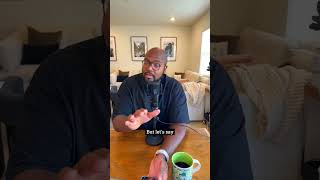
Take a video like this, or like this first miracle or like this one. Water loyal. Nah, this is vintage. Kind of cool, huh? Well, all these videos are made with Google Veo and it's super cool. What I did was I sat there and began to give prompts on how to do this, how to make that, and these prompts are particular, making sure you have the camera angles exactly what you want to do. So what I decided to do was I made a prompt generator for you to use if you comment the word. I don't know, let's say if you comment the word video. Yep. Comment the word video below and I will send you a direct link to my prompt generator. Let me show you what it is. I call it the Mad Red. Mad Red Prompt generator by that tech pastor. It's the ultimate prompt generator. Let me show how it works. Come here. So once you go to my website and you click on the MAD Red prompt generator for videos, you're going to see this prompt generator here. And what it's going to do is going to give you a bunch of different options to use here. So you have here you can select your template. Do you want grass cutting fruit? Do you want, do you want an ASMR video? Do you want other custom prompts? Let's say ASMR video. You can say here the activity, what material do you want? What setting do you want? What mood do you want? And then here is going to give you the mega prompt. But let's say you want a faith based video. I know a number of you on here are faith based. Let me show you how to do a faith based video. You go back to the same site and you can see here right on the side it says show faith based templates. You click face based template and look what comes up. Now you got a Lego Bible story, you got a Google Veo Bible monologue. All of these tools are able to you or you're going to do a custom prompt. So let's do a Lego Bible story. You can say here, what's the title of the story? What's the category? Subtitle the scripture, the LEGO character, what they're holding, what the scene is, what the activity is, how others react, what's the lighting mood? So all you do is fill this in. It's going to fill in your mega prompt. You copy and paste this mega prompt into Google Veo and you're good to go. So it's really simple. So comment the word. I forgot what I said earlier. I think it's mega. So if you comment the word mega or comment the word video. We'll do both. Mega or video Below we'll make sure to send you a direct link for you to do this. It's a tool I vibe coded actually, but to help people. It's the ultimate mega prompt generator to make these things, especially for churches as well. It's built for you with scriptures and everything in it as well. So go ahead, put it in for you, do a little bit of work and let me tag me in what you create. I love to see what you create so you can make some cool things like this or something like this. Something like this sis. This the resurrection, not a game of hide and seek. I'm the tech pastor like and subscribe for more.