Brute Force is Greater than Luck + Opportunity
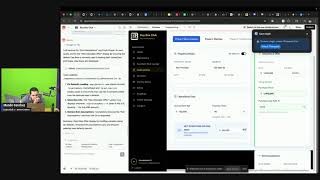
Two developers build out a multifamily underwriting calculator for Buy Box Club, splitting it into a simple free version and a full-featured paid one. They work through financing inputs like NOI, cap rates, and leverage, fix bugs with video uploads and Instagram syncing, and record training videos as they go.
Chapters
What is up? We are doing some late night building shoot.
Amateur hour. Of course I would do that.
Not remember.
Hey, could you bring my headphones or in my backpack?
They're in.
If you. Oh, you got them. Awesome. Awesome. Thank you. All right, love you. Bye. All right, we are in business. Thank you.
I finally got Instagram to work.
Whoo.
So pumped. I got Instagram live to work. I've been trying to get that thing to work for, gosh, probably two months. So the fact that it works now I'm gonna go from one view to
two views and I'm so freaking jacked.
Like, it's literally gonna double. I'm gonna have a hundred percent viewership growth. Dude, that just opened up the door.
Who knows?
You may get to three viewers tonight. We may get wild. It may get really wild. All right, let's get after it. I don't love that. Instagram appears to be very behind in the sink, but we'll live with it.
Let's do this.
All right, so tonight we're going to be filming some training videos for Buy Box Club, and we're also going to be fixing some software issues. So I'm going to dive into an issue that I found on the multifamily underwriter calculator.
So let's go ahead and share that
screen and get after it.
Let's do it.
All right, so I was underwriting this
deal earlier and I noticed the seller finance payoff. Oh, actually this is right.
See, we have an exit here at five years.
Oh, beautiful. We don't even go to this.
Awesome. Okay, well, I thought that was a bug and that's not even a bug. That's awesome. Okay, so some feedback I've gotten on the platform or from the Founders club call we had, which is a really good call. It was about two hour call that we need like a phase one underwriting that's like super simple napkin math underwriting. And then we need a phase two underwriting. Underwriting, which is what this is like the full blown underwriting deal. So that's what we need to work on implementing today. And so I need to come up with a prompt that can.
Help me achieve that. What is going on? Okay, cool. All right, so let's go back in here.
We're do Gemini 3 Pro, I've heard really good things about. Wasn't working for me all day. So we'll see if it's working today.
Now
it'd be cool if we can
get this thing to work.
Okay, so the prompt we need. Let me look at the super simple
underwriting that we need. Let's look at this for multifamily. I want to implement new concept. This new concept. Develop something scalable and repeatable. I want to break underwriting up into phases.
Phase one
will be a very basic underwriting version. Phase two will be the current version that we see now.
When a user.
Okay.
When a user
enters information on phase one and moves to phase two, all of that information will have been saved to the fields. So it should transition straight into the data being displayed because it was already entered into phase one. Okay. So.
Hey, what's going on?
Kayla?
Happy when? Wednesday.
It's Wednesday.
Oh, it is Wednesday. That is news to me. Happy Wednesday. All right, so this is going to be a pretty massive change that we're about to make. So phase one will also become
what the free membership will access going forward. So anyone with a free membership will only get to phase one. They will not be able to pass to phase two without a Match Pro subscription. Let's make sure we're using the right terminology consistently. Okay. Phase one shall have the following inputs for multifamily. Specifically,
Asking price,
Expense ratio, percent field, Current noi. Purchase price, purchase price, cap rate percentage, exit years, exit cap rate percentage. How would you model everything out based upon that? Okay. Oh.
Property name,
street address, city, state, zip code. Oh my gosh.
That scared me. Holy cow. Siri.
Siri scared me.
I literally thought that was a person in this room.
Wow.
Now I'm awake. Holy cow. Okay,
so. Property name, street, Adjust expense ratio. Okay, key
notes.
Oh, wait. Where did this go? Okay, key considerations.
If current NOI and asking price is
present, automatically calculate the asking cap rate. And have this field grade out non editable. If current NOI is missing or undetermined, then. Oh, hold on. Let's see. Annual rent roll. Then take the annual rent roll multiplied by multiplied by the expense ratio percent
and that will then count.
Auto calculate the the current noi, Which would then complete the calculation for asking cap rate percentage. If the user. Manually enters in purchase price, then it should automatically calculate the purchase cap rate percentage by taking the purchase price and the current noi. This the purchase price should automatically calculate if the user instead manually enters in purchase cap rate percentage instead. Let's see what we can break.
Okay, while that's working,
we need to record some training. Okay, so we're going to go and underwrite a deal.
Oh, we need to generate some leads
for the meetup on Saturday or the workshop. We'll do that in a second. Let's go find Us a seller finance deal.
Cool.
That looks like a new one. Seller financing available. Perfect. Love that.
All right, we're going to create a deal.
Single family mor method. So let's go import from Zillow. Okay, So we got the deal information. Okay.
Now we're going to do some training. All right, so you're going to get some live demo training of this software tonight.
Hold on. My screen is not. Oh, looks like it's about to crash. Okay. Okay, let's see what this looks like.
So we're going to go to underwriting
multifamily Morbi method closing two transactions, phase one. Okay, let's see.
So now we got to test this out. Okay, let's not get the cart in
front of the horse.
Let me go film this other video
since I have this here. All right, so we're going to do a demo video. How long has that been recording? Holy cow. Hold on one second. We may have a serious problem.
Oh, 113 gigs. Yeah, that's a problem. How long was that recording?
Oh, we.
Okay, we may need to wait a second for that. Let's go back to this.
Is phase two locked for free members?
That's a big file.
We're gonna have to wait for that. Oh, I thought I heard a trash can. All right, we're back in business.
Okay,
The recording.
All right, so very simple video. We're just going to talk about the importance of filling out the property details information. So you can see here, we did a Zillow import in this scenario. This did not import the city and state. So if you are hand typing this, you want to make sure that you're putting this information in, because this is what's going to help with the matches. So if you don't put in the city and state and zip code, you're not going to get the right matches when you get to that point. So very, very critical part. Very simple, but very important. Boom.
We're going to be hammering out these training videos tonight. You didn't think you were going to learn social media today, but you are in for a treat. Where's Final Cut Pro? Let's get rid of all this stuff. Gosh. Make it harder on me, huh? I feel like there's a way better way of doing this. Okay. All right, so drop that in there.
I feel like I had an intro video.
Hold on. I need to see if I have an intro video. I don't. Training videos. Okay, change of plan. I'm just going to start dumping these files and we'll worry about that later. Okay, so this is. Property information, Property address info. Okay.
Yes. Phase two is locked for free members. They will see a locked icon
until they upgrade. Okay, I want the current phase two to move to phase three. I want to add a new phase two called Matches on this phase two Matches tab, which is meant for free subscriber users. They will see. Okay, let's make this a little bit better. Let's get rid of all this. If the user is a free user, Then they should see three phases. Phase one is what we have currently. No changes yet. Phase two should be moved to phase three. The new phase two will be called Matches on this Matches on this Phase two Matches. It will display a search bar for the user to search a investor profile to send a deal specifically to. And it will also have a Submit Deal to
Marketplace.
Submit Deal to Marketplace button where it can submit the deal to everybody. And it will be received as either matches or or request based upon their score, which is handled with existing logic. Then there will be a list of matches. Multifamily doesn't have that.
Oh, I didn't know that. The Instagram comments do not carry over to Streamyard.
Interesting. That kind of sucks. Okay,
so there will be a list
of matches similar to what currently gets displayed in single family, except these matches will not have any names displayed. It will only show a card with a score and a Send to investor button. It will not reveal any personal name or contact info. The user will have to. You can place an upgrade button so that the user knows they have to upgrade to see the matches. So how would that get handled? If the user is on Match Pro subscription, then this phase two matches gets skipped. And then the phase two will just be. Phase 2 Detail underwriting. And the matches will be inside that page, inside that another tab, like it is in a single family. Boom. All right. Okay, so let's go ahead and film another one.
So for values, you have the purchase price, which is pretty simple, and current value. So in this scenario they are the exact same. However, there could be a lot of different scenarios where there's a disconnect. So if you are buying the property at a good deal, for example, let's say the property is really worth 275. Definitely not that 275 and you're buying it for 255. That means you have 20k of equity at the time you're purchasing it. This is important to track and in some instances it just may be the same. So just put in the same value. That's perfectly fine. But when you get to the refinance section, it's going to look at the future property value. So you're going to. That number is going to first derive from the current value. So it's going to take the current value and then extrapolate that out over the time period and we'll talk about that in a future video. But that is why the current value section is very important. Then you have monthly rent. So you can get that from either. It may pull in from the import from Zillow. If you have a subscription that in an API key that allows rent o meter, you might be able to pull that in there. Or, or you could just do it the old fashioned way and type it in manually. Then you have annual property taxes and annual insurance. The underwriting model will go ahead and convert that into monthly figures. So you don't have to worry about that. You just need to put in the annual. Moving on to fixed operating expenses. Pause, cut out that last part where I said moving on to fixed operating expenses. We just need to end the video before I get that because I'm going
to record a separate video for that. Okay, Property. Current values of property. Okay, so we got that working.
Let's see.
We're going to test this out. Okay, well, shoot, that's going to be
hard for me to test because I don't have.
Because I don't have that subscription. Let me try. Oh, but then I'm not going to
be able to see the multifamily underwriting. Co living calculator needs to be hidden
from the menu from all users except for admin.
I guess I'm gonna have to go ahead and release the multifamily calculator because that's the only way I'm going to
be able to test it. Appreciate it, man.
Thank.
You. Okay, go ahead and release the multifamily model for all users now. So remove the only for Founders Club filter. Okay, next training. All right, now we're going to go on to the fixed operating expenses.
Fixed operating expenses monthly. This is where you're putting in your basic expenses for operating a property. So we have lawn care, cleaning supplies, Internet utilities, pretty basic, whether that being long term rent or short term rent. Obviously if you don't have those things in ltr, like maybe you're not paying for utilities or lawn care, that kind of stuff, just leave it blank and then it will not populate. So you can see here where that's going to populate if you see the fixed expenses monthly. If I go ahead and put in 150 here. You can see that this is going to populate right here under fixed operating. So all of the expenses that you are entering in this section will be displayed right there.
Three fixed operating expenses. We're just powering through videos tonight.
I love it. Let's go.
Okay. Single family. Throw that in there. Boom.
Got three training videos done already. Amazing.
Okay. Released for all users.
So let me log out.
Log back in. Well, That's unfortunate because it's going to
kick me out and I got to
log back in every time. Okay, next training video.
So we've covered the whole first page now. This is where people really need the training.
So let's go.
You know what?
I'm still not seeing. I need to write down these issues. Let me see. Notepad. It. All right. Okay. I feel like I'm gonna break a lot of things if I do this. Okay.
One thing at a.
Yes. Let's go. The upgrade to unlock all features for the multifamily model does not actually let me click on the text. It should be a button that directs me to the signup page to upgrade. Okay. 1.4 million 150,000. Expense ratio.
40.
That means it's $90,000. Okay, that's actually. So then. Let me do this in Excel here.
Okay, so we're going to calculate the 1.4.
Let's see. Noi. Okay, that's right. So the asking price cap rates. Right. So seven and a half percent. 90,000. 1.2 million. Okay. Okay. 1, 4, 1, 4, 6.4. What is going on here? First, I need to save this deal. My first deal. 1, 2, 3 Main Street. See screenshot. When I tried to enter in a value for purchase price, it got really weird. Then the purchase cap rate percentage should only be displaying rounded values such as 6.43. Also, round the asking cap rate to display as 6.43. Okay. I feel like this could be cleaned up a little bit. I don't necessarily love the way this looks. Well, that's not very helpful. The search bar doesn't work.
Nicholas. It is $99 a month for the
Founders Club, which is.
Well, really for the subscription for the platform, which gives you access to Founders
Club, which is my underwriting mastermind. We just had our first call today. It was like two hours long.
It was really good call. I'm already implementing the things that they
asked for on that call right now.
Got some heavy hitters in there, too.
Some. Some big names.
So really actually is like a good Mastermind. There's only going to be the first hundred people on the platform will be in that. But there's always going to be a free version. So every single person could have their
own,
their own investor website that has their buy box on it. So if you check out like my
page, for example, This will always be
free because I want everybody on the platform.
So this is my investor website.
So you can have a website like that with a video and like your bio and all that, your social links, your buy boxes. This will always be free. You can create your buy box. So if you go into my buy box, you could look at what that is, the states, my scoring weights, what I consider important for me in the deal, which I need to adjust these
actually now that I'm looking at it.
So that's something that it will always be free and that everyone can have. What I'm really building and excited for is this. I'm going to be bringing a lot of private capital onto this platform. I'm really going to incentivize PMLs to get on the platform which is then going to attract buyers. So imagine going into a deal,
you
go into this deal here, let's just
say I open this up.
And you go into matches and you see, you know your buyers that you match with and then you go into resources and you see, oh, this person is an EMD gator, this person's a tc, this person's a pml. And you can find just literally all your resources for the deal like already pre approved basically because it's matching against their box too.
Which is
gonna be pretty crazy. Which is why I want everybody to have one. Like have an investor profile in a box no matter what for free. So that way everyone has these resources available to them, which is crazy. You kind of really, I hate to say it, but you kind of really
don't even need a connector anymore if
this, you know, kind of really not if when this really takes off because there's really two. You know, I was listening to Alex Rosi and he was talking about, you know, you can be, you can try to find that next like one lucky thing and find the right opportunity with the be at the right place at the right time and you might be successful. Or you could just brute force take an obscene amount of action to the point where it would be unreasonable for you to be, for you to not be successful. So that was the title of my Live Today is Inspired. And then I'm also going to. Because at some point this would get saturated, right? So I'm gonna create affiliate program that will Essentially prioritize the rankings based on people who have gotten the most referrals. They'll show up higher, people in founders club will show up higher. And then people with good quality voting, right, there'll be an upvote and a down vote. Like if someone, you know, screwed you, I don't know what, I don't know what I can and can't do legally. I need to look into that. But my first thought would be to kick their ass off the platform. But if, if someone's got, you know, thumbs downs, then obviously they'd be ranked lower in the results than someone who's, you know, got a good track record and good reviews, that kind of stuff.
I hope so, man.
I hope so. I'm trying to solve my own problem, man. My own problem is I keep getting shitty deals sent to me and if this will solve that problem, because I'm already telling wholesalers, hey, I'm not underwriting any more deals. Send it to me here or I'm not going to look at it. And they send it to me here and then I just, I can just look at it. I don't have to go back and forth of like, oh, you're missing this, this and this.
Like, it's just, it's there.
So I mean, I'm, I'm already getting
benefit out of it for sure. Let's see. All right, so it's kind of annoying. I have to do that. Everybody. Okay my deals.
And so some of the feedback from tonight was that they wanted a, like phase one very, very simple calculator. And then if it passes checks, they want to go to a phase two underwriting. Well, dude, I need a freaking back button.
You can't just freeze the user there, upgrade or, or don't use anything else. Hmm. These inputs are still wonky. This issue is still not fixed. It.
Yeah, I mean that's basically what this software kind of is, is underwriting against buy boxes.
Okay, so we got asking price that
produces a cap rate.
That produces NOI purchase price cap rate. I feel like the phase one is a little. Phase one analysis is a little messy and it's present presentation. How can we present these fields better and grouped better. I feel like it's gonna blow everything out there. Okay, so let's look at. How are we going to do this? It.
I apologize, but I'm, I'm not going
to answer details about the meetup. Like, I don't have time to answer those questions. Let's see, why is that not count? Okay, phase two matches. Because this is not gonna tell me what we really need to know. Let's see what it multifamily. Oh, cool. He did absolutely nothing. Love it. And you brought back that bug. Okay, asking price, purchase price, Restructure the UI of phase one analysis. It's all over the place. I don't. I really don't know what this should look like. I just know I don't like the way it looks. I don't know. It's a good question. I guess it's kind of hard to see the screen if I have it covered.
Okay, what am I gonna do about
the phase two match?
Not sure what you just did, but
I think I like it.
I think I like that.
Fix these fields. It should be displayed as. Purchase price and. 6.43% for cap rate. Okay. Okay. Let's chat about an idea. For a free member. It.
Let's chat about an idea.
I can't wait to go back and
watch this live like three months from now. It's like watching a little child grow up. For a free member.
For free member. For a free member. Okay. For a free member. On the multifamily model, under property details on phase one, I want to display a search bar. Next to the search bar is a
toggle
that says my defaults
by default. Every deal has my defaults toggle churned on.
When this is turned on, all underwriting assumptions will pull from the current users buy bot box related to this asset class and strategy. If the user selects another user, then they will have the option to import their default preferences. The searchable user's preferences can only be pulled if that user has that. Box as a public box. It cannot return results if it's not public. Make sure you are fetching this from the backend and not exposing sensitive user data that should not be shared with other users. If the searchable users defaults are imported, then you will update the deal.
What did I break?
Oh, I'm about to break something, that's for sure. If the searchable users defaults imported, then you will update the deal with the imported defaults in each respective field. For example, if the user has cash to seller percent at 50% by default, then that is what should be imported in the cash to seller percent. Can you tell me how you plan to implement this safely and securely?
Oh, if we're placing bets, I'm definitely
betting this is breaking.
Wow, that came back very fast.
Create a new backend. I'll implement this by creating backend functions. I don't want whatever we come up with to be multifamily specific, this needs to be a reusable function that is eventually going to get applied to all boxes, asset all boxes and underwriting of all asset types and creative strategies. We are just starting with multifamily for testing. Appreciate it.
We have some faithful votes on Instagram
that it's not gonna break. I'm totally guessing it's gonna break. Okay, let's. Wow, this thing is. Here's how I plan to implement safely functions. Get underwriting. Defaults will be the single secure entry point fetching default first authenticate. I don't like the name of. Because again, this should be reusable across everything. We will be implementing a phase one approach to all asset classes and creative strategies soon. Yes. Good choice. Do it. Implement it. If you need to do this in control phases, please do that.
That's going to take a hot minute.
Okay. We're not logged in at all. Wow. No way that's done. No. Did you implement everything we just talked about? I'm confused. It. I don't think so, but let's check. No, no search bar. Whoa. What's going on here, Man? It's really moving. Wow. I'm blown away how fast that was. I've never seen base 44 work this fast. They must have made some big improvements. Now let's see what's broken. Oh, dude, that's so cool. That's not cool. That is really slick.
I like that
when I search for user defaults, the search is blank. I am expecting to search by username and for the results to appear. For example, I was trying to search. Okay, I need to do some more training. I need to start cranking these out here.
Cash to seller. This is probably one of the most confusing financing structures related to Morby methods. So the easiest way to understand this is if you look at the bank financing, which is displayed in the middle column. That is to be considered an isolated financing component. So put that to the side for a second. Let's focus on the cash to seller and the seller financing now. Currently, the way this works, it won't work this way in the future, but think of this right now as your hundred percent piece of the pie. So if I adjust cash to seller to 60%, it's going to automatically adjust seller financing to 40%, which obviously equals 100% of the pie. So I'm in the future going to have a toggle that's going to allow you to override that default. So that way it's going to be open so you can go over 100% if you wanted to. Now, you can leave this here as kind of a safety check and, and make sure you don't go out of bounds. Because if you start playing with one thing and forget to update the other, then obviously you're going to have mismatched numbers, right, or numbers that you weren't expecting. So by default it adds up to 100%. So if I were going to do 70% seller financing, you'll see that the cash to seller updates to 30%. If I want to adjust this to a manual number, let's say $85,000, you can see that the cash to seller percentages and the seller financing percentages will also auto calculate, which in my opinion is really nice, which would also change the seller financing amount. So again, if you wanted to override that, that may be an option for you in the future bank financing. This is again, we toss it to the side, we're bringing it back in. This is what you're going to get for your DSCR loan. And if we just look at the levers to increase both cash that you receive at closing, what I call a buyer surplus or cash that you need to bring to closing, which is what typically happens in a real estate transaction, there's a couple levers that you can pull and it all has to do with the amount of leverage that you're taking out in a transaction. So the more leverage that you're taking, the greater the surplus you're going to create. If you are over leveraging in the transaction, if you are injecting equity into the transaction, the surplus is not going to be a surplus. It's going to be cash that you're going to have to bring to close because you're injecting equity into the transaction and leaving it there. Okay, so let's break that out for an example. Right now, as this deal stands, there's a buyer surplus of $71,000, meaning you would get paid $71,000 to buy this property. So this would tell you that the leverage is pretty high. The overall leverage, okay, so if you wanted to lower that, what you would do is you would increase either cash to seller or you would decrease bank financing. So let's increase cash to seller and see what happens. The 71 is going to go down to 29. Why is that? That's because we increased the amount of net cash that the seller is going to receive, which means our overall seller financing note is going to come down. Right. If you think about the large pool of money, the 100% of the pie that the seller has for their equity, you know, obviously they have to pay
off their mortgage and all that.
The more money you give them for cash that they're going to walk away with at closing, the less overall leverage you're going to have in the deal. So if you really look at this, when we break this out, you got overall leverage here. So you have the 75% and then you have the 50%. So between those two, you have a hundred, essentially 125% over leverage. You know, if you think about 100%, you have 25% over leverage on the transaction, which is why there's a surplus to begin with. So if you decrease that leverage, so if you go from 125, you know, down and keep walking your way down, for example, if you decide to go down, let's say 70,000, so you're increasing your overall leverage from 125 to 120, you're going to see that buyer surplus is going to go down. Right? And you can get to the point, let's say if I made this 50%, where you're obviously now the buyer surplus is negative, which means that you have to bring cash to close, which is what people normally do in a real estate transaction. So that's how you play around with that buyer surplus. If you, depending on if you want to walk into the deal, net no money out of your pocket, or if you want to have buyer surplus that you can put back into the property for reserves, you would do two things. You would decrease the cash to seller. So if I decrease the cash to seller to 30, even with this lower LTV of 50%, because I decreased the cash to seller, I created a buyer surplus so I could take that back to 50%. So now again, we're back at a deficit. The other lever I can pull is increasing the bank LTV so I can move that up to 70%. There you see that we've now created the buyer surplus again. So you can see the two levers that we're pulling to achieve the outcome. So it is to your best advantage to have the least amount from a cash flow perspective. Let me put it that that way, it is to your advantage to have the least amount of financing on the ltv. I'm sorry, on the DSCR loan for bank financing. Why Normally you're going to have a higher interest rate than what you're going
to pay the seller.
Right. If you look at this scenario right here, let's say you're going to do a custom payment and you're only going to pay them $100 a month. Pretty gangster, right? Well, you're doing $100 a month interest only payments. What would you rather do? Would you rather have more seller financing amount with 0% interest or would you have more bank financing amount at 7% interest? You do the math, right. Pretty easy decision at that point. So you would be better off from a cash flow perspective having a lower bank LTV loan and a higher seller financing amount. But again, those are all negotiating points that you'll have to figure out between you and the seller. Now, all that's cool, but the other thing that we need to worry about is the cash needed at maturity. That is also something that you will play with in the two levers of financing. We're going to cover that more in the refinance section, however briefly. We'll bring it up now if you think about increasing the leverage.
Right.
So going back to this scenario, let's say you want the buyer surplus to be higher. Let's say you want to move this bank loan LTV to 75%. Watch what's going to happen. Previously we were focusing just on this buyer surplus line. Now I want you to focus on the cash needed at maturity.
As what?
Well, you're going to see two things happen. You're going to see one, the buyer surplus amount's going to grow. So you're going to have, you're going to walk away with more cash at closing. But what's also going to grow is your cash needed at maturity. Which means whenever you get to the period you're going to refinance your loan, you're going to be over leveraged. True over leveraged in the sense that you're going to have to write a check for $55,000 just to exit this low. Watch this.
When I hit this, just as I
said, buyer surplus went up, but also did the cash needed at maturity. So you can't just jack up the buyer surplus. Well, you can't. You can do whatever you want, right? But there is a repercussion to doing that and the net result is increased with leverage. So you really need to have a plan for that. If you are okay with writing a check in six, seven years or however long it is for $67,000, you do you right. But if you're not okay with that, you need to back off on the leverage and bring that down. So the levers you can pull here is you could lower the ltv. It's going to lower your cash needed at maturity. However, it's going to lower your buyer surplus. So you can see now you're not walking away with really anything now. The other way you can lower your cash needed at maturity is to increase the balloon period. So you can see as I increase the balloon period, I went from five to six and we're at 32,000. I'm going to go up to seven, we're at 21,000. I go up to eight, nine. So right here you can see the break even point at nine years. We're finally getting to the point where the property is appreciated enough and we'll cover this more in detail in the refinance training. The property has appreciated enough to where you're not over leveraged and you'll be able to refinance out of that loan and be able to pay off your underlying first position mortgage and your seller financing note as well. So hopefully that helps you understand the mechanisms in financing. And it's not as confusing as it once was. If it is confusing, I feel like I did a pretty good job explaining this. So go back and watch this like five more times until you understand it. This is a very confusing topic. So this is one of those things that you sometimes you just have to watch it over and over and over again in order for it to sink it. All right, did I just absolutely kill that or what?
I feel like I killed that. I totally killed that. I'm gonna give myself a pat on the back. Okay, So that's for understanding mor method financing. Okay, let me upload that video.
We got four training videos done tonight. That's awesome.
Sfr. Okay, go.
Let's go test what we broke.
Okay, let's get logged in. Perfect.
Love that. I can't believe I did that training
with an earbud in my ear that whole time. Why did no one tell me that?
Oh, I found this good Taylor Swift playlist. Going to jam to that.
If I can find it. Okay.
All right, so my defaults.
Let's search this user. Come on, man. That's weird. There's nothing loading. Oh, there we go. Where are we going here? Ideals. Nope, back out of that. We're going to log out. Dude, this is so annoying. Hold on. There we go. Now we're jamming.
All right, so we did that video. I should probably go over the deal analysis.
I'll go over the deal analysis next. You suck. Isn't found in the user's box. Okay, that makes. Oh, that makes sense.
I think. I don't think anyone has a multi family buy box.
And we're doing multi. Okay, so here we go. All right, so let's open this up.
Okay, so Morby method. It.
Man, I gotta get that fixed.
Okay, so there is a multi family.
This is multi family. This is Morbi method. Oh, it reversed all that. That's unfortunate. It. 75. So much for auto syncing. Okay, bugs. Oh, what am I doing? It's the whole purpose, why I built this. Ah, come on. All right, let's be smarter than this. Under any multifamily Morgan method. Okay, we're going to test this out. Oh, my gosh. He wrote a whole book. Had a whole like seven conversations with itself here. Wow. Yeah, I figured that was gonna happen.
Wait, wait, wait. Wow, it was really tweaking out. Wait, wait.
That's hilarious.
Well, let's stop this before it
really causes some problems. Can't believe I got to stop my Taylor Swift song for this. But let's go.
Okay. And we are live. So we're going to talk about the down payment. So where does this down payment come? Well, if you remember, back in the financing section, you put in 65% LTV. You can change this to whatever you want. So if we look here and we see the down payment of 89,250, if we change that to 70% LTV, obviously now our down payment is 30%. So if we look at that now, the number has changed. So as you continue to play with the leverage, whether it be up or down again. So now we're at 75 LTV. So now you're going to see that down payment requirement drop. Also, one cool thing that I implemented that I actually have as an error in, like my own underwriting in my spreadsheet underwriting that I fixed now in the software, earnest money. So the way our system treats earnest money is it is applied to the down payment, which is how the title company and the lender will treat earnest money. So we take the total, in this case, 25% down payment, and we back that out and kind of carve it out separately so that the earnest money is treated separately and what's left over is the down payment. But when you add the two together, it equals the amount that you would expect for the down payment. So that is a cool feature that we've implemented here in the software. So that hopefully gives you a pretty clear explanation of the down payment.
Boom. Done. We're cranking out training tonight. Upload this. Down payment.
Done.
Okay. This should resolve the issue. Yeah, I've heard that before. Come on. Why won't you work Just this work, please work issue is not resolved. Do better. That's disappointing. I'm getting tired.
Yes, it is, Dennis. Sorry, Instagram comments don't pull up in my Streamyard feed. So I have to like manually go
and check on Instagram. Or I could do. Could get super fancy. Now I can see both. Well, kind of. Hold on. Stack up my screens here. Now I can see both comments in real time. Come on, please work. Please, please. Still not working. I am sad. Okay, next video
loan requirements. So if you go back to the deal info, you will see insurance. So you put the annual insurance, if you remember that your requirement is going to be to prepay the insurance in full. Now a lot of times you have to prepay before you even close. Sometimes you can pay, but it is something you're going to have to pay in full. And it's not something that a lot of people think about or know about. And it's usually a surprise at closing that they never tell you about. How would you like an extra surprise for $5,319? That's usually what happens. And I love it because they just don't even think about that. This is real money that you now have to inject into the deal that was never told to you. And they just like, oh yeah, you know, it's just an extra, you know, five grand, whatever, or whatever.
Right. Anyways, I digress.
So you're going to prepay that insurance policy in full. So it's being recorded there. Then you're going to have impounds for your taxes and your insurance. A lot of times it's going to be three months worth of payment. So that is what is happening there in the deal info. You put in the annual property taxes and you put in the annual insurance. So it's taking that divided by 12, which is your monthly payment times three months, which is what your escrow will be. Then you will sometimes have to prepay principal and interest. I don't see this. I see this rarely. It doesn't happen all the time. So if we go into this section right here, so you can see here if we have prepaid months. If you don't think that's going to happen with you, you can just clear that out. So I've cleared that out and now you can see that that is no longer showing. So that is the loan requirement section. I actually noticed a bug.
This says three months, but this says
six.
Let's see what happens when I change that. It doesn't change. So wait, 405. Let's do some math. The. 1620 divided by 12 135. Times three. So that is really three months. Wow. I'm not sure why that happened. Says three months. This says one month. Wait, did I record a video? Yeah, I did, right? Loan requirements. It.
If you haven't signed up for an account yet, please do.
It's literally free.
I'm not going to pressure anyone into buying anything because this thing's going to be so legit one day that you're
going to be like stupid. Not for buying it.
It's going to be a. You're going to be at a disadvantage. So I'm not even worrying about selling it.
Still airing out. Okay. It. Okay, let's cover. We should probably fix this bug here. Can you tell me where this is coming from? I am finding this on the. Loan requirements section within the escrow tab. In my assumptions I have saved. I have saved the value of. To 1. I expected to see the. I am not aware. Okay, wait for that. Let's move on to the third party commissions. And recording now.
Third party commissions. So we're going to talk about agent commissions. So if you go over to the assumptions tab, this may look a little different by the time you look at it but somewhere on this list you will find agent commission. So if I made this agent commission zero, that is what you would see. Now it's zero. So I can go ahead and update this back to three. And you could also update somewhere on here the assignment fee. So if you had an assignment fee, that's where you can place the assignment fee. Now you see there's $10,000 TC fee. I don't know why it says 500. You should never pay your TC 500 if you are. I have concerns about your TC. One, for their mental health. Two, for their business model and their pricing. They should never price that cheap. So much work being a tc. But you can go in and update that here. If you're doing a morbi method, you're not going to be doing it for cheaper than 3000 and I can tell you that probably maybe 2500 at the cheapest. I'm going to put 3000 and so that represents the third party commissions. Pretty easy and straightforward stop.
Third party commissions. Just cranking out the training videos tonight. I love it. Super pumped.
Love it.
Okay. Oh, that's not good. That's not good. Present a plan before doing anything. Closing cost. I'm gonna find. By box video. It. Okay, so for this video let's shorten the length a lot. It should be 2 to should be 3 or 5 seconds long. Have the image text on the box. Say look at this video. You can't see it but. Real time. Bunch of video that need the intro video finished and added to it and probably an extra video first. Let's get the bingo one so I can work on this in the morning. Boom. Done. Okay, you found the issue. I'm kind of scared to test this. This says three months. Oh, cheat insurance prepaid. Two months. One month. Okay. Okay. It. Well, it's getting close to midnight. It.
I would really like to break through
this issue today if possible. It. That's taking a while. I wonder if I'm just over complicating this. It. What's going on here? Multifamily. Oh come on. The user search should work the same as it does on the single family search for users in the matches tab. The user's profiles are public anyways as long as they made them public. If this works, remove your current backend logic and just do this how it exists today. All right, wrap up soon once I can get this going. Hopefully this is the one purchase price your offer. It. Sa. It. Interesting. It. That's taking forever.
Mm. That.
Let's go. That's what I like to see to cap off my night. Cool. Fantastic. All right. Come on. Let's go. Let's go.
Yes.
Yes.
We did it.
In the search bar. Now I am seeing the results. I should see a full page. It just. Oh, thank you. Okay, so now
it should pull in the default defaults. But there's not really a way for
that user to know if the defaults Crap. I'm going to need to know for testing. So. Once the user is selected it's not sticking. I should be pull in the target cap rate for the selected user and then in the valuation and offer section under purchase cap rate percentage and this max allowable offer. X dollars target purchase cap rate percentage. X x percent. This should pull in the users user from the search bars. Target max cap rate. Max max cap rate percentage. If the current use if the current user is just using their defaults then it should pull in there. Cool. Oh, why would you do that? Didn't realize there was this import button. I don't really like that. You didn't do anything I asked you to do. Why would you do that to me? It. All right, well we're gonna call it a night on that one because this does not look like that's getting fixed. Oh wait. Maybe. Maybe, Maybe.
I don't think so. Alrighty. Well appreciate you hanging in there and
I will see you next time. See you later. Thanks for watching.
Subscribe for more.