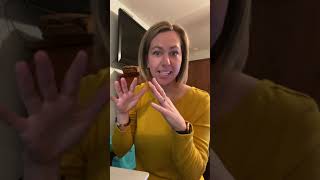
Heather from The Autism Helper shows three ways to run hands-on activities over Zoom: playing GoNoodle Flow videos with live modeling, holding up visual cue cards for movement and color tasks, and using a smartphone as a document camera to guide art projects together.
Hello!
This is Heather from The Autism Helper, and I'm going to share some of my favorite gross motor activities to do, how I present them on the screen for remote learning, and then also how I share my screen to show art projects to the learners so they can do them with me. So the first one is GoNoodle Flow, and they have a lot of videos on YouTube if you want to search for it. I'll give you a little sample of one of my favorites.
This exercise will teach you how to raise your energy and face your day. Close your eyes or keep them open. Have fun with it. Sit tall. You can be on the ground with your legs crossed or sitting at the front edge of your chair with your feet flat on the floor. Let your—
So there are great visuals with this. And then how I do this is we use Zoom. So I go under the share my screen option, Share my screen, share sound, and then this, they see the video and then they see me up in the corner and then we can do them together. Another thing that I do is I have these cut out in the classroom, but for remote learning, I have them on a page. So, I'll hold these up to the screen and show the students. So, first I'll say, "We're gonna march around, marching around," and I'll zoom it in and then I'll model marching around and we'll sit back down. Then I say, "Now we're gonna run in place. Let's run in place. Joey, what are we gonna do? Run in place!" And then we'll run, run, run, run, run. So, I like to have these as just big pages so that we can choose, we can work on color identification, and then we also work on gross motor activities. Then the last thing I'm gonna show you is how we do art projects and how I share my screen to do that. So it's easier if I can share my phone.
So what we do is when we are on Zoom, I go to share my screen down here, and then this pops up, and this is where you're gonna click iPhone or iPad. And then when you click on that, then it pops up, and then you just connect your phone to the Zoom.
So then it turns your phone into a document camera. I have this that our district has given to us. I put my phone up here and then it zooms down and shows the picture down here. What the students see on the screen is they'll see my hands, they'll see the paper, they'll see the art activities, and then they can follow along. These are just 3 simple steps out of lots of other things that I have listed and that I will continue to share how to get the learners up and moving, how to get them interacting and participating and keeping their hands moving so that they're not just listening to a lecture, or just staring at the screen all day. So I will be sure to share more tips and tricks for engaging in hands-on and movement activities for remote learning.