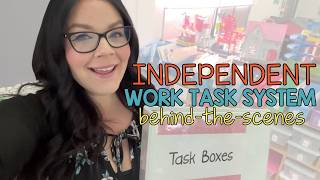
Michelle shows how she runs independent task boxes in her autism classroom using color-coded systems and icon schedules. Each student follows three daily tasks matched to their level, and paraprofessionals track whether they complete work independently or need help, so Michelle can adjust instruction based on patterns.
Chapters
Let's take a behind-the-scenes look at my independent task box center. I'm Michelle with the Autism Helper, and I teach in a TK through 2nd grade self-contained autism classroom, and this center is a game changer for promoting independence, organization, and student success.
My students work independently on 3 tasks that match their goals and skill levels.
Each task box is labeled with a specific icon to help students easily identify what it is that they need to complete.
And then all of my students have their own schedule here, and their schedules are all individualized with icons, making it simple to find the tasks that are just right for them. Student begins by matching their individual picture icon to the task box, which is another way to build independence and routine. Once they've matched their icon, they get started on the activity, and the tasks in my Task Box Center range from fine motor skills and academic practice depending on the student's needs. Once their task is completed, students clean up, put their task in the "all done" box, and match their next task from their individual schedule. Shapes all correlate to fine motor tasks, my letters correlate to English language arts tasks, and my numbers correlate to math tasks. So students are doing a fine motor, English language arts, and a math task every day that matches their goals and their skills.
One of the ways I keep this center running smoothly is with this task box label book. It's a lifesaver for anyone setting up or resetting the center each day. This book has all of my task box labels organized by students.
So here on the side are that my student colors. I color code everything in my classroom, and then on the right column it has which task boxes each student is able to do. It keeps the center consistent and ensures students are always working on the right Task. I made this in Google Slides just by adding the colors, and then I used a fine point tip Sharpie to write in which boxes the students can do. So my goal is to keep this for many years, so when it comes time to change this, all we have to do is use a dry erase marker, color over the top of what we wrote, and then erase it, and it'll be good to go for next year.
Let's talk about data. Tracking progress is essential in any special education classroom, and with the help of The Autism Helper, I found a system that works really well for me.
For starters, I have an Independent Functioning IEP Goal Implementation Guide. This is from The Autism Helper. This helps me specifically indicate what the students are working on, what the paraprofessional at the center will do, um, potential correct student responses. What they should do after the student has given a correct response, potential incorrect student responses, and what the adult should do after the incorrect response. Um, then it also has the mastery criteria and next steps after mastery is hit. So I have my data organized by center groups with a tab for each student. So each student has a data sheet that tracks their performance on the 3 tasks that they're working on. Here's an example, and my paraprofessional records whether the student matched the icon to the correct task and completed the task independently with prompts or with assistance. This helps me see patterns and adjust their tasks as needed.
My Task Box Label Book has been a game changer in my classroom. I would love to share it for free with you if you're a special education teacher who uses color coding in your classroom and feels like you can utilize this in your classroom. Please let me know and I will send you a free link. And don't forget to like and subscribe to The Autism Helper on YouTube for more tips and resources.