Learn how to use Halloween-themed digital matching workbooks in Boom Cards or Google Slides. Boom Cards give error-free practice on iPads and computers; Google Slides let you track completion and embed slides into lessons. Both work for individual students, groups, or Zoom sessions.
Chapters
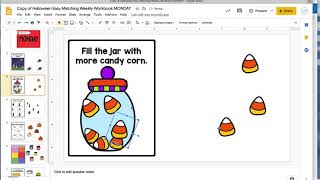
included in the digital Easy Matchy Week— Matching Weekly Workbooks. These are set up the same way as the regular ones, but you get both the Boom Cards and the Google Slides. The Boom Cards are great because they are still errorless learning. You can do these on an iPad, you can do these on the computer, you can assign these to students, you can do them as a group, and you're still going to be able to work on basic skills in that fun way that you could do with the actual books. So these include some easy matching, like up to 6 pictures, and then tons of different errorless tasks. These turned out so great on Boom. I love these for assigning to students. These would be great to do kind of even as a group or if you were on a Zoom call. So this is what they look like in Boom. In Google Slides, you get a lot of different options as well. It'll force you to make a copy. I recommend making a teacher copy, and then these are all movable as well. So same activities, but now in Google Slides, and these would be amazing to include right into your regular slide presentations. You could do these as a group, you could do these in one-on-one calls. You could also assign these because if you assign these to a student and they set, they complete this activity on their own, you can now click on the link and ensure that they actually did it because it's going to be the finished work. So you could save this as Halloween easy workbook for Monday for Johnny, and then assign that to make a copy for Johnny and assign it to him, he would complete this activity and then you could make sure that he did it. Or you could do this as a whole group, which would be another really fun way, great way to encourage language.