1:23
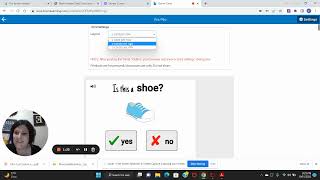
Christy from Autism Helper shows how to print Boom Learning assessment cards for kids who work better on paper. Log in, find your deck, click Action and Print, choose your layout, then store them in a 3-inch binder with dividers.
Christy from Autism Helper shows how to print Boom Learning assessment cards for kids who work better on paper. Log in, find your deck, click Action and Print, choose your layout, then store them in a 3-inch binder with dividers.
Hi everyone, it's Christy with Autism Helper. I mentioned in the blog post that you can print BOOM cards. For my kids, I did not think that giving them the basic skills assessment that's included in the professional development course on a tablet was a good fit. And if you're not a member of the professional development course, you— it opens up again in January, so you can join then. It's definitely worth the money, even if you homeschool. So, all you do is you open up your Boom Learning account, you search for your Autism Helper Boom Cards. Every assessment is gonna have its own deck. So, the Yes/No assessment has its own deck. You just click on Action, Print. It prepares the cards. And then you get to choose your layout. Do you want 1 card per row, 2 cards per row, 3 cards per row? I think I did like 2 cards per row. Um, but that's all you do. So you, you can play with it a little bit, and then you print it out. And I just put it in a 3-inch binder. I separated it with page dividers. I'll show you a picture of that, but it's really easy. So, alright guys, there you go.










