Angela Kulcsar shares five games for video-call classrooms: Emotion Mask, Find and Peek, Go to Sleep, I Spy, and Would You Rather. The pack includes PowerPoint and Google Slides versions with teacher directions, visuals, timers, and extension activities ready to use in Zoom, Google Meet, or Google Classroom.
Chapters
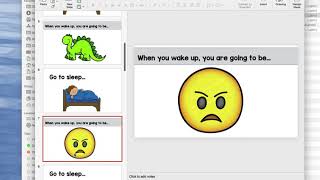
These were highly requested. These are language and social skills games for video calls. So whether you're doing Zoom or Google Meets, I have two versions. I have PowerPoint and Google Slides. PowerPoint will obviously work on anything and Google Slides will work nicely with Google Meets or can be assigned in Google Classroom. So I'm gonna show you the PowerPoint version. First up, I have some pretty thorough directions of how to use the games and how to play each of the games. I write out how to play the game and then some extension activities. And then I also have this schedule included and you can use that as well, which there's descriptions there. And then there are the games which I separated to each one because you might want to do a different one each day of the week. So I will show you the 5 different games very quickly. So first we have here Emotion Mask. This game, there are teacher directions and then student directions and the title slide. You can drag these into your own PowerPoints, or if you're doing these in slides, you can drag these into your own slideshow. "So you're gonna give the prompt, 'Time to put on your emotion mask,' and then we're gonna put on a happy face." So you would really model for the student to pretend to put a mask on, and when you move your hand away, revealing the happy face, and then taking the happy face off, putting on an angry face, taking it off, putting on a scared face. So these all have real photos with different emotions. Next up is Find and Peek. Find and Peek. Resize this. We We again have our teacher directions and our student directions, the title slide, and this is going to be a scavenger hunt game. So this would be great to do with multiple students on one Zoom call or one Google Meet call. Everyone's gonna find a fork. If you're doing this in PowerPoint, there's gonna be a 1-minute visual timer that you can use. And then when the timer goes off, who found a fork? Then we're gonna find something red, do the timer. And then everyone's gonna find something red and share it. So it's a great scavenger hunt game that will really get kids engaging with each other and really a great way to work on vocabulary. Next is Go to Sleep. This is one I shared on stories a while ago that everyone loved. This is one of my favorites. Again, teacher directions, kid directions. Go to sleep. The prompt is to pretend everyone to go to sleep. When you wake up, you're going to be— and then I say 3, 2, 1, wake up— a dinosaur. And then everyone's a dinosaur. Go to sleep. When you wake up, you're going to be angry. 3, 2, 1, wake up. And then they wake up, pretend to be angry. So there's all the prompts for that. There's pretty— there's a decent amount of prompts. So you can break these up into multiple days or have longer or shorter games if you want. Next is I Spy. This is gonna be a turn-taking game. I think this would be a really good one to model practicing whose turn it is and then the different types of hints you can give. You can give the color, the shape, the function, the category. So the student's going to— whoever's turn it is, is going to get to pick what they spy. So, "I spy with my little eye something yellow," and then having everyone take turns, you know, is it the girl's boots? "I spy with my little eye something you eat." Is it the apples? Is it the oranges? Is it the strawberries? So these are with real photos. And then last is Would You Rather. Again, we have teacher directions. Student directions, and a bunch of would you rather. So some are silly, some are not. Some are just like, which would you rather eat? Or which would you rather ride in? Um, and then some are a little bit sillier. So those are the 5 different games. They come in PowerPoint, they also come in Google Slides. So if you want to do it on Google Slides, here are the links, um, right here that you can grab and put those into your classroom, put those into your Google Slides presentations that you're already doing, and have everything in one spot.