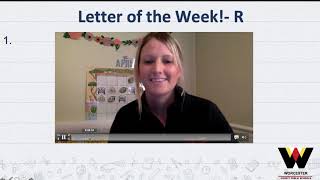
Gina from The Autism Helper walks through a reusable PowerPoint template for remote special education. It embeds videos from GoNoodle, StoryBots, and Starfall into a fixed daily agenda, includes low-material activities from an assistant, and keeps file sizes small so it loads fast on slow internet.
Chapters
Hi everyone, this is Gina from The Autism Helper. I wanted to show you a closer look at the PowerPoint that I've been using for my kids. Super easy to recreate by yourself. I would suggest maybe using some more blank slides. We also found out that our logo might be slowing down loading for some of the parents, so even though you may want it to look really cute and festive, that could be a problem with loading and internet just just a little hint there. So I'll show you what I do from the start. We say good morning. This stays the same. My time allotment stays the same just to remind parents about taking breaks and, you know, do what's best for your family. My agenda always stays the same. We have circle time, a reading and math, a teacher activity, and then our specials create weekly slides and I just have to copy and paste them into my PowerPoint, which is awesome, and they stay the same. Every day for the week. We always start out with our circle time and I'll take you into a closer look in each of these sections, but I always have the sound bar greeting. Hello my friends, good morning! It is time to start off with our goat. Okay, and then they know they can click on the Go Noodles. This is what we did in class so they're very used to it. They love this song. Yo yo yo yo yo! Love that song. It goes right into their normal routine. Next we go into Calendar. I'll show you more detail about this video. "It is yours.
Have a nice spring break." "And if you remember..." "Did you count to?" "Jax, did you count to?" "Number, day of the week it is." Alright.
And then we have our Days of the Week song that they're also used to singing. Little Dr. Gene, Addams Family. "Days of the week, days of the week." Okay, so on, that's an online video YouTube link. I actually use WatchKIDz, that's a little bit safer for advertisements. And then we go into reading and I can change this, but usually we talk about letters and sounds and we might listen to a story and recall information or work on WH. That usually stays about the same. Then I go into the letter of the week.
Alright friends, so we have done our calendar and next I have something a little bit new.
Okay, we go over the letter. I do a different activity each day and then I also link a phonics video that matches the letter. My kids are used to StoryBots, Bounce Patrol, Starfall, ABC Mouse, Singing Walrus is really good. It's just a little video that goes along with it. And then sometimes I'll go into reading a story with screencasts. And this is from Get Epic Books or epicbooks.com. Awesome. You can find so many great books here that are age-appropriate depending on whatever you're teaching. We're talking about spring weather right now and animals and frogs.
Alright, so the dirt there.
So I can screencast and turn the pages and talk about words.
Animals come out of their burrow.
Point to the different stories, pictures. Sometimes I have interactive writing activity. I'll get responses from parents and kids that way we can do a little interactive anchor chart. It's kind of weird doing it by yourself with no responses, but it works and they're used to that. Then we go into math. This week we were working on shapes, so I have another little to-do video. We always warm up with singing Walrus counting 1 to 10. I love them. My kids are familiar with that, obviously.
I will count faster.
Love that. And then sometimes I'll do a vocabulary review with shapes or whatever mathematical concept I'm working on with the kids. So in here I'm talking about Shapes.
Rectangle and circle shapes.
So this is nice, I can just pull up a PDF.
How we can identify what the shape on the sides.
Ready? So I can pull up this PDF very easily and go over vocabulary so parents don't have to print it out. And then now I'm doing separate video links for my activity with my assistant just because it's easier to upload for parents and for them to watch. Sometimes the internet's really slow for people, so we're trying not to make the PowerPoints too large. And she always does an alternative activity that goes along with what I'm doing but uses very, very little materials. So in case, you know, families don't have construction paper and markers and glue and all the things, you can still do some type of activity with your child. And that's in a different little tutorial I'll show you. And then again, our special areas— made these slides and they're all optional. You know, if the parents want to go through these and do them, they can. We have music, gym, art, and library. And I just think they've done a great job. Little video clips, and then we end the day with, "You did it!" And then for actually accessing extra materials for each day of the week, I have a folder and it has the PowerPoint in it. It has Ms. B's extra activity video, and then I love the Boom Cards, and I also sometimes will include a PDF if parents want to print something out if they have the capability. If not, they can do an activity in the shape. So again, everything's optional. My parents know this, and it's differentiated on different levels. And, you know, I think it's offering plenty without, you know, overdoing it. I also have an additional resources folder if parents still want more, because there are some that, you know, maybe do want a little bit more. And I have more Boom Cards and more printable resources that they can use. So this is just a preview of my PowerPoint, and within this post, I'll go through my videos in a little bit more detail.