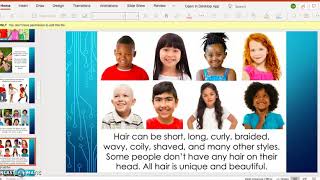
Gina from The Autism Helper shows how to build a virtual schedule for Pre-K 3 using a PowerPoint with Boardmaker icons. Each activity—greetings, songs, calendar, reading, movement breaks—appears as a slide that disappears when done, giving kids a visual cue just like a physical schedule board. Teachers can link directly to Starfall, GoNoodle, and other resources with one click.
Chapters
Hi everyone, this is Gina from The Autism Helper. I'm here today to show you an actual presentation slide that a Pre-K 3 teacher in our county is using and having loads of success with because it's all great on paper and on the screen. However, what really works? So she works with 3-year-old students and right now we're all completely virtual until at least September 28th and then hopefully we'll be back in person. But for now she has taken the advice to create structure and to keep it the same so that her flow stays the same and it's easy and it's efficient and all she has to do is swap out her activities and agenda and goals for the day. So this is her welcome screen and one of my favorite, favorite parts about her presentation is her schedule board. This is exactly what she would use in class and she's familiar with using these symbols. Of course, this is Boardmaker. You can use whatever you want if you don't have Boardmaker. And this is the agenda that she goes over every single day with her kids. She did report that they're already asking about the schedule and they look forward to watching the pieces disappear, which is something I'll show you, which is really cool. Then she goes into taking turns and saying hello. This is all via Zoom too. And then they have the Hello GoNoodle song. And then what I love is that the say hello disappears. So here it is on this screen. And when she gets to here, it's gone just like if she was in class. Taking off the picture on her little schedule board. I absolutely, absolutely love that. Days of the week, and then they get to click on this picture and it takes them right to the Starfall calendar. So even if she isn't able to do this live with them, they can do this at home with their family and it goes right to Starfall. I love how she has the little icon. Less clicks the better. Then she does her weather. The kids have been asking about this, and then again, there's those schedule pieces going away. I love it. Movement Break is her song. Again, there it goes. Now next we have a book and she has her little reading target there and then she has a book from Made for Me Literacy curriculum which she was really cool. She broke it up into screenshots real quickly and just inserted them into the PowerPoint which I loved and then she has her little story map and then she goes into her last piece of the schedule which is the activity and share time. The kids love this. This is her little bit emoji which I love. Looks just like her and they're talking about about their favorite colors and the kids love this. So, you know, even if a child was nonverbal, they might point to it on the screen, touch it, their parent can report on it for them and help them and go through it. And then it's the teacher's turn, their EA's turn, which is they're helping us do our sessions. And then they talk about their favorite food. Again, love the visual choices. The kids can, you know, verbally say something if they have it in their mind, and if not, they can use something from the board. And then they go through sharing. Again, I love it. And then they take turns saying goodbye, and that's it. So I love it. And then she went on to do her next one, and then all she had to do was just swap out a few things. So instead of the favorite colors, she had a couple little answering questions about being different, and I love that too. So again, the structure is all the same, same schedule, just different activities. So save yourself some time, figure out a schedule that could work for you, virtually and then kind of over in person. This is what she plans on doing during circle time. And then you've saved yourself double the time. So I hope you find that helpful and good luck this year!