Sasha from The Autism Helper previews Personal Info Mega Pack Level 1, a downloadable set of printable pages that teach students with autism to recognize and sequence names, addresses, phone numbers, and birthdays. The pack includes editable PowerPoint and ready-to-print PDF versions, plus discrimination cards customizable with a student's name and two distractor options.
Chapters
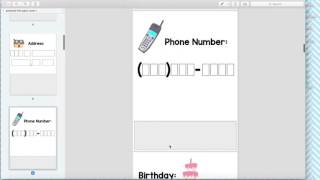
Hi, this is Sasha from The Autism Helper, and this is a product preview of my Personal Info Mega Pack Level 1. So when you download, you'll get a zip file, and this means it's two files compressed. You have the editable version and the non-editable version. So when you open it up, it will open to a file with the two resources. So I'm going to show you the PDF version, which is the non-editable one, but there is the editable version. I'll show you at the end how to edit that, and if you have absolutely any issues editing it please just email me and I'm happy to help you do it. I'm happy to do it for you if you send me your info. So don't worry about the editing component. I'm happy to help. I know that can get overwhelming easily. So here's the Level 1 table of contents of everything that's included. I love that these packs really complement each other. So if you have students at multiple levels, these really do go nicely together. So if you have kids in one group that are different levels, these packs really go pretty well together. So this— these first few pages can be used as binder pages, file folders, Letters. Um, you will put a picture of your student here and store the pieces of their name down here, and they will order the letters of their name. If you are not wanting to edit this on the computer, you can just cut this out and glue a picture right here before you laminate it. Um, and then the pieces are down here, so you can even just write on them if you're not tech savvy or you just don't feel like dealing with it. It doesn't need to look cute and perfect. You can use a permanent marker and you'll be just fine. So you can use this for the first name and last name. Obviously, the amount of boxes will switch for your kids, so that's where the editable version will come in handy. But again, if you're not tech savvy and you don't feel like dealing with it, your kid is named Sam Thompson and you need exactly that amount of boxes, just email me and I— takes me 2 seconds, I'm really happy to do it for you. So they'll match letters of their first name, super great skill, put their photo right there. Same thing, photo right here, match letters of their last name. Pictures are stored— pieces are stored right here in this gray box. So you don't even have to worry about, you know, losing them or baggies. Same thing with address. If you're writing 206 South Oak Street, Elmwood, Montana, and then the zip code, all the pieces get stored down here. So here's again all of the pieces. And yes, not everyone has 3 numbers in their street. Maybe you have 4 or 2. Again, email me or use the editable version. Phone number, you can write it on the pieces here with a permanent marker, super quick and easy, and students will be putting it in order. Birthday and age. So that's the kind of personal info matching pages. Then are these multiple choice question options. I love these. I'm going to add some photos at the end of this video of what these look like finished because they turned out freaking amazing. I love them. So you can do two options. You can cut this whole piece out and put these all on a little round clip, or you can just laminate the whole page and put these in a book too. So each one comes with three options, and you'll be able to put the students name or the student's personal info, and then two kind of trick options, or just, you know, wrong answers for them to work on discrimination. So if their name is Sam, you'll have Joe, Anthony, Sam, and then you can mix it up every day. They're not going to memorize exactly which one, and they'll pull the answer down. I like the idea of putting— cutting these in half because you could have students ask each other, you can ask them, and you can really use this as a visual form of conversation, question answering. Communication skills. So there's tons of these, all different questions, and then there's some yes/no ones as well. So tons of different versions. And then here are all the boxes. So again, if you don't want to deal with the editing, just print this and write with a permanent marker, you know, the student's answer and then the two non-examples, and you'll be ready to go. And then there's the yes/no. So pretty straightforward. The editing version is in PowerPoint. There's very detailed instructions on what to do. Again, please ask me if you have any questions, but you can go ahead and edit this. And I added in all the text for you so you'll know exactly what you should be putting. Okay, I need birthday and then 2 non-example birthdays. So I'm gonna add some pictures now of the finished products for you to check out.