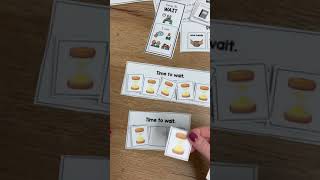
Angela Kulcsar walks through a visual supports pack for teaching kids to wait and manage time. It includes social stories, choice boards, visual timers you can set for seconds or minutes, countdown cards, and scheduling tools. Each tool gives children a concrete way to see how long they're waiting and what comes next.
Chapters
This is the Waiting and Time Management Visual Pack. There's a ton included, so I'm going to give a pretty brief little tour of what's all in here and best ways to use it. So there's a bunch of different variations of little social stories with minimal language, with more language, with just quick and easy visuals for the steps for waiting, a cue card that kids can hold when they have to wait to remind them of their choices, a more advanced one with a little more text, a waiting choice board that comes with 8 different options of waiting activities. This I really love. This is kind of a picking how to wait for your kids that want to have some control and make choices. They can pick with a dry erase marker how they want their hands, body, and mouth to be when they're waiting. Um, some different task analysis— task— and two different task analysis for, um, using a timer. This is for just a stopwatch type timer, and this for the visual timer, but how to use this when we're using it for work or reading, because I know a lot of us rely on these tools, and this will help kids be a little bit more independent. Here are some of my favorite tools down here that can really be used during the waiting process. So here's a 3-step and 5-step visual that you can have kids just— you can give them the little visual to show how much time is left. So while they're waiting, that you can have these pieces account for however much you want— 2 seconds, 2 minutes, 5 minutes. But this will just help show that passage of time. Same thing with these clocks. I have two different sizes. This is almost the size of a page, so this would be awesome for a whole class, like putting this up in the front of the room to show, okay, when we get the whole clock, we're done waiting. So to really show that passage of time as the picture appears. Same thing with the smaller one. So a great little visual cue to show what's going on. These two countdown ones show the same kind of a thing, 5, 4, 3, 2, 1, until it's time for, you know, an activity. I have a bunch of different visual options for that. Adding in all of the numbers. This one is just a little dry erase marker one. You can write in the numbers as they go or circle them. These two stop lights— I have a smaller one and a bigger one— show not yet, almost time, and ready to go. So as you're getting closer to an anticipated event or transition, moving that on over. And then there's a few different scheduling tools which I really like. This is actually kind of where this product started, was working on some time management skills. So planning my time, the tasks I have to complete, start time, end time, total minutes, and then kind of going through and giving a little bit of a structure. So if you think about this like a graphic organizer for your time management to the activities, um, a simpler version, just times with activities and checking it, and kind of a first, next, last option.