In this tutorial, the instructor demonstrates how teachers can transform a Teachers Pay Teachers (TpT) product into a digital activity using the TAH (Teachers' Activity Hub) platform. The walkthrough covers creating a digital activity, editing pages to select specific sections for assignment, adding or removing text boxes, and saving changes. It then shows how to generate an access link, share it through Google Classroom, and set assignment details such as title, instructions, points, and due date. The video follows a student (Alex) through the Google Classroom experience: signing in, opening the activity, using text boxes, pen and highlighter tools for matching or tracing tasks, saving progress, and turning in the work. Finally, the teacher’s view of submitted responses is displayed, illustrating how to review timestamps and student work. The tutorial is aimed at educators seeking a streamlined method to assign and collect digital curriculum activities.
Chapters
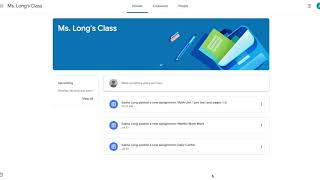
My Purchases, and then you can, if you can, click on the product to go to the product page. Here you will click on the Create Digital Activity. Now for all of the curriculum, I already have these made for you, but you can also add this digital overlay to products that don't have it yet. So click on Create Digital Activity. If this is your first time, there will be some information on how to use this. You have to agree here and then click on Create Digital Activity. This will lead you to the digital page. So here everything is already prepared with the text boxes, with everything ready to go. So as you can see, we added text boxes for everything that needs a text box, and everything is already done. Um, these curriculum obviously are very long, so I wanted to make sure to get all that done for you by putting all the text boxes in. For matching activities, students will have the pen tool to be able to complete it that way. So what's cool now is you can pick what you want to assign. So So I'm gonna go to Edit Pages, and this is 212 pages. I don't want to assign everything to my students, so I'm going to assign this student the pretest and the first 3 pages. So I want to— I selected everything and then deselected the pages I want to assign and then removed them. You can always get them back because you can always click on this Add from Original, so don't think they're gone forever. So Save Changes. I now have 5 pages here. I can preview what it looks like. You can add in any text if you wanted to add in any other notes, whatever you want to do, and then click Assign. So this is going to create the access link that will go in Google Classroom. So here's the access code. You can see the date you created it, and then responses you'll see later. Now is the time where you will share the link within your Google Classroom. So I will click share that link and go to my Google Classroom. Here I can pick which class, if you have multiple classes, which class you want to assign it to, and then you can create an assignment. So I'm going to do just that. I'm titling this Math, um, Unit 1 Pretest and pages 1 through 3. You can give any instructions here, when it's due. Um, I'm going to say complete with parent help if needed. And then you can put in your points, you can put in the due date. I'm going to make this due a week from today. And then I can pick who I want to assign it to. So I can assign it to all my students or only certain ones. Maybe I only want to assign it to this student, so I'm going to click Assign. And now it will go in Alex's assignment, um, assignments on his Google Classroom from the student's end. So I am in Alex's Google Classroom account. It says Miss Long's Class, and here's the assignment that we just gave him. So I'm going to click on that, and this is what the student would be seeing. So I'm going to click on this assignment right here and sign in with my Google account. So students will need the Google account, which obviously they have because they have a Google Classroom. Click on it right there, enter my name so the teacher can see that I've completed it, and that's it. It's ready to go. So now the student can complete the activity. You can come back to it later. You don't have to complete it all in one spot, um, and turn it in when you are done. So he can go in and write all of the information in the text boxes. And the cool thing is, is you can use the pen or the highlighter for any matching or tracing activities. So there's a few over here that I'll show you. So you can match, um, and this will save and the teacher can see this. This is great for even lower level concepts if you're just doing basic tracing or something like that. The student can then complete the activity. So the student, when they're done, can turn it in. If they log out, it'll save, or they can turn it in. Um, there's a little making sure, yes, turn it in, and it's all done. Now the teacher can see those responses on their end. Over here where we saw that there were zero responses because we had, we had just created this activity, now we see that one person turned it in and we can review those responses. So we see that Alex turned it in, we see when he did, and then you can click on it and you can see all of the work that we just completed. So we completed all, uh, we didn't obviously complete the whole thing, but we completed it all here.