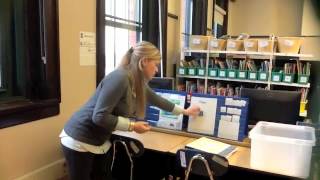
Asha from theautismhelper.com shows how to set up a one-on-one workstation for a student with low independent work skills and running behavior. The setup uses furniture barriers, a dedicated aide, and a first-then visual schedule with green, finish, and break cards. All materials sit within arm's reach to prevent problem behavior and support smooth task transitions.
Chapters
I'm Asha from theautismhelper.com, and this is a video tutorial of a one-on-one student work area. So I have a new student this year who requires a little bit of a different structure than the rest of my students, and instead of trying to make the rest of the room work for him, I created an area that he can work in with his dedicated aide. He has some higher needs behaviors that require constant supervision, which is why the dedicated aide was really a perfect fit for him, um, as well as his independent work skills are pretty low. So he's able to be working all day with the help of dedicated aide. This kid is a little bit of a runner, so we have this area in the farthest corner of my classroom away from a doorway. We're going to try to prevent any of those behaviors we can. It's also physically structured. There's furniture on either side. He can sit here and work and be by himself with the aide, and there's— if the aide or I sit here, he physically can't run. So we're just trying to prevent those problem behaviors by those environmental changes. Kind of an antecedent strategy. Um, so within the structure of this area, I've already shown in my blog post his first then schedule. So when he's ready to work, we give him the green card, he matches, and when he's done, it goes in finish, and then he takes his break card. This has been a lot more successful than a traditional picture schedule. It's something we're working up to, but he's not quite ready for it yet. So this has been a great alternative. So the key, which I always talk about in all my videos, is we need everything at our fingertips when we need it. So this area was structured in a specific way just for that. So he has his data binder, his textbook, and any other visuals right here. So his aide doesn't need to go run and look for anything. It's all ready to go. All materials and extra tasks are at his fingertips. So when you're sitting here and you're working with the child, everything you can grab. Um, this kid is quick, he's high energy, so we want to be able to grab a new task to keep hands busy. The second you get up when a kid is ready to work is when he's going to leave and when problem behaviors are going to happen. So if everything is right here, we really are limiting that opportunity, which is helped us see a big decrease in a lot of his behaviors. Um, so within this area we have a data binder for the student. He has— again, this is getting a little messy because he's an active kid— he has all of his data right here for his work tasks, his PECS. He's working on a matching goal and an imitation goal, so everything's right here ready to go. His behavior data is also in the back, so we can take all of our ABC data and his independent work data. So everything's really in one place that can be easily found. Um, in the same area, because I really do want to for safety reasons keep the student in one area of the classroom, his independent workstation is right next door. So he uses the traditional 3-bin work task. We aren't adding numbers yet, we're just doing the 3 tasks and putting in the finish bin. So everything's right here so the aide can easily sit right here and make sure that the student doesn't run, but have the chance to work independently because that's a skill that's really important for the student to learn. Um, also all of his hygiene materials are right here. Along with the hygiene clipboard, which is Velcro, so that aide can grab it and go. So the aide really doesn't have to be going anywhere. Everything's in one spot. Um, so that's pretty much it. Any other information, please come to my website, theautismhelper.com. This was a video tutorial of a one-on-one student work center.