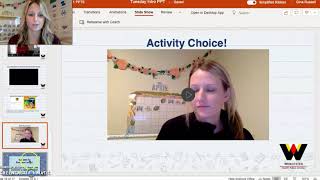
Gina from The Autism Helper walks through a daily PowerPoint structure for virtual early-childhood classes: welcome, circle time, calendar, reading, activity choices, math, a book, and closure. Keep the sequence the same each day but swap the specific content. She warns against adding too many apps, recommending you test any new tool with a timer first.
Chapters
Hi everyone, Gina from The Autism Helper here coming to you with some tips for virtual learning. If you're a new teacher this year, this is your first year, or maybe you're new to the whole virtual thing, or maybe you just need a fresh start, one of my biggest, biggest tips is to create structure even online and keep your flow the same. So what I mean by that is every day my PowerPoints that I uploaded to our learning management system, which was called Schoology, were the same flow and structure. So it started off with the same good morning welcome sign, a time allotment slide, an agenda, and then it went into the circle time, and then calendar time, and then days of the week song, and then an objective, reading with letters, a little video that went along with the letters, some activity choices, went into math, math agenda, sometimes a little video with my assistant. She always did like an alternative activity or joined me within a lesson. Um, again, math little lesson and a book, and then an activity choice within math, and then it ended. So I kept this same routine every single day, and I simply just switched out the activities and what I was teaching. So we might have done Letters and Sounds on Mondays, but on Tuesday, Wednesday, we did answering WH-type questions with a story and so on. And then math, same thing. You know, we always counted every day with Chickie and Friends, but then our book changed or, you know, the activity was a little different. Maybe the concept was the same the whole week, counting 1 to 5, but we did different activities. But either way, this made me be so much more efficient. I wasn't scrambling every day to come up with some grand plan It stayed the same. My students, my parents knew what to expect, um, and it just really helped with the flow and being more efficient because it can be really easy to get lost in— now there's Pinterest for virtual learning and that can be really intimidating— or so many amazing tech things that we just want to grab and do. And I would recommend just using what your county, um, kind of maybe they're asking you to do or you're required to use. And then if you want to branch out go ahead and do it. Pick 1 or 2 fun apps or something you wanna look into, set a timer, look into them, see if they'll work for you and go from there. But I wouldn't go too crazy, especially in the beginning. You wanna see what works for your families and your kids and your personal teaching style. So, but if all, anything else, definitely keep that structure the same. It'll save you so much time in the long run.