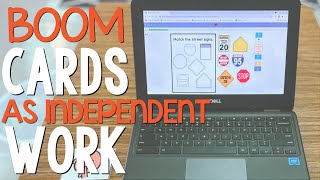
Michelle, a special ed teacher, shows how she uses Boom Cards as independent centers on iPads so she can work with small groups. She organizes decks by student level, tracks accuracy and progress in the data, and uses the reports for IEP meetings to document growth.
Chapters
Special education programs are notoriously known for being understaffed, but special education students learn and grow best in an environment that provides a lot of opportunities for small group instruction. But we can't be with our students every minute of the day, so what do we do? Well, that's where independent centers come in. I'm Michelle with The Autism Helper. I'm a TK through 1st grade self-contained teacher, and this is my classroom. I'm gonna show you one of my independent centers that is super easy to prep and reset every day, and a bonus is it takes data for me. In my self-contained classroom, I have 4 independent centers. This is one of my independent centers called Boom Cards. Boom Cards are internet-based interactive activities that are amazing for independent centers. These are super easy to differentiate for each student. They collect data for you, and students can do these independently. I'm super excited to show you how these work. When students come to this center, they're going to open their account and check and see which Boomcards they have for the day. My students do all of the Boomcards that are in their account that day. Some students have 2 Boomcard stacks, some have 5, just depending on their level, how fast they work, and what's going to keep them independently occupied during this center. One of my favorite Boomcards to use are the Autism Helper Easy Matching Weekly Workbooks, the digital version. So let me show you what those look like. The Easy Matching Weekly Workbooks are a lot of simple matching, errorless matching, matching by color. These are very easy for the students to do independently. I do have to explicitly teach these at the beginning of the school year, But about 2 weeks into the school year, I can scaffold my instruction back a little bit, step away, and start giving the students more independence. So this one, students are matching or sorting by color. They're gonna put all of the tools in the color, the corresponding color. Next, they're going to build a little playground. They match the crayons. They need to make sure that they get them in the correct position for this one. And if they do put them in the wrong spot, I'll show you what happens. It'll self-correct for them, so then they have to try again. The Autism Helper also has more difficult Boom Cards. This one is a non-identical match, and so students have to find the one that is the non-identical match. And you see, if I pick the wrong one, it will tell them, "Oops, try again." All right, I want to show you the iPad version. This is very simple. If students can use a tablet, they are able to use these on the iPad. And I have some different Boom Cards here. This one is from Made for Me Literacy, and this is a counting Boom Card. So students have to count and then pick the correct number. How many bears? So this is what the BoomCard teacher website looks like, and you can see I'm in my classroom here. Now this is a paid program to use. I think I pay around $35 a year for it. However, my admin is willing to pay for it for us as well. So if you don't like to use your own money, that's okay. Feel free to ask your admin or even your district office to purchase this product for you. I highly recommend it. In my BoomCard account, I have 2 different classes. I have my first graders grouped up together and my kindergarten and my TK students grouped up together. And at the end of every day, I go through and I change at least the Easy Matching Weekly Workbook, but then weekly I change the other decks that they're being assigned. And I group my BoomCard decks into folders. And here's my Autism Helper folder, and I can assign different Boom Cards with different complexities. So here, this one's going to be a complex matching field of 6, and then I'm going to assign my students the matching color to color object. So this is the most important part. This is the data part, and I want to see how my students did on Friday. So let's see which class— this is my first grade class— and I want to see what I currently have them assigned. So let me click on uppercase letter match, and it tells me which of my first grade students did well and which need more work. So I had a student here, let's click on his report and let's see where he's struggling. So he is missing these decks, and if I click on it it'll show me which one he's missing. So now I'm able to go back and work on these letters with him. Alright, so I'm in one student's BoomCard account now, and I want to see how he's doing. It look— it's looking like he's getting 100% accuracy on all of these BoomCards. So if I want detailed information, I can click on that, and it's going to give me detailed information on how he's performing. So as of today, he's got 80% accuracy. When he first started back in February, he had 20% accuracy. So you can see he's clearly making progress here. So here's another one. This is count and match, and you can see here that his data is varied. So he's got 80%, 100%, 80, 90, 100, 80, 60, 80, 90. So this is one that I want to keep working on until I see a consistent 90 or 100%, then I'll say, "Okay, he's mastered this BoomCard." Another thing that I love about BoomCards and their data tracking is that I'm able to save this data and print this data to put in my student files, and then I can bring this to an IEP and show, "Here's the data that I have that your student is making progress, your student is meeting their independence goals, or your student is meeting their academic goals." Thank you so much for watching, and to learn more about what independent centers you can use in your special education classroom, subscribe to our YouTube channel. You can also check out all of our ready-to-use Boomcards in our store.