How We Use Notion at Our Property Management Company (Company Wiki + SOP System)
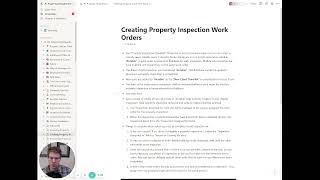
Peter Lohmann shows how his property management company uses Notion as a central wiki and SOP system. The setup includes company policies, work instructions with embedded videos, email templates, and a task map that tracks every recurring job, its owner, and schedule. Notion's search, instant syncing, and rich media embedding make it scalable as the team grows.
Chapters
Hey, Peter Lohmann here. I've gotten a lot of requests to share a little bit about how we use Notion at our property management company to stay sane. So I thought I'd, uh, show a little behind the scenes, uh, peel back the curtain a little bit and, and share how we use it and how it's organized. So first, let me talk a little bit about why we selected Notion for this. There's 3 parts to Notion or 3 features that I think make it sort of a killer app for a company wiki or similar usage. One is it's really easy to use and it has extremely powerful search. So you can look at this and you already have a sense of how to use it, how it's organized. You know, you click on stuff, you read stuff, it's nothing. You know, there's no new app to download. There's no real learning curve here. It's as easy to use as Wikipedia. So that's the first thing is it's just, it's extremely intuitive. I'm not going to have to spend 10 minutes explaining how to navigate through the system. The search is great. So if I just do Ctrl+P, that's going to pull up search. So if I start typing something like I'll just start typing water, you know, it's going to bring up water heaters, emergency maintenance, utilities overview. So, you know, it just works. It's, it's very useful if you're quickly trying to navigate to a certain page that, you know, exists, but you don't know quite where to, you know, where it's linked on the homepage here. The second thing about Notion that makes it really, really powerful is that there's no separate edit mode. And by that, I mean, if you click on a page, there's nowhere that you need to go to start editing the page. Separately from where you look at the page. So if I just look at item 1 here, save the receipts, and I decide that I want to make that like its own thing and then start this next one with a capital, aside from some formatting here that needs to be cleaned up, that, um, it just works. So there's no, you know, there's no, and I'm, you know, Of course, this is going to be annoying. There we go. There's no separate place I need to go to edit the page and then save and then load it. You can literally just start typing and it just— it's instantly saved and synced across the whole system. You don't— and it seems like a small thing, but that's— it's one less barrier to keeping the system updated, which is what makes Notion so powerful, is that it's so easy, uh, and so simple to edit it, change it, add pages, restructure. Um, that's just, I can't explain how useful that is in practice that you don't need to go somewhere else to make changes. You can literally just be looking at a page and if you see a typo or you see an extra step, that was recently added to the process, you can just fix it right then and there. There's no, you know, you don't have to like go log in somewhere or anything like that. Okay. Number 3, and then we're going to get to specific examples I want to share. You can embed images, videos, PDFs, whatever you want. So if I just go to a page, there's, you know, here's an embedded Loom video. I'm creating a Loom video right now to share this. And here's an embedded video. You just click play. It's not going to jump you to another screen. It's just going to let you play it right on the page. And again, that's really powerful. So here's a, here's a written instruction. Right below it is a video explaining how to do it in practice. That is powerful. Okay. So we use it as a company wiki. Let me share, um, the main categories that we use this for. Uh, and then I'll share a specific example of each. And at the very end of this video, I've got like a bonus page I want to show. First one, company info and policies. Second thing we use it for, work instructions. Third thing we use it for, reference documents. And the fourth thing we use it for is email templates. So let me jump back to the first one, company info and policies. So that's like the first two columns here, kind of obvious what it is. If you're a new employee starting, instead of getting a, a dusty binder that's rarely updated and full of outdated information,. You just get to log into Notion and we'll share these first two columns with you and you can have a chance to read through it and look at it at your convenience. Um, and everything in here is up to date because it's what everyone is constantly referencing. So let me pull up like purpose, values, and goal. So we share this right front and center. You know, here's our purpose statement. Here's our core values. Here's our goal, 800 units under management by the end of next year., and I go into a little bit more detail here about some other information, but you know, here it is, right? It's not on some Word document. It's not hanging up somewhere. It's not, you know, you gotta dig through and find it in some email from 2 years ago. It's, it's front and center. It's easily referenced and easily updated. In fact, right before I recorded this, I just updated the goal here because we, our previous goal was 500. We hit that. So we set a new goal. And it was as easy as, you know, just do it. Just takes 2 seconds. So it's really powerful that way. Okay, second example, work instructions. I'm going to go back to this page I was on before, creating property inspection work orders. So this is a pretty detailed technical task that's completed by folks on our maintenance team. And there's a lot to remember and think about when you're creating these property inspection work orders. So we've got a great write-up here. Um, and we also have a video, so I could hand these instructions to someone who's never done this before and they would more or less be able to complete this. Um, that is powerful. This can be linked. This page can then be linked to or from wherever, whatever is generating this work, whether it's a form or a step in another checklist, you can link right to these instructions or share them on that, on that page. So that's really powerful because now the person who's doing the task can always click through and read or watch this video as a reminder of how they're supposed to be doing it. And what makes this even more powerful is when you instill a culture of documentation or updating within your company, the person who's doing this, who becomes the expert at this task, now knows part of their job is keeping this up to date. So if there's a new task that needs to be done in between these two, you know, they can just click new step here. Boom. Now it's updated. And anyone who, who references this document moving forward will have the correct and updated version. Um, as we all know, things are constantly changing. This, you know, this isn't like a set in stone. This, this should be a living document. And Notion makes that really easy to do. Okay. Third type of item we have within our Notion company wiki here is reference documents. So a good example here is master renter's insurance. It's under property management reference. So let me click on this. So we have a master renter's insurance policy that we share, uh, or that we make available to everyone who rents at any of our rental units. And this page collects a bunch of information about this policy that was previously spread out all over the company. This information was buried in emails, it was buried in Dropbox, it was stuff that I just knew in my head that I hadn't really written down before. So now everything you would need to know about Arkina, who's the, who's the insurance carrier for this policy, It's all right here. Coverage limits, sample policy info, cost, login information, contact. It's, it's all right here. So that's really powerful. And I'll change that password after I, after I publish this or before I publish this. The claims form. So, you know, again, previously this information, you know, so I would get someone would come in my office every other week and ask for some information about this policy or about this company., and now it's as easy as, yep, I just sent him a link to this page and it's right there. Um, there's no better feeling than when someone asks you a question and you can reply with a link to a Notion page. Um, because you know they're getting the most up-to-date, most accurate information. They'll be able to reference it moving forward and they may, may even be able to update it and make it even better. So that's really cool. Uh, the last thing we use here before the bonus is email templates. So let me pull up an email here, the email template section, client emails, sales emails, tenant emails, vendor emails. I'll just pull up the winter notice email that we send to tenants every October. That's just a standard email we send out to residents, but someone had to take the time to create this email, think about all the things that we should be sharing. And now instead of it again being saved in someone's email drafts or outbox, or just someone has to remember to do this. It's all written down. It's right here. Um, and we can just copy and paste whenever we need this. So super, super powerful. Okay. So let me share the bonus content here. Um, and this is one of my favorite things we use Notion for. It's called a task map. So this is literally a page that shows every task that our company has to do, when it needs to be done, who is supposed to do it, and how to do it. Now, we're not at 100% yet, but you can see we're making really good progress. So I'll just pick a random example: enter utility bills. So our company gets hundreds of utility bills every week that we're paying for vacant units that we manage, and even occupied units, there's certain utility bills that we pay. Okay, so what needs to happen with these bills? Well, weekly they need to be paid. Who does it? The resident relations person is responsible for doing this. And how do they do it? Well, great, we have instructions right here. Let me just click on this. So here's the instructions for entering utility bills. Again, anyone, you know, a VA or a new employee could follow these instructions and go through the process of entering utility bills. And again, instilling that culture of continuously updating and improving things means these instruction sheets should be getting better and better and more and more complete over time rather than just being printed out in some dusty binder. They're constantly getting outdated or someone will update, you know, they'll make comments or updates in their printed out version in their binder, but then that never gets reincorporated back into the original document. And distributed to anyone who might need to do that task in the future. So the beauty of having all of this in one page is as our company grows and scales, the person responsible for doing these tasks tends to change. So what used to be possible for, for an admin assistant to keep up with, you know, all these tasks right here, as we grow and add units under management, we're going to need to sort of remove some of these duties because it will get to be too much for one person. And it's as, you know, it's as simple as selecting someone new in the dropdown here. Like maybe I want to start answering the main phone line. Okay, now I'm the one responsible. Here's the instructions on how to do that. These are like FAQs. So resident calls, here's the common questions we get for resident calls. So it's just that easy and it looks kind of simple, but it's extremely powerful. As the company gets bigger and bigger, having a handle on who's doing what and how to do it when it needs to be done, that's like, you know, it's the holy grail. So we're not done yet. We have more to add and more to update here, but I just wanted to share this because frankly, I'm pretty proud of it and I've gotten some good feedback. So hopefully you get some use out of this. Thank you for watching. If you have any other questions about how we use Notion, I'm happy to help.