Live Process Teardown - Rebuilding New Owner LeadSimple Process
Peter Lohmann walks Mark through rebuilding his property manager onboarding workflow in LeadSimple for 900 Utah homes. They set up custom stages, email templates, conditional logic, and integrations with PropertyWare and Zapier. A key technical fix: parsing comma-separated contact IDs in Zapier to update multiple owners in one workflow instead of creating separate Zaps.
Chapters
I'm gonna— okay, you got recording.
Good.
I'm gonna hit go live on Facebook. All right, we are just kicking off here, so we're gonna give it a minute or two to let the live stream start and to let all the Attendees file in. See, Wolf has— he had some background music for the first, for the first webinar I did with him. That was pretty cool. He's got like a fancy control deck with images and sound effects.
Wolf's just trying to make us all look bad.
Yeah. All right. Well, I think we can go ahead and get rolling here. Thank you, everybody, for joining this live process teardown. We are currently broadcasting live on Facebook on my page, Peter Lohmann. And of course, this is being recorded and we'll be sharing this across my email newsletter and probably a few other places as well. So what we're going to be doing today is doing a live process build or a live process teardown with a volunteer. And Mark has graciously agreed to come on and, and participate as a volunteer and let me rip into his, his processes and, and hopefully he gets some value out of what we end up rebuilding on the other side. So, Mark, if you wouldn't mind, maybe just give like 1 to 2 minutes on who you are, the company you're with, and what's been your background and experience with processes thus far.
Yeah, for sure. So we manage basically single family and other places in Utah. So we're here in Salt Lake and we manage about 900 homes. Don't do anything super big. So really single family and basically our processes up until we try— we are trying to get LeadSimple going is it's been really disjointed. So we have some that are written out, some that are on Google Drive, some that are all over. We've been using monday.com to track some information and that's been really good for information like a database basically, but we just haven't found success with it for workflow process. So we started with LeadSimple last year in the spring, made no progress. Our fault, not LeadSimple's. We had some things come up. We did an acquisition which really just, you know, set us back. And then we just sat there and kept saying, oh, we got to do this. So we— everything was still disjointed and our team doubled over 2020. So we literally doubled in size with the amount of team members we have. And it's, it's been difficult that way. So we are now diving into LeadSimple. We've had multiple team members try and do it. I'm mostly doing it right now, but we've got a couple of processes up and running, but I've made a lot of mistakes along the way. And so I started out of order and now I'm kind of paying the price. So we want to get our first process, the client onboarding process going, and that is like very disjointed and not working. But we do have success with a couple of processes where my team loves it and they're like, the team members who are using it, not our whole team, are like, please, please help me do more. They are asking for more processes. So that's where we're at.
Yeah. And I think your experience isn't unusual in that, you know, you saw the promise, you dived in, and other priorities jumped ahead of a full rollout of, of process technology, whether that's LeadSimple or another solution. And so you're still a believer and you've got pieces and parts of it working, but it's not fully, it's not fully up and running. You've got some team members who are fully bought in. You've got other team members who, who aren't bought in yet. And so as soon as you relayed this story to me yesterday, as, as we were prepping for today, I was like, this is perfect because this is very relatable and it gives us a great point to sort of jump in and actually start building. So, uh, what we're going to do is we're going to look at your new client or new property process, which you have, uh, you have some core functionality of that currently in monday.com, and we are going to build that out in LeadSimple live right now. And so I'm going to share my screen. We're going to be looking at, um, some of Mark's processes here. I'm going to move around some of my windows. All right. So we're just going to dive right into it. And Mark, if you can pull up your monday.com, um, what you have going there. Yeah. I'm just going to click plus for new process type and we're going to get rolling with this. This is going to be fun. All right. We're going to do new custom process. So would you call this your new client or your new property onboarding?
Yeah, well, it's— oh man, that's where— this is where we always get stuck because it's the— it's all the information that we want from the owner to get going. So, you know, it's kind of property, kind of owner. And so we don't necessarily want to separate it. We would call it the client onboarding because it's getting the utilities set up and the information, insurance, all of that.
Okay. I'm just going to call this new client onboarding for the moment. Um, I do find it helpful to separate new client onboarding from new property onboarding. This is something I actually got this idea from LeadSimple. Um, but what you're going to run into is you're going to have existing owners who add on additional properties. And in that situation, it's nice to have just a straight up new property process or property onboarding process that ends up being pretty streamlined because you already have the client. And then on the other flip side, when you do have a brand new client, I think it's actually useful to think about your new client process separately from your new property process, because your new property process is a lot of operational tasks. It's getting it set up in your software, getting utilities in order, all these sort of traditional property management activities. But your new client process is, is, is an interesting opportunity. If a lot of people recommend this book, um, Never Lose a Customer Again, it's all about a 100-day onboarding program for new customers for all different types of businesses. And I find that to be a very useful way to think about onboarding a new, new client. Um, the property is gonna be what it is. You're gonna have operational activities around utilities and software. The client is a person, and so they require sort of a special touch. And so you can have, you know, I've even heard of 3 months, 6 months, 1 year client onboarding processes where you have all these different touchpoints. So that's— I'll get off my soapbox now. That can be something for another day. For, for now, we're going to roll with what you got. I don't want to reinvent everything for you all on one webinar. So, uh, we're just gonna hit save here. We're going to leave all these users as default because I don't know who your people are and who needs this. So we'll leave all this for now. Okay. Um, let's see, trying to think about what else. We're probably going to want to add some contacts here. So these are, these are folks that are external to your company that may interact with this process in some way. And so what's classic is, you know, Yeah, PM owners, PM tenants, PropertyWare owners, PropertyWare tenants, PropertyWare vendors. So you're going to have probably prospective clients. Well, do you set them up in your software? Like, are they going to show up in PropertyWare first before you kick this off?
So this, this is the question always is we— so we received the management agreement, right? So they're probably already in there because we do use this as our CRM for new clients. So they're probably in there as a prospective client. And then when we receive the management agreement, we immediately build it into PropertyWare. So they're added at that point and then we send out an owner intake form. And but that's part of the owner onboarding process. So it might be best to start with prospective clients and then merge when we need to. That's something we need to figure out.
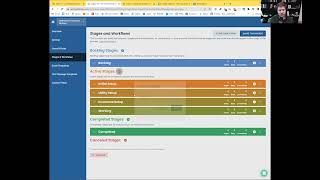
Okay, that's all good. That's a very common scenario. I've got the exact same situation with Buildium. Um, and we probably don't need to involve tenants or vendors or brokers. This might be the only external contact we need for this, for this process. Um, and I'm going to leave all this other stuff as default for right now. New client onboarding for property.street. I think that's probably fine. That's the name that it assigns. Um, we'll dive into stages and workflows. That's kind of the meat of it. Email templates, text message templates, custom fields. I think this is all fine for right now. Um, so what we need to do now is think about the stages. And if you haven't worked with LeadSimple specifically before, the way to think about stages is a significant milestone in the completion of a process. That's the best way to summarize it in a few words. And so you'll end up with a series of sort of major stages, major milestones in the completion of a process. And it's useful, it's useful because each one of these stages will have a number of to-do items underneath it. And then when you're looking at like the overview of all of your processes, it'll show you the stage that it's in. And so you could look through half a dozen or a dozen different processes and see at a glance the stage that that particular process is in, which is really useful, right? Because it's, it's more information than just like a percentage complete, which you would see maybe in like a Process Street checklist. I'll just show you like the percentage complete, but seeing the actual stage can be really useful. So you want to give these stages good names and they should be relevant to the specific process that you're running. So the default names here are fine, but they wouldn't tell you a whole lot if we just left them here. So as you look at your monday.com, what are the major milestones in the completion of this process?
So we have basically we're there. So we have— this is the question of what you want to do in here. So we collect like the— we have them do their landlord agreements, right? But that's property specific. We collect their banking information, which is owner-specific. Sometimes it's property-specific if they have an LLC. So what we consider the owner file is gas is all set up, Rocky Mountain Power or the power company is all set up, water, sewer, garbage is set up, HOA set up, banking information set up, insurance is set up, and then business license if necessary. We consider that the owner file.
Okay.
And so our basically where we have is incomplete. We're still waiting for things to be done. Right. And that's, that's where we could— that's, that's where I need advice is do we do a just it's all incomplete and we're gathering or do we say like stages are like, hey, gas is done, power's not right. And that's where you can kind of guide.
Yeah, I think it makes sense to group those utilities together. I don't know that we need a separate stage for gas, a separate stage for water, a separate stage for all the different utilities. What were some of the other ones besides utilities that you were rattling off there?
Homeowners insurance.
Okay. Yeah, that's kind of like— that would be sort of— let's just— we'll make a stage for it right now. We're probably going to end up combining that with something else, though. That's kind of overkill for a stage. And then there's like an owner intake form, right?
Yeah.
Yep. So the owner intake— the owner intake form is the first thing that we want to get done because a lot of this information is going to come from that. And then we're going to go from there and just verify, check with them and make sure. So that's kind of the initial thing. Once, once the management agreement signed, the first thing we do is send out the owner intake form.
Okay, so there's going to be some initial setup where we may, we may do a little bit of pre-work. There's going to be an owner intake form stage where you're going to send out and maybe receive back some sort of a form, like I think you use Gravity Forms, is that what we said?
Yeah.
Yeah. And Wolf is going to jump in here in about 30 minutes and help us diagnose an issue with, with your owner intake form specifically. So that should be fun. We've got some utilities set up. We've got some like insurance or miscellaneous other paperwork set up.
And then banking and tax, like banking and W-9.
Okay. That— yeah, let's put that all in here. This is like financial paperwork. This is going to be like— I'm just going to do this real quick so I don't forget. Banking, W-9, insurance. Right. And we can come back and edit these and make them fancy.
Yep.
One thing I've been doing, which you may find helpful, is when I send out my PMA for signature, I actually include a W-9 on the back end of it. It's just like part of it. You can't sign a PMA without signing the W-9 because we know we're going to need it.
Yeah, we, we've gone back and forth on that of, hey, do we just want to get the management agreement signed, get to work, or do we want to make them do more work to get it signed? So totally.
Yeah.
Not one right way to do it.
I'm, I'm, I'm heavily in the camp of make my owners do more work because I feel like if the owner can't take time to fill out a W-9, like, okay, go to the back of the line. You get out of here. I'm going to deal with an owner that actually wants to work with us and is willing to do more than 3 seconds of work. Okay. Financial paperwork. How about like setting up the property in PropertyWare?
Yeah, so that's initial, that's going to be initial setup because once the, once the management, because what kicks this off is we received a management agreement because everything, everything's in our lead flow, right, until that point. So in the initial process setup, we are going to have enter it into PropertyWare. That's going to be the first thing that we're going to do.
I'm going to actually have that be a separate stage. I'm going to call that like PropertyWare setup. And what, what we're sort of doing right now, which is like a little bit of bantering back and forth, a little bit of moving stuff around, a little bit of renaming stuff. This is all completely normal. Like I want, I just wanna normalize this for everybody. There's no perfect way to do this. I guarantee if Wolf was doing this with you, this would look different, right? He would have different names. He would be thinking differently about exactly how this is gonna flow. Some of it is just your own experience, how many of these you've done. Some of these is everyone just has a different idea of how they think about things, but don't be intimidated by processes of your friends or colleagues or that you've seen on webinars or in the, the demo account for LeadSimple. Like do what works for you. This is software, right? We can change this. We can update this. We can move these things around. And especially in the beginning when you're building a brand new process, this is the time to be a little creative and freeform and just like, it's, you know, it's kind of fun to move these things around, right? They change colors. They have this nice fluid motion. Like why not play around with it and get comfortable and familiar with the tool that you're using. I think that goes a long way toward building, building the muscle and just, and taking away, cause at least for me. There's always a little bit of fear when I'm using a new product or a new piece of software, especially around something as important as Process. And so the more I use it and the more I mess with it and the more I play around with it, the less fearful I am of the software. And it, it just is gonna make me much more likely to, to be comfortable jumping in here and making changes in the future. Okay, so we're going to do some process setup. We're going to do some property where setup, we're going to get the owner intake form. Is this the right order? Yeah, we're going to do some utility setup. We're going to do some financial paperwork. I'm going to get rid of this working stage. It's kind of redundant. And then we've got like a completed stage. And then do you ever have an owner cancel kind of partway through?
Yeah. Yeah. Every once in a while, right? They sign the management agreement and then they sell it or whatever happens. So Okay.
We'll just add a canceled stage called owner canceled. I don't think we're going to need a backlog stage for your new property process because just not really relevant to this process type. So I'm going to delete this. Okay. But if we need it, we'll add it back. So no problem. All right. Let me just take a look at the chat here real quick. See if there's anything good going on. Okay. Just, uh, Wolf was dropping a recommendation to that book, uh, that I mentioned, Never Lose a Customer Again.
Yeah, that's, that's probably the most impactful book we've ever used as a company, honestly.
Oh, wow. Very impressive.
Yeah, we, we love that book. I do have— oh, go ahead.
What are some of the, um, items that you've kind of implemented from that?
So our, our owner onboarding process, we really kind of wanted to change that and make it a, you know, where we are following up with them all through 90 days. So we added some like hand-holding touchpoints. We added some things where we're trying to make it easier. We added some gifts to the process to say, hey, thanks for all the hard work you've done and just make it a better experience all the way through the 90 days and beyond. But really, that first 90 days is what we really wanted to, to do and just add some personal touches.
Okay, very cool. I'm thinking through our property onboarding process. Do you have any other software that properties need to be added to, like a Bodia, PropertyMeld, any, any sort of other software where it needs to be like monday.com?
Yeah. So monday.com, it won't need to once we get this up. But we do, we do use PropertyMeld. And that was one where I was like, is that a property setup? Is that an owner setup? Is that right? So I was— software setup could be a yeah for all the software.
Um, the nice thing for us is that the Buildium, uh, Buildium's marketplace, PropertyMeld integrates with it now and they just finished our integration for us. So now every time we add a property to Buildium, it automatically adds it to PropertyMeld and vice versa. So that's like one less step for us in this process, which is really nice. Yeah.
And I, and I believe ours does too, but sometimes we want to check just to make sure everything looks right.
Okay.
So it could just be like a checkup, right?
Yeah. And I'll put this in a different order here. We'll do PropertyWare first and then how, how long until it syncs?
I think it's just within a day. So maybe just drop that a day.
Yeah. I'll make that like 1 day after. So what I did here, um, for those who may not have messed with this before, um, I, I created this task. So when you're creating new tasks in LeadSimple, you've got this these buttons down here. And these are like, these are the different types of tasks or to-do items you can create within a stage, right? So we're within the software setup stage right here. And so I can create an automatic, an automatic or a manual email. I can add a to-do for a call. I can add a text message, a to-do, a meeting, jump to another process or create a process or change stage within this process. And so normally you kind of default to, to, to, to do. That's sort of like the most commonly used one. And then you, you can change the due date or the, the delay between the, when the task is actually due. So here, this one is due immediately. Set up PropertyWare, set up new property in PropertyWare. I don't know if that's the right capitalization. Um, and then one day later, we want to confirm property appears correctly in MELD, in PropertyMELD, which is just a piece of software. And I set up a one-day delay to allow time for PropertyMELD to sync with PropertyWare. And some of this stuff over here is, you know, you can delete a step, you can do conditional logic, which we— I don't know if we'll get into that today. You can add a reminder for this step. Um, you can assign, you can select who you want to assign the process to. We haven't messed with roles yet, but that's something we may get to. You can make a step sticky, which means if you change stages, the step will remain. Um, you can have a, a stop task, which means the workflow won't proceed until you complete that item. And then you can add instructions like, you know, if you have specific instructions here or a Loom video showing. Hey, here's how you set up a new property in PropertyWare. You would— this would be the place where you would add that.
And Peter, do you suggest on any process that you do, rather than assign something to a specific person, you always want to make roles so that it's easier to diagnose down the road? Or what's, what's kind of your thoughts there?
So I'll tell you, this is kind of a do what I say, not with a not what I do moment. Um, what we do is we don't mess with roles. We just manually assign. So like we just manually assign, like I would just assign, uh, where was that one? We were just messing with software setup. I would just like manually assign this to a specific person. That's what we do. What you should do is have roles for every process. And so, you know, this should be like, this should be assigned to a role. Let's just mess with it right now while we're in here. Let's create a role called admin assistant. Okay. So here it is, admin assistant. We'll add another role like property manager. So here are our two roles and we can delete them or add more. And now when we're messing with our stages, instead of assigning this to a specific person, you know, what if, what if this person is on vacation or what if they're taking a 6-month sabbatical or they're no longer with the company? Well, now you got to go in and make all these changes, or it's unclear who should be doing it. Instead, what we probably want to do is assign this to admin assistant. So I'll hit save. Now it's got A for admin assistant. Now when you run this process, it's going to ask you, hey, who's the admin assistant right now? And you select the specific person. And now for this specific instance of the process, that person who you assigned as the admin assistant will be assigned to these tasks. So that's really the right way to do it. I think as for, for anyone who's building new processes now that this feature is so well thought out and lead simple that I think it just makes sense to do that from the start.
Yeah. And I, for our company specifically, an example is we have 3 applications processors. And so if we, we can't assign it to one, cuz it could be one of the 3. So our applications team lead goes in and says, all right, I'm assigning this role to somebody. So that we don't have to go through and go through every step and assign it to a person. It makes it just one click to assign all those tasks.
Yeah. Okay. What else with software? Heidi had a suggestion here. Do you do like a test transaction or do you do an ACH setup for property owners? Anything like that we need to include in here?
So that, that comes, but that's after— that's part of the banking process, right? Like once we've gotten their bank. So that'd be in the financial paperwork. Yeah, you could add like a test, you know, test banking information to make sure it's correct.
Got it. All right. Got some extra tasks in here. Okay. So, let's keep building this out a little bit. As you look at your your existing process, what, what do we need to add here? Should we pick one of these and go kind of deep on it?
Yeah. Yeah, we can go and we can go a little deeper in if you want to go into the— so like the initial, the initial setup is the, the initial setup really isn't much because it's just a management agreement. So one thing I wanted to ask you is for triggering this at the very, very beginning, we would love to trigger it with a management agreement is signed and that triggers the process.
Yeah. So let's see. Um, let's go into your leads here. P PropertyWare. Oh, do I have access to like your— let me see your sales pipeline.
Let's see. I'll add it right now. I don't think it did. So it'll be under prospective clients. All right. If you refresh it, it should pop back up. There you go. Prospective clients up above.
Yep. Okay. So this is, this is, this is one of the best parts about LeadSimple because you're going to tie the two major core functions together. Let's go into settings. Let's go to a signed contract. This, this green signed contract. It's the most beautiful thing in the world. It's nothing better. It's like your bride on your wedding day, your newborn child, and then like the signed contract in LeadSimple. It's like, that's the order, right? Okay. So, okay. You've got this automatically moved to stage follow-up NPS. Um, all right. So all we need to do here is, oh yeah, you've got it. You've kind of got one here. Start process. Client onboarding. So this must have been a process you were kind of playing around and trying to get working.
Yeah, a little bit.
Yeah. So you got the right idea here. Start process. And then we're just going to select the one that we just, uh, we're, we're working on new client onboarding. I'm going to move that ahead of your old one. And then as soon as these other items are complete, you'll just click that and that'll be the trigger and it kicks it off. Yep, that's the trigger.
So one, one important question I have, because this— I still am confused about this. When you are doing a process and you start, so anything that's in leads or in prospective clients, if we kick the process off from inside there, What information does and what information does it not pull over into the next process?
You know, I was just asking them about this. It's so funny that you say that. Um, okay. So I believe custom fields, if they have the same name, I might unmute Wolf here for this. He probably knows the answer exactly. Why don't you, why don't you say Wolf? Cause I think, you know, the right exact answer.
Yeah. So basically when you have in your custom fields, there's, um, on a pipeline, you have lead custom fields, contact, property, etc. Those lead custom fields are stuck in the lead world. You can share them amongst leads, but they can't hop over into the process side. And so kind of a really good best practice is— well, I don't know if there's such a thing as a bad best practice, so I shouldn't have said that. But what you should do is have the majority of your custom fields tied to people and properties. Because contacts and properties jump between the sides. You know, so if you have a custom field on a property, it's accessible on the pipeline side and the process side. And really look at what are those bits of information that we want to store. And when you really think about it, the bulk of them really are about properties and they're about the people. And so you can, you know, have that. When you have the custom fields on the process, don't only put custom fields in the process section that are specific for that process or maybe a couple of processes, but you'll find the, when you really think about it, the bulk of your information that you wanna store is tied to the property or to people. So like on ours, We don't have a tremendous amount of custom fields on the lead side just because that information, it stays on the leads and we're trying to get people out of leads and into actually working with them. We do have some, but that kind of answers that.
Okay, so this, I just clicked custom fields here where it says leads. It sounds like these do not go with when you turn a prospective client into a new process, new client. Onboarding, but this contacts, the custom fields here will.
Yeah.
Okay.
And if you click on— go ahead and click on any one of those fields, because this, uh, we were talking about this yesterday. And click on where it says choose where this field can be used. That's where you— that's where you can kind of clean things up, because you may have like 200 custom fields for properties. Well, you don't want all 200 showing up every time. You want, okay, in this, in this process, I need to know paint codes. I don't need to know number of bedrooms, right? Or whatever it is. So you can customize what fields are showing up where, and that's where it's really, really powerful. But you can see here how on the contact field you can put them in pipelines and processes. If you were to go ahead and click cancel and click on the, are you interested in purchasing more rental properties? You'll notice that one I can only share amongst the pipelines.
Okay, interesting. Yeah, very interesting. Um, thank you for that, Wolf.
You're welcome.
Uh, so Heidi was asking pretty much exactly this, so I hope that answered your question, Heidi. Um, okay, so let's dive back into this process.
So just jumping on that one, one more degree I want to ask you guys. So if we say, okay, everything starts at the new client onboarding, right? So management agreement signed, new, new onboarding was set. Then we've got some information that we want to ask that is going to turn into like a process field down the road for something. Can we answer those in this phase? Could we have somebody answer those, share notes up Update Custom Fields. And then as long as we— from this, we kick off the property onboarding and we kick off the maintenance and we kick off the marketing, all of those custom fields will follow along as long as they're shared between those processes. But once you kick off the next one, if you edit any of them, it won't edit throughout. Only property fields or contact fields will edit for everything. Is that true?
Um, I think to— let me make sure I understand it correctly. So you want to have like in your onboard and you want to ask like everything about them and their mother and store that information because down the road you may want to know what their favorite pizza toppings are or whatever, right? You don't need to act upon it now, but you talked about in your 90-day process you send gifts. Well, we want to know like what's their favorite food now so that in 90 days when we run our you know, surprise the owner process will know exactly what to send them. So the contacts and properties that when you make a change there, it will change everywhere. If you look at— Amy posted a good thing in the chat— if it's something that you want to change every time the process runs, that's where it would be good to have it as a process field. But for example, you know, how many bedrooms, bathrooms, HOA information, insurance information, unique features, you know, all that, that's not going to change more than likely, or it's not going to change frequently. You would keep that at the property level. But if, for example, every time you run your onboarding process for an owner, you want to update source of referral or, you know, something like that, that would be a process field.
Okay.
I think you've got this set up right, Mark. You've got a bunch of custom fields under the property. And that's going to stay with it. Like, you're going to have this available for client onboarding, you're going to have it available for lease renewal, you're going to have it available for anything that happens with that property in the future. And it's, it's updated everywhere instantly, I think.
Yeah. Where I made a huge mistake was on our move— on the scheduled move-out date.
That—
so the first process we used was our marketing process where we said, okay, either we got notice to vacate or we got an owner intake form and we started the marketing process. That's the first one we did. I went out of order. But what I did was I created a process field for the move-out date. And so we— that was working great when we were only using that process. Then I started adding two more processes and I said, oh man, now if you update that in any of the processes, it doesn't update it somewhere else. So I'm the only one they reached out to and they said, hey, our move-out date, we're pushing it back a week. Well, if I update that, I want it to update our maintenance team and I want it to update lots of people on our team. 'cause that does not pull directly from PropertyWare. That, that does not work. So I had to go back after, make that a property field and go edit everything. Like it was a ton of work. So like you want to do it the right way the first time. So that was the advice I learned was if you're going to build a field that needs to be used in a lot of different processes, you've got to do it right the first time. 'Cause it was, it was painful to go back and change it.
The other way is because that— so I would say like a move-out field may be a process-specific, is to go in and where it says where's this field available, can be viewed, and then just select all the processes that it would, that would use that field. And then that way it will, um, you know, be updated in just those processes.
So the issue we ran into was if it's a custom process field, once you go into like your maintenance fields or you go into your marketing field, it doesn't update each of them, right? You have to fill it out separately in each one because custom process fields don't go across each other. So that's where we had to change it to a— we actually changed it to a unit field because if a property field— I did property first, I did it wrong twice. Learn from my mistakes.
Yeah.
Yep.
All right. Very good. Um, okay. So we've got about 10 minutes before I want to give Wolf a chance to diagnose your, your, um, form issue. Anything, anything you want to dive into specifically, Mark?
Um, mainly just the follow-ups. I think, I think what would help is there's, I've seen a couple of different ways to do follow-ups. So let's go into like the utility setup section and now, now we have. We got to follow up on their landlord agreement for gas and we've got to follow up on their landlord agreement for Rocky Mountain Power and we've got to follow up on their land or their— did they get their HOA information? I guess that's not under utility, but their water, their city, their city utility bill. So our company specifically, we have all the bills come to us. If it's— if there's any utility bill, they all come to us and then they sign up for a landlord agreement. So we need we need has this been received, yes or no, and follow-ups with conditional logic built for each one of those items because the owner has to do it.
You can't do it for the owner.
Yeah. So the owner has to call the utility. Unfortunately, gas and electricity, the owner has to call because there's a specific form they have to fill out to give third-party authorization. But the company will only give them that form when they call. They email it to them and then it's a dumb process, but we have to work around it. So we need follow-ups on have they done it, have they done it, have they done it, have we received it? I would like to see how you would build that.
Okay, so we need to send property owner— send— yeah, send, send property owner the gas landlord agreement. That's the first thing. Is this an email that you send to them?
Yeah. So what we actually are building is we have a— based on the city that they're in or the area that they're in, we actually have different templates that will go out and we'll say, hey, you're in Salt Lake City specifically. There's different requirements than if you're in Murray City, and that will send them the instructions for that. So if you click into that, would have been in if it was— if you could see from other, um, processes. But yeah, we, we send the instructions in an email.
So I think I got it.
That is a huge pro tip right there that Mark said, that, you know, on the back end it makes things look kind of crazy because there's like, why are you sending like 10 of the same emails? But because of conditional logic on the front end, you're only going to see the one that applies. And so our utility situation is somewhat similar, and so we have the Pittsburgh email, the Antioch email, etc. And it's customized for— that's a huge, huge time saver.
Yeah, especially because we have cities here in Utah that require a business license and we have those that don't. That's another step that we don't want to bug them with the business license instructions if they're not in a city that requires it. We'll recommend it, but we don't want to bug them with it if it's not required.
So, okay, so what I just did was I went into the custom fields. And I made sure that the gas, the custom field talking about the gas company is visible to this process. So now I can set up conditional logic here that says if gas company.
There's a better one. Go back into the custom fields.
Okay.
And search for, search all the custom fields for owner. Guest, and then there's an owner. Uh, yeah, go down. There's an owner— that one— owner guest setup complete.
Okay, so I'm doing what Wolf was saying. Choose where this can be used. I'm going to make sure that our new process that we just started has visibility. And now I'm going to go back into where we were, back into this conditional logic where owner 'Gas setup complete' is no. We definitely want that. Yeah, and then I think it, you know, you— we can set up— we could set up a series of reminder emails to the client, um, and we could set up— so the, the email that gets attached to this Is there some custom field we can use so that, so the owner gets the right information about the gas company they need to contact?
Yeah, the client's, the client's city would, would say that. So the conditional logic would be, yeah, click on— I don't know if it'll be added into this, but client city is a, is a custom field that we have.
Okay.
And that pulls in from the owner intake form., and then we have someone confirm it at the very beginning and then say it's Salt Lake City, then this would pull in the email for Salt Lake City based on conditional logic that said the client city was Salt Lake City.
Okay. And so the situation here is we don't, you know, you might be tempted to click add a reminder here, but this is actually just going to remind us, like Mark and his company and his employees to do this, which maybe you want that, but it seems like what we really want is a reminder to go out to the client if they haven't done this yet, right? Like give them 2 days or something and, you know, reminder. Maybe it's like call client and remind them. You know, you could even do a text, right? Maybe that would make more sense. A text reminder, that, that might get someone's attention. 2 days later, gas landlord agreement reminder text, and we can send this to clients. I don't like these stop tasks, I rarely use them. I usually turn them all off. Um, I like to see everything I need to do when I'm running a process, and we will set up that same conditional logic where owner gas setup complete is No, that's the only time we would want this to be displayed. And I guess there's no, uh, Lightning icon for a text to go automatically their way, the way there is for an email.
There, there is if you have a template and we don't have text set up. So that's another thing we need to do, but there—
oh yeah, we talked about that. We can look at that really quick. Um, oh yeah, we could set up these text message templates. Right. So texting, I know you mentioned that on our initial setup here. So all we would need to do is set up a new shared number.
What's your area code?
801.
Okay.
We're going to, we're going to drive a little bit extra revenue for LeadSimple right now with like 5 cents a month or whatever this is going to cost. So Jordan, check that off. Okay. All right. Do you like any of these numbers? Do you want to pick one at random?
Do the 845-9018. It's like 5 down right there.
That looks great. Okay. This is going to be— Wolf, are you— I always get a little bit confused right here. Do you do a lot with texting?
Yes, we do a ton of texting.
Okay.
I should say ton. Compared to our door count. We're not, you know, a 1,000-door company, so I don't know, some people may not call it a ton, but yeah, we do.
All right, so we, we're going to do property— well, probably no, property where owners— and assign this to— we'll just give it to Adam for— oh yeah, you could, you select all the users here.
Can you select more than one user?
Yeah. So I just selected 3 right there. Okay. And there's no lead sources set up, so I can't actually finish this. So we may have to go through this again.
That was part of my question was, uh, do we have to create a lead source for each text line? And do we need to text to—
we just need to go into— this will be easy. We just need to go in here and create a lead source. It doesn't even really matter what it is, I don't think.
Yeah, just call the lead source PropertyWare. Because in theory, you shouldn't be getting any new leads per se in this channel because this is what's syncing with your PropertyWare account.
Yeah. All right. Now we'll go back into settings. We'll do all that again. What was it?
801 or something? 801. You can—
whatever number's fine. All right, so you select multiple users and then we'll provision. Okay, it's $4 a month. It's $4 a month, not 10 cents a month. All right, so we'll click that and now we should be able to text.
Where does the— where part of the reason we haven't set that up yet, where does the— where do the texts come back into? Is it just an email or is there like a phone number that we can tie to like an actual phone?
So, um, you will— it's not going to forward the message to like a physical phone. The, um, the messages will be embedded into either that process or that lead or, you know, whatever. You will get a little notification depending on how you have your user profile set up. Okay. And then, um, if down the road you were to sign up for inbox, then you actually get an inbox for that phone number and you can do some more cool stuff.
Cool. I am a novice in that area.
Now, I wouldn't consider yourself a novice when you're a busting out city-based logic on forms that you're emailing the owners.
Agreed.
I mean, that's not quite black belt, but you're a, what is it like, brown? We'll give you a brown belt for that move. That's, that's a good one. The only thing I would add, if you want to get to black belt, is that you actually, since they're PDF forms, you send them a link to one that's partially filled out. So they just have to fill in the blanks.
Yeah. Yeah. I got on with Mark yesterday to get ready for this call. And he starts driving me around his LeadSimple account. I'm like starting to sweat. I'm like, all right, am I going to actually be able to add any value to this guy? Cause he's got a lot of, he's got like, this isn't like somebody who's never used it before.
That made me feel good, Peter. Cause I thought you were going to rip me apart.
No, I think you're, you're, you're pretty far along. So, okay. So I think I want to hand it over to Wolf to diagnose your, um, your form issues. So let me see if I can make him— I'm going to make Wolf— I just made you a co-host. I'm going to stop sharing.
Okay, so, um, we are troubleshooting, if I understand correctly, which this will be fun because I'm not a Gravity Forms user, but basically Gravity Forms is collecting data and you're wanting it to update stuff inside of LeadSimple, correct?
Yeah. So because I went out of order, our property marketing process, the owner intake form was tied to that and it started out working, but it was hit or miss because the information wasn't always accurate. And now it is like not working at all.
And we thought we fixed it, but it got worse. Okay. Why don't you— and you're using Zapier to do that relay? Okay. Why don't you go ahead and share your screen and pull up your Gravity Forms?
All right, let me log in.
I see it. While we're waiting for that, Mike asked what software lets you, uh, profile— oh, pre-fill forms so the owner doesn't need to input again. So there's a lot of options out there. If it's a true PDF form, probably one of your best options is PDF Filler. That's, uh, they got a lot of cool things that you can do. If it's not a PDF form, like it's maybe like an online form like we're going to see here, Gravity Forms or Google or JotForm, you basically are going to send them a URL that not just goes to the form, but then it has like a whole bunch of extra stuff with like question marks. And basically each question mark is saying, okay, gives a field, and then you'll put like a LeadSimple field next to it. And so that's how you'll, you'll pre-fill, because then when they click that URL, it takes them to the form and already fills in some of those fields. But if it's a PDF form, a PDF filler, I will say if you're looking to do like your zip forms, if you have state forms, you'll have to Google how to do that because they don't I will not give the answer to that one in a recorded webinar for LeadSimple, but there are ways to do that as well.
All right. So we're in our Zaps. I did not set this up, so I am very novice at Zapier. And this is the one.
Okay, so let's go and let's, let's crack that open and see what we got here. All right. So form comes in. Find lead, update lead, find property, create process. All right, so let's go ahead and open action number 2, find lead in LeadSimple. And pipeline, prospective client, search for by email. So when you're saying that it's totally not working, like, what's— is it just putting in like wrong answers or saying I can't find anybody?
Have a nice day. Yeah, it's not. So it was working off and on. But the problem is if we go off. So first we started off address, but then if somebody writes lane, L-A-N-E instead of L-N, it was a mess. So then we switched it to email, but sometimes the owner gave us a fake email to start, give us a different email, or it's their, their business email, their investor email. And so then we were also missing it. So the last probably 10 that have come in It was starting the marketing process. It was awesome. And we were like, yay, this is great. It was going in. Probably the last 10+ owner intake forms, nothing's happened. So we're manually starting in all the fields that should have been pulling in. We're doing all the work manually. It's not pulling anything over.
So I'm wondering, just in throwing out there, do we want to, since this is the form that sounds like it's collecting all the information as part of your onboarding process, do we want it to reroute its answers to update on your onboarding process.
Yes, that's, that's going to be the goal now is now that I got smart and I'm starting with the onboarding process instead of the marketing.
I went out of order, guys. No, so I actually had this conversation with LeadSimple because, um, there's a new feature I'm testing. I was like, man, now that I know it can do this, I'm going to redo all this other stuff. So you're like constantly redoing things because you're like, oh, I have new capabilities, I have new powers. So don't feel bad about it. So I think what we'll do here is really, rather than trying to fix something that is, in your own words, out of order, like, let's get it set up to your, your owner onboarding, um, because that's, that's really where you're collecting this information. That's why you're collecting it.
So what we'll do—
okay, let's think about this. So they're gonna get this form in an email, they're going to fill it out. That information is then going to go back into your onboarding process, which it sounds like the onboarding process is in under construction. Yeah.
Okay.
So let's— why don't you open up a new window with your actual form? Looks like you may have it.
All right. So this is what it looks like on their side. And then they click acknowledge. And then you can see all these different things that they fill out.
Okay. Holy mother of pearl.
Okay. Yeah, I was informed that ours is the worst one LeadSimple's ever seen.
You're worried about a W-9?
I told you after the management agreement, we signed the management agreement and then we put them through hell.
Okay.
All right. So this— so I think the way to reduce some of the friction on this form is if if we already have some of the information, like how do we get the owner a link so that as much of what we already have is already prefilled and then they can just fill out the rest? Is it just this one screen or is there like a page 2 where it asks more stuff?
It's pretty much this. So, so I'll tell you where we're at right now. So what we did is we are now— we give them a link and they have 30 days that they can go back and edit and wait until they're done. Our onboarding team is now filling out a bunch of this. They didn't used to, but they are. So what we did is we said, hey, we're going to put in the address field. Do not touch this field. We're going to put it in based on what's in LeadSimple on the lead side. We thought that was going to match it up and it was going to pull it over. That hasn't been working, but it might just be that other zap was broken. So we are filling it out and then we are sending them in our owner onboarding process the link and they pull it up and it says, oh cool, 60% of this is done, but there are pieces we need you as the owner to write or do.
Does Gravity Forms have the ability to make a field read-only?
Um, I know it can do a conditional field. Let's check it out. I know it can do a conditional field. I don't know if it can do read-only, but because we were going to do the hidden field, but the problem was if we pulled it up, it was hidden from us too. So it didn't work. Uh, let's see, um, that field would be— that field right here would be— I don't know if we can make it read-only. Appearance, hidden, or administrative.
Maybe that's how it's done. Yeah, so because basically what we want to do is like put pre-fill, store that information because we're going to use it later, but we don't want them to edit it, right? And so this would be the way, um, I know in JotForms you can do that, you know, you can make it read-only so they can't mess with things. Um, so I'll look at something I want to play around with and see because then you can, you know, change things up. Um, All right, so now let's go back to the front end of the form and scroll down.
Confirmation. How'd you hear about us?
Property owner type. So they fill this out after the management agreement?
Yeah. Management agreement signed. Next step is we send them this, they fill that out, and then that kicks off everything for us from that point.
So like property owner type and all that, you would already know?
Typically, every once in a while somebody's like, I just want to sign, I want to go, and they barely talk to us. So we fill it out to the extent we know because we do have some owners that are like, send me a management agreement, I'm ready to sign.
And we're like, hold on a little bit, I don't even know your last name.
Yeah, sometimes they only want to talk to us for 10 minutes, you know.
Wow, okay.
Um, all right, so I'll, I'll research this just so we're not listening to me breathe, but, um, the ability to send— because you have the Gravity Forms is embedded into your WordPress, but there's the ability to send kind of the, the URL that's going to take them to this form that's already pre-filled out, because we can then build that in LeadSimple so that your employees aren't having to spend time like actually pre-filling will just pull in those LeadSimple fields. But what we need to do is basically make sure that every single field here is inside of LeadSimple, whether it's a custom field or what I call a hardcoded field. I don't know if that's a proper term, but, you know, like name is a default field inside of LeadSimple.
So, so we had mostly, we had mostly done that. Well, LeadSimple had helped us do that. So a lot of these are those fields and have like they have like, so this one specifically, we have 4 choices that the owners can do about photos. These are word for word verbatim of what the options are that are in our Gravity Form.
Okay, so all those are in there. So, okay, so let's go ahead and go to all. So all the fields are in there.
They should be unless we did like minor tweaks, but they should be in there because it was working at one point.
Okay, so let's go to Zapier then and go to— let's just create a new Zap. That way we're starting from scratch. Um, the trigger is going to be a Gravity Form submission. Yeah, go ahead and click form submission. Click Continue and then select your Gravity Forms account.
This is my first time doing this, so everybody— okay, I have literally never created a Zap before.
I will, um, I will use a tool that I have then that will help with this. All right, so you're gonna go ahead and find your form. There you go. And use admin field labels. Um, I'm gonna say true. I have no idea what that is. That's a feature that's unique to Gravity Forms. And then unique name. Please make a unique name for this app and form that Gravity Forms can use to know where to send submissions.
Would it just, would it just be The— so we call it the OP, the OP2 client onboarding.
Yeah.
And then click continue and it's going to pull up some sample data. Click test trigger. Scroll down. Does this seem like a new owner one?
Yeah, that, that's one that just came in recently.
Perfect. So go ahead and outside of that box to the right, just scroll down so we can click continue. All right, so now we are— I don't think we need to do a filter because it allows you to pick the specific form. So now go ahead and do LeadSimple, and for the event, we are going to go ahead and do Find Lead. Go ahead and click continue and click your LeadSimple account. Click continue. All right, so now for pipeline, go and click that box and you're going to want to select your prospective clients. And for the search Go ahead and click that and do email.
All right.
I'm sorry. Click right there.
Yeah.
All right.
So you'll need to go ahead and delete this right there. All right. So now, and then go ahead and click continue. Oh, sorry.
You're all right. Continue. So what happens if they use a different email?
Right. And so that, that's The problem with— that's why we want to have this form somewhat pre-filled so that we can control that. And so there's a couple things that you can do. You can either search by the email address, or that's why the hidden field thing comes into play, because then you could put in a like lead ID, which will be some long crazy string that you can see right here, the pipeline ID. That way, you know, when the client sees that, they're like, what in the world is that? That's why you look at most forms when you fill it out, they always have some type of unique field. That's why, because you can track it and go back and forth, and it's not something that's going to get messed up by the client, or they have a different email address, you know, etc. So since we don't have that right now, we're just going to use the email address. Go ahead and click Test Action. Okay. And it's going to tell us whether it found it or not. And looks like it did. And it found the lead. So, um, or now that we found that, we now need to do something. So go ahead and scroll down to that little plus sign right here. And we are now going to update the lead.
So go to, click LeadSimple.
And for the event, we are going to update a lead.
And click Continue. So does lead in this context mean contact, or is it very specifically?
It doesn't. So this is kind of a nuance about LeadSimple and kind of starting as a CRM And then expanding into process. So a lead inside of LeadSimple is actually a relationship, right? So in a lead, you usually have a contact, a property. You may have multiple contacts, multiple properties, and all that together is a lead. And so that's what we're updating here. And in part of that lead, we may update some contact fields and some property fields.
Click continue.
Click here for pipeline. Prospective Clients. And then for the lead, go ahead and click on Custom, because what we're going to do is we're going to reference the result of a previous step. So now go ahead and click on 2 where it says Find Lead in LeadSimple and click right here.
It says ID. So this is our team member. Is it pulling the wrong email?
No, no, no. If you click on Show All Options right here. Go ahead and click on that button.
Okay.
And then scroll. It's going to pull up every, every option possible in that, right?
Oh, wow.
Holy— a lot of info. And this is why the integration that LeadSimple has with Zapier, in my opinion, when I've— and I've worked with Podio, Asana, etc., why it's so powerful is they literally let you have access to almost every field possible. And so sky's the limit. But what we want is the ID of this lead. We don't want the contact ID or the property ID, which is an option here. We want the ID, which you got. So now go ahead and click out of that box. Okay, just click over here. Okay, so now we now have the fields that we want to, to update. We probably don't need to update the name of the lead because that's already in there. But if you scroll down, you will, um, that's interesting. You only have— okay, let me think about this. So we— the only field that we have right now for the lead is this one right here. Are you interested in purchasing more rental properties? And is that one that's on that intake field? Yeah. All right, so go ahead and click that. And go ahead and click Custom. And you're saying, no, we want these options. So where it said Yes, No, Maybe, that's because those are the options that Gravity Field has, but we actually want to put the answer that the person provides every single time this form is filled out. So go ahead and click on 1 for that one, and then go ahead in the search, because you probably got a ton of fields here right here. Just type in interested. And then we're trying to find—
right there. Yep.
The maybe one. Well, maybe was their answer, but that's— that is the field that we want. So now go ahead and click out of that. Okay. All right. So now, because that's the only field that is a lead-specific field, we've updated it. We're not going to update who's assigned to this. We're not going to update their stage, anything like that. So now we need to update the property and contact. So go ahead and click that plus sign, and we'll just do a little bit of this to teach you how, and then later on you can go crazy with this. But now we need to go ahead and find, uh, the property. Click Continue.
Select your account.
And then for search, we are gonna put from— go ahead and click on— let me think about this. Go ahead and click on number 2, find lead, and then in the search box right here, put in property. Scroll down. We actually— why is it doing this? Keep going. There we go. Okay, so we want Properties and look for a property ID.
Nope.
All right, scroll up. Well, stay in the blue section. Sorry. And we got property city as a custom field. Uh, change it to address. Sorry, search for address. All right, scroll down. There we go. Okay, properties full address ID, this one right here. So why do we search by ID opposed to address? Again, what if somebody misspells the address name, they spell out Lane versus LN, That ID right here is unique to that property that's in that lead. So go ahead and continue on. Click Continue.
Click Test Action. This is good stuff. Uh-oh.
Fail to find a property in LeadSimple. Error from halted execution. Nothing could be found on search. Um, that doesn't make sense. Oh, brain fart. Go ahead and click these three dots right here. I'm sorry, whoever's still watching this, you're like, you're getting like the real behind the scenes, like how to build Zap. And then go ahead and click Delete.
This, this is good for me though, because I am, like I said, this is the first time I've ever even seen this side of Zapier.
Yeah.
And it's honestly like Zapier really isn't hard, but you're trying to think, okay, what piece do I need to grab from which software and connect it?
So this is real life right here. This is, I mean, this is exactly the situation that I go through when I'm building a Zap. It's like, you're like, wait, what was I trying to do again? You're getting weird error messages. You're backing up. I mean, this is.
This is how— well, and you also have the pressure of you're on live internet and everybody's like, oh, let's see if Wolf can do this. And you're like, I don't want to look stupid. Um, go ahead and click event and, um, do update property. I forgot we already had the property ID, so we don't need to find it. And then go ahead and select your LeadSimple account.
This is absolutely classic right here.
Yeah, so now click on property. And click on custom, and then now go to step 2, and then click on show all options. Now in the search box, put properties ID. Properties ID? Yeah, it'll just cut down the search results. And then space ID, sorry. And right there, uh, Properties Full Address ID at the bottom.
Oh, there we go, very last one.
Okay, all right, now click that out. Okay, so now that we have that, if you scroll down, you're gonna see all your fields now, right? And so all you're gonna do is you're gonna map the lead. So right now you're looking at the fields that LeadSimple has, and we need to now say, okay, LeadSimple, we're going to start slamming Gravity Form information. So I'm assuming it's never a good thing to do, but property type in the address is already in there, so we don't want to update that. So scroll past it, and now this is where we start doing stuff. Um, you probably are not asking them this, this is probably part of another process, but like, is one of the fields pets allowed, yes or no, in your Gravity Form?
Yeah, I think so. Um, oh yeah, so this is mixing in all of my custom fields now with—
it is. So you need to find which ones are part of this onboarding form, and basically those are the ones that you're going to update, or that you're going to tell it, here's the, here's the matching field inside of Gravity Forms.
Okay, so like the power company, that's one of the—
so go power company, click on power company, click on custom. And then click on submission. I'm gonna give a shout out to Rob at LeadSimple. He's the one that taught me about this annotation tool, the John Madden effect in Zoom. It's really helpful. That's awesome. And then in here, go ahead and just type in power. And we should have a field where they're Selecting. Yeah, either selecting or what they're— maybe you don't call it power, whatever you call it in Gravity Forms.
Electric. Uh, maybe it should be power. Hmm. Let's see.
Yeah, I see some—
uh, no, that's laundry hookup.
I thought it was in there, but maybe that's, uh, oh, right there.
Electric. Which city or service do you pay the bill to? Oh yeah, right there. Yeah, there you go. All right, so for the sake of time and viewers, it's just rinse and repeat, right? So you're just gonna go to each one and say, okay, what's the, what's the answer from Gravity Forms, blah blah blah blah blah. So once when that is all done, if some of your fields are now contact fields Go ahead and click out here so we can scroll down. Go all the way down to the bottom, click here, and you want to take a guess on what you're gonna do now. This is where I test my skills as a teacher. Uh, I have— you want to update the contact now?
Oh, if I want to— so I'm gonna go LeadSimple.
Yep.
And then I'm gonna say update What? But it wouldn't be just contact, right?
Would it be lead or would it be contact?
Okay. All right. So the contact is going to be—
remember, we don't want to look at your current entries. We want to look at every time this is filled out.
There you go. And I'm doing find. Yep. And then we want to type in name.
Um, what's it called? No, do contact. Type in contact space and then ID. Oh yeah, there you go. Contacts ID. Now this is where things— we're getting ready to go to black belt level. Um, you'll notice, scroll down, don't click on anything. I just want to show our viewers right here. Is the contact. This person, this lead has multiple people and you can see this little, the comma right there. And so this is where some of you that are watching are gonna crap your pants 'cause you're like, oh my gosh, what I'm gonna do? We need to separate these fields because you may have a deal that has 1 owner, 2 owners, 3 owners, 4 owners. And yesterday we talked about a loop. Um, I think I'm not going to show this online, so maybe I can set some up with you, Mark, to show you how to do this, because it's— we're going to have some errors that we're going to have to work through. But basically, for those watching, what we're going to do is take this field that has multiple contact IDs, we're going to tell Zapier, hey, this is a string of data separated by commas. And it says, okay, that's cool. And then we're going to run a loop that says every time there's a contact, go ahead and update these fields. Because we don't know how many times you're going to have— you know, you don't want to create a Zap for a 1-owner Zap, a 2-owner Zap, a 3-owner Zap. You want it to be dynamic so that it can automatically say, hey, I have 2 contacts So I'm going to go ahead and update both of those. Next time this form fills out, you may have 3 contacts, you know. So it's a little, I think, a little much and just how long we've been on this Zoom call.
Yeah.
So I'll set something up with you, Mark, so we can do that. But you nailed it. You, you knew exactly where to go, that we want the contacts ID and we're going to update it. So now what your homework Or your mission, if you choose to accept it, is go back to the update properties and map all those fields.
Oh, okay. Wow.
Awesome.
Well, so basically at the end of the day, what's going to happen is this form gets filled out and within 1 to 5 minutes, depending on your Zap plan, your property will get updated, the lead will get updated, your contacts all get updated.
So what I'm noticing with the contact IDs is these fields are totally different though. What do you mean?
Like these are different because it's going to show all your custom fields for contacts, right? And so you have— I saw vendor. So you have some vendor-specific. And so that, that's where why this for some people have never done Zapier, they're looking at this like WTF, right? Like I can't handle this. Yeah, because it's pulling all your data.
You've got custom fields that are tied to your lead. You've got custom fields that are tied to your property and custom fields that are tied to your— what did I say? Lead, property, and contact.
Yeah.
And you have different types of contacts.
Yeah. Wolf was just walking you through how to update each of those 3 types of custom fields. That's, that's why you're seeing like so many. Um, uh, my general practice is to use as few custom fields as possible anywhere, because the more custom fields you have, the more sort of— they're very powerful, but they can break things. Like, for example, I don't know what happened. I don't know what happens if you rename a custom field or if you like change the name of it.
Changing the name of it's not bad. Changing the option, changing the options in it is bad.
Yes.
Okay.
I'll say it's the answers that you put in there is where things get broken. And so I'm just to give a juxtaposition, I'm a little bit the opposite. I believe in total custom fields, but my rule is if you're not going to act upon that data, don't collect it. Like, why do you collect it? If it's not going to move the needle for you or allow you to do some— like, for me, I like the conditional logic. So if I'm gonna collect data, there better be somewhere in there some conditional logic that is gonna automate, because if not, why are you storing it? Especially in California, where like there's rules on this stuff now, and we have to be able to provide copies of all this information. Like, you want to decrease that liability. So if you're never going to act on the data, don't even ask for it.
That's— so Go ahead, Mark.
Can I ask you guys a question about custom fields really quick?
All right, we got about 1 minute, we got to wrap this up.
Okay, what do you guys prefer? So say that I have a bunch of statuses that I could update. So let me give you 3 examples. We bring on an owner and we say, okay, is this a leasing agent only where we're not going to manage it, we're just leasing it for them? Is this a tenant takeover, or is this dual listed for sale? And we want to know one of those 3. Do you say Is it a leasing agent only? Yes or no?
Separate field.
Is it a tenant takeover? Yes or no? Is it a dual listed? Yes or no? Or do you guys create one and say, you know, special circumstances and then you make multiple choice, LEO, tenant takeover, or dual listed for sale? What would you guys prefer?
I would do one field because you're taught that particular scenario. You're talking about the type of client you have.
Yeah.
And what level of service. So for me, we have a field that's called level of service, and that's what we have. And depending on what they pick will then determine all kinds of things in lots of processes, like do we charge a lease renewal fee or not?
If only one of those things could ever be true at any given time, like you could never have 2 out of 3, then yeah, one, one is, is it just like what Amy was saying, one is cleaner. Uh, but going back to something you just said, Wolf, you perfectly encapsulated something I've been trying to articulate. You said, I wrote it down. If you're not going to act upon the data—
Is it Peter Lohmann Twitter worthy? Like, am I going to be in a tweet? Yes. All right.
If you're not going to act upon the data, don't collect it. That's so, it's so great. Cause for a while our owner intake form had all this data that we were gathering and then it was like, we weren't, it wasn't, we weren't doing anything with it. So why were we collecting it? Um, and I even take that a step further. I will not create a custom field. Unless it's used in more than one place within the process. If I'm only going to use it once in the process, a custom field is overkill. And I just like to have that data entered at runtime. Um, all right, we've got to wrap. This has been awesome. I want to thank everyone. Thank you, LeadSimple, for helping host this. Thank you, Mark, for coming on and volunteering. Thank you, Wolf, for coming on and being an unbelievable expert at everything having to do with process and Zapier. Thank you everyone for watching. This recording is going out to the various email lists. That's all I've got. Amy, Wolf, anything else you guys want to add?
You folks? Um, I'll, I'll email Mark, um, just so we can set up a time. And then, um, well, Mark already knows what I'm presenting at his group in Utah. I'll offline, I'll kind of help you steer on— you may not want to do that anymore because it's not going to be automatic, so I'm a little scared of what we just signed up for. March 15th. That's all I got to say.
LeadSimple, March 15th. Awesome. Thank you, everybody. We're going to call it here. Have a, have a great day.
All right, guys.
See you.
Bye.