Russell Hanson at @party @MIT: Starting Out with Gesture Recognition
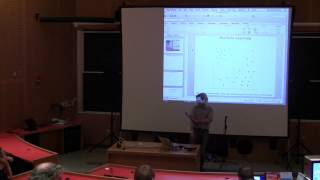
Russell Hanson demos using a Kinect sensor to control music and visuals through hand and body gestures. He maps skeleton joint data to Ableton Live, shows how to filter noisy sensor data with signal processing, and walks through the Gesture Recognition Toolkit for training gesture classifiers that turn movement into reliable controls.
Chapters
Hi, my name is Russell Hanson, and I'm going to give you a little bit of an introduction to gesture recognition and sensors that can detect gestures. Who's used a Kinect, or has had to connect or grab the data with it? So about 3 people, maybe. Who's used Ableton Live? 3 or 4 people.
Quite a few.
Okay. So, um, What's something that you'd like to do with gestures and Ableton Live? How about control LFOs and other synthesizers? Well, you can do that using a very simple Max patch. And it looks like this. So there's a Max patch called max_connect_to_mem, and it takes data from this program called Synapse, which feeds data from the Kinect from directly to Ableton and Max. I'll just show you Synapse pretty quickly. So what Synapse does is it takes— it's a native Mac and Windows app that takes the depth image and sends the skeleton info to other applications like Games and Life. So let's see if we can get Synapse going. Okay, so do I need to use the microphone to get it recorded, or does it not really matter? As long as you speak loud enough, the camera can probably pick it up. Okay, it's a hassle with the microphone if you're holding it like this. So basically what you get from Synapses, you can get— You can get most of the skeleton positions. [LAUGHTER] All right, there we go. So this is the basic data you can get from Synapse. So you get the wrist, the elbow, the shoulders, hips, knees, and feet. And what you can do is you can send this on to— and it's really simple. In fact, for the Mac, all you have to do is is plug your Kinect in and run this Mac program and it will start streaming data from the Synapse program to other applications. So I'm just going to play a quick YouTube video of this working in action. It can be a little bit difficult to get all the pieces working, so— and this demo shows exactly how it does it, so forgive me for playing a YouTube video.
[Speaker:JAMES] Right.
So he's raising and lowering his right hand and it's sending data from synapse to the Max patch and it's controlling an LFO. So what you get from the Kinect is you get the depth image. So the depth image is basically the 3D coordinates in the space in front of the net. And so some fun stuff that you can do with this is you can do this thing called body dysmorphia disorder.
So, um—
So in body dysmorphic disorder, what it does is it applies different effects to the, to the image. So you get Blur, it'll blur it more. If you hit capital B, it'll blur it less. Then you can change the puffiness factor.
So the puffiness factor— It's a little bit tricky sometimes.
The blur effect appears to be mirrored from the body image, is that supposed to happen? Like if you raise your right hand, the left hand blurs.
It's backwards.
Yeah. I've been trying to get the source code for this program for a while, and the guy won't let me. So I'm not sure why. So that's what it looks like when you try to run the demo. And this is what it looks like when you watch a practice session. Yeah, so, so he changes the puffiness, it's more goofy. Obviously the demo that he distributes is not this one.
Exactly. Whoa.
Cool, so we kind of have the idea. So with the Kinect you can get the skeleton information, you can get the depth image, and you can add effects on top of that. There are a couple different ways that you can program this. One of the ways is using the Processing framework, another way is using the OpenFrameworks framework, and another is using the Cinder framework. So, the, um— The, uh, the Cinder— the SOA open frameworks has a lot of functions that make this work pretty well. I will, uh, again show a demo of the other frameworks. So it's just, it's really slow to compile our bundles for this. So, in OpenFrameworks, as you can see, you can add different effects to the points. So you have all these points and you can add different types of effects to change the color, to change the size of the dots, and so forth. You can also change the shading on the points. Has anybody used OpenFrameworks before? So this is a pretty nice set of things that are built into OpenFrameworks that work, again, pretty much out of the box. So it's a lot of like handy—
he's just adding more words.
So the trouble that happens when you start trying to get away from just these sort of random effects and noise that connect is that what if you actually wanted to control something, like you want to control the steering wheel of a car, or you want to control something more complicated, like you want to have your right hand actuate something, or you want to have your left hand actuate something. What happens is you end up with this kind of tricky machine learning problem where you have a bunch of data that's being streamed from the sensor to the computer, and you want to find these signals in a pretty noisy dataset. So what ends up happening is you— you— You have to apply a lot of digital signal processing or machine learning methods to this data, which is very noisy data. For instance, this is the X, Y, and Z coordinates of somebody's hand. So in this case, red is X, green is Y, and blue is Z. And so, If you're just taking the X, Y, and Z coordinates from somebody and mapping them, it looks kind of like this. So you have a time series data and you want to hit the threshold and use that threshold to actuate something. And this is a pretty basic pattern recognition problem. So you have a threshold, you want to test whether an event is true, and then when that event is true, you want to actuate something else. It gets more and more complicated as you add multiple events. And sometimes the threshold changes, so, you know, if you're standing here but then you move a little bit back, maybe your threshold ends up changing somewhat. The Kinect is not the only device that you can use to do this. You could actually do gesture recognition with the accelerometer in your phone. You could do it using a Wii remote. And a lot of the problems are very similar, so you want to use signal processing or machine learning to actuate something. If you're curious about getting yourself a Kinect and getting set up, you need to make sure that you get the Kinect with this extra USB power adapter if you want to plug it into a PC. The regular Kinect for the Xbox doesn't usually have this power adapter connection. If you want to set up some pattern recognition with the Wiimote, there's a really nice package called EyesWeb which has a bunch of— it's a graphical programming environment that allows you to basically stream the data straight from your Wiimote. And if you want to use this Synapse program that I mentioned, you can download it for a Mac. And windows@synapseconnect.tumblr.com. As I said, it's super easy to get it going on the, on the Mac, but on the PC it has a lot more involved. It takes your main laptop screen to make display. I turned mirroring on.
Oh, weird. Computer problems. Oh, that crashed. Thanks, Microsoft.
As I was saying, if you want to install it on Windows, and I'm sure some of you will, essentially what you have to do is you have to install the OpenNI binary, you have to install the PrimeSense middleware, you have to install the Sensor Connect driver, restart your computer, plug the Kinect into your USB port, And then hopefully everything is set up so that, for instance, Synapse or some of these other systems will be able to take over from here. So returning to pattern recognition for this.
The—
as you start getting more into using this data, the— machine learning is basically the way to go. So in machine learning, you oftentimes want to discriminate between two datasets. So you want to tell the green balls from the red balls using a binary classifier or a clustering. There are essentially three phases of machine learning. There's a data collection phase, learning phase, and the prediction phase. So for instance, using the Gesture Recognition Toolkit to— the way it's set up to do the The training phase is you hit the record button, you step back, you do your motion, and you have 5 seconds from when you hit record to when it starts taking data. You record data for about 5 seconds, and then that records, that adds the data to the machine learning environment that was set up. So that's a pretty powerful way to do machine learning from connected sensors. So you say, "Report data." You record some data. And then you label that data. So you can do continuous things like you could have your arms pointing to the left to like fly to the left on an airplane. Or you could have your arms to the right to fly to the right on an airplane. And they can interpolate continuously between these two things you're drawing. The two tasks then that are implemented in the gesture recognition toolkit are basically classification and regression. So regression might be interpolating between the furthest left you can go with a steering wheel and right, furthest to the right, or if you're flying an airplane, say, furthest to the left or furthest to the right. And classification would be, you know, raising your hand says It's a single subject. There's a discrete output that is amongst these classes. The two types of machine learning are basically a supervised learning session where a person comes in and labels everything as class A or class B. And unsupervised learning, you don't have labels and you rely on the machine learning algorithm to discriminate between the two classes. Sorry, I'm just trying to load the picture so you can see the quick— So this is basically the system that works in the gesture recognition toolkit. So the way you program this in C++ is you initialize the gesture recognition pipeline, which is your pipeline. You add a preprocessing module, which is often something like a digital signal processor, so you can add a moving average filter. And then you add, for instance, a Fast Fourier Transform as a feature extraction module. So you add the feature extraction model to the pipeline, and then you add a classifier to the pipeline. So this is the Naive Bayes classifier. You can add a class label timeout filter to the end of the pipeline. So in this case, there's a timeout filter.
And—
create an object for the training data and the test data. So label classification data is training here, and label classification test data is test data. And one of the really nice things about the Desktop Recognition Toolkit is you can save data to a file and then load it back, so you don't have to retrain your model every time you want to do it. And once you've trained the data, then you basically just do prediction. So let me show you what happens when you don't use a sophisticated machine learning method to do—
Your— your taxi. You're not a true dumbass. Does anybody have to go get back to the same place? It's up to you.
So what this demo is— we'll illustrate shortly once it's working properly. It's how to use a gesture to zoom in or zoom out of a screen. And so basically what this one does is if you go like this, it zooms out, and if you go like this, it zooms in. So it draws this 3-dimensional thing, it recognizes my skeleton, and I zoom it in or I zoom it out. Pretty cool, huh?
Wow.
So this is in Processing, and it's, um, Processing is actually really convenient to do stuff with the Kinect. You can actually get up to— I've had, I think, 5 skeletons recognized simultaneously with Processing, and it's— and that's a lot for Kinect. It's only supposed to do 2. So I'm going to show you quickly how I'll show you how— what it looks like to program the coordinates in Processing, just because it's right here in front of us. So Processing is—
if you're not—
if you haven't used it before, it basically looks like Java. It's sort of a restricted subset of Java. So you get a user list. From doing context.get_users, you loop over all the users, so you can have multiple users in one scene. You initialize a left hand, a left elbow, a right hand, a right elbow. And then all you need to do to get the, um, the coordinates is say, uh, get joint position skeleton of the user that you're currently on. simpleopenai.skeleton_left_hand. And so forth for the right hand, the left hand, and the right elbow. And then in order to use that, all you do is leftHand.x, leftElbow.x, and you've got the XYZ coordinates of all of the joints.
[Speaker:AUDIENCE] So it'll just list all of them. [Speaker:CHRIS_BREMER] Indeed.
Very easy to create nice stuff. Lines across.
Sorry.
I'm coming up on the end of my allotted time, so there are really quite a lot of ways to use Kinect data and depth image data to do lots of different things, from controlling music to controlling actuators to zooming scenes in and out. I'd recommend checking out the site gesture recognition toolkit. Synapse and the Connect Ableton patches are also a very convenient way to control music using the Connect and the Synapse. And there are lots of Connect hacks you can find around on the web, and oftentimes you just plug in your Connect and you can start hacking. Thank you very much.
That's it.
More from Russell



Black woman tried to ram her friend with her car at Eldridge & Delancey, NYC on May 24, 2021