This is a short demo-style YouTube video (transcript) in which Sammy Taggett demonstrates how he uses the Glasp browser extension to summarize YouTube videos by auto-populating transcripts into ChatGPT (preferring model 4.0). He shows activating the extension, using the summarize button, and then prompting the auto-generated summary to produce actionable, relevant advice — including an example question about using the video’s information to monetize many podcast shows. The clip functions as a practical how-to and a workflow for extracting monetizable insights from YouTube content.
Chapters
Good morning, everybody.
Hey. So I wanted to show you guys.
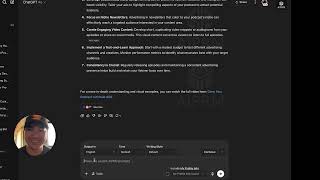
Really quickly how I use Glasp. And as you can see, I have a few different plugins for my, my YouTube channel. But what I'll do is this is this little diamond is the Glass plugin. And what you'll do is you'll go and buy that or not buy it, but you'll get that Chrome extension or that Safari extension. I use it in Chrome and I will activate that extension here. And when it is activated, it will show up next to your YouTube video.
If you don't know how to use.
Extensions, I can do another tutorial on that. But what you'll do then once you see Glasp is you're going to hit this button right there and it will summarize, I like to use 4.0. It will summarize that video.
Here inside chat GPT and it will just auto populate that transcript.
So as that's populating here, I'll pause this for one second while it's doing all that.
Now, as you can see, it's populated.
This whole thing for us.
And this is about using ads to buy a podcast.
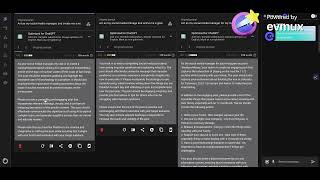
So what I would then do is I would prompt that because it has already given me a summary of the things to do. But I would say here, how would.
I use this to.
This information anyway from this video to monetize our entire agency? Since we have a hundred shows that we've launched, how would I use the information from this video to monetize every show in our agency?
And as you can see, this is what I would do there.
And as you can see now, it has curtailed that response to what is more relevant to me. And that's how I use Glass pretty much every day. So first I'll have it summarize and then I'll say, how is that relevant to me? Hopefully that gives you an idea of like what my little brain goes through when I edit what I want to get the best juice from YouTube videos. And I use Glass all the time to do that.