Arrivy Forms Explained: The Key to Flawless Roofing Operations
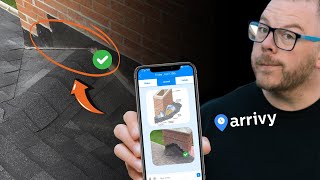
Adam Sand walks through how roofing crews use Arrivy forms to track production, manage payroll, and catch quality issues on site. Supervisors log work in real time, and the data syncs with HubSpot so the office stays in sync with what's happening on the roof.
Chapters
Foreign. So this one is an interesting account because this one operates in multiple states, right. And so they have a lot to maintain. They run production from one office in Minnesota. And so they've got. This has been a very, very, very custom build. But again, this is because they don't want to be salesy. I want to show some different stuff. And so they even track deliveries with it. But they've got a really different relationship with their supplier where they're able to give them a phone. Whole different thing. But here we put forms in to make sure that. How do you run a profitable production department? One of those things is the pay sheet. So what we like about in production is being able to have a form where on site. Now we can choose whether these particular fields are visible. But essentially at the end of the job we can have the crew tell us, hey, how many squares did you do? How many second story squares did you do? How many bundles of starter, like whatever your rate sheet is. So if you have a rate sheet that says, oh, this is how much we pay for this particular task. So some people just charge per square. They say, yep, we pay X dollars a square. Or sometimes people say, hey, we pay this much for feet of step flashing. This much per. You know, if you're doing a second story square, we pay an extra $10, stuff like that. And then you can total these things up and then you will have an amount that you were paying that you agreed to pay and you can choose whether, yes, you want to show the rate. Usually we don't because we don't want a site supervisor who's usually a lower paid person like that doesn't understand the business to know this. And the same thing with the crew. So they just answer this question. And these two are invisible. So when they're looking at it on their phone, they don't see these two forms because they're not an administrator. So they just fill out this and how many squares they add. And so they'll see it this way on their phones or on their iPads that way. At the end it calculates if there's any different upcharges. Then it's like, did we do the inspection, did we take photos? Right, all these things. If there was a punch list or any items, subcontractor signs, project manager signs, and now we get a total of what we should be paying the sub. And so that way we're clear right on what this is. And there's other forms that, that we will use, like having a certificate of completion. You should get this signed every time you do a job, if you're trying to collect money, the gold standard is a signed contract, right? So like what we agreed to, an invoice with a date on it and a certificate of completion signed by the customer. If you have this, you will always get paid and so you should always have your certificate of completion getting signed. And then there's also the quality control checklists where you can make sure that when you're on a job that you're going through and checking to see are the things that we wanted to get done on this job getting done. So there's all these ways to make sure that you create a process around your business, right? So like they have a different pay sheet for the window crew, right, where there's a different bunch of questions and a different bunch of rates for the different things. So again, when they get to the bottom right, and they're done, they have a grand total and everybody's understands. So. So forms are another hugely powerful piece of running a field management team to keep everything kind of set. But I see I'm starting to get some questions pouring in. I think forms, I've made my point. So using forms in the field, can this track when the crew arrive to a project and how long they were there in order to pay the correct amount to the crew for time on site? So if you have an in house crew, then yes, you can give them an arrive account, you can assign them and then yes, you would see when they're on their way, when, when they started they would check those little, they would click those buttons throughout the day and you would have feedback as to when those people started the job, finished the job, what stage of the job they're at. They can take pictures on it. Those pictures can go back to company cam. If the customer says anything then that, that message can go back to the office. As a note in HubSpot the crew can also see it. Crew usually doesn't do it. Now some people say, well how am I going to get my crews to use this, right? This is another part of what we're talking about in production Octopus we talk about the roles which is that you can't always get a crew to use this because they just want to show up and bang, that's okay. There's a role called the site supervisor. I showed how that role can not only pay for itself, be a profit center, a huge risk remover and all this kind of stuff. So like if you're not believe me that the site supervisor does not cost you Money. They save you money and make you money. If you can just believe that for a second without going through the hour that we went through on Tuesday. Then you get the site supervisor to run it and you just don't have to think of it. It's like, oh, now I got to pay. No, you don't pay for it. They make you money, they save you money, and. And they run this app. My question is, could we put example photos in the form to explain different looks of counter flashing? That's a really good question. And I'm actually going to triple, triple check because I. Yes, I know you can, because we put logos and stuff on forms. So. Yeah, so if we had a form and you wanted to show an example, then when we were doing that, what you would do is like say we would drag this on top. So we drag this and put it here and like, does the house have, have something that looks like this? So then you could put images there for sure. And again, we can make any one of these properties go back to HubSpot. So that way when the inside sales is doing the job file playbook, they have all the context of how that inspection went. Because that would usually come as part of your inspection form. Oh, Yeah. So they would have that in here, right? And then they would put that in here and say, okay, is that that satellite? What are we doing with the satellite dish? That's already a question on the form. But like counter flashing or the pest control thing or is the house and city limits usually inside sales would know that before the appointments even started? Right, because inside sales is going to book the appointment. They're going to. Oh, this is in this area. That zip code needs permitting. So that would be kind of handled before even got to the appointment. Would you have the site manager or project manager run arriving for the subconscious? So the site supervisor. So wisdom begins at the definition of terms. I don't use project manager because project. Sometimes that's given to salespeople just to make them not be salespeople, but they're actually salespeople. Sometimes project managers are people who are rolling around on jobs and they're not really a project manager because they're not managing a project, they're managing a group of projects. So I call them field managers and I call site supervisors because they're not really managers. Right? Because then they think that they're managers and they're not managers. You're not managing anybody. Right? You're a site supervisor. You are supervising a site. So just, just so we keep the language consistent. Not because you're wrong and I'm right. Just this is how I define things so that I can always communicate the same. So a site supervisor would run the crew, or sort of would run the app for the crew. And so, again, not trying to, like, be harsh, it's just if I screw up the word, then someone comes to me three weeks later and says, oh, you said this. You know what I mean? So, yeah, site supervisor runs, arrive for the crew and communicates back to the office.










