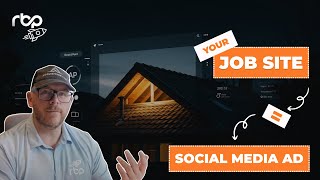
Adam Sand, CEO of a roofing business partner, shows how roofers use CompanyCam's before and after photos to create viral marketing content and grow their business. The platform turns job site images into social proof that builds brand automatically.
Did you know every roofing job you complete is a viral marketing opportunity just waiting to blow up your brand? I'm Adam Sand, CEO of the roofing business partner. In this video, I'll show you how to turn simple job site photos into powerful before and after content that gets shared, builds your brand and fuels your growth automatically.
You want to try and turn every project management effort into marketing. And the way that you can do this is with these Instagramable before and after photos. People love to see before and after photos. It doesn't matter if it's weight loss, if it's construction, people love transformation. And so your job really fuels your marketing department with unlimited content. And company Cam has a before and after photo feature that's really super simple to use. When you take the picture, it actually puts like a semi translucent photo over top. So actually I can probably just show you. You come in here. There we go. Take after photo. So now you can see. So I just have to try and get it so that garbage can kind of lines up and then there we go. Now you can pick from all these templates so, so you can do these before and after shots. They have all these different templates that you can use and you can put your logo in there and then you're done, you hit save. And now you've got a really nice before after photo that you can share. So that's kind of an ugly, quick and dirty demonstration. So that's before and after photos. But then you can share that with the homeowner. They'll share it to Facebook usually. And then people are gonna be like, oh my gosh, look at the transformation. And usually your logo is in the middle of that. So the whole idea is that you guys follow this process every time and you guys can just rinse and repeat. So the workflow behave behavior that you want to follow is this, which is where you create the showcase on your page. You share the timeline link with your homeowner. Then you take photos in edit mode so that you can document a lot of photos and take your annotations. You want to do a video walkthrough, make sure you annotate all your photos, document any pre existing site damage, then photo document the installation, document any unforeseen issues, take before and after photos for your socials, post those photos to your showcase on your website and then rinse and repeat this process. So if there's your screenshot of the day, that's it.