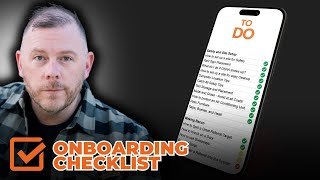
Adam Sand walks through a 75-item checklist for onboarding roofing site supervisors, covering work orders, safety setup, OSHA compliance, and truck inventory. He recommends turning each item into a one-minute video and linking them in a spreadsheet so you can replicate the process for any role.
Chapters
Foreign These are all the things that you should teach a site supervisor when they're onboarding, right? And so it's the company experience. How do we set expectations, what is the company cam timeline, how to review a job, when to review a job, what is a work order, what is a material list? Communication as a strategy of business. How to get referrals from around the job, how to make a job site get you referrals, job site cleanliness standards. How to communicate with crews documenting pre existing damage, pre job truck checklist on truck supplies and inventory. So what they should have in their truck, yard signs or truck or van or whatever. Then site safety and setup. How to set up a site for safety, yard sign placement. What to do if OSHA shows up. How to set up a site for easy cleanup, Dumpster location tips, cash all setup tips, tool placement or tool storage and placement, metal and grass like everything that you need. The intention for this is I want to teach all of this to create a course that site supervisors could come to where I give kind of the industry best practices on a lot of this stuff. And I want to make it make this available to you guys to create your own onboarding checklist. And so I said that you guys would get this because this is something that Elmer and I worked on. But you guys can have a copy of it and start to make it yours before I've got to the point of creating a full course around it, this. So just go file, make a copy and that way you will have this onboarding checklist. And how you can operationalize that and how I've seen this work in the past is you record little one minute videos and you post them to YouTube and you just make them a private playlist and then you can just have your little one minute thought. So if we look at this right, this whole spreadsheet is what, it's 80 things, 80 items, including the headlines. So call it like 75. So this is 75 little one minute videos that you got to record, right? And those 75 one minute videos might take you three or four hours to make. Maybe with the time it takes to like plan them out, it takes you two days. So worst case scenario, if you made this your sole focus this weekend, you could start it Friday evening, have it done Monday morning, and that's if you're slow, you could have every single one of these videos recorded and then you could have, you would post those videos to your YouTube as private videos and then you would just put your video here and then you could have it what you call as a drop down. And you could have just like needed watched. And you go, and then you can say, okay, you have to watch these videos, tell me when you've watched them. And then I'm going to, I'm going to ask you questions about it. When you have asked you questions, what if it's clear, you understand it, then you're done. And you would just go for all these and then you duplicate the spreadsheet and send it to somebody. And this would be their onboarding plan, right? And then you'd have a link to the full playlist up here of all the videos. But then you could put each individual video link along here. And this is how you can do a quick and dirty onboarding plan for an employee. And you can use this template for every single role in your company. You don't need to go buy something like Trainual because then for a lot of the stuff you also have the ability to put, because you could then also put this kind of stuff into mission control. And that's a conversation for another day. But at the least, if you do this, you can replicate that role and you can have your face teaching your people. These webinars are absolutely essential for a lot of you, but it never is a bad thing to start building your own training around stuff. And people do not watch 20 minute training videos, but they watch YouTube shorts and Instagram Reels and TikTok stories all the time. By having a little one minute videos, you can make it so people can bite sizes, learn the stuff they need to know. So instead of having a whole thing about the company experience, you instead have 19 videos about the company experience that you expect your site supervisors to live to deliver.