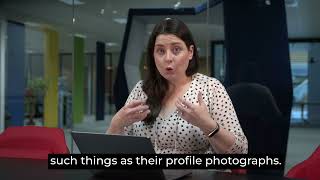
Holly Fawcett demonstrates practical sourcing techniques to identify gender-diverse candidates using LinkedIn and Google Image (X-ray) searches. Key methods shown: (1) prioritize profiles by inspecting profile photographs via Google Images to select those likely of the target gender, (2) use LinkedIn keyword filtering for pronouns (e.g., "she" or "her") to surface profiles where people list pronouns, and (3) construct X-ray queries (job title, certifications, location) and then switch to Google Images to visually select candidates. Fawcett notes limitations (false positives, missed candidates) and emphasizes this is a lens to highlight a target group before widening the search to the general population.
Chapters
Similarly to how we would source for minority ethnicity talent, we can use really similar techniques to highlight talent of our target gender. In some cases, women are the underrepresented gender in the workplaces, but not always. I have worked with clients who are explicitly looking to bring gender balance into their pipelines and this means attracting men to their opportunities. Again, this kinds of technique is not a cure all and there will be some false positives or people that we miss out on. But remember, we're just applying a lens to this search to highlight a target group first before we then go and widen it out to the general population.
Who meet our skills and experience criteria as well.
So the first technique is to use images as a way to prioritize whose profiles we open and read first. So you can run your search on LinkedIn just the way you would normally do it. But instead of just looking at ordinary profiles, you're simply going to select the profiles whose photographs demonstrate that they are.
Of our target gender.
Similarly, we can run an X ray search of LinkedIn or any other professional site where we use Google Image search to bring up those results, just choosing those who again meet our target gender. So let me show you how to do this on LinkedIn using Google. So here I am in Google and what I'm looking for here is I'm looking to do an X ray search of LinkedIn.
So to do that I'm just going.
To bring up my incredibly simple X.
Ray search here of LinkedIn.com in and then the job title accountant.
I'm going to add some defining features here.
So I'm looking for somebody who is a cpa, a public accountant, or chartered the word chartered in here. Or I can actually add the term certified as well.
And I'm looking for them in a particular location. So the location I ran before was Birmingham, Alabama.
So I'm just going to continue with the same location, but it can be any location at all.
And it doesn't.
Need to be as a phrase where I actually put quotations around it at all. I'm just going to have those two individual keywords left by themselves.
So copy and paste that whole thing into Google and up comes our 134,000 results.
Wonderful.
Now I just need to click on images and I can straightaway see lots and lots of profile photographs here.
So I can choose Ashley. I can bring her into my search.
I can open up Grace's profile, I can open up Candace's profile again. Anybody who's a part of my target.
Gender in this way and Google Image.
Search is a really simple, quick mnemonic.
Way of finding individuals based purely on such things as their profile photographs.
We know that they meet our search.
Results in terms of the critical eligibility criteria from the face of it, in terms of them being a cpa, being an accountant in this location. And I can then read through their profiles for first to make sure I'm capturing them before I move out to the rest of the population.
In some cases, you will see people mention their pronouns on their LinkedIn profile. So if we were to search for people who mention she or her on their profile, we would bring up women. So let me show you how this works.
So I'm just going to go into search here. I'm going to click into people, look.
Into my all filters and in terms.
Of my locations, I'm choosing Birmingham, Birmingham.
Alabama and their job title.
I'm looking for accountant.
Then up here in the search keywords.
I'm looking for the word she and click apply.
So out of all of those who I have within my results in Birmingham, Alabama, United States, that they are a.
CPA or they are an accountant and the word she, I have some seven results.
But at least then if I take.
Away the word she.
I'll open it.
Out to all of the results. 1300.
Now, again, as I say, not everybody.
In this is going to mention that they are like that they have the pronoun she on their profile. But those who do, for example, could be the term she or it could be the term her.
And I have now nine results.
So she or her. And it could be that it's a recommendation that is written on their profile, happens to be written in the third person. So she helped me with this. She is a great accountant and I write that as a recommendation.
It doesn't have to be that the.
Individual actually specifies that their pronouns are she or her.