This is a guided product demo by Johnny Campbell (CEO & co-founder of Social Talent) introducing the Social Talent learning platform. The walkthrough covers the dashboard (resume videos, upcoming content), gamification elements (leaderboard, points, badges, milestones), the My Learning page (assigned learning paths, certificates), course structure (missions and bite-sized courses created by experts), accessibility options (variable playback speed, captions, transcripts), and the Explore page (filters by use case, skill, level, and author). The video closes with encouragement to contact Social Talent for questions.
Chapters
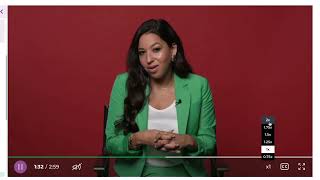
Hi, I'm Johnny Campbell, the CEO and co founder of Social Talent and welcome to our Learning Platform. We hope you're as excited as we are to show your end. Let's start with our dashboard. From here users are able to easily see what exciting content is next in the learning path and can instantly jump right back into the last video they watch and continue their learning journey. Friendly competition is one of the best ways to increase engagement. You can allow members of your teams to track their position on the leaderboard and encourage them to make learning part of their day. With points, badges and milestone achievements, users can easily follow their progress and see how close they are to completing their assigned learning path. We have a huge library of content, but we encourage the use of structured learning paths so users can get the most out of their training. Let's head over to the My Learning page next. From My Learning, a user can see all the details about their currently assigned learning path and once they complete it, they are awarded a certificate to share on LinkedIn or internally. Each of our learning paths is broken down into missions. Let's have a closer look. We have an incredible faculty of experts on the platform to help create work smart teams. Each of our missions is broken down into bite sized courses that are designed to maximize engagement and encourage daily learning. To make our content as accessible as possible, all of our videos can be slowed down or sped up. Captions are available to ensure clarity along with complete transcripts. All of these features are designed to help those with hearing impairments or those who may not speak English as their first language. Next, let's check out the Explore page. As we mentioned earlier, we have a huge library of amazing content for users to discover. Learners can easily filter between our content by use case by the skills they want to improve by and by their level of experience. Likewise, if you have a favorite expert of ours, you can see all of their content in an instant. Let's head home to wrap things up. Thank you again for taking this tour of the social talent platform. We're thrilled to support you and your teams on your learning journey to becoming more work smart. If you have any questions or would like to learn more, please don't hesitate to reach out.