The new tech: The tools to make you successful | Johnny Campbell & José Kadlec
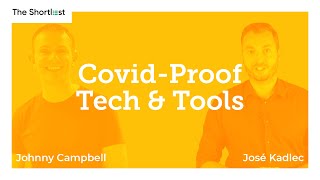
Johnny Campbell and José Kadlec discuss remote work and recruitment tech. Kadlec covers his free guide on virtual training, realistic AI uses like matching and chatbots, and practical tools: Zoom, Loom, Streamyard. For better video calls, prioritize audio with clip-on mics and external webcams over expensive gear.
Chapters
Sam, Welcome, welcome, welcome. It is Wednesday 2nd December. We are in the holiday season. The countdown has begun to Christmas. We have a great December planned for you on the shortlist with tons of great guests coming up. I'd encourage you to check out our schedule book that time in it's the season for learning, the season for listening. You can find out more about our schedule for the shortlist for the rest of this month and next year@socialtalent.com the shortlist. So I'm Johnny Campbell, I'm your host of the Shortlist and CEO and co founder of Social Talent. And today we have an, I guess, information packed session where we're going to teach you all about the technology that is needed to work in this remote world, particularly focusing on those of you who are trainers, presenters, leaders, broadcasters, communicators as well. And our guest today is gonna take us through his recommendations of the tools, technologies that we should be using and also to kind of look a little bit at the future about what next year perhaps holds in store for us as we communicate this way, as we listen to asynchronous or synchronous video conversations, talks, podcasts, whatever they might be. Which reminds me that if you are listening live to our show, don't forget that we are also a podcast available on app and itunes and wherever you find your podcasts. If you're listening to the podcast, welcome again back this week. If you'd ever like to watch us live and actually ask questions to our audience members, we broadcast live on LinkedIn and YouTube every week at 4pm Irish time. Google it. You'll find out what time that is in your own time zone. For those of you listening live, we want your questions. Don't forget to jump in on the chat. I'm going to remind you and prompt you throughout the show. So do throw in your questions. We love our audience questions and today in particular, we think you might have some great suggestions and questions to ask of us. So let's begin. So what do we want to Talk about? Well, 2020 has been a kind of crazy year. You know that you don't need me to remind you of that, right? But in such a year, lots of trends have been accelerated. We've all talked and heard about the fact that, you know, things aren't necessarily new, but they're just accelerated. And we've arrived in this future of work that we were anticipating would take five to ten years to come. And one person who's been in my mind, always at the forefront of technology and Ideas is our good friend and partner, Jose Kadlak. So Jose, who hails from the Czech Republic, is known widely as the sourcing expert. But Jose has always been into tech and gadgets. And early on in the pandemic, Jose was being asked by people who knew he had such a passion and penchant, if you like, for tech. Because he's a former engineer, he was asked about what tools to use, what webinar software, what broadcasting software, to the point that he started documenting this stuff and realized he had a book in it. It was easier to go, here's my book. Just go read that and it will work. That book is now available. We'll tell you more about it throughout the show. But I want to welcome back on the show Jose. It's great to have you this week. I'm excited to hear your advice and tips. I think if you're watching this or listening to this show, you're probably someone who will benefit from your advice. Tell me a little bit about yourself to remind our audience about your own background, the companies you work with, and then maybe just briefly remind us as to why you, you wrote this book and who's it for.
Totally. Hello, everybody. Hello, Johnny. As you already mentioned, my background is totally in engineering. I had something to do also with like cyber security, with forensics, and with these type of things. So I studied software engineering and then I was actually practicing software engineering for something like five years for a corporation. Then somehow I ended up in recruitment. But because our structure of companies there is not only good call where we actually do the business, do the sourcing business, and as you know, current sourcing and the recruitment, it's quite technical. Not only when you are hiring technical roles, but even if you are hiring finance roles, marketing roles. The tools we are currently using, whether it's LinkedIn, Facebook and the additional plugins and tools on top of that, those are totally technology oriented. Another side of business of ours is Data Crew, Data Crew ats, where we actually do the software. So we are software house as well. I'm actually sitting in the office with software people and we have Recruitment Academy where we do the educational side of the business. And I'm also partnering with Social Talent, providing exactly this content on talent sourcing. Why I wrote this book, which is called actually Covid Proof Virtual Trainer. The reason is that since the beginning of the pandemic, I was bombarded by the messages by companies and by people that they need to quickly do some kind of webinar, but they need to do webinar in Some setup, for example, two people on the webinar. One is remote, one is local. How to do that? How to do the webinar where you have your slides, for example, like behind you, like when you are watching a weather forecast, for example on tv. So you need to use for example green screen and these type of questions. And I said, all right, I was, I started to write an article. I was writing an article about it. Finally the article was sort of long, so I decided okay, let's, let's do it as a book. And I did it as a book, which is like 100, 100 page long book, I would say really practical, that's divided into, into I think five or six main chapters going from like one on one conferencing when you are doing for example consultation or any type of this meeting. Then of course over webinars, then of course over like not online, not life, not life, educational pieces like for example micro learning and so on, like prerecorded learning and then over conferencing like big conferences when you are some kind of expose and so on up to training in VR or ar. So that's the main structure of the book and in each of those sections I'm going deeper in, for example, what equipment to use, what maybe webinar software to use, what are the differences, what are the aspects and so on. I totally thank you to Johnny to actually review this book as well. And the foreword is actually written by Diana Rocher who is managing partner with Deloitte because they are doing some new projects in terms of the future of education there as well at Deloitte.
So it's an excellent book. I loved reading it. I learned so much myself and I've been doing this for many years and I felt I knew a lot. But I learned so much more from reading your book and it's a free digital book and we've just shared out the link there on social for those of you watching live. And we'll also put it in the footnotes of the podcast if you're listening to this to go find it afterwards and do check that out. I'm going to dig into that. I'm going to ask you more questions, but I want to first of all start with the news this week. So I want to start with this article here which was appeared in Business Chief about reinventing HR operations with humans and AI collaboration. It's one of those articles, Jose, that pops up every once in a while more frequently these days that talks about AI, the avent of AI in HR as well. Right. So it lists the pros and cons of AI, it talks about how we might use it. But what were your thoughts on this and what are your general thoughts on AI and technology in the HR process, in the recruiting process?
I think totally like AI is influencing all of those industries. That's true. I think sometimes there is a problem of understanding what actually AI is. A lot of people, they think that AI will actually, for example, like these, I would say urban legend, that it will replace our work. I would say it's true. I was just discussing with a friend of mine, he has a company, dnai and they are doing a really, really pure AI, top notch stuff. And they are, for example, they work with some manufacturer and they are doing some kind of imagine, for example, like a tablet. And the final procedure on the line is that there are people checking if there are some scratches on the surface of for example, those tablets or something like that. And they replace these people with AI because the image recognition and these type of things where you are incorporating something like, which is called deep learning and these type of things based on neural network and so on, you can do that. So of course we can say that this company, for example, could definitely release those people. So it's creating maybe higher unemployment rate in this regard. So that's totally right. But we need to think more forward this what's happening, it will be happening everywhere. There is something, what is called rpa, which is like robotics, automation, process automation. And you can see that everywhere. But I think at the end of this there will be some, I would say social economical change, something totally different, which we cannot, I would say evaluate at the current moment. So for example, when speaking about AI in hr, a lot of people, for example, imagine chatbots. So chatbot, it can be AI, but also there might be a chatbot which is purely based on. If there is this term mentioned in the, in the, in the conversation by, by the candidate, I will supply him with this. There is something, what is called decision making 3 and we can say that for example, this is not AI, but of course there might be then something. There are already some AI libraries which you can incorporate into your processes. And these libraries can understand or they try to understand what was said in the sentence. So if there is a sentence that for example, I want £50,000 and work in Dublin, the library can say that Dublin is name of the city. So probably it's the destination city where the candidate would like to work. Money, it's probably salary and so on. And based on that, of Course we know that there are some algorithms to judge, for example sentiment and these type of things. So you can see chatbot, it's what people knows, Facebook Messenger, Chatbot for example, and so on. But it can or it cannot be AI, it really depends. Matching. I think that's another way where HR and the recruitment people can actually utilize AI. But again matching can be like simple matching based on keywords, which I would say fundamentally it's not AI or they can be some more advanced language oriented neural networks implementation of that and that might be matching with AI. So I think a lot of people, HR people will definitely use AI, but most likely they will not know about it. It will be some function in the ats, they will just click on that, it will do the work. I would say I would define the AI as that it's some program, for example, which is substituting some quality process. So normally, for example, as I was mentioning, the quality engineers checking if there are some scratches, there must be someone checking with lenses on that if there are some scratch. It's, it's, it's some like some quality process there. So if you are able to replace this, it's probably AI.
Yeah, and I think it's really important to define that because a lot of people just get confused as to what AI is and the promise of AI. It's, you know, it's, it's great for algorithmic process driven tasks and many, many talent acquisition and recruiting teams are adopting better technology. But I think whether it's AI or not, AI shouldn't be the issue. It's, it's whether there's technology that exists that is better suited to the tasks at hand in your recruiting structure or your organization and if so, go ahead and implement it. If it's AI or not AI doesn't really matter. It's more is it the right fit for you? And it should be about what is the problem you're solving? Does this solve the problem? I think there's a little bit too much of people just going after AI for the sake of we want to have AI. I was asked recently by somebody who was evaluating social talent. It's like, well, it looks great but do you have any AI? And it's like, does it matter if it works and does what you need to do and does it really well better than everybody else? It doesn't matter. And I think people get bit too obsessed. I'm going to jump into our second article because I'm keen to look more going forward at trends.
We have the same with the ats, like do you have AI in the ats and so on. But I would just clarify more on this that when, because AI, it's like the general term when we are talking about for example, machine learning. I think one problem in HR is definitely a lack of data. Machine learning usually is based on that, that it can gather some data and kind of like predict, learn from that and do something else, do some decisions and so on, which would be normally done by a human being. But sometimes this is not possible because it's big data. The problem is that in hr, sometimes we have just, I would say like small data, quote unquote, small data. Because even for example the ATS and these type of systems, they are not so many data you can actually evaluate to do these things. That's why of course, that's the future where for example, even video cameras and different kind of IoT chips everywhere, chipsets everywhere that they can evaluate more data. How people, for example.
Well, let me put you back, let me pull you back from the future. I want to jump in our next article, right, because this is a 4 Forbes article trying to predict the future, right? 3 tech trends that will continue to evolve in 2021, right? So you know, you had begun to talk about where we're going and the trends. But, but these three tech trends that kind of were teased out of this article and I'm summarizing here. We're talking about same day delivery options, more realistic video conference experiences and tech for good becoming the norm, right? I don't think the article is pointing out that these are the three most important trends. They're just picking three trends, maybe randomly. I think the middle one certainly is, is in the sweet spot of what you're more realistic video conferencing experiences. Expand on that. Like, tell me about the tech today. What are your thoughts about the tech today in that particular area and what is the most exciting or interesting part of that tech ecosystem? I think it's Zoom and Teams and Google Meet are probably the three biggest players in that space. What are the interesting developing trends that are coming and is it just about having smiley faces and mustaches on your live face and changing your hat? What are the interesting tech trends you think that will make a real difference over the next couple of years?
I think that's, that's interesting questions because as you mentioned, these main players as what we know, like Zoom, Microsoft Teams and so on, it's kind of old school. And currently we are in this, in this, in this sphere, all the meetings, everything is remote but the problem is that we are losing something there because imagine we are now two in this, in this meeting. So it's not much a problem. I'm looking at you, you are looking at me. But imagine when you have three or more people, you are not able, as in the real meeting, you are able to like look at one person and say what do you think? Look at another person, say what do you think you are, let's say, not able to do it in this environment. We are still looking at this, pointing at this camera right here. So that's a problem which of course can lead to for example things like we are less creative and so on. I think things. And there are companies, I think maybe IBM realized that before that with using just this, they are losing the edge of creativity and so on. And they are forcing people to meet actually at the office. So there are companies actually realizing this downside of that. So that's it. There is app which is called Around Co, which is interesting, I would say a new generation of quote unquote zoom and these type of video conferencing tools where actually they use AI in it in terms of. Because there is AI noise canceling tech. So you can be in the noisy space, maybe some CO working and so on. And you will have just a clear or the other attendees will have a clear voice of yours. This is actually AI how it's done. But you as a user, you don't care, you don't know it. You know it's a feature noise canceling, but you don't care. It's AI. But just I would love, I would.
Love a children's noise canceling. Any noise made by my children will be cancelling a welcome feature.
It would work for that as well. And it has actually a face recognition tech in it as well. So that's why it's called around co, because it's taking just a circle around your face so you can move as you want like this and there will be just your face in it and other people or you can actually run this app on top of your other windows on the computer. So imagine you are working, even developers, they might be in Eclipse or in their environment doing for example Java code. And on top of those windows they can see these circles, other co workers. And it's creating more environment which is more realistic as we are together in the office.
I love that. I guess when we first think about the different communication tools and video conferencing experiences, you think about that small category. Sorry, it's a big category with A small number of players which are all trying to do everything for everybody. But I think you make a really good point there, which is that especially in a work from anywhere type of world with more distributed working, we have very different needs and the tools might be different for different places. I want to have my colleague just there for four hours. That's one need. I want to do a conference call and broadcast my team message to 30 people. That's a different need. And there's different tech that's required. I guess if I bring it back to some of the tips that you wrote about in the book, Jose, what do you think are the kind of most important categories that most of us will need to consider? Right. So let's assume we have an audience mainly of recruiters or talent folks here. You know, think about the different tools. What are the different tools that you think are being used? And then what do you think are the best tools for things like interviewing, for team collaboration, for discussion, for meetings, for broadcasts, for webinars? Like maybe take a few of the categories you think that exist, describe them to us and talk about the tools.
I think for example, you mentioned webinars. I think in today's world, especially maybe post Covid, recruiters are working more with active candidates. So I think definitely their space. And I know companies which actually based their recruitment on meetups regardless they are online or offline. Yeah, so, but usually people think that I need to do a webinar, I need some webinar software. So of course there are many of them. GoToWebinar webinar, ninja webinar jam, clickmeeting and so on. But you don't realize sometimes that you can use for example, just a live video for that. So as well as now here with a shortlist, we are doing live, LinkedIn live, we are doing YouTube live, but it's kind of a webinar. So when you don't need actually, for example, attendee list, when you don't need to know who actually saw the webinar or not, simply use Facebook Live, Instagram Live, or LinkedIn Live or Twitter Live, depending on what you prefer. Of course, for example, the good way is to use a YouTube Live, where you have actually all the YouTube Live videos. You have recordings stored on your YouTube channel, which is definitely a benefit of that. So whenever, for example, you want to hear at Good Call, we are doing, for example, the free webinars, we rather do just a live video here, for example, we use streamyard, which is a tool I use personally as well, which is A perfect tool for so called multi streaming. So when you want to cover LinkedIn, YouTube, Facebook altogether, you don't need for example, like three different mobile phones. You can use Streamyard where you can multi stream it to all of these three channels. You have for example, all the discussion which happens under your videos. You have it in one window. So that's a great benefit of that as well. There are other tools like Streamyard, for example, I used a long time, I used Restream IO. You can use for example Wirecast, which is more complicated software. We use it for different kind of webinars.
And what about hardware, Jose? Like if you're looking at the software.
Totally, totally, what are the key, like.
What are the key pieces of hardware, ignoring even the actual different options. What are the kind of must haves? If you're, you know, if you're on meetings all day long and particularly if you're dealing with external people, you're doing interviews, you're doing all these different things. You know, maybe, maybe you're not doing webinars, but you're doing loads of interviews and loads of meetings. What are the core pieces of kit that everybody should have these days, do you think?
I would totally say that audio trumps video. So you know, you have meetings where the audio is really creepy and the video is maybe perfect, but it's disturbing for you. So people usually when it's like for example a meeting, they don't care about video that much, but they care about audio. So what I recommend, for example just you have the wireless ones I have with a wire, Apple iPhone headset with a microphone. It's a simple solution for that. When you have it, it's totally total benefit. You can have a classic color microphone, for example, this is from the company Rode. So when you want, for example do a webinar and you don't want to have this in your ears, you just need a microphone. You can use a color microphone, just clip it on your, for example shirt, T shirt and so on. And you can use it when you want, for example to put more people into the video. It can be a video webinar. Whatever you can use for example this, it's called Shure MV88 microphone which is with a lightning bulb connector. And you can actually connect it with your, with your iPhone. It works well with the iPhone. It has app where you can actually adjust this. What should be the angle? For example, you say I want 30 degrees, 30 degrees angle to be recorded. So I have it like that. So sorry for that. So you have Some options which you can actually.
And how much are those two options? The color, the. The clip on. When you mentioned on that. That plug in for the. For the iPhone, roughly speaking, how much are those. Those objects?
Yeah, that color microphone rode which is already more expensive one. But still it's something like $50 this MV. Sure. I think it's something like $100. Yeah.
Okay.
It's more expensive equipment. So that's audio. I would say that's even for candidates when you are speaking with the candidates and so on. For the best experience, audio is king with video. Usually you will have for example a webcam embedded in your laptop. Of course, when you want something better, you can have four petty cache some external web cameras like from Logitech, for example. There are external cameras supporting for example green screen as well. So if you want something better and you want to be for example seen in a different location and these type of things, you can use external cameras with this functionality there as well. Plus the key for video. Videos is definitely lighting. So I don't know what you use. Johnny, right there, if you have just like a lamp or. Or yeah you have something like this. There are. There is a smaller version which is like this with a clip which you can clip on your. Either like this on your.
For those listening on audio, what are you holding open? What's that called?
What do you mean for those viewers.
Just listening on audio only. Maybe you might describe what you're holding up there.
Sure, sure. I'm using. I'm holding. I don't know what's the. There is kind of. That's just some Chinese products. So I don't know what's. This is not any official vendor, but I call it like selfie. Selfie light. Yeah. So it's a selfie light. What do you show? To me it's also like selfie light, different kind of selfie light. So it's really cheap for I don't know, $2, something like that. But it will do a really, really good effect because for example here I'm using something stronger. I'm using a normal lighting like this, which we use for webinars. But when you are on the go somewhere or you need to be mobile, you are maybe doing conferencing from the car, something like that. You can definitely use this clip which is like a selfie light for a few bucks.
I'm going to pause there just to kind of ask anyone listening live, you have any questions for Jose on your kit, your tech, your broadcasting, your video calls, your streams, please Jump in on the comments. We'd love to hear from you. Jose will absolutely delight to answer your questions. I think it's a great point you make there about people I know who've invested heavily in camera cameras on top of their laptop camera, which I never understand, but don't buy a light. It's like you have this amazing, technically this amazing 4K camera and you forgot to light yourself. It's kind of pointless, you know what I mean? The light's like two books or five books and you spent 100 bucks on a new camera. It's the wrong way around, you know, or that you're. You're using your computer's mic, not plugged in earphones or a proper microphone, which even again is not necessary, but cheaper. It always baffles me.
I would say one more tip for. For video, it's actually lenses for, I would say, I think it's called like mobile phone lenses. But you can use it for laptop as well. It can create effect because sometimes you don't have like much space. And if you, for example, now you are you and me like this, we would probably fit another person next to me right here. But sometimes that's not the case and you need to. You want to create like a wider angle with your camera. You can use these lenses also, like for a few bucks you can have those. It works on laptop and mobile phone as well, if you want. Sorry, if you want with the audio, if you want to have, for example, you have more people at a webinar or at the meeting or whatever it is we use. It's called Yeti Blue. I think it's totally standard for audio. It's a mic called Yeti Blue for something like 200 or not even $200, where you can set up more options. Not only gain, but you can set up what it should be taking. So either like around or just one direction.
So I don't know whether you found this because our team went to buy more mics a few months ago and you couldn't get them like you couldn't get them anywhere in the world for like four or five, six weeks delivery times. Because it seems everyone bought loads of loads of new mics and there wasn't the capacity. Wasn't there a question here from Simon Johnson? What lighting recommendations do you have, Jose, for kind of desk side videos? So on the lighting side you mentioned obviously the selfie lights. Do you recommend anything else or anything more than that?
If you are doing, I would say like for example, educational videos or you have Your desk where you don't need to move the lights and so on. I would recommend something like what I have right here, like a stronger light, which to be honest, I don't know what the vendor is, but it really doesn't matter. I think what matters is to buy a light which is not a yellow light, but it's actually white light. Because usually the yellow light, they have a normal bulb there and it's creating so much heat that if I have it here, I would be sweating right here if I have it like one meter from me. So just buy the white light where you can actually dim and adjust what.
Are.
What the lighting is, what the brightness is. But I think it doesn't really matter like what vendor or what, what brand it will be.
Yeah, I think there's tons of them. I and Simon, I bought one this ring selfie light that is USB powered. It has five different light colors. It can go up and down the brightness. It has an arm to hold it and bend it and hold your phone. And it's 15 bucks on Amazon. You can get it probably cheaper on Ali, but like there's tons of places you can buy these things. The brand doesn't matter so much. They're so inexpensive. But it's just such an essential thing if you're gonna. Nearly all of us are professional workers, you know, you should have some sort of light. Especially as we're going to winter in northern hemisphere, you know, it gets dark very quickly and you know, your natural light's not good enough. Niall is just making a good comment here as well. Niall Houston, if at all possible, make sure your desk is facing a window. Best light source you can get. Totally. I changed this. First thing I did was kind of go, right, have natural light pour in on me and it's fantastic. You know, less beneficial this time of year, I gotta admit, because, you know, I don't get the benefit of light till maybe 10 morning and it's gone by maybe 3:30 in the afternoon. Yeah, it's such an easy win. And people kind of regularly sit with the light behind them and then you find themselves putting curtains up over them because the, the auto adjust can't work properly and it fades and it's a mess. So I think there's some reason.
Thanks for the comment. That's, that's, that's the key. Yeah, that's the key.
I want to talk about the future, right. Because, you know, we only have a few minutes left and you had mentioned a couple of really exciting topics, right. About the future. So I joked about how I alluded to the fact that Zoom have built in new technology that allows you to put a mustache or a hat on live and move around. You talked about technologies that allow your head just to appear on the screen on its own against the other apps. They're kind of really cool innovations, interesting innovations. But VR and AR and everything else, talk to me about those types of innovations. Where do you see the role in VR? For example? A lot of people have written it off as it's for gaming. That's it. Where do you see it? In interviews, in meetings and conversations.
I think in regards what we started to discuss that it's kind of like old school and we are missing a lot of aspects. When it's like 2D like this and we are just facing one camera. I think VR and AR or Mr. Which is called mixed reality must be somehow incorporated into this. Even now you can. For example, when you want to provide your. For example, maybe candidate experience in VR, it's really simple. You can buy. I have Xiaomi VR camera right here, which are like two fish. Fish. It's called fisheye. Fisheye. So this is for $500 and you can provide. For example, we could have this YouTube live in VR. It's possible. With this we can do live videos in VR for four or 500 bucks.
That's interesting.
If you want to have a better quality, you need for example, something like this, which is called Vuze. Vuze. This is all type of that. Usually the better cameras. VR cameras you recognize by having two lenses at each direction. So two lenses right here to here to here to here at each direction. So eight, eight lenses on this camera. That's why this is for something like $1,000 now. It will be cheaper. I think the new generation is for those of you.
Imagine if you. If you know the. The. You know, if you remember the series Lost and they have Bad Robot is the production company. There's a little robot that appears. It looks like the robot from Bad Robot, the production company, Square Head. It's. It's pretty awesome with. With eight eyes. Looking at how much is that last piece of kit, that Views kit, the.
Views is something like $1,000.
Okay.
Yeah. I think they have two types now with the new generation. But with this you can already do. We did for example for Avon, the cosmetics company. We did for example, the walkthrough through their office. The challenging things about doing, for example, this type of video is definitely that if you want to do this video and not be on the. On the shooting because when I hold it like this, I will be there as well. So we created a special kit where you have actually this camera kind of like on top of your head. And we had like a smaller person here at the company, like one lady and she went through the Avon company and we have. You can find it on. Good Call YouTube channel.
That's a great hack. Find a small person and put a camera on their head and hopefully walk around.
Brilliant. And when you, when you look like, like when you are watching the video and you look at your kind of like at your feet, you will see just a good co Logo. Yeah. Instead of the person.
But, but do I, do I need to have a VR headset to experience this? So I get how you make it.
But yeah, it doesn't look like you have three options. One option is you can put into your YouTube VR video and you will see a bunch of videos there and you can actually, you can watch it on your laptop as well where you can use like cursors or mouse to look left and right and so on. Or you can use a mobile phone normally or you can use headset. But there are also these we were also sending to our candidates. For example, the headsets, which are plastic ones for $3 and you actually put your mobile phone in it. So it's like a cheaper version. So in the book, for example I'm describing this, you can have for example Facebook headset, which I think it's for $200 because the computer is already in it. Or you can buy just the plastic shell where you actually, you find the YouTube on video. You click on that, you put it into the plastic VR headset and you are in life, you are in VR.
I would have had, maybe most of our audience would have had a preconception that to make a virtual walkthrough we're going to have to hire an expensive agency. It's going to cost 50,000 or 100,000 bucks and it's only for big companies with big budgets. But you could go out and spend 500 or even if you push the thousand books, make your own hand out three dollar lenses to people or they just use their phone in a kind of a. Or way and you achieve the same thing, a virtual walkthrough and experience for a couple of thousand bucks.
Now there are actually VR cameras you can plug into your iPhone and you can have like a VR camera or something like something like the Xiaomi I just showed you, you can have on top of your phone as well. So it's, it's possible. It is definitely like this basic VR. It's definitely, I would say, status quo right now. Then of course, for example Czech Republic here there is one company and they are, for example providing VR to the US army and so on. Because you are simulating, for example, jet fighters. So the pilots like see. So it's really more precise. It's really nicer. I had actually a chance to experience this and it's really like. It's really like reality, like be in it. It's really like you cannot recognize the reality. So definitely, I think with the video conferencing, these things will be incorporating into that. There is a new startup, it's called Confer o matic confer omartik.com and that's for example a new video conferencing software for I would say bigger events. If you have some kind of like expo or something like that. And it's like a game where you have your avatar and you are actually walking like in the game, like when you are playing whatever World of Warcraft or something like that. And whenever you meet someone, it enables cameras like here, for example, if I meet you, if I met you like in the. In the Confer o Matic at some event, it would enable your web camera. My web camera. And we have conversation. Yeah. And then you can go into, for example, a session to watch some kind of presentation and so on. So there are definitely tools and companies pushing this forward to provide us with a better experience because obviously that's where we will be spending our time in the online world.
So a lot of talk in 2020 has been around the move to more asynchronous communication where you don't have to be live all the time. Right. So talk to me about what you've learned about products like Loom and others where you know, they've got video capture. So it's not necessarily broadcast technology, which we talked about so far, but more just how do you quickly capture stuff to then share in a more asynchronous way? What kind of tools are out there? What would you recommend?
Totally. I dedicated one chapter to this in my book as well, where as you mentioned, for example Loom or we use tool, which is called Story Express, Story Express, which is something like Loom. We totally use it for approaching candidates, for example. So we are creating these video invitations, sending this to candidates. If our attendees right here can learn more about this and have access to social talent platform, you can find my course on video sourcing how to approach candidates with videos where I describe all of these tools for asynchronous communication right there as well. I don't know if you remember in the old times we used tools like Camtasia where you wanted to record something like Camtasia. That was the go to tool. Now it's more because you need to be quicker. You don't want to install some desktop application and so on. You just need plugin, you just need to hit a button, record a video, post it. Have actually also the possibility to see if the person actually saw the video. That's important there as well. And I would say it's also a way for example how to provide the pre recorded education. If you want simply create for your people at your company. You are maybe HR professional and education is part of your agenda as well. You can use these tools like StoryXpress or Loom to quickly prepare elearning within your company and have it provided to your employees.
So I'm thinking about all these different processes and all these different tools. Do you have to be quite technical as a person using these different software devices, different hardware devices. Can the non technical person enter this world and still make their way around successfully enough?
I think totally because the trend in the technology is that imagine if you remember the old Windows computers where when you start a computer and you saw a lot of these, how much RAM you have and so on. A lot of data before actually you start up your computer, you saw a lot of things you have no clue about. Apple changed that in a way that you see just the Apple because why users should be seeing this type of information. So I think this is the trend. So you just need to know that there is some angle like for example there is a VR so you probably heard it somewhere or maybe experience it. And you should be able to find out a way how to do that as well as for example people at our company at GoodCo here, even for example our assistant can for example create a website right now it wouldn't be possible four years ago. Now you can use tools like wix.com we use for example lenderapp.com I think or co it's called Lender app where if you need to create for example a landing page for a webinar including a form including automatic reply to the attendee and so on. Even absolutely non technical person without any background in it can create a beautiful landing page for example for this purpose it wasn't possible before. Now everything is done in a way that it's possible. It's actually even pushed forward in a way that you will be able to code apps like mobile apps without actually touching the code.
I welcome this feature. Niall. Quick comment from Niall again thinking Zoom AI will do well to start creating virtual environments with proximity based voice video chat for more large scale and formal events. I think the future is going to be interesting. I think there's so much more investment gone into this market. I know Loom picked up a huge chunk of extra investment the beginning of this year as Covid kicked in and tons of others. Zoom as well. And we're really excited to see the innovation that comes out of that. We're nearly at time though. We've had tons of advice. I can't even imagine asking you for more advice but. But I am going to ask you for one last piece of advice before we close. As always and as you know, as a previous guest, Jose, we ask all our guests to leave us with one piece of advice that they've either been given throughout their career or they want to share from their own experiences. What today would that be? That piece of advice be that you want to leave our audience with? Jose?
I would maybe continue with what we ended up with and that's don't be afraid of technology. A lot of people and I see it for example in the Czech Republic where for example there is only 8%, I think 8% only of females in it, where for example in Romania there is 30%. So for some reason Czech females have been afraid of it, which means technology and so on. Suddenly now it's changing because a lot of those females currently have their husbands and boyfriends and so on in it. Of course, because we are kind of like it nations. We actually created the word robot in 1920. So that's our thing, automation, robots and these type of things. So it's improving. But definitely as you can see as a female oriented industry, for example like hr, which problematically is there might be some fear of technology, I would say don't be afraid of that. Find a way how to actually like it and I think it will benefit. You can benefit from that in the future because as you can see, it will be everywhere.
If you're looking at history of women and their role in tech, please check out the history of Grace Hopper. If you're listening. It's fascinating. The woman invented software essentially and you can see the role that we all can place can play in technology and how we shouldn't be fearful of it. So Jose, thank you for that advice. Thanks for joining us giving those tips. It's been fantastic and we hope we have you all again. And as always, if anyone wants to try and check out that book, it is a free downloadable digital book. No tricks, nothing to jump through. Just fill out your details and it will be sent to you and you can find that at Recruiting or sorry Recruitment Academy CZ N Forward slash en Virtual Training I would have a link in the show notes or a link on the live comments here if you're watching the video rebroadcast. Jose, thanks for joining us. Really real pleasure. And that brings me to our next week's guest and to tell you about next week's show. I'm delighted to have a good friend of mine, Peter Hogg, join us from Schneider Electric. He currently works out in the Middle east and is director of their TA team out there and talking about groundbreaking, innovative and accessible how Schneider Electric is successfully turning talent management on its head. Schneider Electric are a fantastic organization, been around for a long time, but have gone through amazing transformation the last decade or so and that has also made its way into the talent acquisition team. And Peter's going to be sharing with us a little bit more about that journey and what he's seen. And I'm sure if you're working in the talent space, you'll be very interested to hear his voice and hear what Schneider is doing. And hopefully if you want to join us live on YouTube or LinkedIn, ask him direct questions. That's Wednesday 9th of December. That's 4pm UK Ireland time, which of course is 11am in the east coast, the US and 8am on the west coast. 11 you're talking about. Gosh, we're talking about the early hours of the morning, 5am in New Zealand if you want to try and get up that early. Ford as well. So thanks everyone for joining us. Thank you Jose for sharing those tips. We'll of course have the link in the show notes and the live links there. Tons of different tools for you to try it. Do try them out. We love to hear how you're getting on and share with us your insights. But until next week, have a good December.
More from Johnny

Where Does Your Hiring Stand? Diagnose It with the Maturity Model | SocialTalent

Where Does Your Hiring Stand? Diagnose It with the Maturity Model | SocialTalent


NEW CONTENT - How to use Generative AI for Recruitment Marketing with Glen Cathey | SocialTalent

NEW CONTENT - How to Use Generative AI for Sourcing & Recruiting with Glen Cathey | SocialTalent

NEW CONTENT - How to Unlock the Power of Generative AI with Glen Cathey | SocialTalent