We Mapped 20,000 Connections Live. Then Claude Wrote the Intros.
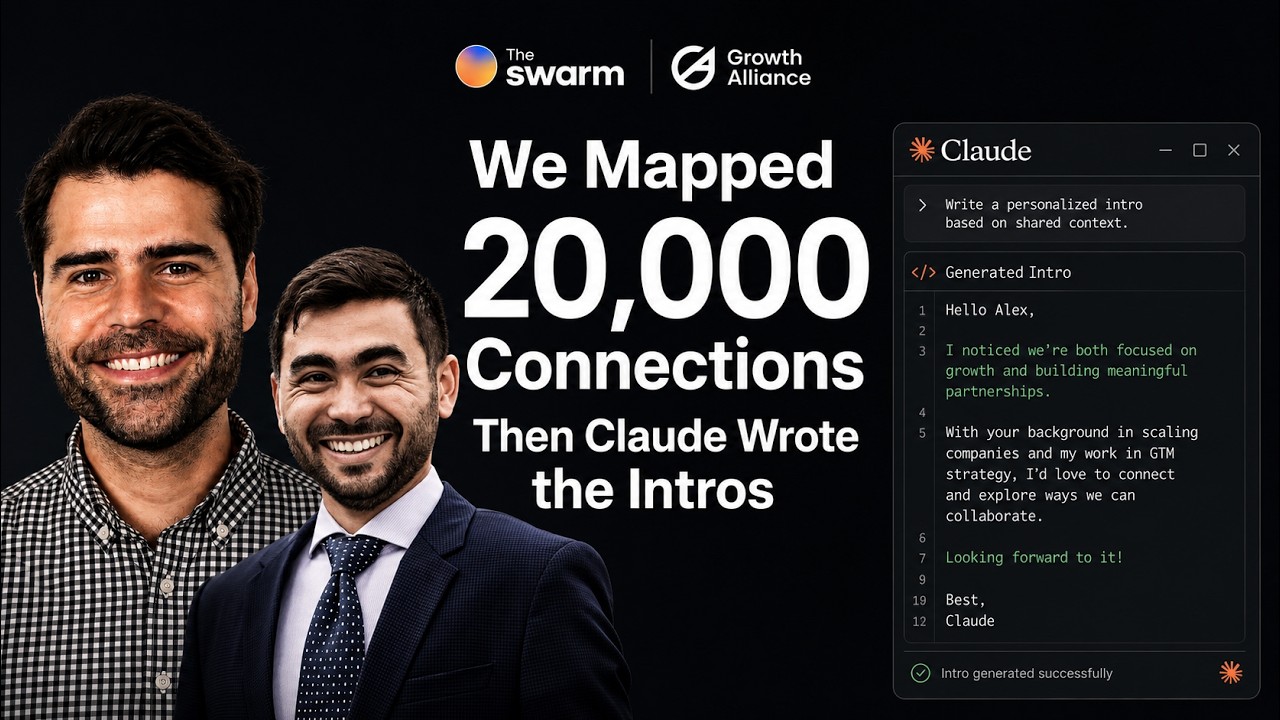
Olivier and Spencer demonstrate how to map 20,000 professional connections from a company's LinkedIn, then use Claude to generate personalized intro emails to those contacts. The workflow automatically identifies connectors who can make warm introductions, scores them, and can send drafts via Gmail or Slack without manual outreach.
Chapters
Hi everyone, Olivier here, co-founder, chief growth officer at The Swarm. Excited to have you on today. I'm here with Spencer Tahil from Growth Alliance. Hey Spencer.
Hey guys, Spencer here from Growth Alliance. Yeah, great intro.
That's you. So yeah, quick intro on myself. Been building The Swarm for the last 5 years, running demand gen here, working with customers, obviously wearing a lot of hats. And a lot of requests to really have like a workshop to build your Swarm. And today we're going to go from like sort of like the starting point, core concepts, and then how to pull some Swarm intros, especially from the Swarm NCP. We're going to go on Claude and Spencer here. He's a go-to-market guru and much more technical than I ever will be and has been going like, you know, deep in the API. Use cases as well, so can speak to some of that as well. And I'm excited to have you on. You want to say a few words about Growth Alliance, Spencer?
Sure. Hey everybody, if you don't know me, I'm a really direct guy. But if you do know me, welcome back. I'm Spencer Tahil. I run Growth Alliance. We've been in business for close to a year now, and luckily we've gotten to work with awesome people like Olivier at Swarm as well as some other awesome go-to-market tools like Clay, Cargo, and a few others. On my background, I come from the revenue operations background and also with leadership chairs and agencies as well. So really kind of leading the charge on making sure that data gets handled the right way at the right time with the right signal. And how Olivier and I met was actually trying to activate an account penetration network. And I saw the benefit of using the Swarm and, you know, it's time to kind of like peel back the curtain on what's really possible. And now that we enter the age of like Clay and Cloud Code and even like Cargo, so Happy to be here. And that's a little background on me. Feel free to text me anytime after the show.
There is the chat as well. So feel free to ask questions. We're going to try to keep this interactive. This is a workshop. I'm going to walk you through like how to set up your swarm. This is recorded as well. So obviously you get the recording after this. Feel free to try to do some things in the same time, but also you can do everything async as well. So, all right, we'll keep times at the end for any So like big questions, there's Q&A for sure. So let me share screen and kick off with just a few slides, only 4 or 5 to sort of level set. So here we go. What you need today is just a company. We just need a company LinkedIn URL. Can be your company, obviously can be another company. Best if it's yours to see the value in the network and find one in code. But it can be virtually any company, right? You need a Swarm account. We're going to show you how to set it up and we're going to go over the core concept and then Claude Desktop. So currently the Swarm can be integrated with the desktop version of Claude. Pretty soon with like the web version and Chrome extension and so on. But right now you need Claude Desktop with a Pro account, which is the $20 per month account. Awesome. So this is what you need. And to explain what we do is mapping connections. So a lot of people think about LinkedIn, right? Like, how is this different from LinkedIn? And we claim that we're 10 times better than LinkedIn mutual connections. You can go on LinkedIn, you can use SalesNav as well, obviously, to find mutual connections to a person. The problem with using LinkedIn alone is that most folks only know 5, maybe 10% at the most of their connection, with some exceptions. But like most people, just because of the LinkedIn, the way LinkedIn is working and it's easy to add folks, of course, at scale, like you end up knowing only like a really small fraction. So what we've done is we basically layered multiple dimensions of a person's network and we attribute a score. So you will add on the Swarm your team members, investors, advisors, partners, like you can see here in the middle, we call those connectors. And those are the people you're going to ask an intro to. And then we map the relationships between connectors and your target contacts sells them, right? You can see there is a score based on the different layers. I'll go into more detail when I share the setup, but high-level concepts is some of the mapping is done passively. You don't need to ask the connectors, you don't need to add them to your swarm, you don't need to, you know, do anything. They don't need to intervene in that sense. And for everyone we map, The work overlaps. Work overlaps are someone's former colleagues, so the people they work with at the same time in the same company. This is independent from LinkedIn. We map that independently from LinkedIn. This is like done on top of our proprietary database. And then same with education overlap, people went to same school at the same time. We're also able to map that because we have full profiles of people with education and so on. And then investor networks. We pick up when you sign up or when you add a company, if we if we have, because we have fundraising data in the database, if we have investors of that company, we're gonna add to your network execs of portfolio company. So those top 3 are done for any connectors without user intervention. And then for some of our customers, I'll talk about SwarmSend at the end of the webinar, but like some of our customers, we can do the social engagement data. So people interact on LinkedIn and then partial LinkedIn connections up to 1,000 LinkedIn connections. And then if you invite someone to your swarm as a user, they then of course like get an email invitation and they can connect their full LinkedIn and optionally connect their email. If they're on Gmail, they can connect Gmail for email account or contacts. So it's basically 8 layers total of a person's network, fully combined and fully searchable and now queryable with the Swarm MCP as well, as we'll show you in a second. And then the end game, and I'll share more about Spencer Tahil at the end, but it's basically how do you then send intros every single week, right? How do you do this on repeat? How do you build a process around this? Because warm intros are something that's now pretty opportunistic and manual. What we're trying to do at Swarm is make it repeatable while keeping the relationships, while preserving the relationships, making this repeatable and scalable. And SwarmSend is going to take those relationships like you can see here on the left from Sarah, who's a hypothetical connector, put that in a way to send email to Sarah, and then that email gets generated. Every week there's emails like that that get generated. You can hit send and do that on repeat. So I'll show you how this looks in a quick demo. So let's switch to the setup part and show you how we get started. So for today, you can, if you don't have an account, just head to app.theswarm.com. Again, you can do this in parallel because it only just takes a few minutes to log in initially, create your account. You'll get a verification code and whatnot, but it only takes like a few seconds to create a team. There's no credit card upfront or anything. It's like all, you know, a free trial. It's a 2-week trial essentially you get put on. And then I'll do it directly from here. I'll create a new team to show you. So I'm going to create a new team from scratch here. I'm going to call it Workshop 4 because I have Workshop 4 because I already have a few of them. And maybe let's find a company to, as an example. So any like large companies or medium-sized companies that come to Mind Spencer Tahil to target, to use as an example. We're going to map their network.
So just for the sake of that, I would say map the largest agency in the go-to-market space. Use a ColdIQ.
All right, let's try ColdIQ. I'm just going to grab their LinkedIn company URL. That's what we need to create the account. Um, LinkedIn, bear with me. There we go. ColdIQ. Okay, so we just need the LinkedIn URL. This is actually used to match them in our database because we have 100% of company LinkedIn URLs. So we use that as the identifier. It's not scraping anything from LinkedIn. It's just matching them, finding ColdIQ in our database right now. And what it's going to do is it's going to find the top 100 employees at ColdIQ. You can close that tab. It's working in the background and it's going to add them as connectors. So like I said, connectors are folks you're going to ask intros to. So the initial mapping that the swarm does is it's finding, um, the employees of the company. So here you see a lot of like looks like CallIQ. Some of them have like probably their current title as, you know, different activities around that. Most of them have the CallIQ. And that's done automatically initially. Now, of course, you can add more connectors. So you can go here. Let me refresh that screen to make sure we're on the trial. Okay, now we're on the trial. And you can find someone here. Again, you don't have to initially ask them because it's mapping their work overlaps, education overlaps, and it's doing that on top of our database. So it's passively done. And, and you can also have a list of LinkedIn URLs here that you drop. So you can do that for employees of the companies, for investors, customers, more like portfolio companies of the same investors, advisors, others, right? There are those, those buckets here. So you can see how the more connectors you have, the more the bigger the network, the bigger the reach it's going to be. That's the initial setup. Again, no one's notified. And what we've done here is just like starting to see the mapping go on and some work overlaps showing up. So those numbers here that are populating, they're going to be those former colleagues of those folks, like current and former colleagues. So you can see the numbers are growing here, 63, 64, 20. So in a few minutes, you essentially are building a network initially of like former colleagues of your connectors, right? And school alumni. I'm going to refresh and like leave it like a few more minutes. You can see how it's going fast. So it's going to be between a few hundred and a few thousand people for each. Um, let me go to the people tab, show you like the numbers. Now it's like close to 20,000 people and it's still growing because it's still doing the mapping in the background. So that's the, that's the initial, uh, setup. If you want the LinkedIn connections of those people, um, there are a few ways you go about it. You can invite them as users. So you can go here, users, you then invite them in this environment. They log in and they connect their LinkedIn with a Chrome extension or CSV upload. And then that layers that data on top of their work application apps. So link here, you can just give them this public link. They don't have to sign up, but they can go to this URL and they can like drop their LinkedIn CSV here. So this one is just a workflow. It's just a way for them to drop their LinkedIn CSV and not sign up. So there are a few ways you can, you can go about this to sort of like keep expanding the network. Obviously add connectors as you go and keep building. Maybe I'll pause here. Spencer, like maybe talk through like a few examples of like what, because you've been doing this for some campaigns for some customers. So you want to talk through some examples on your side?
Yeah. So very high level, I'm going to start kind of in the stratosphere and kind of work our way down from 30,000 feet to around 3 feet. So 30,000-foot view of, you know, like how I, I use Swarm across, you know, our portfolio. And of course, like even with, with working with Olivier, actually how we use Swarm is very simply put in multiple different ways. But the biggest benefit for me is to not only understand how many people are in my own network, right? Like I have a Swarm account, but I want to understand who's in other people's networks and who can be the biggest bridge to those people, right? And I'll show you a little bit later, like in my own Claude desktop version of, you know, very simply put, how can a salesperson just say, I need to see everybody in these accounts to go tell me where my warmest connections are, right? That's very high level what we can, what we could do with this warm data at a very 3-foot view, right? We could get super granular and we could say things along the lines of, hey, uh, we have these portfolio companies in our agency, in our businesses. We also have subsidiaries. Let's look at how many owners of those subsidiaries possibly know any of the other funded companies in California. Right. And trying to map the interpersonal connections, not just from LinkedIn, but also from my Google contacts or from my HubSpot database. Right. It's a very powerful thing to do. And knowing what to say when and to who in the right order is kind of— is the 30,000-foot strategy. At the, at the bottom layer, again, going back down to the 3-foot view, how we're using it, we can network map our prospects and then we can see who they might know at their potential customers. So it's using other tools, you know, very frankly, unaffiliated, uh, DiscoLite is an awesome company level mapper, right? And what I do for some of the campaigns is I look at a target company, let's just say, you know, Google. And let's say Google has cloud infrastructure on their website and they're serving giant clients, you know, like let's say Sequoia, HubSpot, whatever, right? I want to go scan that company's website again. I want to get into Google at Swarm. I want to go look at who they're already serving. I'm going to go run a lookalike audience against the people they have already served and the companies that they've already served. And then from there, it's just a matter of saying, all right, based on your, all your already Happy Client portfolio, we are pretty sure you might be wanting to add another HubSpot or another Salesforce to your portfolio. We actually mapped your network against their network and we identified that somebody on your team has a warm intro path by working together at Oracle. And it's just a matter of sending that message through your network to that person. Right. And it's— it can get as granular as you want, but at the end of the day, most business Most deals are done through who you know. How many times have you been offered a job or you've seen a job posting that has already been filled? And Swarm helps you kind of just get ahead there. And these are just one example, like one of the many examples of how I use the dataset. And I pull everything via API as well. So if you are more technical, we do have an API or the Swarm has the API. I say we because I've been working with you guys for some time.
Right, that's right, that's right. Now, good segue to the API. Uh, yep. All of this is like the SaaS experience. And obviously like, uh, we have the API and the NCP so you can pull that data, you know, from this into virtually like any software you like. We have a native Clay integration. We have a HubSpot integration, uh, Cargo integration and, and others. Uh, but if you want to directly pull from the API, it's possible. You just get your API key here. So that's actually what you'll need for like what's next in the demo, which is like the swarm. NCT. So I'm going to switch over to the docs. Go to docs.theswarm.com and you'll find how to install NCT for Code Vista. It's just a few steps. You've got like, you need your API key, like I said, from the SAS application and then download this install package, double-click, install it, go through like the install. It only takes like 2 minutes and then you'll need to paste your API key. Basically in Claude Desktop. This is done in the settings. I'm going to drop this link here in the chat because that's like probably like the most important. I'm going to drop like the Swarm app to set up the initial account. Like you've seen me, it only takes like a couple of minutes. And then this like this next one. Again, you just need the Claude Pro version, which is the $20 a month one. If you're on this webinar, you probably already have it. And I'll show you how this like looks on in action. And then we can do more like more prompting. So very basic, like example here. I'm just, let's say I'm like a sales rep. I have Stripe, one of my accounts that I've maybe I've been trying to break into is not cold, cold email has not been working. And I now want to utilize my network. So I've connected my Swarm with Claude. Now I'm like, asking simply like, find intros to Stripe, find me intros to Stripe. This is very simple. So it's gonna, the MCP, the way it works is it's going to query the Swarm API, it's going to transform my natural language query into like, you know, an API query, query it, get the data, and then present it to me in like a very nice way. So strongest path for us in this example would be through you know, Raul here. And then I have like, I have a lot of that. I mean, obviously Stripe is a big company. So the bigger the target, the more hits on target you're going to have. But this is like the strongest path that I would use and then other paths. Now I can obviously, I can go from here and say like, write me the intro request emails. You can also like name drop. Obviously you can say like, write me an email to my contacts at Stripe. Maybe name dropping a few people that they may know. There are two ways to go about it. Like name dropping is great, but like nothing works better than like an intro, like a warm intro. And if you do enterprise sales or even like mid-market sales, like the return on effort of an intro is like well worth it. I mean, referrals, we know there are a lot of stats about them, but like warm intros and referrals like close 4 times better than like cold or even inbound leads. So do the approach. Let's do a few more examples here. Spencer, which should we ask to include?
I would definitely say like, hey, I'm trying to pen, like, you've already said, find me the warm intros at Stripe, right? Like, okay, based on everybody that's like the notable paths, you can turn on web research as well using the plus icon. If you're using, if you're using like Claude to do this, you can give it web access. Do a personal research on, I do personal research on all of the connections and do a, you know, a per, do personal research on the person that I want to talk to at our target account. From there, don't make it obvious. And, you know, of course, like, if you guys can't tell, I do a lot of prompting, but like, From here, try to figure out the best psychologically, psychologically accurate way of addressing a warm intro and write the best warm outreach for that person to give us that intro. So just make it, I, I say make it simple, like do research on both people and make it easy for our mutual connection to act on our behalf and intro us to our target persona. And I'm going to show you guys that at scale in my Claude instance as well in a minute.
Nice. Try this. So yeah, obviously like that's when you can leverage the power of Claude and you can also connect Claude to your Gmail to go put that draft into your drafts or even send directly from here. This connects to Slack, obviously. I connect it with our CRM, Adew. So I do upstream like prompting on like, find me maybe the deals that need like, that need to be touched like this week, that have the highest potential of closing in the next 2 weeks and stuff. And finally, maybe choose to multi-thread into those deals and then write the emails and, or write like the messaging strategy instead. And then send that over to Slack to our account executives. I mean, the power of this obviously is like into all the different connections that you can do and the web search around it. Maybe I'll let this one run. We can go back to it and then switch over to Spencer Tahil for a few other examples.
Yeah. So a really good, a really good match here is if you guys are talking a business case, right? Like, why, why do we need this form? Why do we need Clay? Why do we need Claude? Why do we need all these things? These are, these are all questions that people come to me with, CROs, CFOs, things like, and I have to validate it. And all I would say is this saves you time and it will make you money. And, and realistically, it's about being efficient, right? It is about knowing who knows who. It is about activating your network. And you know what, very personally, my mom always used to yell at me. She was like, your network is your net worth, so you should activate it. Swarm lets you activate it. And we can do more today at our fingertips from our computers or with our voice using some like a whisper device or something like that to be able to see who in the world, who can we talk to right now that can speak on our behalf. And I'm going to pull up a very real business case and I'm going to do this using my own API key and everything like this. And truth be told, I have actually not run this scenario before on my own instance. And I just want to let you know, even if I was— you're not a great prompter or something like this, you can trigger it from anywhere. And if you need help afterwards, I'll help you. But you guys start with an account list. The business case here for a lot of accounts that Olivia and I work on together even is that you guys come with 2,000 target accounts in EMEA or USA, NA, whatever it's going to be, right?, but then you go and spend the money on trying to figure out what their personal emails are or trying to figure out what their LinkedIn email addresses are, right? And the business case here is that you don't have to go directly to that person anymore. Over 70% of business deals, business to business deals are done through warm connections. So we want to find the easiest path through the future, which is through that warm connection. So just using the idea of that at a very high level, I'm going to enable screen sharing. And we are going to go to my Claude instance. And I'm going to show you that everything that I've done here was completely automatic. I gave it absolutely no mind. All I gave it was access to kind of like who I'm targeting and stuff like this. On the right-hand side, this will be, if you're used to Claude instance, this is going to be the output file. This is what I would give a client, for instance. This is how we work at the Growth Alliance. If I was doing my own prospecting, this is something I I would give, you know, myself or like my marketing or my sales team. On the left, you have the prompting window. If you are used to it, I apologize for the simplicity here. If you're not used to it, welcome to Claude. Um, but I want to give it just very simple instructions, right? I want to use the swarm as well as my target profiles for Growth Alliance. And most likely your sales representatives or your AEs or your salespeople have this on file. You have your ICP list and stuff like this. Um, I already have that documented in here. I want you to, you know, Claude, I want you to go and verify and generate short but sweet introductions based on all of the people that I, you know, that are in my target account universe. I didn't really give it anything else. I— it knows, it knows my ICP. It's $10 to $100 million ARR, SaaS-based companies, PE, whatever, right? It has all of that information. It tried to do all of its math, you know, it's all of its things. And what it's pulling back are 21 accounts, right? 21 accounts, 21 contacts. And I'll show you the iterations system over time is a very real use case. This is Claude Desktop. You can also trigger this in Claude Code, and you can trigger everything else that I'm about to show you in things like Clay and in Cargo and things like this. But this is a real live use case and how I would do my own prospecting, right? So the very first list that it came back with, it was trying to find tier 1 accounts, people with CROs or VPs of revenue. Tier 2, how I have it set up on my scale, is demand gen. And tier 3 are any founders or CEOs at SaaS companies. This is— I have not touched it. This is everything that I've given it unprompted. It came back with 10 accounts. Tier 1 accounts, tier 2 accounts is 5, tier 3 accounts is 6. I have 21 total accounts that I could go after right now based on what Claude tells me, based on people in my network. And this is really important if you just have a ton of data in your Salesforce account or a ton of data in your HubSpot account and you, and you guys have a team of 65 people on LinkedIn. You guys want to know who you know, right? And it's just as simple as, you know, iterating over time. And, you know, I'm not using very kind of like crazy prompt engineering here, but based on my network and the people I want to talk to at my target companies, who can I ask for a warm intro to? Help. You know, I'm talking to it like a personal assistant at this point. What it did over time was it maps my team's connections. It's smart enough to know to look in my Swarm account. The broad software match was it returned too much noise. And, you know, based on what I've programmed my own system to do, it— I want it to be very concrete. I want it to be very precise, like all of the work I do. It said Routable. I've, I've never heard of this company before. Maybe I should, right? Best intro path through is Cody. He's in my network. He's a VP of sales to go through. He's connected to Aaron Hunt. He's a senior AA at Routable through 3 years. Who, who is Aaron? I need to go figure it out. Jellyfish, very strong path forward. And I've, I've asked it to generate me a reasoning why these warm intro paths would make the most sense based on my business case. And as we go through time, it's given me more. And this is something that a lot of sales leaders have trouble with. They said, generate me a hit list based on the target account. Who should I go talk to at that account? Meaning we're trying to solve the same problem. Who do we know? Who are the 25 people that we need to talk to, to close that enterprise level deal? And it's, and I'm asking it right here. On a technical side, use the Swarm to help me figure out who I don't know and help me get in contact with them or put them on my radar. If I wanted to, I could put this directly into my Salesforce instance. I could put this in my HubSpot instance as well. What I'm asking it to do is generate me a one-pager. This is huge for account research. For AEs that I work with, they say the number one thing that they hate doing is doing the, doing the research part. They love selling, but they don't have enough time during the day to put all this information in. And now in less than 10 minutes, I'm able to get something like this again. March 2026, GA hit was used to scroll through ads, right? I'm going to pull it up. Let's see if it's going to pull. And roughly speaking, I've asked it to prepare something very easy for me. Make sure that I did show my research, but don't make it obvious or creepy, right? Nobody likes an over-engineered or an over-personalized kind of intro. And on the right-hand side, we can see at a glance who should Growth Alliance prospect, right? Where— here are my top 11 accounts, routable. Who's the contact? Who am I going to go talk to? The path is warm. And then here it's saying, maybe I don't have a great intro path. I should probably go direct, right? I've used some, you know, prompting methodologies here. But if I wanted to give this as an owner of a company or as a sales leader, if I wanted to go give this to a sales director, I wanted to go give this to, you know, my AE team, I'm going to give them this one-pager, right? And I've also had it kind of put together the quotes. So who, like, why this company? Why does it make sense for me at, you know, go talk to them based on my reasoning? The power of the swarm is down here. Here it is. Message to Olivia. Olivia, can you connect me with Cody at Routable? I want to talk to Omni more about the GTM infrastructure. Routable's at the exact stage where we do our best work. It's amazing. I can send this to Olivia right now and not have to do anything. Message to Omni via intro. Omni, Cody P suggested we connect. I run a small RevOps consultancy and if the warm intro doesn't land, hey, I work and this is like more cold, right? And every single thing that comes back, this is done in 10 minutes and I have 10 accounts with 3 people that I can go talk to. Well, 2 people, right? And I can just hand this to somebody. This is an 11-page or 13-page document and I can say, hey, Katie Dorsey, Rainforest, right? This is you know, hey Fred, this is telling me that the system, I don't have a warm intro. And so you do need to check, will the warm, will the warm intro work out? DataOps Live. Again, message to Olivier. I guess Olivier has been pulled up as, not you Olivier, but a different Olivier, has been pulled up as a, as a super connector. He knows like a ton of people. But I want to ask for Steve to go like, you know, to talk to everybody. And this is really, really important because now I don't have to waste 5 minutes before every sales call researching who do you guys actually know in my network. I can just query it one time and go into my sales day. And if I really wanted to, I could type in here, hey, I have a ton of, I have a ton of upcoming meetings today. Look at all the prospects on my calendar, figure out a warm connection and figure out what I should say to make it relevant in the first 2 minutes of the call. And this is a very, this is a very strong business case. And I just wanted to showcase this because this is how I think as an architect is we got to save time. We got to make money, but your network is your net worth., right? This is how we become super efficient in this age, in my opinion. So sorry to get super technical, but this is the real power of what we can do now.
This is awesome. Thanks for the walkthrough to the actual use case here, down to the messaging. And we have some questions, and so happy to go over those. There's some really good questions about like, hey, my actual target accounts are smaller than Stripe or Google, right? So how do I use this for them? So obviously like the reach into your target accounts is gonna be a function of like who you add as connectors. A hack that I would recommend is to build your own swarm, right? So you go, you build your own swarm and then you look at your own relationships. So if you click here, I have like a lot of LinkedIn connections and so it's kind of like showing a ton here. But what the swarm has done is because I connected my Gmail, I put my LinkedIn and it's done the work of the application overlaps. It's going to automatically sort the network by the warmest. Now I have a list of my whole network organized by strength. So I have like about 700 confirmed and likely. Those 700, they're your connectors. If you're setting up your account, those 700, they're your connectors. So you can simply, you know, take that list. I mean, I would sort it like, Uh-huh. I would filter it. Confirm likely. There we go. Apply. Okay. Select all. 76. Add to list. I can then export that and I can go back into the connectors and I can add those connectors. Now I'm mapping the network of my warmest 700 folks. I would do this from maybe the CEO account, if you're a small startup, the VP of Sales account, and so on. But this is a quick way to build like a list of connectors that they're actually going to reply to your intro request. There's a question from Mark here. I want to be doing this for my 6,000 LinkedIn connections. The thing is, like, only a fraction of those 6,000 are going to know you and care about you and your company and your success well enough to answer an intro request. And that's what the initial setup is, is really like adding the connectors that are going to be responsive to your intro requests. And it's a bit of a different world than LinkedIn. In LinkedIn, you can see everyone second degree, you can see far on LinkedIn, but it doesn't land because of the binary aspect of connections. It's either on or off. There is no score. There's no score. There's no strength on LinkedIn. It's like very, very like loose information and connections of that type. So The Swarm is a lot more about quality than quantity, right? Yes, LinkedIn will give you 150 mutual connections this person, but like, well, first of all, it's very clunky to like action that. It's very— try to do it on SalesNav. Yes, you can do that, but then you end up with like, you send like 20 emails and most like come back with like, I don't know that person. So that's the hack. And obviously like, you can bring in your LinkedIn— sorry, you can bring in a fraction of the connections of your connections on LinkedIn. You can use PhantomBuster, you can use like EvaBoot, you can now use the Clothe, back to Clothe. Clothe is obviously hot right now, but like the Chrome extension lets you like do some actions in the browser so you can scrape up to 1,000 connections of your LinkedIn connections. So here I'm connected to Spencer Tahil. I see second-degree connections. Maybe I can add like more filters, say I only want to, I'm only staying in the US, I'm going to just filter down here. And then simply use Claude to get like that list. Okay. Once I get that list, I can copy it over here. I can go find Spencer. I think you are obviously 3 times on our account, 3 of you Spencer, but you can now drop the list here. So now what I've, and it's manual, of course, like, but you can do that. And we do that at scale now with like our SwarmSend customers. And, uh, and, uh, and, and yeah, that's why I have a few other questions. I want to make sure we answer like the, because there's a Swarm Chrome extension only pulls in 1,000 connections. So, okay. The Swarm Chrome extension is going to pull all of your connections. So we have an extension that's going to pull all of your first degree connections. And if you add someone on your Swarm, they sign up, they get the extension, they install it. It's getting all of their first degree, right? What I've just demoed here is like using the Claude Chrome extension, which is a hack basically to get like a fraction of the connections of your second degree. So, yeah, awesome, awesome. Yeah, so also Mark was asking if you can search by company size. Yes, obviously on Claude you can do that. You know, you can feed to Claude a list of target accounts. Now what we, what we, what we found is like Claude is really great for focused micro campaigns or like, like Spencer showed, like I want, I have, I'm selling to General Motors, Ford and so on. I want like, I know exactly who I want to reach. I'm going to do some very, very smart prompting to get the actual right info from the right person. So, um, if you want to do this at scale, and do this every week. That's why we built SwarmSend. So I'm going to pitch SwarmSend for a minute here and show you what it looks like, what it does. It's basically taking your network that you've built in the SwarmSend application and you import your target accounts. So you have a list of target accounts by type you can import on here on their companies. I'll give you just a flavor, not the full demo, but like basically like just drop like the list of domain names of your target accounts. In the settings, you can set like who you're trying to get in touch with, like job title inclusion, exclusion criteria. And then every week or every 2 weeks, you can set it the way you want, but it's going to run through the swarm, through your swarm network. It's going to find the best connector for your target accounts and inclusion, exclusion criteria. And it's going to generate those emails. So Scott Liss, you may know Scott, the influencer on LinkedIn, and he's one of our advisors. And he's been giving us great intros and this email gets generated for Scott. And so now I can go back here on Monday morning, I wake up, this is done. I go back here and I hit send by Gmail. In this case, I'm even sending on behalf of David, our CEO, and this is like pitching SwarmSense. So it's like very meta of an example, but hopefully that makes sense. So this is what we created to solve the orchestration part. There is the data part that we've been working for the last few years and still working on like the network mapping part, everything. But then how do you orchestrate intros? How do you build a process every week you get the intros, you know, coming without like ruining the relationship with Scott, you know, I don't want to send Scott an email every week. So this is going to be something I can set up to have a cooldown period and so on. So this is one Sam, this is like the last mile of the intros. If you want to do this like on thousands of target accounts over time. Okay, back to you, Spencer. I think there's a couple of questions here.
Yeah, and yeah, I can, I see, I see Brian and Mark as well as Andy and Caitlin here. Regarding the API key, you can share the API key with all users that you would like to provision. And I use this word very sparingly, provision. I work with a lot of security operations companies and I'm used to kind of like handling these like very secure things, for lack of a better word. And Andy, I know that you're talking about the Swarm MCP Cloud warning is a bit scary and so I will grant access to everything on your computer. Is this that for their own data protection compliance? I'll let Olivier answer that on the Swarm side, but on my side, it is basically saying, in a nutshell, everything from your computer will be able to see everything inside of the Swarm and should not be the other way around. Because you're accessing it in this forward-looking direction. Olivier, if you want to add on to that before I go ahead on the other question.
The Swarm MCP, it's a pool only from like the Swarm. We are working on updating the authorization headers and the technical like, you know, things that need to be in place in order to use this like, right now it's a custom connector. In the next few weeks, it will be like a connector that you can find on the Claude marketplace and hopefully soon on like the ChatGPT marketplace. So you can simply like, you know, connect it that way without having to do this like this install. But as of now, it is like, it is a one-way, you know, pull from the swarm and Claude Desktop is accessing potentially everything on your computer, but like that has nothing to do with the swarm.
It can, it can be a little daunting. And I know Mark and Brian, you guys are texting in the chat as well regarding kind of like the best in-network LinkedIn connection mapping. Everything that I demoed to you, and I can put back up on the screen if you'd like me to, everything that I showed actually just mapped my in-network. I have around, I don't have quite as many LinkedIn followers as you, you're a little bit more popular. I have around like 5,000 LinkedIn connections.. And when I had, you know, mapped everything inside Swarm, maybe it was a little bit less than that. Um, but it actually just intrinsically went to look at their networks. It knew how to use the endpoint. It's called the network mapper endpoint inside of the API documentation in Swarm. And Claude, based on the MCP package and the install, knew to access this endpoint. So without you guys adding, uh, any, and like mapping that person's network inside of the actual application, like pulling it up on your computer. And I actually never really opened the application. I do everything in the backend. And because it has access, it has the knowledge to be able to say, hey, I want to map this person's network. I want to map Olivia Roth from the Swarm and say, hey, Olivia, go introduce me to HubSpot, right? Or Sequoia. And, you know, hopefully Olivia would then turn around and be like, yeah, I got you, man. And this is the power of not even having to open up the application. You can do everything via API. And it is possible when you're working with it. And I've queried every single endpoint and I work with, continue to work very closely with Olivier on this to make it easier and easier for you. So if you have any trouble, if you're a little bit scared about downloading that package to your computer, please text me after this webinar and I'm happy to sit with you guys one-on-one on this as well. Hopefully I answered that question. If you're more technical, I can explain it more in depth, but I wanted to keep it very business case here.
No, that's awesome. We're at time and it went fast, but there is a lot that we're learning every day. There's a lot of like use cases, like even like finding intros to inbound leads. And there's a lot of like creative, like bottom of the funnel use cases, even like customer success and retention use cases of this. Some people use it to find advisors or speakers for events. Obviously it's like a network. So once you've built it, there's a ton you can do with it. And like, especially with how things are moving with Claude and LLMs in general, there is like a ton of doors that get open and we want Swarm to be the sort of like central nervous system of your network and connect in all the connections that you want. Thanks for dropping our LinkedIn, Spencer. Feel free to add us, everyone, continue the conversation there. And thanks again for joining us, Spencer. That was awesome.
Thanks. Thanks for having me. I'm glad I could at least give a little bit of value.
You did.
All right.
Until next time. Thank you.
Thank you everybody for joining. Appreciate you.
More from Spencer







Mega GTM Talk #2: Spencer Tahil, Brian Ragone & Pawel Nical on Where GTM Is Headed