How to Write a Foresters App
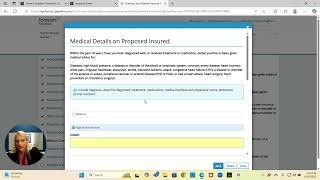
Tanya Hughes walks through the Foresters Financial e-application for term life insurance, from login through electronic signature. She covers entering applicant details, selecting coverage amount and term length, naming beneficiaries, answering health questions, and the signature flow where the insured gets an email first, then the agent signs with their last four SSN. She recommends practicing by creating a test application on yourself without submitting it.
Chapters
Alright guys, today we're going to learn how to write a Forresters application. We're going to keep it simple. We're not going to over complicate the simple. Okay? We're going to walk you through, step by step how to do it. All right, now this, you're going to go to forresters.com. this is the main page. Now remember, you want to make sure that you have your username and passwords written down and saved in your binder. So you always have them. All right, you're going to go here and you're going to click where it says log in. Alright? When you click login, you're going to go where it says four agents. You're going to go easy biz. When you click that easy biz, it's going to give us a producer number. So you're going to put your producer number in there. Okay. And your password that you've already set up previously. Okay. So I'm going to go ahead and put my password in here and then I'm going to click login. Okay, perfect. The next thing you're going to do is I'm going to have it send me a text to verify my identity. Now you're going to have to do this every single time you log in to write an application. Okay? It's not a one time thing. You're going to do it every time. So it's going to text me a code. Okay? When I get that code, I'm going to put the code in here. I'm going to go ahead and hit continue. All right. Now this is going to take you to where you're going to write your application. What you're going to do is you're going to go right here where it says E app. Alright? Now when you go to E app, it's going to load, it's going to say start a new case or view my cases. For past cases that you've written, you'll be able to see them in View my case. For this purpose we're just going to put start a new case as if we're writing a new application. Okay? Now remember this is going to where you can't do any, you can't do it wrong. It's not going to let you do it wrong. Okay? So you don't have to worry about that. Okay? So right here we're going to put the proposed insured. This is the person that is the client that we're writing up. So over here I'm going to put my husband's Name, Michael. The gender and where this is where it says application sign state. Now this is not where you're signing. This is where they're signing. Okay. So if my client is in Texas, I'm going to put Texas. Now there's several of these things that are going to pop underneath product type. Remember we said we're going to focus on core carriers and core products right in the beginning to get your feet wet and get you making money fast. That's our goal. So we're going to only focus where it says term life. You're going to click Find available products. When you click find available products, you're going to find three products. There's only one product that we're actually going to write. That product is called Strong Foundation. When I got going in this business, 98% of my business was right here. Forresters. Okay. So you can write the majority of your business right here. You're going to click select right here. And this is going to take you to the E app. Alright. You're going to scroll down to where it says I agree. Yes. Okay. That just means you agree you're licensed to be able to write an application in the state. So you're going to click next. The next thing I'm going to do is I'm going to put as the agent, I'm going to put my name right. I'm going to put my agent number, I'm going to put my Social Security number and I'm going to click validate. Okay? And it's going to validate that I am able to write business in the state that I am writing business in. Then you're going to click next. Now remember, you want to write the do an application. I want you to write an application on yourself. Just like I'm showing you how to write an application. When we're done with this, I want you to write an application on yourself. Do not submit it. The reason we do this is because the first time you write an application is not when you're sitting with a client. Right. You want to feel confident when you're sitting with that client. In order to do that, you want to make sure you understand what to do on the application. Okay. So right here I'm going to put Social Security number. So I'm just going to make up some numbers for this purpose. Okay. The country of birth, where were they born? Just simple, where were they born and what state? Right. Are they US Citizen? It's either yes or it's no. If they're US Citizen, you can pick yes. If they're not, say no. Are they English speaking? Yes. Right here you're just going to put their address, right? Just simply type their address. You're going to put their phone number, Foresters number. Most people won't be a Foresters member. So I typically just say no on that. You're going to put their income. So if the annual income is 100,000, you put 100,000. Okay. These last two, you're going to say no. Now then you're going to see it says types of photo id. They must have a photo id, a driver's license, a passport or a state id. All right, so here I'm going to put driver's license. Will the owner be the proposed insured? Typically it's always going to be the proposed insured. Okay. Where that sometimes will be different is if they're below the age of 18 or they specifically ask for that. These are. Of course, you've already asked these questions. Right. We're just filling in the information. The term period, that is the amount of time that we're locking the rate in for. Typically Most people do 15 to 20 years across the board. Okay, base amount, we're just going to say 100,000 now right here. I typically don't do any of these riders in the beginning. We're going to keep it simple and for this purpose we're not going to do a rider. The only rider I might do is the accidental rider where it would double in the event of an accidental death. If I click it, I can put what I want for an accidental death benefit, but typically I don't add it. Then you're going to click next. This is the beneficiary. This is if something were to happen to the client, who is the money to go going to go to? All you're going to do is you're going to click here. It's whoever the money is going to go to. Okay, you're going to click save. You don't have to fill out all of the. You do it on a percentage. It always needs to add up to 100%. So if you have four people, then you're going to need to put four different people on here. But all has to add up to 100%. Okay. Contingent beneficiary. What is a contingent beneficiary? A contingent beneficiary is if something were to happen to both people, so the proposed insured and the primary beneficiary at the same time, who would they want the money to go to? So if I said yes, I would say yes. And let's say maybe they have some children. Maybe I'll put their children. Okay, Charity benefit. This is something that if you wanted. If they wanted to donate to any charity of their kind, they can. And you just put that in there. Okay. Is there another annuity? Life insurance pending or on the life of the applicant? So typically I just do. In the last year, if they've written a life insurance or they've got something pending, I'll put it. Otherwise, say no. Have you ever had an application for life, health, disability or critical illness declined or modified? I typically say no there because within the last six months is all they care about. Will the coverage be discontinued or reduced? I typically say no. If they're not replacing a policy, we're just going to say no. Then you're just going to go through these questions, very simple. You're just going to read the questions and answer them, just like I'm doing. Now on a term product. If they've had a stroke or a heart attack, you're not writing them on a term product. They have to be healthy. Okay, so here you're going to click details and I'm just going to mark what they have. Let's say they just have high blood pressure. This is where you're going to go ahead and you're going to put. What do they have? I'm going to say, okay, they have high blood pressure. If they have any heart issues besides just blood pressure, they're not getting covered on a term product. All right, these are all questions. Now your key word is in the last 10 years, last 10 years of a cancer. On the draft date. What I say, what I always tell people is the first payment is immediate. All future payments can be whatever date you want. Okay? If you put a preferred draft date, you will not get paid until that draft date. Okay? So if you want to wait 30 days, then you can put whatever date you want. But I tell people it's the first payments, immediate, all future payments, whatever date you want. Do you see? It says the documents are incomplete and not in good order. It is not going to let me do anything until I finish making sure everything is complete. Why? Because I didn't put the address. So we're going to go back and put the address in so you can just see it, right? See how it has a little red mark that means something's missing. So here we missed the date of diagnosis. And when it says most recent flare up, I'm going to ask the most recent major flare up, not just when did they last flood they had asthma. Okay, so say mild. If they haven't been hospitalized, it's typically a mild case. Right. You're gonna hit next. See how you can't go wrong. I'm getting green check marks right here. If they long as they turn green, you're good. Green means go, red means stop. Right. Most recent occurrence is typically a severe time where it was really hard for them. Okay. That's not the last time you ever had anxiety. Normally it will say validate, but it's not going to say validate just because I just made up a number. Okay, you're going to click next and then click next. Then you're going to hit lock application, proceed to signature process. Then you're going to click next and then you're going to say electronically signed documents and you're going to click email. Okay. And then you're going to click next and then here you're going to put the last four. You have to put the last four of your social. And then you're going to put as an agent, you're going to put your email address. Is the agent your payer? As the agent, are you a proposed insured? No, you're not, right? You're going to click next. So do you see how it says your email signature is sent? So what I want you to do is I want you to see what the email looks like when they get it. Okay, so I'm actually going to show you my screen and you're going to see it says foresters. So when you're talking to your client, you're going to say, okay, you're going to get an email from foresters. I want you to click it. So they're going to click it. Okay, I'm going to act like I'm the proposed insured. Okay, you're going to click access documents. When you click access documents, you're going to click the last four digits of your Social Security number to where it says last four of the social. You're going to tell your client you're the last four of their social. You're going to walk them through this just like I'm walking you through it. You're going to do the same with your client. All right? And it's kind of like muscle memory. It gets easier as you go. The next thing you're going to tell them is they're going to click where it says review document. So you're going to click review documents. Right now. It's going to pop up all those questions that we just went through, okay, I tell them you're going to scroll down to the bottom because these are the questions we just went through with you. And then they're going to click the top X. Now they're going to scroll down and if you see right here it says by clicking I agree button. So they're going to click the I agree button and then you're going to click right here where it says I agree. Okay? And then it's going to say by clicking the box you agree and you're going to sign that city state. So you're going to let them know you're not really signing. Now here's the important thing guys. If you're writing a husband and wife and they both don't have their own email address, you cannot use each other's email address. Each person must have their own email address. If they don't have their own email address, they need to create one because you cannot. Because they don't actually physically sign it, it docusigns their name. So here I'm going to put the city Cyprus. Right? And then they're just going to click apply and submit to agent. Okay, now it's going to come back to me, right? So as the agent you're gonna get an email as well. So I'm gonna go into my email so you can see it. Okay, so this is what it's gonna look like. Now you're the agent. I'm getting an email, right? It says action required, right? Do not reply. So I'm gonna click on here, right? So you go back to the ones that's gonna say action requires. I'm gonna click right here. Access documents. So as the agent I'm going to access the documents. Now it's going to ask for the last four of my social, right? And I'm going to click sign in same thing. I'm going to scroll down to the bottom just like they did and I'm going to click the I agree button and then I'm going to click I agree. Right? And here, this is where you're going to fill this out. This is a producer report. Is it a referral? No. The anticipated rate was going to be a non tobacco. Should it be to adjust age? Typically, no. Unless they have a birthday coming up. Will it replace an existing policy? Unless you're replacing a policy, no. Are you related to the proposed insured? I'm going to say no. Is the proposed insured you or your spouse? I'm going to say no. Did you personally meet with them? I always do everything Virtually. So if I didn't personally meet with them, I'm going to say no in the application. Am I the payer? No. Have I submitted an additional application? No. Was a copy of the buyer's guide given to the owner? The answer to this question is yes, because it's given on the application when they already just got it. Okay, now, right here. Because I'm going to do immediate coverage. I'm going to say immediate coverage, all future payments and put the date right. So I'm going to say immediate on the say 15th, right. The next thing I'm going to hit is I'm going to hit next, right? Then I'm going to say right here, it's going to say click the box to the left. Because I as the agent agree I've gone over the question. So I'm going to say yes, I'm going to say signed at city and state. Now, for this purpose, I am not going to submit this application because I don't want an application that I did not write that wasn't legit. Right. You're assigned at city. You're going to hit apply E Signature. Okay, guys, that's the whole process for writing the application. Now, I know it took a little while to go over this, but that's because I went through step by step by step with you reading the questions to keep it simple, right? But that's all there is to it. The more you do it, the faster it will go. And that's pretty much it. So I would encourage you to write an application on yourself or go write an application on one of your family members. The other thing I would also say is you do, before you write your first policy, need to write an application on you or your spouse or your family. Because here's the thing, if you don't even buy what you get yourself, then how do you think people are going to buy it from you? So you have to believe in what you do, right? So believe in what you're selling. And what you're selling is saving lives. So make sure, whatever the policy, it doesn't matter how expensive it is, it doesn't matter. But make sure that you can tell your clients that you carry it on yourself because you believe in what you do. That's it, guys. That is how you write a forester's application. Step by step, from beginning to the end. Excited to get you going. Have a great day. Bye. Bye.