PowerPoint with AI: Geetesh Bajaj on Presentation Design, Innovation, and Cloning Technology
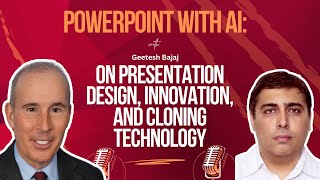
Geetesh Bajaj, a 23-year PowerPoint MVP, talks with TJ Walker about how PowerPoint has expanded across desktop, web, and mobile, plus Microsoft's new AI features. They cover why clients still choose PowerPoint over Canva and Google Slides, how to build executive decks, and early cloning technology that could let AI present your slides.
Chapters
It's easy to forget in this days of AI hype and everyone talking about clones, me included, that PowerPoint is still the overwhelmingly favorite technology used by corporate executives around the world. Now PowerPoint slides can change, the dates are gone when all you did was put three bullet points and a few words. But the technology is still in use every single day. I'm very happy to have with us today is a guest on the program, one of the most renowned experts in the entire World on PowerPoint. Our guest today is Gitesh Bajaj and very happy to invite him to the show. Gites, thanks for joining us today.
So good to see you TJ.
Now Gites, for those of you unfamiliar has written six books on PowerPoint. He has been named an MVP for 23 years in a row. For our listeners who aren't familiar with the Microsoft PowerPoint MVP, tell us what that means. How does someone get certified? What does that actually mean?
An MVP stands for Most Valuable Professional. Okay. It's an award. It's a name of an award that Microsoft gives out to people who focus on and excel in any particular technology of theirs, including PowerPoint. So they have many MVPs all over the world and they have under 40 MVPs for PowerPoint alone. And this is 40 spread all over the world.
But there are not many who've had it for 23 years in a row, correct?
No, there are not many who had it for 23 years in a row.
Right. So tell us what's, what's new in the world of PowerPoint? A lot of people think, well, you know, I learned PowerPoint 10 years ago. I know how to throw together a slide deck. You consult with many of the top agencies in the world who are creating slide decks for major corporations, major marketing, advertising agencies all over the globe. So you're really working on things in a cutting edge or what is new and exciting about PowerPoint?
What I would love to say is that PowerPoint has a lot of stuff that's new and it also ensures that it is relevant even today. Although PowerPoint itself is more than 30 years old. Okay, so for a product that's been there for so many years, for decades, we made the into AI now which is the new one new part that we are talking about. And PowerPoint works with Microsoft's copilot technology and use AI, it's not really great now. It's getting better and better every day you use it. But what's more important than what's new in PowerPoint is that PowerPoint has managed to make its, keep itself kids now. It's, it's how PowerPoint goes and reinvents itself. And you had PowerPoint on the desktop, on Windows and Mac, and then when it was online, they created PowerPoint on the web. PowerPoint works on the browser. Now PowerPoint works on tablets, on phones. They also have some sort of basic version of PowerPoint for watches. Okay, so Microsoft, let me step back.
A minute there and just toss out a. Why would, why does someone want PowerPoint on their phone? Is it because they're traveling, they come in late to a meeting and they want to continue to do a presentation just from the phone? Part of me is excited about the innovation and a part of me is a pull because a pet peeve of mine I can't stand when I see a speaker holding a phone and looking at it for notes like, how is that really better than having, you know, a sheet of paper just on a table? But you tell me why, why does someone want a PowerPoint deck or the program on their phone?
The important part to, you know, notice here is it's not that PowerPoint is on the desktop or laptop on the phone. The more important part is that PowerPoint as an ecosystem is everywhere. It's omnipresent. So you continue using PowerPoint on the laptop, but if you are on your big screen, connect your projector, do a webinar as you're doing okay, but suddenly you want to make one change and you realize you don't want to boot up the laptop, it's on your OneDrive or on any other system, take it on your phone, change that one figure. It's so much quicker and faster than doing it otherwise. Okay, so in addition to the way you like to work with PowerPoint, just think of PowerPoint on the phone as an additional to work with it.
Okay? And I do want to bring UP and Spotlight InDesign, your publication that you've been publishing for years and years and years, which really gives people all the latest information on PowerPoint, the technology, how to use it. Give us a little more of an in depth background of what people find when they come to InDesign and when they subscribe.
So when to InDesign. We have two types of visitors on InDesign. The one of the first one is people who are subscribers to InDesign. They come to know what the new content is, they come to update themselves, they sign to our newsletter and stuff like that. And then we get the organic search from people who go on Google or any other Solution and to InDesign and why would they come to InDesign? They would come to learn more. Not only learn about how to use PowerPoints, but know what other people are using PowerPoint for. Okay. And stuff like that. And we also have interviews with people. We also featured you once in a while ago, and we feature all sorts of experts who share their ideas, their thoughts, their outlooks with the rest of the world. So it's a win win for all of us, okay. To get there on InDesign and find out what's new in PowerPoint and what they can learn and how they can get better.
Now, G, you and I have known each other and collaborated for about a decade now, but I'm not sure I've ever asked you, how did you, way back in the day, first come across PowerPoint, a PowerPoint slide or a deck, and think, you know what? I'm gonna make a whole career out of this?
It did not happen that way. It was much more. Okay. So what happened is I started creating decks for some clients which I were doing other computer work and I really liked doing what I was doing. And I started spending a lot of my time on PowerPoint and I ran into quite a bit of roadblocks. Whom to ask? So I used to go into the news groups in those days, news groups, where, you know, you did not have the graphical user interface that we have today. You actually went into like, what is a DOS screen, a black stuff over there. And you.
And this was. Sorry to interrupt. This was what year and what were you doing as you were right before.
You started doing this? At least. At least 25 years ago. Okay. And what I was doing before at that time was working with websites, and I also was running a business of my own. And this is something which essentially started as a hobby.
And so you were developing, you were building websites professionally in the late 1990s.
Not that wasn't professional. There's a location that was also a hobby and that was more of having fun. But what I was professionally, I was learning the family business, which was a food processing factory, and I was taking care of that. Okay. And. And I had some spare time. And I love doing all this stuff. I loved getting a computer, playing around with it. And so things evolved, as I told you, it was very organic. And then started asking questions about PowerPoint to understand how things work. And I found many, many people were asking questions and I thought I knew the answers to them and I would answer those questions for the news. Things changed. I'm based in India, and the Internet opened up Here. And we got access to all star brow and, you know, going in and the world became a smaller place. Okay. And then I realized that I was answering the same questions again and again. Okay. So I decided to create this site. I could just go and put detailed answers and techniques or all the stuff I was telling them in the news groups and send them there. So that's how InDesign Evolved started.
Fast forward to today. How are your clients actually using PowerPoint? Because there's a million ways you can use it. I think of there's two main ways. One is a communication tool that you're emailing to people, and it's just a fancier way of graphically conveying information that you want someone to read in silence the way they would read a document. The other is something that you have behind you or going at the same time or a part of you when you're standing up in front of people speaking. And I guess the third way is when you are presenting online. How are most of your clients using it these days? Or I should say the clients of your clients using it.
Yeah, exactly. And they're using in any of those three ways. Okay. And they're actually continuously finding newer ways of using PowerPoint people conventionally, as you said, a lot of people also use them unconventionally in other ways. Okay. But what's really happening is what unconventional is people are using PowerPoint to create video clips. People are using PowerPoint to create graphics, to share. They even using PowerPoint to create cards and stuff like that. And certainly PowerPoint is being used in the conventional way, business presentations, business reporting, and sharing content with what. What PowerPoint is really good at, TJ is taking content from desperate sources. Okay. From different sources, putting them together. You can take visuals, you can take text, you can take multimedia, you can take your chat content, you can take your, you know, shots and put them all together in one document and then share it with this. And they don't do have viewers for all that stuff. And PowerPoint is the glue that holds everything together. So you can put your message in one document and share it with the rest of the world.
And who is PowerPoint's biggest competitor these days? Is it Canva? Is it Adobe? Is it Apple Keynote? Where are you seeing the competition? Or does everyone just use all of those tools? And PowerPoint's an umbrella term for. For a lot of these things combined.
You know, the good thing is a lot of these new products coming up, they're very promising and they bring our challenge to Microsoft, and that actually inspires them to make PowerPoint even better because they have to compete with all products, right? So the winner is us, the users. Okay? So we get everything else and we get PowerPoint and then we get other tools like Google Slides, okay? And of course, the other tool like Apple Keynote that you referred to. Now what happens is when these tools come up with some sort of groundbreaking technology which PowerPoint doesn't offer. Like if you take the case of Google Slides, the most important feature that it brought forward was collaborating. A lot of people could collaborate on the same presentation and that was really a killer feature. So PowerPoint also had to up the ante and get that over there. Now, to speak of the repeating terms, there's one factor to always remember. Google Slides, canva, Keynote and many others that you have that create slides over there, they always have an import PowerPoint feature, but they also have an export to PowerPoint feature. A lot of users who use these other products also use PowerPoint. It's not that they just use those products because we are living in a world where you have to share content with others. I always TJ that the PowerPoint file format is a bigger asset for Microsoft than PowerPoint itself because anybody wants to share the content, they had to very well go and share it as a PowerPoint.
Our guest today is also the director of the Presentation Guild, Gitajaj. What is the Presentation Guild?
The presentation industry body was formed around 10 years ago. Okay. To be the voice of the industry, to represent the industry and create certifications for the presentation industry. It was just felt that the presentation industry, PowerPoint designers or presentation designers or presenters represented in a way that other design fields get represented, like graphic design or any other sort of design. Okay. So the Presentation Guild was formed to make sure that void was filled up. Okay. And I think it's done an amazing job over the last 10 years. I'm sorry, go ahead. No, I would welcome all of your viewers to actually go take a look around. And I'm sure you know you, if you are interested in presentations, this will be a real interest to you.
What is your advice to say a typical one of our viewers? Let's say they work in corporate communications. They handle a whole variety of communications tasks, but let's say 15% of their time they are given the challenge of creating PowerPoint slides and decks for senior executives at their corporation. You've seen a lot of change over your decades of experience. What is your number one piece of advice to a communications executive who is given the task? And maybe they don't have a lot of other background information. Maybe they haven't had facetime with the executive yet. What is your career advice to them on how they can get this part of this portfolio down? Where they are seen as a real expert at creating high quality presentation decks and beyond that really helping the top executives communicate effectively.
The first piece of advice is to do a lot of homework before you even launch PowerPoint. Get to know the executive who's presenting, okay? The person that the chairman, the president who's presenting. Get to get to know them better, get to know what their message is. If it's not possible to get to know them in person, try to go and do some research on them and you know, try to get a feel of the person. So and create a presentation for someone. And it's very difficult to create a presentation on someone you don't know. Okay. So in a certain way you need to get to know that person. It's only when you get to know the person well, then you can actually create the message that person is comfortable delivering to the their audiences. Now once you got there, create a message, create a storyboard and send it to them for their approval and ask them to share their thoughts with you on what they think is appropriate or what is not, what they would like to add to that content. When you have this sort of messaging in place, then it's good to launch PowerPoint, work with the presentation program and create slides. You, you'll do a far job of doing so if you really have this background information in place.
By the way, if you want to get a hold of Gites, we have linked in the show notes links to his LinkedIn account, his Instagram account and his main online home, InDesign, which is a fantastic resource. I pulled it up here inDesign.com where you can find anything and everything related to designing on PowerPoint. So check that out. Geeta, she. In all of your travels and meetings with Microsoft, have you ever met the actual creators of PowerPoint? I mean I forgot who they are and I understand they sold it to Microsoft. What about 1980, 82?
So PowerPoint was not actually a Microsoft product. It was created by a company called Forethought and, and one of the executives, Robert Gaskins, he actually continued working with Microsoft for many years. We did a few features with him on InDesign. So your viewers are welcome to go and InDesign and search for Robert Gaskins and there's a lot of exclusive information that's over there. He's actually also written a book on his Whole, he's runs a website. So he no longer works for Microsoft. He's, he's retired from Microsoft now. But there's a lot of interesting.
I'm sure they took good care of him. But I'm just wondering, have you ever said, wow, do you wish he had started this a few years later and been like Canva, where I understand that, you know, the creator of Canva became a billionaire because you know, there. I'm sure there's a big difference between what the Microsoft paid him in 1980 versus becoming a billionaire. But I'm sure he did quite well. So we won't, we won't pass the tin cup for him. I've got a selfish question for you. Just occurred to me. My own perception is the, the industry of PowerPoint has gotten bigger and bigger and bigger. There's more design companies, there's more consultants and bigger companies. They are spending a fortune when it comes to, you know, actually paying outside companies. But more important, the time of executives between the legal review and investor relations review and the CTO review of a deck, any one deck at some point, if you added up the direct and indirect cost, could be tens of thousands of dollars sometimes. And so my frustration is why are companies spending 10, sometimes $50,000 on a PowerPoint deck and yet spending zero time on a trainer being self serving now to actually rehearse the exec? Oh no, we don't have time or money. Well, you spent 100 hours between all the different executives touching the slide deck. And if you add up their time, some of them are charging 200, $500 an hour. If it's a legal counsel, they're spending in many cases in excess of 10,000, $20,000 on a slide deck and yet they don't spend time actually rehearsing it with a trainer. Do you have any advice, not necessarily to me, but to let's say younger presentation skills coaches of how they can get a part of that business. Do they need to go into the slide building business to be a part of it?
So you know something, what you said is so true. Okay, but there are except, and the good part is more of these exceptions are coming in place now. Okay? So a lot of people recognize that you need trained into presenting. You need to have some guidance. Just getting a deck and spending so much money on a deck is not good enough if you don't know how to deliver that message. Well. And things are changing, though not at the speed which you would have to. And the two aspects that I really need to highlight here first is that is the reason industry organization like Presentation Gil came up okay to actually go and further the thought that you really need to do more with your slides decks just create. Secondly, Microsoft has also been putting a lot of effort in this direction. They now have tools that let you practice well your content better. They have put in a lot of effort into accessibility issues now, which is again very important. And they've also done stuff transliteration in other languages and stuff again on those lines. Are we there yet? Do we need to do more? We certainly need to do. But the biggest disadvantage here, the biggest bottleneck here is a lot of people are not aware that they in the first. So we need more awareness out there on that front to, you know, to cross that bridge. You also spoke about Canva a while ago when they got into presentations. No one thought they will get to this level that they have today and they're doing a really, really amazing job and stuff like. But the same challenges faced with all the slideware programs including Canva, Google Slides or Punct, the people just there are a lot of designers spending, as you said, thousands and thousands of dollars creating those content. And then they're not really spending that sort of effort to understanding how to deliver it, how to lead message, how to make sure the audience remembers it. They also need to learn to how to follow up on that presentation and take it further. And there are a lot of training happening nowadays. A lot of add in companies creating add in products that let you use artificial intelligence or tools for presentation management.
Hold on one moment there. We do have a couple questions coming in related to this very subject. By the way, Diggs on Twitch says hello, Dr. Sunny of Speak and Shine says Gidish, how has AI impacted how your PowerPoint presentations are designed? You've touched on a little earlier, but if you could go into more detail for Sunny.
Sure. See, AI is an assistant. Okay. As far as I see that, okay, a lot of people have assistance. A lot of people don't have assistance with AI. Everyone can have an assistant, but who is giving the presentation? Whoever is giving a presentation, delivering into an audience is considered to be a subject matter expert. Okay, so AI is not a subject matter expert. When you go in front of an audience and talk to them and there's a question about something, you can't refer to AI at that point in time. So AI is only a tool you can start with. You can when you imagine you have a creative block and that's natural. It happens to into the most creative of us. Okay, AI is going to break that creative block for you. It's going to get through that bottleneck. You get some start with a lot of the content is very good, okay? But the content that AI gives you can be much more broader than you want you want. You may want to narrow that down to what is applicable to you and then use AI as a starting point. It's awesome. You can create content with that. You can create images of that technology using AI, Microsoft's own copilot AI stuff. But AI is not you. It doesn't replace you. It only makes you better and use it wisely and to help you a lot that way.
And speaking of getting better, a lot of our viewers in our remaining time would really like to know how you worked your way up your career because you started off doing this as a hobby, then you were designing slides, but then you worked your way up to a position of real thought leadership where companies around the world are paying you as a consultant to help them tell us the various steps you took to get to that thought leadership. By the way, you have written a number of books which anyone who wants to check those out, they can find those on Amazon and other online bookstores. But take us just briefly through that journey of how you worked your way up the food chain of the PowerPoint world.
So I partly spoke about it, how I got started into doing presentations and stuff, creating the website and design. And soon after that after I was awarded as an MVP, Microsoft Most Valuable. My 23rd year, consecutive year of being an MVP. And what has happened along the way is I have designed presentations and interacted with lot clients. I have attended a lot of industry events. And what I found like around nine or ten years ago is a lot of people are asking me questions and I'm helping them out. So essentially I was to some extent doing consulting. So again this was organic and part of evolving. I got into consulting and now what I primarily do is, is do consulting to presentation companies, PowerPoint, add in developers, PowerPoint designer and patients and stuff like that. So that's, that's how I got there. Naturally there's, it's not as easy to go detail about describing 23, 25 years of what I've done in, you know, such a little time. There's so much more to that. But this is how the journey has been.
When you look into your crystal ball, where do you see things going and say the next five, ten years now I started something recently almost as a, not a complete joke, but almost, I started a cloning speaker bureau. And so my Clone is available to give keynote speeches. In theory, someone could have their clone speaking and then have their, their, their slides, their PowerPoint slides coming up and down. Others might say, well, that's too gimmicky and we want the real person. Do you see clones being a part of people? Because I, I. Let me step back. I do see clones as a part of the, of the future. So many executives, experts are asked to give speeches all the time. And let's say someone needs me in, in Hyderabad where you are, but it needs to be 9am Your time. Well, that's one in the morning for me. I just, I can't get up, especially if they're not paying a full fee. But I could have my clones speak at any length of time and do Q A. So I, I really do see that happening. But I'm wondering what you see as the future as AI takes a lot of different forms, clones being one of them.
This is something that's, you know, it's still evolving to say what's going to happen in the next few years. It's very difficult because we did not know a few years ago what would happen today. And having said so about the clone stuff, you say your clone goes and represents you. But then what if some questions are asked of the clone? Okay. And the clone gives answers AI fed into the clone. But isn't it possible that if you were there, live in person, you probably would have given a different answer?
Well, you know, I tested that. First of all, my clone doesn't pull. And the way most people's clones are, if they do it right, it's not pulling from the Internet. It's only pulling from my books and, you know, my other books and my online courses and my YouTube, what I've actually said on YouTube. So if someone asked me something that I haven't written about or talked about, my clone is programmed to say, hey, you got me. I don't know. So it's, it's transparent there. So it's not like it's going to start giving people solutions to the Middle east crisis when that's not something I've written about or talked about or want to get involved with. So answer your question. I think sometimes I give a lot better answers than my clone does. Sometimes they're pretty similar. But if I'm being honest and fair, sometimes my clone gives a better answer because it has more detail, it has a perfect memory and recall, whereas mine doesn't. So we'll talk about this again next time. G, thanks so much for being with us today. Really appreciate your time. For people who want to know more about him, he's on social media everywhere. We've posted links in the show notes and you can always go to his website, InDesign.com those of you listening on the podcast, it's Inde Z I N E.com Giddish thank you so much for being and I should I should point out our plug. We're brought to you today by our latest sponsor, which is my own book, Building an Interactive AI Video Clone. If you want to know how to create a clone that can give speeches on your behalf with or without PowerPoint, check out the book. It's available as a Kindle book, a digital book, a Kindle Unlimited book. It's available as a paperback. It's available as a hardback. It's available as an audiobook on audible.com and other places. So check out the book if you want to get ahead of the game when it comes to using AI in your own presentations. Girish, thanks so much for being our guest today.
It's been a pleasure. TJ.
More from TJ




The Breakout Cases - What Actually Caused Famous Speaking Career Breakthroughs | Ultamize
The Red Circle Sessions Finale - Build the Speaking Career You Came Here For | Ultamize

Two Stages, One Logo, Two Completely Different Realities - Main Stage vs Independent Events | Ult...

Pre-Reset - Why Repetition Builds Better Speaking Decisions | The Red Circle Sessions | Ultamize

Your Decision, Your Framework, and What Happens After - Build Your Speaking Career First | Ultamize

The Red Circle Sessions Trailer - The Speaking Career Truth Nobody on That Stage Will Tell You | ...

The Two-Minute Ultamize Reset - Your Platform, Your Audience, Your Voice | The Red Circle Sessions