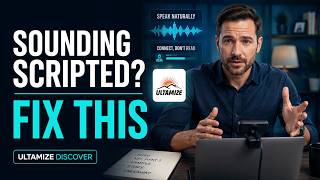
TJ Walker explains why reading notes on screen kills your credibility in online presentations. Instead, put a single sheet of paper with bullet points just below your camera so you can glance down while keeping eye contact. Your voice stays natural and your audience stays engaged.
Chapters
Ultimize. If you start an online presentation with your slides already filling the screen, you've already made a huge mistake. The first thing people should see is your face looking directly at them, speaking naturally before any slides ever appear. Even if you're showing 500 slides today, start with your face. Now, one change alone will immediately make you look more confident. More credible, and more engaging. Most professionals assume that online presentations are easier because they can read from notes and no one will notice, but your voice gives it away every time. You sound flat, you sound scripted, you lose connection. In this course, you're going to learn how to fix that. You'll discover how to look directly into the camera without feeling awkward, How to use simple notes without sounding like you're reading. How to control your voice so you sound natural. And how to stay engaging even when you're forced to present long slide decks. This isn't about memorizing anything. It's about learning a simple, repeatable system that allows you to speak with confidence and clarity every time you're on camera. If you want to stand out in meetings, presentations, and virtual communication, you're in the right place. Here's the mistake almost everyone makes. They think, "As long as no one can see me reading, hey, I'm fine. I can get away with it." But your voice gives you away instantly. You don't sound the same when you're reading as when you're speaking or just talking, and people can hear that difference usually within a few seconds. When you're speaking naturally, your voice has variation. You emphasize certain words. You pause in natural places. You sound like you're thinking and communicating in real time. When you're reading, everything tightens up. Your pacing becomes slightly mechanical. Your tone flattens. You lose emphasis. See how bad that sounded? And worst of all, you start breaking your thoughts in unnatural places. You stop in the middle of a sentence, you look down, you come back and restart. That's the biggest giveaway of all. Even if someone isn't consciously thinking they're reading, they feel it. Something feels off. Something feels less engaging, less real, and that's enough to lose attention. This is why reading is so dangerous in an online setting, because you've already lost the visual connection of a room. Your voice is doing almost all the work. And the moment it sounds artificial, the audience checks out. These days, that's as easy as picking up their phone and checking text. So the goal is not to hide the fact that you have notes. The goal is to sound like you're thinking and speaking, not reading. That's what we're going to build here, a way of speaking where your voice always sounds natural, even when you're using a simple outline in front of you. Most people assume that if you're presenting online, the best place for their notes is on their screen. Feels logical. Everything's already there. You can read it easily. No one can see it. But that's exactly the problem. The moment your notes are on your screen, your eyes give you away. You start scanning. You look slightly off to the side. Your eyes move in a pattern that looks like reading, not speaking. And even if people can't pinpoint it, they feel it. You lose that direct connection. You lose that sense that you're talking with them. There's also another issue. When your notes are on your screen, you're tempted to read them more than you should because, hey, it's easy. Everything's right there. So instead of speaking naturally, you start following the text, and that changes your voice, your pacing, and your energy. Hear how awful that sounds? A much better approach is to use paper notes on your desk. Simple. One page. One, two, maybe four or five words at most per line. Big enough that you can glance down quickly. Here's what I use. Those of you listening to this, you can't see it. I'm holding up a simple sheet of paper It's got numbers on it, and then it just has bullet points in large bold. One single sheet. It's less than a sheet of paper. This is everything I need to give an hour-long presentation. So I can glance for a second. I see what a point is, and then I go from there. So I feel like I'm talking to people. I am talking to people, and yet I have a roadmap. I know exactly where I'm going at all times. So instead of scanning across the screen, you're making quick intentional glances down, then immediately coming back to the camera in a way that feels natural. It looks more natural, and most important, it keeps you in control. I don't have to remember what I'm going to say next. I've got everything right here on my roadmap. But since it's not whole sentences and whole paragraphs, I'm not tempted to have my head down staring at the script because it's not really a script, it's just notes. You're not pulled into reading, you're just using the notes as a guide. So set it up this way. Your camera is in front of you, your notes are just below it on your desk. You speak to the camera, You finish a thought, you glance down briefly, and you come right back up. That's it. It's simple, it's controlled, and it keeps you sounding like you're speaking and not reading. Because here's the thing: most people hate to be read to. It reminds people of being in kindergarten and having to sit through a teacher reading a story. You might enjoy stories in kindergarten, but adults don't like to be read to. By the way, quick question for you. Have you ever noticed how easy it is to consume content and how hard it is to actually do anything with it? I mean, you can listen to 100 episodes, read 10 books, and your habits are exactly the same. That's the gap most people never close. So if you're listening to this and thinking, yeah, I want to actually improve, go to ultimize.com. We've got free courses there for you, either on communication skills or building better habits, and it's designed to get you to actually use what you're learning. Not just hear it once. No cost, no catch. Just go to ultimize.com and start. Ultimize.