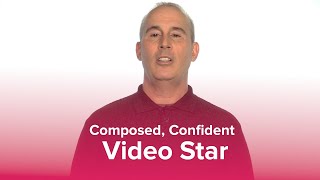
TJ Walker shares how to look confident on camera: move your head and hands to avoid looking frozen, lean forward 15 degrees with the camera slightly above eye level, and keep your eyes on the lens. Better audio gear like a lavalier mic makes a real difference too.
Questions this video answers
June 29, 2022.
About 15 degrees.
A couple of inches above eye level.
About $15.
About $20 on Amazon.
Chapters
One big change in the workplace these days is that more and more of us are being asked to present talk work on video. 20, 30, 40 years ago, that wasn't the case. Only the CEOs were asked to go on 60 Minutes or go on some big primetime TV show or be a part of the official welcoming training video. These days, pretty much anybody you could be the first day on your job and asked to speak on video. Even before you get the job, your interview could take place on Skype video. So I want to give you some tips here on how you can communicate on video. It doesn't matter if it's a job interview on Skype video, a meeting on Zoom, creating a Facebook Live or YouTube. For most people, when they see a camera in front of them, the natural instinct is to tense up. So I want to give you the basics of how you can look comfortable, confident, relaxed, and use your body effectively. Now, you've already heard me talk about hands. You want to move your hands when you speak. Most people when they're staring at a video for Skype or for Zoom or doing Google hangouts, their whole body just freezes. So get your hands moving, but let's step back. Even before that. When the video camera is on you, the natural reaction is to have kind of a frozen blank look. Big, big problem. You want to move your head, you want to move your face. It's going to seem awkward staring at a little piece of machinery to move your head and move your face. But if you don't do that, you are going to look like you are part of a hostage video and someone has a gun to you. So you really want to make sure you're moving your head and moving your face. Next, you want to move your body. I'm not doing a big dance here, but I'm moving my body. When I'm saying certain words, I lean forward, I lean back, and that's going to make you come across more comfortable, confident and relaxed. And as we talked about, you're going to get tired of me saying this. Move your hands. When you move your hands, you, body moves. You're more likely to move your face. So these are some of the basics of how you can look comfortable on camera. Now, something that's very noticeable are your eyes. If you're doing any kind of on camera communication, there's going to be a tendency to want to look up. I'm glad you asked me that. When you look up on camera, it looks like you're just making up stuff. You're just bsing it's not a good look. So I recommend that you don't look up. If you had to look away, look down for a second. The other problem people have is they're looking to the sides. Hi. Yes, I'm really honest and trustworthy. I'd like to tell you about my offshore hedge fund where you should send all your kids college money and your retirement funds. See that? I'm literally shifty eyed. Don't do that. Just look at the camera. If you occasionally want to look down, that's fine. But most of the time you should look at the camera. You'll come across more believable, more likeable. Now here's the part a lot of you really want to hear. You see yourself on camera and you think, well, I don't look like that. I look a lot worse. I look heavier, I look fatter. Hey, we all have some level of vanity. So let me give you some basics. Anytime you're on a video camera, if you sit back relaxed. How do I look? You see about three chins. Now, you might not have as much extra weight as I do and you might not have double chins, but if you sit back relaxed in a chair, you will look heavier and fatter. And the camera is going to latch on to whatever it's closer to your body, in some cases your stomach. So sitting back relaxed is the least flattering look. Anytime you're on a video camera, the next worst thing is someone with so called perfect posture. You see people like this on major news networks, financial networks. Hi, my name is TJ Walker at Media Training Worldwide. I help people look comfortable, relaxed and confident on tv. How does that come across? Horrible, right? I look stiff, nervous and uncomfortable. So you can't have perfect posture. You need to hold yourself up high, lean forward about 15 degrees into the camera. Now you see a stronger jaw line. Now you see less of my body. My body's not as prominent. If the camera were further back, you wouldn't notice my stomach as much either. So holding yourself high, leaning forward, anytime you're speaking on camera, whether it's network tv, we'll talk about TV in the next lecture, or just a simple webcam, an iPad, an iPhone. Anytime there's a camera, this is the angle you want. Also, as we talked about earlier, you want the camera a couple of inches above your eyes. So many Skype video interviews, meetings, zoom. They look awful in part because it's just too low. And the solution is very simple. You get a stack of books and you put your camera, your iPad, even your cell phone on that stack of books so that it's a couple of inches above your eye. Now, speaking of the posture, again, from the side, this doesn't look particularly natural. You can see it just looks a little weird. But for the person who's watching you, it doesn't look weird at all. You'll simply look more comfortable, confident and relaxed. Now, if you're doing any kind of Facebook live, Google hangouts and you're standing and it's showing more of your body, what I'd recommend again, move your hands. A lot of people will move their hands when they're seated. They stand up, they suddenly feel naked, they do the whole fig leaf thing in front of them and it looks like they have to go to the bathroom. Or they hold their hands behind them as if they've been handcuffed and are off to prison. You want to have your hands down by your side. As soon as you start talking, move your hands. The other problem a lot of people have for anything that is standing is they may have their feet shoulder width apart. Before you know it, they're doing this. Hi. I'd like to tell you about all the good things we do at Media Training Worldwide with our in person workshops. Unfortunately, you're now getting seasick. It's distracting. So don't stand with your feet shoulder width apart. Easy solution. Have one foot forward, one foot back. That's what I'm doing now. And I really can't rock sideways. I'd fall over. If you. I'm a little nervous and I'm rocking. I'll rock front and back. It's much less noticeable on camera because of the lack of depth perception. So these are basics of how you will look. Your best sound, your best come across comfortable, confident, relaxed, anytime you're in front of a camera. Now, this is not an audio video production course, but we are concerned about how you sound and the video. One of the big problems with Skype video other conferencing is the audio is so bad. If you're going to be doing conference calls, Skype video zoom meetings, for about $15, you can buy a microphone. This is what's called a lav lavalier microphone. It clips on my shirt, it can clip on your jacket, a dress, a tie, you plug it into your computer. You could plug it into your iPhone or any other cell phone. It makes the audio quality so much better. People can hear you better and see you better. Then you're really going to come across much more effective. Whether you're conducting a meeting with sales reps, around the world, or clients or prospects from two different continents if they're seeing you. But the audio sounds fuzzy. It's a little odd now, in some cases, just using the earbuds that come with a lot of cell phones. The microphone can be better if you want to really take it up a notch. Something I use for Skype video interviews, very simple. And I just keep it right next to me at all times. That way I can just pick it up even if it falls on the floor. And it's an earpiece, just like you see professional broadcasters. I put it in my ear, I clip it to the back of my shirt or back of my jacket if I'm wearing a suit. This way you don't see all the wires and you're not seeing a big headset. So it creates a cleaner look and a cleaner appearance. If you're just listening to the person you're speaking to on a speaker, you can create a feedback loop, create echoes and be distorting. This only costs $20 on Amazon. I'm not here selling anything, and there's no links or affiliates or anything like that. But you can search on Amazon, any electronic store of your choice. But it's a little thing like that that can make your audio come across much, much better. So those are the basics of how you'll come across with better body language, you'll sound better and look better anytime you're in the workplace. Having to communicate in front of a video camera.